Buying a security camera or a smart lock feels like the finish line. In reality, it’s the starting point. A house full of security gear can still be vulnerable if there’s a spare key under the mat, a garage door that’s never locked, or a Wi-Fi router still running its factory password.
Most break-ins aren’t the work of a criminal mastermind defeating a state-of-the-art alarm system. They’re the result of small, everyday oversights — an unlocked side door, a visible package, a camera aimed at the wrong spot — that quietly signal “easy target” to anyone casing the neighborhood. Understanding these home security mistakes is often more valuable than buying another gadget.
This guide walks through the 15 most common security mistakes homeowners make, why each one matters, and realistic ways to fix it — whether that means a free five-minute habit change or a modest hardware upgrade. It also includes a 15-minute home security audit you can run today, plus a deeper look at smart-home cybersecurity, since a poorly secured device can undo the value of even the best physical security system.
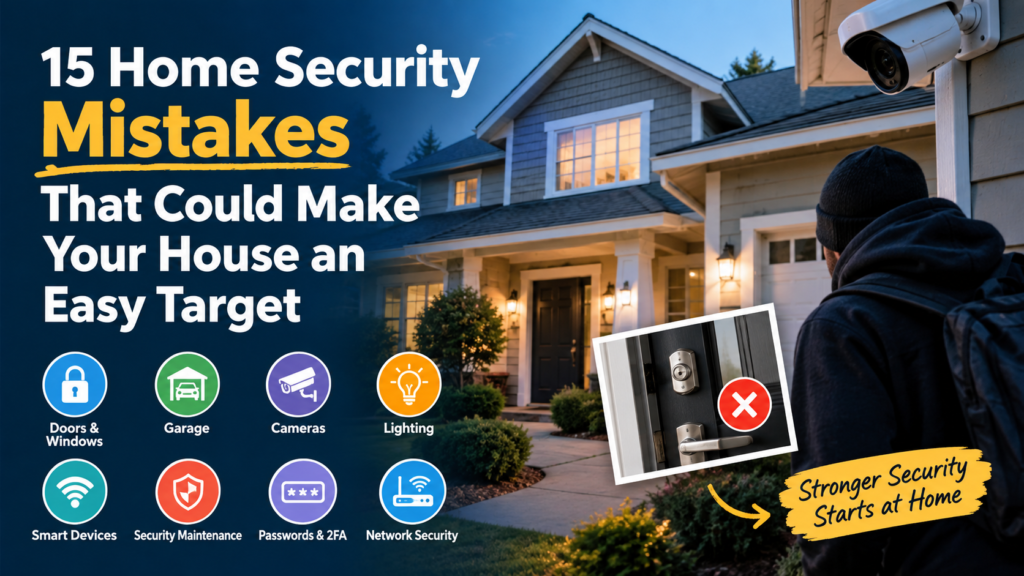
15 Home Security Mistakes That Can Leave Your Home Vulnerable
1. Leaving Doors or Windows Unlocked
The mistake: Doors and windows get left unlocked during the day, overnight, or “just while running to the mailbox.”
Why it matters: An unlocked entry point removes the single biggest barrier between the outside and the inside of your home. No camera or alarm changes the fact that the door simply opens.
How to fix it:
- Build a “last one out, lock it up” habit for every exterior door (free, habit-based)
- Add a door/window sensor that alerts you if something is left open (low-cost, technology-based)
- Consider a smart locks for better access control upgrade that auto-locks after a set time (smart locks for better access control) (hardware-based)
2. Hiding a Spare Key in an Obvious Location
The mistake: A spare key sits under the doormat, in a fake rock, or above the door frame.
Why it matters: These hiding spots are extremely well known and are usually checked first. A hidden key doesn’t add security — it removes the need to break in at all.
How to fix it:
- Give a trusted neighbor or family member a spare key instead (free, habit-based)
- Use a lockbox with a rotating code, mounted somewhere not visible from the street (low-cost, hardware-based)
- Switch to a smart locks for better access control with a keypad or app-based entry so there’s no physical key to hide (smart locks for better access control) (technology-based)
3. Forgetting About Garage Security
The mistake: The garage door is left open for long stretches, the side/interior door between garage and house is left unlocked, or the garage door opener’s remote code is never changed.
Why it matters: The garage is often treated as a “secondary” entry point, but it frequently connects directly into the home and can store tools that help break into other areas. Many homeowners lock the front door and never think twice about the garage.
How to fix it:
- Treat the interior garage door like any exterior door — lock it every time (free, habit-based)
- Don’t leave the garage door opener remote in a visible spot in the car (free, habit-based)
- Add a smart garage controller that alerts you if the door is left open (low-cost, technology-based)
- Cover garage windows so contents aren’t visible from outside (low-cost, hardware-based)
4. Relying on a Security Camera Alone
The mistake: A camera is treated as a complete security solution rather than one layer of it.
Why it matters: A camera records or deters, but it doesn’t physically stop someone from entering. Cameras are most effective as part of a layered approach that also includes locks, lighting, and monitoring — not as a stand-in for them.
How to fix it:
- Pair cameras with strong locks and door/window sensors rather than relying on video alone (habit-based)
- Look into a complete home security system that combines cameras, sensors, and alarms (complete home security system) (technology-based)
- Use cameras for awareness and evidence, not as a substitute for locking doors (free, habit-based)
5. Installing Cameras in the Wrong Locations
The mistake: Cameras get pointed only at the front door, leaving side yards, back doors, and ground-floor windows unmonitored — or they’re mounted too high to capture faces clearly.
Why it matters: Most residential break-ins don’t happen through the obvious front entrance. If your only camera faces the street, you may have no footage of the point of entry at all.
How to fix it:
- Cover front, back, and side entry points, not just the main door (technology-based)
- Mount cameras at a height and angle that captures faces, not just the tops of heads (free, habit-based)
- Compare options in a guide to outdoor security cameras to find models suited to wider coverage (outdoor security cameras) (technology-based)
- For monitoring inside the home, see this roundup of the best indoor security cameras for pets, kids, and elderly care for placement ideas that also work for general indoor awareness (technology-based)
6. Having Poor Outdoor Lighting
The mistake: Entry points, side yards, and walkways are left dark at night.
Why it matters: Darkness provides cover. Well-lit areas make it harder for someone to approach a door or window unseen, and they also improve the usefulness of any cameras you already have installed.
How to fix it:
- Install motion-activated lighting near doors, garages, and side paths (low-cost, hardware-based)
- Use timers or smart plugs so interior lights turn on automatically in the evening (low-cost, technology-based)
- Replace burnt-out bulbs on existing fixtures promptly (free, habit-based)
7. Leaving Valuable Items Visible Through Windows
The mistake: Electronics, purses, laptops, or packaging from recent purchases are visible through windows or left by the curb.
Why it matters: Visible valuables can turn a home into a more attractive target simply by advertising what’s inside, without any other vulnerability being present.
How to fix it:
- Keep curtains or blinds closed for rooms facing the street, especially at night (free, habit-based)
- Break down large boxes and place them inside recycling bins rather than curbside (free, habit-based)
- Store frequently visible valuables (bikes, tools, electronics) away from ground-floor windows (free, habit-based)
8. Advertising Vacations or Absences Online
The mistake: Real-time vacation photos, “we’re out of town” posts, or public location check-ins are shared while the home is empty.
Why it matters: Publicly signaling that a home is unoccupied removes the guesswork for anyone monitoring social media, even casually.
How to fix it:
- Save vacation posts until after returning home (free, habit-based)
- Review privacy settings so location tags and posts aren’t fully public (free, habit-based)
- Ask a neighbor to collect mail and packages, or use hold services, so the home doesn’t visibly sit unattended (free, habit-based)
9. Ignoring Side and Rear Entrances
The mistake: Attention (locks, lighting, cameras) is concentrated on the front door, while side and back doors get little scrutiny.
Why it matters: Side and rear entrances are typically less visible from the street, which can make them more appealing entry points precisely because they draw less attention from homeowners and neighbors alike.
How to fix it:
- Apply the same lock quality and lighting standards to every exterior door, not just the front (habit-based, low-cost)
- Add door/window sensors to rear and side entrances (low-cost, technology-based)
- Trim landscaping that blocks visibility of side/rear doors from the street or neighboring homes (free, habit-based)
10. Leaving Ladders, Tools, or Equipment Outside
The mistake: Ladders, patio furniture, or tools are left accessible in the yard or on the porch.
Why it matters: These items can be used to reach upper-floor windows or to force entry, effectively supplying the tools for a break-in rather than requiring someone to bring their own.
How to fix it:
- Store ladders and tools in a locked shed or garage, not against an exterior wall (free, habit-based)
- Avoid leaving furniture positioned beneath second-floor windows (free, habit-based)
- Use a cable lock or storage box for larger equipment left outdoors (low-cost, hardware-based)
11. Using Weak or Outdated Locks
The mistake: Original builder-grade locks are never upgraded, or doors rely on a single lock with no deadbolt.
Why it matters: Basic locks and thin door frames can be more easily forced. Door hardware is one of the most direct physical barriers a home has, and it’s often the most neglected.
How to fix it:
- Add a deadbolt to any exterior door that only has a doorknob lock (low-cost, hardware-based)
- Reinforce door frames with longer screws or a strike plate upgrade (low-cost, hardware-based)
- Explore smart locks for better access control for keyless entry with activity logs (smart locks for better access control) (technology-based)
12. Ignoring Security-System Maintenance
The mistake: Alarm sensors, cameras, or smart locks are installed once and then never checked again.
Why it matters: A dead battery in a door sensor or an offline camera provides a false sense of security — the equipment appears to be protecting the home, but it isn’t actually functioning.
How to fix it:
- Set a recurring reminder (monthly or quarterly) to test alarms and sensors (free, habit-based)
- Check camera live feeds periodically to confirm they’re online and correctly angled (free, habit-based)
- Replace batteries in sensors, locks, and cameras proactively rather than waiting for a failure alert (low-cost, habit-based)
13. Using Default or Reused Passwords
The mistake: Security cameras, video doorbells, or Wi-Fi routers are left on factory-default passwords, or the same password is reused across multiple smart-home accounts.
Why it matters: Default credentials for many devices are publicly documented, and reused passwords mean that a breach of one account can expose others. The FTC specifically recommends changing default passwords on security cameras and using unique credentials, since weak or reused passwords are among the most common ways connected devices get compromised The Federal Trade Commission has said people should use strong passwords for home security cameras and the associated apps or web portals, since criminals can guess weak passwords, reuse passwords stolen in data breaches elsewhere, or use software that runs through common passwords automatically.
How to fix it:
- Change every device’s default password immediately after setup (free, habit-based)
- Use a unique, strong password for each account, ideally managed with a password manager (free/low-cost, technology-based)
- Never reuse your email or banking password on a smart-home account (free, habit-based)
14. Skipping Two-Factor Authentication
The mistake: Two-factor authentication (2FA) is available on camera, doorbell, or smart-home apps but never turned on.
Why it matters: A password alone can be guessed, leaked, or reused elsewhere. 2FA adds a second verification step, which significantly reduces the chance that a stolen password alone is enough to access your camera feeds or smart-lock controls. The FTC recommends enabling two-factor authentication specifically for home security camera accounts Turning on two-factor authentication makes it harder for someone to log into a camera account even if they get the password, because they would also need a code sent to the owner’s phone or generated by an authenticator app.
How to fix it:
- Enable 2FA on every camera, doorbell, and smart-home app that supports it (free, habit-based)
- Prefer an authenticator app over SMS-based codes where available (free, technology-based)
- Review account security settings during initial setup rather than after the fact (free, habit-based)
15. Putting Smart-Home Devices on an Unsecured Network
The mistake: Cameras, doorbells, locks, and hubs all sit on the same home Wi-Fi network as computers and phones, with no separation and an outdated router password.
Why it matters: If one connected device is compromised, an unsegmented network can make it easier for that access to spread to other devices on the same network. NIST recommends securing the home router and considering a separate network for IoT devices as part of a broader smart-home security strategy NIST guidance on smart home security recommends securing the Wi-Fi router with a strong, unique password, keeping router firmware updated, and considering a separate network for IoT devices so that a compromised smart device is less likely to give an attacker access to computers and phones on the main network.
How to fix it:
- Change the router’s default admin password and Wi-Fi network name (free, habit-based)
- Enable WPA3 (or WPA2 at minimum) encryption on your router (free, technology-based)
- Set up a separate guest or IoT network for smart-home devices (low-cost, technology-based)
- Keep router and device firmware up to date (free, habit-based)
For a broader starting point on outfitting a home from scratch, this roundup of smart home security essentials (smart home security essentials) walks through the core device categories worth prioritizing first.
The 15-Minute Home Security Audit
Grab a notepad or your phone and walk your property using this checklist. Most homeowners can complete it in about 15 minutes.
| Area | What to Check | Quick Fix If Needed |
|---|---|---|
| Front door | Deadbolt present and locked; frame solid | Add/upgrade deadbolt |
| Back door | Locked; sensor working (if installed) | Lock now; test sensor |
| Side doors | Same lock standard as front door | Upgrade lock; add sensor |
| Garage | Door closed and locked; interior door locked | Close/lock; install alert device |
| Ground-floor windows | All locked; no valuables visible | Lock windows; close blinds |
| Sliding doors | Lock engaged; security bar/rod in track | Add a track bar or pin lock |
| Outdoor lighting | Motion lights functioning at all entry points | Replace bulbs; add motion fixture |
| Camera placement | Covers front, back, and side entry points | Reposition or add cameras |
| Camera lenses | Clean, unobstructed, correctly angled | Wipe lens; adjust angle |
| Alarm sensors | Sensors armed and responsive | Test each sensor |
| Smart-lock batteries | Battery level checked in app | Replace if low |
| Security-system batteries | Backup batteries functioning | Replace annually or as indicated |
| Wi-Fi/router | Strong password; firmware updated | Update password; check for firmware updates |
| Smart-home accounts | Unique passwords; 2FA enabled | Enable 2FA; update weak passwords |
| Access permissions | Only current household/trusted users have access | Remove old users, guests, ex-tenants |
| Yard and hiding spots | No tools, ladders, or overgrown landscaping near entries | Store equipment; trim shrubs |
Running through this list once a season keeps small gaps from turning into real vulnerabilities.
Smart-Home Cybersecurity: The Layer Homeowners Often Skip
Physical security and digital security now work together. A locked door doesn’t help much if a camera feed or smart lock’s app account is compromised through weak credentials.
Default and reused passwords. Many connected devices ship with a default username and password that are publicly documented or easy to guess. The FTC recommends changing these immediately and avoiding password reuse across accounts The Federal Trade Commission has said people should use strong passwords for home security cameras and the associated apps or web portals, since criminals can guess weak passwords, reuse passwords stolen in data breaches elsewhere, or use software that runs through common passwords automatically.
Two-factor authentication. Adding a second verification step meaningfully raises the bar for anyone trying to access an account with just a stolen or guessed password, and is specifically recommended for camera accounts Turning on two-factor authentication makes it harder for someone to log into a camera account even if they get the password, because they would also need a code sent to the owner’s phone or generated by an authenticator app.
Firmware and software updates. Manufacturers regularly patch security vulnerabilities. NIST research on smart-home device updates notes that keeping firmware current is one of the more effective — and most commonly neglected — steps consumers can take to keep connected devices secure NIST research on smart home device updates has examined how to make firmware and software updates easier for consumers to apply consistently, since outdated software on connected devices is a recurring source of security weaknesses in the home.
Camera and account security. Beyond passwords, review who has access to shared camera or smart-lock accounts, and disable remote access features you don’t actually use.
Wi-Fi and router security. The router is the gateway to every connected device in the home. NIST recommends a strong router password, current firmware, and disabling unused remote-management features NIST guidance on smart home security recommends securing the Wi-Fi router with a strong, unique password, keeping router firmware updated, and considering a separate network for IoT devices so that a compromised smart device is less likely to give an attacker access to computers and phones on the main network.
Network segmentation. Running smart-home devices on a separate network (many routers support a “guest” or “IoT” network) limits how far a compromise can spread if one device is ever breached.
Access permissions. Over time, smart-lock and camera systems accumulate old guest codes, former housesitters, or previous tenants’ access. NIST’s broader IoT cybersecurity guidance emphasizes managing device access and configuration over the full lifecycle of a product, not just at setup NIST’s IoT cybersecurity guidelines address managing device identity, configuration, and access throughout a connected device’s lifecycle, not only during initial setup. Periodically review and remove access you no longer need.
Physical Security vs. Electronic Security: Why You Need Both
It’s worth separating these two categories clearly:
- Physical security = locks, door/window strength, lighting, sightlines, garage security. This stops or slows physical entry.
- Electronic security = cameras, alarms, sensors, smart locks. This adds monitoring, alerts, and deterrence.
Neither replaces the other. A strong lock without a camera means you may not know an attempted break-in happened. A camera without a strong lock records the break-in without preventing it. The most resilient setup — sometimes assembled piece by piece, sometimes through a complete home security system (complete home security system) — combines both layers, along with the good habits covered above.
When comparing camera types, it’s also worth understanding the trade-offs between wireless vs. wired security cameras (wireless vs. wired security cameras), since installation, reliability, and power source all affect how well a camera performs as part of that layered approach. For entryway monitoring specifically, many homeowners also add video doorbells (video doorbells) to see and speak with visitors without opening the door.
Frequently Asked Questions
What is the most common home security mistake?
Leaving doors or windows unlocked is consistently one of the most common mistakes homeowners make. It’s a simple habit lapse, but it removes the most basic physical barrier a home has, regardless of what other security equipment is installed.
What makes a house an easy target?
Visible vulnerabilities — unlocked entry points, hidden spare keys, poor lighting, visible valuables, and unmonitored side or rear doors — can make a home look easier to enter than a neighboring house with fewer visible gaps.
Are security cameras enough to protect a home?
No. Cameras are valuable for monitoring and deterrence, but they don’t physically stop entry. They work best alongside strong locks, good lighting, and door/window sensors as part of a layered security approach.
Should I hide a spare key outside?
It’s generally not recommended. Common hiding spots like fake rocks or under doormats are well known. A lockbox with a rotating code, or giving a key to a trusted neighbor, is a safer alternative.
How can I secure my home without spending a lot of money?
Many of the most effective fixes are free: locking every door and window consistently, closing blinds at night, storing tools out of sight, and enabling two-factor authentication on smart-home accounts all cost nothing but a few minutes.
How often should I check my home security system?
A monthly or quarterly check is a reasonable baseline — testing sensors, confirming cameras are online, and checking smart-lock battery levels. A full seasonal walk-through using a checklist helps catch anything missed.
How can I secure smart home devices?
Use unique, strong passwords for every device and account, enable two-factor authentication where available, keep firmware updated, and consider placing smart-home devices on a separate network from your main computers and phones.
Conclusion
None of the 15 home security mistakes covered here require an expensive overhaul to fix. Most start with a habit: locking a side door, closing the blinds, updating a router password. From there, a few well-placed pieces of hardware — better locks, motion lighting, a properly angled camera — close the remaining gaps.
The most effective approach is sequential rather than overwhelming: start with basic physical security (locks, lighting, garage habits), then layer in visibility and monitoring (cameras, sensors), and finish by locking down the smart-home cybersecurity side (passwords, 2FA, firmware, network segmentation). Taken together, these steps go a long way toward making sure your home isn’t the easy target on the block.