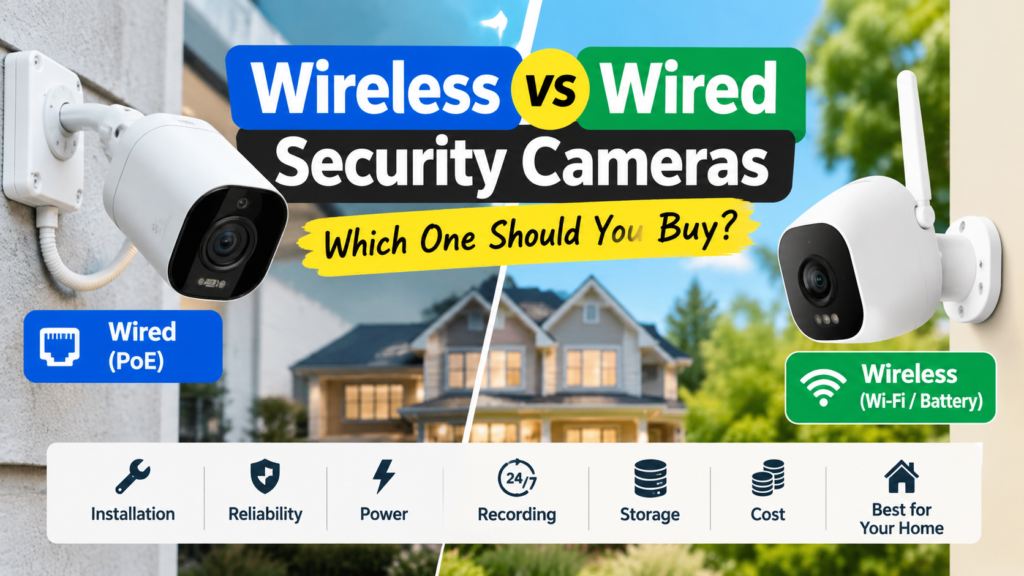
Choosing between wireless and wired security cameras is one of the first decisions almost every buyer faces once they decide to protect their home. It’s also one of the most confusing, because the marketing language doesn’t always match how the technology actually works.
There’s no single correct answer here. The right choice depends on your property type, how easy it is to run cables, whether you want continuous recording, your budget, and how much ongoing maintenance you’re willing to do. A homeowner wiring a new-build garage has very different needs than a renter who can’t drill into walls.
One distinction trips up more buyers than anything else: wireless does not automatically mean wire-free. Many “wireless” cameras still need to be plugged into a power outlet — it’s only the video signal that travels wirelessly over Wi-Fi. True wire-free cameras run on battery or solar power with no cables at all. We’ll unpack that difference in detail below, because it affects installation, reliability, and long-term maintenance more than most other factors combined.
Wired vs Wireless Security Cameras at a Glance
| Factor | Wired (PoE) Cameras | Wireless Cameras |
|---|---|---|
| Installation | Requires running Ethernet cable; more involved setup | Plug-in models need a power outlet; battery models install almost anywhere |
| Connection | Ethernet cable carries data (and often power) | Wi-Fi carries video data |
| Power | Continuous, via cable or PoE | Continuous (plug-in) or battery/solar (wire-free) |
| 24/7 Recording | Standard and reliable | Possible on plug-in models; battery models often use motion-triggered clips to save power |
| Reliability | Not affected by Wi-Fi congestion or dead zones | Depends on Wi-Fi signal strength and network stability |
| Placement Flexibility | Limited by cable runs | High, especially with battery-powered cameras |
| Maintenance | Low once installed | Battery charging/replacement for wire-free models |
| Storage | Often local (NVR) with optional cloud | Usually cloud-based, sometimes with local SD/local storage options |
| Upfront Cost | Higher (cabling, NVR, sometimes professional install) | Often lower per camera, especially DIY kits |
| Long-Term Cost | Lower ongoing costs if using local storage | Possible subscription fees for cloud storage |
| Best Use Case | New builds, renovations, permanent security needs | Renters, apartments, quick DIY setups, hard-to-wire spots |
What Are Wired Security Cameras?
Wired security cameras connect to a recording device using a physical cable rather than relying entirely on Wi-Fi. In most modern systems, that cable is Ethernet, and the cameras are known as PoE security cameras.
A typical wired setup includes:
- Cameras connected via Ethernet cable
- An NVR (Network Video Recorder) that stores footage, usually on a local hard drive
- A single cable per camera that carries both video data and electrical power
Because the connection doesn’t depend on your home Wi-Fi, wired cameras tend to deliver very stable video streams and are well suited to 24/7 recording. They’re also a natural fit if you’re already planning a complete home security system with multiple cameras covering different zones of a property.
The trade-off is installation. Running cable to every camera location takes planning, and it’s more disruptive if you’re retrofitting an existing home rather than building or renovating one.
What Is PoE and Why Does It Matter?
PoE stands for Power over Ethernet. In plain terms, it means a single Ethernet cable can carry both the electrical power the camera needs to operate and the video data it sends back to your recorder. Instead of running one cable for power and a separate one for data, PoE combines both into one connection.
This matters because it simplifies installation considerably. You don’t need an electrician to wire a nearby outlet — you just need one cable route to a PoE switch or PoE-enabled NVR. As a comparison of PoE and Wi-Fi cameras explains, PoE cameras use a single cable for both data transmission and power supply, which simplifies installation by reducing cable clutter. It’s also part of why wired systems are generally considered dependable for continuous recording — the power supply doesn’t fluctuate the way a battery does.
What Are Wireless Security Cameras?
“Wireless” is a broad category, and it covers a few genuinely different types of cameras:
- Plug-in Wi-Fi cameras — video travels wirelessly, but the camera is plugged into a power outlet
- Battery-powered cameras — no cables at all; the camera runs on a rechargeable battery
- Solar-assisted cameras — a small solar panel trickle-charges the battery to extend time between charges
All of these send footage over your home Wi-Fi network, usually to a cloud storage service or an app on your phone, rather than through a dedicated cable. That’s what makes them appealing for people who want a flexible home security camera system without construction work.
The catch is that wireless cameras are only as reliable as your Wi-Fi. If your router is far from the camera, or your network gets congested, video quality and alert speed can suffer.
Wireless Does Not Always Mean Wire-Free
This is the single most misunderstood part of buying a security camera, so it’s worth being explicit.
Wireless refers to how the camera sends its video data — over Wi-Fi instead of a cable.
Wire-free refers to how the camera gets its power — from a battery or solar panel instead of a cord.
A camera can be wireless without being wire-free. A plug-in Wi-Fi camera, for example, streams video wirelessly but still needs to be plugged into an outlet to run. It’s only wire-free if it has no power cable at all, relying entirely on a battery (sometimes topped up by solar).
Why this matters practically:
- If you buy a “wireless” camera expecting no cables and it turns out to be a plug-in model, you’ll still need an outlet near the mounting location.
- Genuinely wire-free (battery or solar) cameras give you the most placement freedom, but they require periodic charging or battery swaps.
- Marketing copy often says “wireless” when it really means “no Ethernet cable,” not “no cables whatsoever.” Always check the product specs for “battery-powered” or “requires power outlet” before assuming a camera is fully cordless.
Wired vs Wireless Security Cameras: Detailed Comparison
Installation
Wired PoE cameras require running cable from each camera location back to a switch or NVR, which usually means drilling, fishing cable through walls or attics, and planning cable runs in advance. This is straightforward during new construction or a renovation, but more labor-intensive as a retrofit.
Wireless cameras are typically much faster to install. Plug-in models just need mounting and a nearby outlet. Battery-powered models can often be mounted with a couple of screws and no outlet at all, which is why they’re popular for security camera installation projects that need to be done in an afternoon.
Who it suits: Wired setups suit homeowners planning ahead or already doing construction work. Wireless setups suit anyone who wants a same-day install with minimal tools.
Reliability
Wired connections aren’t subject to Wi-Fi interference, network congestion, or signal dead zones, which is a major reason many professional installers default to PoE for critical coverage areas like entrances.
Wireless cameras depend on a stable Wi-Fi signal. A camera mounted too far from your router, or blocked by thick walls, can experience lag, dropped connections, or delayed alerts. According to Reolink’s comparison of the two technologies, PoE cameras tend to offer more stable connections since they aren’t affected by wireless interference, while Wi-Fi cameras can be more convenient but are more susceptible to signal issues.
Who it suits: If a camera is covering something mission-critical (a business entrance, a detached garage with valuable equipment), wired reliability may be worth the extra installation effort. For general home monitoring, wireless reliability is usually sufficient if your Wi-Fi coverage is decent.
Power and Battery Maintenance
Wired and plug-in wireless cameras receive continuous power, so there’s no charging routine to manage.
Battery and solar cameras need periodic attention. Security camera battery life varies significantly by brand, resolution, recording settings, and how much motion the camera detects — cameras in high-traffic areas will drain faster than ones in quiet corners. Solar panels can offset this, but they still depend on adequate sunlight exposure and proper angling.
Who it suits: If you don’t want to think about charging schedules, choose plug-in or wired power. If flexibility matters more than convenience, battery or solar is a reasonable trade-off.
24/7 Recording
Wired PoE systems are generally built around continuous, 24/7 recording, since constant power and a stable connection make that practical without draining anything.
Plug-in Wi-Fi cameras can also support 24/7 recording since they’re continuously powered. Battery-powered cameras, however, usually rely on motion-triggered recording rather than continuous streaming, since recording around the clock would drain the battery quickly.
Who it suits: If you specifically want uninterrupted footage rather than motion clips, wired or plug-in wireless cameras are the more dependable choice.
Video Quality
Video quality is influenced more by the camera’s sensor and processing than by whether it’s wired or wireless. That said, a stable wired connection can help maintain consistent bitrate and reduce compression artifacts during high-motion scenes, while a weak Wi-Fi signal can force a wireless camera to lower its stream quality automatically to keep up.
Who it suits: For a camera near your router or on a strong mesh network, wireless video quality can rival wired. For a distant location with a spotty signal, wired will likely look more consistent.
Wi-Fi and Internet Dependence
Wireless cameras need Wi-Fi to transmit footage, and most also need an internet connection to send alerts and enable remote viewing through an app.
Wired cameras with local NVR storage can keep recording during an internet outage, since the recording process happens locally rather than through the cloud. You just won’t get remote alerts or live viewing until the connection is restored.
Who it suits: If uninterrupted local recording matters even during outages, wired with local storage has the edge. If remote access is the priority and outages are rare where you live, wireless is fine for most households.
Local vs Cloud Storage
Wired systems commonly use local storage through an NVR with a built-in hard drive, meaning footage stays on-site and there’s often no recurring subscription fee.
Wireless cameras typically default to cloud storage, which usually involves a subscription for extended history, but offers the benefit of off-site backup — if someone steals or damages the camera, your footage isn’t lost with it. Some wireless cameras also support local storage via an SD card as a middle ground.
Who it suits: Budget-conscious buyers who record heavily often prefer local storage to avoid subscription costs. Buyers who want automatic off-site backup may prefer cloud storage despite the fee.
Security and Privacy
Neither wired nor wireless cameras are inherently more “hackable” or more secure by default. Security depends far more on encryption standards, firmware update practices, account password strength, and overall network security than on whether the camera uses a cable or Wi-Fi.
That said, any internet-connected camera — wired or wireless — introduces some risk if left with default passwords, outdated firmware, or an unsecured router. The FTC recommends using strong, unique passwords, enabling two-factor authentication where available, and keeping camera firmware updated as baseline steps for protecting any home security camera. It’s also worth reviewing your router and broader network setup, since the FTC’s guidance on securing internet-connected devices notes that changing default passwords and keeping software updated across all connected devices reduces the risk of unauthorized access.
Who it suits: Anyone buying a camera, wired or wireless, should budget time for basic security hygiene rather than assuming the connection type alone determines safety.
Upfront Cost
Wireless cameras, particularly battery-powered DIY kits, often have a lower upfront cost per camera and don’t require professional installation in most cases.
Wired PoE systems typically cost more initially due to cabling materials, an NVR, and potentially professional installation labor — a real factor in the wired vs wireless camera cost conversation that’s easy to overlook when comparing sticker prices alone.
Who it suits: Tight upfront budgets often favor wireless. Buyers planning a long-term, whole-property system may find the higher initial wired cost pays off over time.
Long-Term Cost
This is where the calculation can flip. Wired systems with local storage often have lower ongoing costs, since there’s no mandatory cloud subscription.
Wireless systems relying on cloud storage may carry a monthly or annual fee, which adds up over several years of ownership. It’s worth checking whether a wireless camera offers a no-subscription local storage option if ongoing fees are a concern.
Who it suits: Long-term homeowners planning to keep a system for 5+ years may find wired systems cheaper in total cost of ownership, despite the higher starting price.
Placement Flexibility
Wired cameras are limited to locations reachable by cable, which constrains placement options, especially in finished homes.
Battery-powered wireless cameras can go almost anywhere with an unobstructed Wi-Fi signal — sheds, fence lines, tree-mounted positions — making them ideal for spots a wired run can’t easily reach.
Who it suits: Anyone needing to cover an awkward or remote spot on a property will likely find wireless, particularly battery models, far easier to position.
Maintenance
Wired systems are largely “set and forget” once installed — no batteries to manage, though NVR storage will eventually need monitoring or upgrading.
Wireless systems need more routine attention: checking Wi-Fi signal strength, recharging or replacing batteries, and occasionally repositioning solar panels for better sun exposure.
Who it suits: Low-maintenance preferences lean wired. Buyers comfortable with occasional upkeep can manage wireless systems without much hassle.
Outdoor Installation
Both wired and wireless cameras are available in weatherproof designs suited for outdoor security cameras, but outdoor wired installs require weatherproofing the cable runs and any exterior junctions, which adds complexity.
Outdoor wireless cameras avoid the cable weatherproofing issue but still depend on a strong Wi-Fi signal reaching the mounting point, which can be weaker at the edges of a property, like a driveway gate or back fence line. For a deeper look at outdoor-specific considerations, our outdoor security cameras guide covers weatherproofing ratings and mounting tips in more detail.
Who it suits: Covered entryways and porches work well with either type. Distant or exposed outdoor locations often favor wireless for the easier install, provided signal strength holds up.
Wired vs Wireless Security Cameras for Different Types of Homes
Best for Homeowners
Homeowners planning to stay long-term, especially those doing renovations, are well positioned to take advantage of wired PoE cameras for core coverage areas, paired with wireless cameras for spots that are harder to reach.
Best for Renters
Renters typically can’t drill holes or run cable through walls, which makes battery-powered wireless cameras the more practical option. Many can be mounted with adhesive or minimal hardware and taken along when you move.
Best for Apartments
Apartment dwellers usually need compact, easy-to-remove cameras that don’t require structural changes. Plug-in or battery-powered wireless cameras near doors and windows tend to be the most realistic fit.
Best for Large Properties
Large properties with multiple structures, long driveways, or extensive perimeters often benefit from a wired backbone for core areas, supplemented with wireless cameras at the outer edges where cable runs become impractical.
Best for Small Homes
Smaller homes often don’t need extensive cabling infrastructure, and a handful of wireless cameras covering entry points can provide solid coverage without a significant installation project.
Best for Hard-to-Wire Locations
Detached sheds, gates, tree lines, or older homes with finished walls and no existing conduit are classic cases where running cable is impractical or expensive. Battery or solar wireless cameras solve this without construction work.
Should You Choose a Hybrid Security Camera System?
For many properties, the most practical answer isn’t purely wired or purely wireless — it’s a hybrid setup that uses each technology where it performs best.
Some common hybrid patterns:
- A wired/PoE camera at the front entrance, where reliability and 24/7 recording matter most
- A wired camera covering the driveway, since it’s usually a fixed, high-priority monitoring point
- A wireless camera in the backyard, where cable runs are longer and less critical footage can tolerate occasional Wi-Fi hiccups
- A battery camera at a difficult-to-wire side entrance or gate, where running cable isn’t realistic
Hybrid systems let you prioritize reliability where it counts most while still gaining the flexibility of wireless cameras in harder-to-reach spots. It’s not the right fit for every budget or property, but for larger or more complex layouts, it’s worth considering rather than assuming you have to pick one technology for the entire property. If you’re mapping out coverage for an entire property, our home security system guide walks through how to plan camera placement alongside other components like locks and sensors.
Wired vs Wireless Security Cameras: Which Should You Buy?
Choose wired/PoE if:
- You want reliable 24/7 recording without relying on battery life
- You’re building, renovating, or already have wiring infrastructure in place
- You prefer local storage over ongoing subscription fees
- Wi-Fi congestion or dead zones are a known issue in your home
Choose wireless if:
- You’re renting or can’t run cable through walls
- You want a fast, DIY-friendly installation
- You need to cover an awkward or remote location
- You’re comfortable with occasional battery charging or a cloud storage subscription
Consider hybrid if:
- Your property has both easily wired areas and hard-to-reach spots
- You want maximum reliability at critical points but flexibility elsewhere
- You’re expanding an existing system rather than starting from scratch
If you’re also comparing entry-point security, it’s worth looking at video doorbells alongside cameras, since many buyers combine both for complete front-door security, and pairing cameras with smart locks for home security rounds out a more complete access-control setup.
Frequently Asked Questions
Are wired security cameras better than wireless?
Neither is universally “better.” Wired cameras tend to offer more consistent connections and easier 24/7 recording, while wireless cameras offer easier installation and more placement flexibility. The better choice depends on your property and priorities.
Do wireless security cameras need Wi-Fi?
Yes. Wireless cameras transmit video over your home Wi-Fi network, so a stable signal at the camera’s location is important for reliable performance.
Can wireless security cameras work without internet?
Most wireless cameras need an internet connection to send alerts, enable remote viewing, and upload to cloud storage. Some models with local SD storage can still record without internet, but you’d lose remote access until connectivity returns.
Do wired cameras work if the internet goes down?
If a wired camera records locally to an NVR, it can typically keep recording during an internet outage. You just won’t have remote viewing or cloud backup until the connection is restored.
Do wireless security cameras need batteries?
Only wire-free (battery or solar) wireless cameras need batteries. Plug-in wireless cameras connect to a power outlet and don’t rely on a battery for normal operation.
How long do wireless camera batteries last?
Battery life varies by camera model, video resolution, recording frequency, and how much motion activity occurs in the coverage area. Check the manufacturer’s specifications for the specific camera you’re considering rather than assuming a fixed number.
Are wired cameras more secure?
Not automatically. Security depends more on encryption, firmware updates, and account protections than on whether a camera is wired or wireless. Both types can be secured well or poorly depending on setup.
Are PoE cameras worth it?
For buyers who want reliable, continuous recording and are willing to handle the installation involved in running cable, PoE cameras are often worth the investment, particularly for permanent, whole-property systems.
Which is better for renters?
Wireless, particularly battery-powered cameras, is generally the more practical choice for renters since it avoids drilling and cable installation, and the cameras can be taken along when moving.
Can wired and wireless cameras work together?
Yes. Many home security systems combine both, using wired cameras for critical or fixed locations and wireless cameras for flexible or hard-to-reach spots. This hybrid approach is common on larger or more complex properties.
Conclusion
Deciding between wireless and wired security cameras comes down to matching the technology to your actual property and habits, not chasing a single “best” answer. Wired PoE cameras offer dependable, continuous recording and lower long-term costs, but require more upfront installation work. Wireless cameras, whether plug-in or truly wire-free, offer speed and flexibility, particularly for renters, apartments, and hard-to-wire spots, but bring Wi-Fi dependence and, in some cases, battery maintenance into the picture.
For many households, especially those with larger or more varied properties, a hybrid setup that uses wired cameras where reliability matters most and wireless cameras where flexibility matters most ends up being the most practical outcome. Whichever direction you choose, understanding the real differences between wired and wireless security cameras — and the crucial gap between “wireless” and “wire-free” — puts you in a much better position to buy a system that actually fits your home. For a broader look at building out a full setup, our home security camera buying guide can help you compare specific models once you’ve settled on wired, wireless, or hybrid.