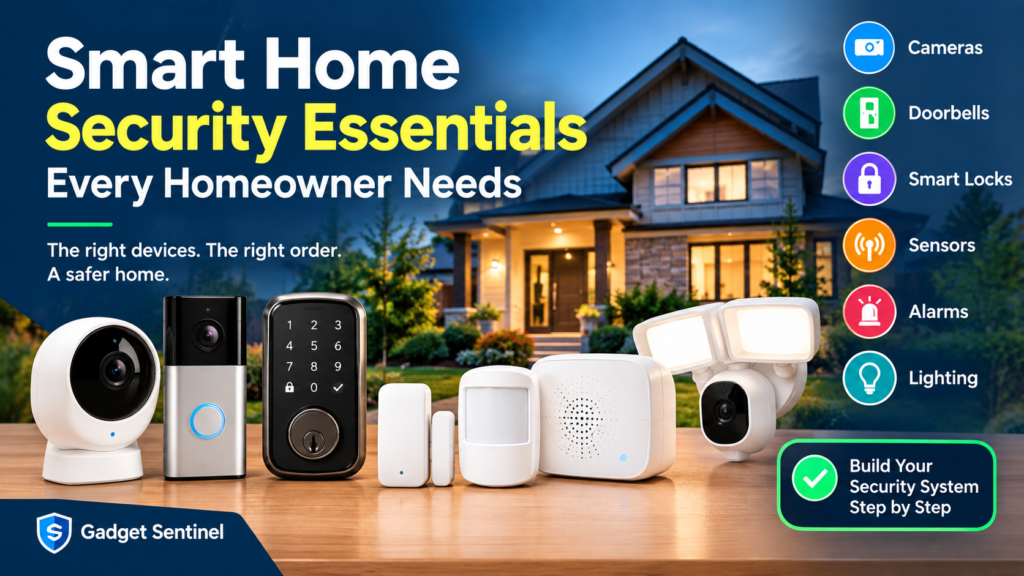
Home security used to mean one thing: an alarm system with a keypad by the front door, maybe a grainy CCTV camera above the garage. That era is over. In 2026, “security” for most homes is a mesh of small, connected devices — cameras, locks, sensors, and alerts — that talk to each other and to your phone.
This shift is a good thing, but it also creates a new problem: choice overload. Walk into any electronics store or scroll through a smart-home retailer’s website and you’ll find dozens of categories of devices, each promising to make your home safer. Most homeowners don’t need all of them.
This guide breaks down the smart home security essentials every homeowner should have, explains what each device actually does (and doesn’t do), and — just as importantly — helps you figure out what you can skip. Instead of a shopping list, think of this as a framework: a way to build protection in layers, starting with your home’s actual weak points rather than whatever is trending on social media.
You do not need a video doorbell, four outdoor cameras, a smart lock, motion sensors in every room, and a monitored alarm system on day one. Most homes are well protected with two or three well-chosen devices used correctly. The goal here is to help you identify which two or three that should be.
What Is Smart Home Security?
Smart home security refers to internet-connected devices that monitor, detect, and respond to activity around your property, and that you can control remotely from a smartphone app instead of (or in addition to) a traditional wired alarm panel.
The core building blocks are:
- Cameras — capture video of your property, indoors or outdoors, and can detect motion or people.
- Sensors — small devices attached to doors, windows, or placed in rooms that detect when something opens, moves, or changes (temperature, water, smoke).
- Locks — smart deadbolts or lock retrofits that let you lock/unlock remotely, assign codes, and track entry activity.
- Alarms and sirens — audible deterrents triggered by sensors or manually, distinct from a simple phone notification.
- Mobile alerts — push notifications, app dashboards, and activity logs that tell you what happened while you weren’t watching.
- Automation — rules that connect devices together, such as turning on lights when a door sensor triggers after dark.
- Connected ecosystems — the platforms (Apple Home, Amazon Alexa, Google Home, or a manufacturer’s own app) and communication standards (Wi-Fi, Zigbee, Z-Wave, Thread, and the newer Matter standard) that let these devices work together instead of living in five separate apps.
The important distinction from traditional security is that these systems are modular. You buy what you need, when you need it, rather than committing to one bundled system from a single installer. That flexibility is a benefit, but it also means the burden of designing a sensible setup falls on you — which is exactly what the rest of this guide is for.
The Essential Smart Home Security Devices
1. Security Cameras
Cameras are usually the first device people buy, and for most homes, that’s a reasonable starting point — but not always the only one you need (more on that in the layers section below).
Indoor vs. outdoor. Indoor cameras are designed for controlled environments and are typically cheaper, smaller, and not weather-sealed. Outdoor cameras need weatherproofing (look for an IP65 rating or higher), a wider temperature tolerance, and usually stronger night vision. Don’t use an indoor camera outdoors, even under a covered porch — condensation and temperature swings will shorten its lifespan.
Wired vs. wireless. Wired cameras draw continuous power and, in many cases, use a wired network connection, which means more reliable uptime but a more involved install. Wireless (battery or solar) cameras are easier to place and move but need periodic charging or good sun exposure, and rely entirely on your Wi-Fi signal reaching that spot.
1080p vs. 2K vs. 4K. 1080p is still adequate for identifying general activity, but 2K and 4K make a real difference if you need to zoom in on a face or license plate later. Higher resolution also means larger video files, which matters if you’re paying for cloud storage or relying on a memory card with limited capacity.
Night vision. Most cameras offer infrared (black-and-white) night vision. Newer models increasingly offer color night vision using a spotlight or higher-sensitivity sensor — useful for identifying clothing color or vehicle color, but it can also mean a more visible light source at night.
Motion and person detection. Basic motion detection triggers on anything that moves, including trees, cars, and shadows — leading to alert fatigue. Person detection (and in some models, vehicle or package detection) uses on-device or cloud processing to filter out irrelevant motion, which is one of the more genuinely useful upgrades in recent camera generations.
Local vs. cloud storage. Some cameras save video to a local microSD card or a home hub/NVR (network video recorder); others upload footage to the manufacturer’s cloud, often behind a subscription. This has real privacy and cost implications, covered in more depth later in this guide.
Privacy. A camera pointed at a neighbor’s yard, a shared driveway, or a public sidewalk can create legal and ethical issues depending on your location. Angle cameras to cover your own property, and check your local laws if a camera might capture a neighbor’s window or entrance.
Placement. Prioritize entry points — front door, back door, and any ground-floor windows that aren’t easily visible from the street. A camera aimed at an empty backyard is far less useful than one covering the path someone would actually take to break in.
Subscriptions. Cloud recording, person detection, and extended video history are frequently gated behind monthly or annual plans. Read the fine print before buying — a camera that looks affordable up front can cost considerably more over a few years once you add a subscription.
For a closer look at outdoor-specific models and what to prioritize when covering the exterior of your home, see Gadget Sentinel’s guide to outdoor security cameras.
2. Video Doorbells
A video doorbell is a specialized camera focused on one job: your front entrance. For many homes, this is arguably a higher-priority purchase than a general security camera, since most break-ins and nearly all package theft happen at the front door.
Front-door monitoring. Unlike a standard camera, doorbells are mounted at eye level and angled for facial recognition and close-range detail — useful for identifying visitors, not just detecting movement.
Two-way audio. Lets you speak to whoever is at the door remotely, which is useful for delivery instructions or simply making it seem like someone is home.
Package monitoring. Some doorbells and connected cameras include zone-based alerts specifically for the area where packages are typically left, reducing false alerts from street traffic.
Motion and person detection. As with standalone cameras, doorbells vary widely in how well they distinguish people from passing cars or animals.
Wired vs. battery. Wired doorbells replace your existing doorbell wiring and stay continuously powered, offering more reliable always-on recording. Battery doorbells are easier to install (useful for renters) but need recharging every few weeks to a few months, depending on usage and temperature.
Local vs. cloud recording. Similar to cameras, some doorbells support local storage, while others require a cloud plan to view recorded clips rather than just live view.
Subscription considerations. Live view is usually free, but recorded history, video downloads, and person detection are often paywalled. If avoiding recurring fees is a priority, this is worth checking closely before purchase — Gadget Sentinel’s guide to video doorbells that don’t require a subscription covers which models offer meaningful functionality without a monthly plan.
3. Smart Locks
A smart lock replaces or retrofits your existing deadbolt, and it’s one of the few devices on this list that changes daily behavior rather than just adding monitoring.
PIN codes. Most smart locks let you assign a numeric code instead of (or alongside) a physical key — useful for family members, cleaners, or dog walkers.
Smartphone access. Many models let you lock and unlock via an app, using Bluetooth when you’re nearby or Wi-Fi/a bridge device for remote access.
Temporary guest codes. A practical feature for short-term rentals, house sitters, or contractors — you can issue a code that expires automatically rather than handing out a physical key you have to remember to get back.
Auto-lock. Automatically re-locks the door after a set period, which addresses the common real-world failure mode of people simply forgetting to lock up.
Remote control. Lets you lock a door you forgot to secure, or verify it’s locked, from anywhere with a connection.
Battery backup. Nearly all smart locks run on batteries (typically AA or a rechargeable pack) since they need to operate during power outages. Check expected battery life and whether the lock gives low-battery warnings well in advance.
Mechanical key override. A genuinely important feature — most reputable smart locks retain a physical keyhole as a backup in case of dead batteries or a software fault. Avoid models that offer no manual override.
Compatibility and ecosystem. Not every smart lock works with every smart home platform. Some support Matter, which is intended to standardize cross-platform compatibility, but adoption is uneven across brands as of 2026, so check specific compatibility with your existing ecosystem (Apple Home, Google Home, Alexa, or a hub like SmartThings) before buying.
For a detailed breakdown of specific models and what separates a good smart lock from a mediocre one, see Gadget Sentinel’s guide to the best smart locks.
4. Door and Window Sensors
Contact sensors are two small magnetic pieces — one mounted on the door or window frame, one on the moving part — that detect when a connection is broken, signaling that the door or window has opened.
They’re inexpensive, battery-powered, and low-maintenance, which makes them one of the best value-for-money purchases in smart security. Prioritize:
- The front and back doors (even if you already have a doorbell or camera covering them — a sensor confirms actual entry, not just presence).
- Ground-floor windows, especially ones hidden from street view.
- Any secondary entrances: garage-to-house doors, basement walkouts, sliding patio doors.
A common mistake is only sensoring the front door and ignoring side and rear entry points, which are statistically more likely to be used for forced entry precisely because they’re less visible.
5. Motion Sensors
Motion sensors typically use passive infrared (PIR) technology, which detects changes in heat signatures moving across its field of view — this is different from a camera’s motion detection, which analyzes pixel changes in video.
Placement. Hallways, staircases, and room entry points are more effective locations than open living rooms, since you’re trying to catch movement along a path rather than in a wide, cluttered space.
Pets and false alarms. Standard PIR sensors can be triggered by pets, especially larger dogs. Many modern sensors offer “pet-immune” settings that adjust sensitivity based on estimated size and height, but they’re not perfect — test thoroughly before relying on them.
Common mistakes. Placing sensors facing windows (sunlight and passing headlights cause false triggers), placing them too close to heating vents or radiators, and forgetting to adjust sensitivity settings seasonally as heating and cooling patterns change.
6. Smart Alarms and Sirens
It’s worth being clear about a distinction that trips up a lot of first-time buyers: a camera sending you a phone notification is not the same as an alarm.
A camera alert tells you something happened. A siren is designed to disrupt the event as it’s happening — loud enough to startle an intruder and draw attention from neighbors. Some camera and sensor systems include a built-in siren function; others require a separate standalone siren device linked to your sensors.
If deterrence during an active break-in matters to you (rather than just after-the-fact footage), an audible alarm — even a simple one triggered by a door sensor — adds a layer that cameras alone don’t provide. Some systems also offer professional monitoring, where a third-party service can alert authorities on your behalf; this is optional and comes with its own subscription cost.
7. Smart Security Lighting
Motion-activated lighting is one of the most underrated devices on this list, largely because it’s cheap, effective, and requires no monitoring on your part.
Motion-activated lights and floodlights illuminate dark areas the moment movement is detected, which serves two purposes: it startles anyone approaching with bad intentions, and it dramatically improves the video quality of any nearby camera at night.
Entry lighting. A well-lit porch or entryway is a simple, low-cost deterrent that also makes your doorbell camera’s footage far more usable.
Automation. Smart bulbs and switches can be scheduled or set to simulate occupancy (lights turning on and off in different rooms in the evening) while you’re traveling — a low-effort deterrent that’s easy to overlook. Choosing efficient LED fixtures also keeps continuous or motion-triggered outdoor lighting from adding meaningfully to your energy bill; ENERGY STAR certified fixtures are a reasonable baseline to look for when shopping for outdoor lighting.
Advanced Smart Home Security Devices Worth Considering
The devices above cover intrusion and access. The following categories address a broader definition of home safety — and they’re genuinely not equally necessary for every home. Consider them based on your specific property and risk factors.
- Smoke detectors. Smart smoke detectors send a phone alert even when you’re not home, which matters if you travel frequently or have a second property. They supplement — not replace — the hardwired detectors required by most building codes. The National Fire Protection Association (NFPA) provides guidance on proper placement and testing frequency for smoke alarms regardless of whether they’re “smart.”
- Carbon monoxide detectors. Especially relevant for homes with gas appliances, attached garages, or fireplaces. As with smoke detectors, connected CO detectors add remote alerting on top of standard safety functions.
- Water leak sensors. Small battery sensors placed near water heaters, washing machines, or under sinks that alert you to leaks before they become expensive damage — one of the better return-on-investment devices for homeowners, less relevant for renters in apartments without major plumbing exposure.
- Glass-break sensors. Listen for the acoustic signature of breaking glass, useful for homes with large ground-floor windows or sliding doors that aren’t covered by contact sensors.
- Garage sensors. Detect whether a garage door is open or closed and can alert you if it’s been left open — a surprisingly common vulnerability, since an open garage often provides direct access to the house.
- Smart hubs. Some ecosystems (particularly those using Zigbee, Z-Wave, or Thread devices) need a central hub to communicate, rather than connecting directly to Wi-Fi. If you’re combining several sensor types from different brands, a hub can also centralize alerts into one app instead of five.
- Environmental sensors. Temperature and humidity sensors aren’t strictly “security” devices, but some homeowners use them to catch HVAC failures or frozen-pipe risk while away — a fairly niche addition, but useful for vacation homes.
None of these are essential for every household. A downtown apartment doesn’t need a garage sensor. A single-story rental with no basement may not need a water leak sensor. Choose based on your home’s actual layout and risk exposure, not a checklist.
Build Your Smart Home Security System in Layers
Rather than buying devices in whatever order they’re recommended online, it helps to think in layers — each one addressing a different stage of a potential incident.
Layer 1 — Deter. The goal here is to prevent an incident before it starts. Visible cameras, a doorbell with two-way audio, and motion-activated lighting all signal that a property is monitored, which is often enough to redirect opportunistic activity elsewhere.
Layer 2 — Detect. This layer notices when something happens. Door and window sensors, motion sensors, and camera-based motion/person detection all fall here — their job is simply to recognize an event accurately and quickly.
Layer 3 — Control. This is about managing access before detection is even needed. Smart locks with PIN codes, auto-lock, and remote locking reduce the chance of an unsecured entry point in the first place.
Layer 4 — Alert and Respond. Once something is detected, this layer determines what happens next: a push notification, an audible siren, a call to a monitoring service, or an automation (like lights turning on) that changes the situation in real time.
Layer 5 — Backup and Recovery. The layer people forget. This includes battery backups for locks and hubs during power outages, local storage as a backup if cloud service is interrupted, and simply having a plan (and footage) to act on after an incident, whether that’s filing a police report or an insurance claim.
A home with only Layer 1 and 2 (a camera and a doorbell) has decent coverage but is missing the access control of Layer 3 and the response speed of Layer 4. Understanding which layers your current setup covers — and which it doesn’t — is more useful than simply asking “what device should I buy next.”
How Much Smart Home Security Do You Actually Need?
There’s no single correct setup. What follows are realistic starting points for common situations — not rankings, since the right combination depends on your home’s layout, budget, and risk tolerance.
| Situation | Reasonable starting setup | What it’s designed for |
|---|---|---|
| Apartment | Video doorbell or portable indoor camera, door sensor | Single entry point, limited ability to modify hardware |
| Small home | Doorbell + 1–2 outdoor cameras + door/window sensors on main entries | Balanced coverage without overbuilding |
| Large home | Doorbell + multiple outdoor cameras + sensors on all ground-floor entries + smart lock + siren | Multiple entry points and larger perimeter to monitor |
| Family with children | Smart lock with individual codes, door sensors, indoor camera in common areas (not bedrooms) | Access tracking and knowing when kids arrive home |
| Frequent traveler | Doorbell, smart lock with remote access, water leak sensor, smoke detector with remote alerts | Remote monitoring and early warning while away for extended periods |
| Renter | Battery-powered doorbell, portable sensors, plug-in cameras (nothing requiring wiring changes) | Devices that don’t require permanent installation or landlord approval |
| Budget-conscious homeowner | One well-placed camera or doorbell, door sensors on main entries, motion-activated light | Maximum coverage per dollar, expandable later |
Notice that most of these starting points involve two to four devices, not a full ecosystem. You can always add sensors, cameras, or a lock later — smart home devices are modular by design, and there’s rarely a compatibility penalty for building up your system gradually.
Wired vs. Wireless Smart Security Devices
This decision affects nearly every device category, so it’s worth addressing directly.
Installation. Wired devices generally require more upfront work — running cable, connecting to existing doorbell wiring, or professional installation in some cases. Wireless devices are typically DIY-friendly and can be repositioned easily.
Reliability. Wired power means no battery to manage and (for wired network connections) no dependency on Wi-Fi signal strength reaching that exact spot. Wireless devices are more convenient but introduce two potential points of failure: battery level and Wi-Fi connectivity.
Power. Wired devices draw continuous power, which matters for 24/7 recording. Battery-powered devices typically use event-triggered recording to conserve battery, meaning there can be a brief delay before recording starts.
Wi-Fi dependency. A wireless camera at the far end of your yard is only as reliable as the Wi-Fi signal that reaches it. A mesh Wi-Fi system or a dedicated extender is sometimes necessary for outdoor devices placed away from your router.
Battery maintenance. Battery-powered devices require periodic recharging or replacement — often every one to six months depending on usage, temperature, and how much motion they’re detecting. This is easy to forget and is one of the more common reasons a “installed” security device turns out to be offline when it’s actually needed.
Ideal use cases. Wired is generally better for permanent installations at primary entry points where reliability matters most. Wireless is better for renters, flexible placement, or supplementing a wired setup in additional locations. For a deeper comparison of how each approach performs in real conditions, see Gadget Sentinel’s guide on wired versus wireless security cameras.
Local Storage vs. Cloud Storage
Privacy. Local storage (microSD card or a home NVR) keeps footage on your property, under your control, without a third party’s servers involved. Cloud storage means your video is stored on a manufacturer’s servers, governed by that company’s privacy policy and data practices.
Accessibility. Cloud storage makes footage easy to access remotely from anywhere and often survives if the physical device is stolen or damaged. Local storage requires you to be on the same network (or have remote access configured) and is vulnerable if the storage device itself is taken along with the camera.
Subscription fees. Cloud storage is typically the paid option — plans usually range based on the number of cameras, video history length, and resolution. Local storage generally avoids recurring costs but requires you to buy and occasionally replace a memory card or drive.
Internet dependency. Cloud storage requires a stable internet connection to upload footage; a connection outage means gaps in your recorded history. Local storage keeps recording even if your internet goes down, as long as the camera itself has power.
SD cards vs. NVR. A single camera with an SD card is the simplest local option. A multi-camera system benefits from a dedicated NVR, which centralizes storage and typically offers more capacity and easier playback across multiple feeds.
Neither option is universally better — it’s a genuine tradeoff between convenience and control. If footage privacy is a top priority, local storage with a strong device password is the more defensible choice. If ease of access and automatic off-site backup matter more, cloud storage has real advantages, provided you trust the manufacturer’s privacy practices. It’s worth reviewing what data a company collects and how it’s used — the FTC publishes consumer guidance on evaluating the privacy practices of connected devices before you commit to a cloud subscription.
Do Smart Home Security Devices Require Monthly Subscriptions?
Not always, and this varies significantly by category and manufacturer.
- Cameras and doorbells most commonly involve optional subscriptions — usually for extended cloud video history, advanced AI detection (person, vehicle, package), or multi-camera plans. Live viewing is typically free.
- Smart locks rarely require a subscription for core functionality (locking, unlocking, PIN codes), though some remote-access bridges or advanced activity logs may involve an optional paid tier.
- Door, window, and motion sensors are usually subscription-free when working directly through a manufacturer’s app, though sensors tied into a professionally monitored alarm system will involve a monitoring fee.
- Smoke, CO, and water leak sensors are generally subscription-free for basic alerts, since the core function (a push notification) doesn’t require ongoing cloud processing.
There’s no industry-wide rule here — it depends entirely on the brand and model, and manufacturers change their subscription structures over time. If avoiding recurring costs is a priority, check this specifically before buying rather than assuming based on the device category. Gadget Sentinel’s roundup of video doorbells that work without a subscription is a useful starting point if that’s your main concern.
How to Protect Your Smart Home From Hackers
Every connected device is a potential entry point into your home network, not just your physical home — and security devices, ironically, are a common target because they’re often set up quickly and left with default settings.
- Use strong, unique passwords for every device and app account — not the same password reused across your camera, router, and email.
- Enable two-factor authentication wherever it’s offered, particularly for the app that controls your locks and cameras.
- Keep firmware updated. Manufacturers regularly patch security vulnerabilities; a device running outdated firmware is more exposed. Enable automatic updates where available.
- Secure your Wi-Fi network with WPA3 or WPA2 encryption and a strong router password, not the default one printed on the device.
- Review router security settings periodically, including disabling remote administration if you don’t use it. The Cybersecurity and Infrastructure Security Agency (CISA) publishes practical guidance for securing home networks and routers against common attack methods.
- Use a guest network for smart devices where your router supports it, isolating cameras and sensors from the devices you use for banking or work.
- Check device permissions in companion apps — many request more access (location, contacts, microphone) than they actually need to function.
- Prefer local storage where privacy is a priority, since it reduces the amount of your data stored on third-party servers.
- Remove unused devices from your network and app accounts rather than leaving them connected and forgotten. The National Institute of Standards and Technology (NIST) offers guidance on baseline security practices for IoT devices, including credential management and minimizing unnecessary network exposure, which applies directly to home security hardware.
Common Smart Home Security Mistakes to Avoid
- Buying too many devices at once without a plan, leading to overlapping coverage in some areas and none in others.
- Ignoring less obvious entry points — side doors, basement windows, and garage access are common blind spots.
- Poor camera placement, such as aiming at an open yard instead of an actual entry path, or mounting too high to capture usable facial detail.
- Weak or reused passwords across camera, lock, and hub apps.
- Ignoring firmware updates, leaving known vulnerabilities unpatched for months.
- Relying only on cameras and skipping access control (locks) or detection (sensors), leaving gaps in the layered approach.
- Forgetting battery maintenance on wireless sensors and cameras, resulting in “installed” devices that are actually offline.
- Ignoring Wi-Fi and router security, treating the network itself as an afterthought.
- Not testing alerts after installation — confirming that a sensor trigger actually reaches your phone, not just assuming it will.
- Not planning for power outages, especially for smart locks and hubs that need battery backup to function when the power is out.
Smart Home Security Checklist
Save this as a quick reference when planning or auditing your setup:
- [ ] Identify your home’s actual entry points (front, back, side doors, ground-floor windows, garage)
- [ ] Install a camera or doorbell covering your primary entrance
- [ ] Add door/window sensors to all easily accessible entry points
- [ ] Decide on local vs. cloud storage based on your privacy and budget priorities
- [ ] Add motion-activated lighting at entrances and dark areas of the exterior
- [ ] Consider a smart lock if access control (codes, remote locking) would meaningfully help your household
- [ ] Add a siren or alarm if deterrence during an event matters to you
- [ ] Test every alert end-to-end (not just device setup) to confirm notifications work
- [ ] Set strong, unique passwords and enable two-factor authentication on all security apps
- [ ] Enable automatic firmware updates where supported
- [ ] Secure your home Wi-Fi network and router admin settings
- [ ] Check subscription requirements before purchase, not after
- [ ] Add smoke, CO, or water leak sensors if relevant to your home’s layout
- [ ] Confirm battery backup exists for locks and hubs
- [ ] Review your setup every 6–12 months as devices, needs, and threats change
Frequently Asked Questions
What are the most important smart home security devices?
For most homes, a camera or video doorbell covering the main entrance, plus door/window sensors on ground-floor access points, provide the strongest baseline. A smart lock and motion-activated lighting are the next most common additions.
Do I need a smart lock?
Not necessarily. It’s most valuable if you frequently need to grant temporary access (guests, cleaners, deliveries) or want to eliminate the risk of forgetting to lock up. If you rarely have visitors and already lock consistently, a door sensor may deliver most of the benefit at a lower cost.
Are smart security cameras worth it?
For most homeowners, yes — they provide visibility and evidence that a standard lock or alarm can’t. Their value depends heavily on placement, resolution, and whether you’re willing to pay for cloud storage if that’s required for the features you want.
Can smart home security work without Wi-Fi?
Partially. Some devices use cellular connections or local radio protocols (Zigbee, Z-Wave) that don’t depend directly on your home Wi-Fi, but most consumer cameras and doorbells still require an internet connection at some point to send alerts or store footage remotely.
Do security cameras require subscriptions?
Not always. Live viewing is usually free; extended cloud recording history and advanced detection features are often subscription-based, though local-storage models can avoid this entirely. It varies by brand and model.
How many security cameras does a house need?
There’s no fixed number — it depends on your home’s entry points and layout. Many homes are adequately covered with one to three cameras focused on actual access points rather than blanket coverage of every angle.
Are wireless security devices reliable?
Generally, yes, provided Wi-Fi signal strength is good at the installation point and batteries are maintained. Reliability issues are more often caused by poor signal or neglected battery levels than by the technology itself.
What should I buy first for home security?
Start with whichever device addresses your home’s most exposed entry point — usually the front door. A video doorbell or entry camera, paired with a door sensor, is a reasonable and affordable starting point for the majority of households before expanding further.
Final Thoughts
The smart home security essentials every homeowner should have aren’t a fixed list of ten products — they’re a small set of devices, layered thoughtfully, that address your home’s actual vulnerabilities. Deterrence, detection, access control, response, and backup each play a different role, and understanding which layers your current setup covers is more useful than chasing the newest device category.
Rather than buying everything at once, start with your highest-priority vulnerability — usually your main entrance — and build outward as your budget and needs evolve. A well-placed camera, a door sensor, and a secured Wi-Fi network will do more for most homes than a dozen scattered gadgets ever will.