
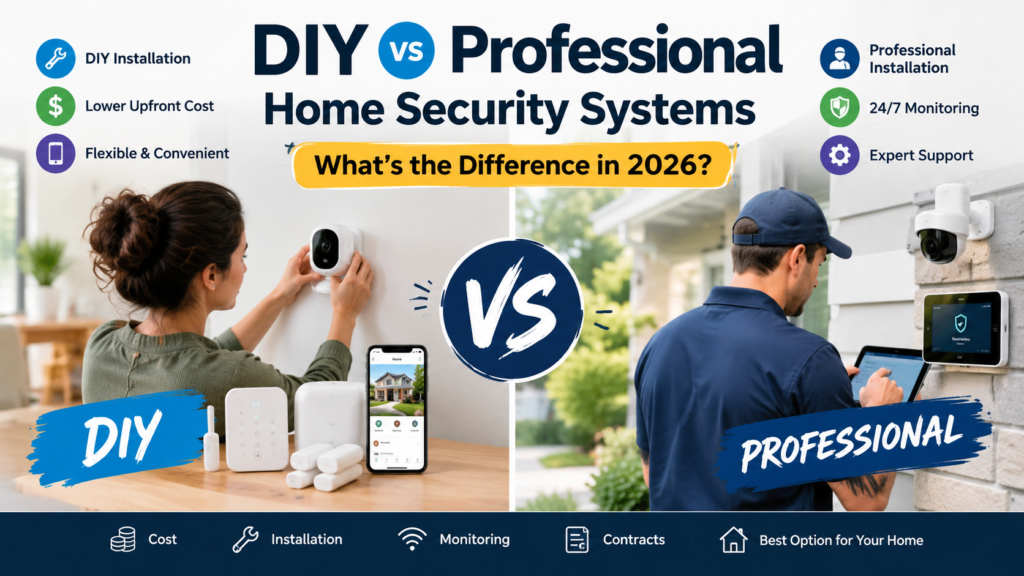
The short answer: the real difference between DIY and professional home security systems is who installs the equipment and who is on the hook for support. Monitoring is a separate choice. A DIY system is equipment you buy, place, and set up yourself, usually with an app. A professional system is designed, installed, and tested by a technician, often under a multi-year agreement. You can pair either one with 24/7 professional monitoring or run it yourself.
That last point is where most comparison articles go wrong. “DIY” describes installation. “Self-monitored” describes who responds to alarms. They are independent decisions, and mixing them up is how people overpay or under-protect.
Disclosure: Gadget Sentinel may earn a commission if you buy through some links on this site, at no extra cost to you. Recommendations here are based on research, pricing structures, and fit for different households. This article does not claim hands-on testing of every product mentioned, and we’ve kept provider prices general because they change often and vary by location and promotion.
DIY vs Professional Home Security: Quick Comparison
| Factor | DIY system | Professionally installed system |
|---|---|---|
| Installation | You do it, usually guided by an app | Technician does it, often in one visit |
| Upfront cost | Equipment purchase; no install fee | Equipment may be bundled, financed, or leased; install fee may apply |
| Monthly monitoring | Optional; $0 up to a mid-range plan | Usually included or required; typically higher |
| Self-monitoring | Commonly available | Sometimes available, often not the default |
| Professional monitoring | Available on most major DIY brands | Standard offering |
| Contract requirements | Often month-to-month | Often 24 to 60 months; varies widely |
| Equipment ownership | Usually yours outright | May be owned, leased, or financed |
| Setup time | Often under a few hours for a small home | One appointment, usually a few hours |
| Customization | High; mix and expand as you like | Moderate; depends on the provider’s catalog |
| Maintenance | You handle batteries, updates, troubleshooting | Provider support and service calls (terms vary) |
| Moving flexibility | High; unplug and take it with you | Lower; may need reinstallation or a new agreement |
| Best for | Budget-conscious, flexible, tech-comfortable buyers | Hands-off buyers, complex homes |
| Large-home suitability | Workable with planning and good Wi-Fi | Often easier thanks to a site assessment |
| Renter suitability | Excellent | Often limited by landlord rules and contracts |
| Technical skill required | Basic to moderate | Minimal |
Details vary by provider, plan, and location. Treat the table as a framework, not a guarantee.
What Is a DIY Home Security System?
A DIY home security system is a set of devices you choose, place, and activate yourself. There’s no technician visit. The hardware is typically wireless, so there’s little or no wiring and often no drilling.
A typical kit includes:
- A base station or hub that connects everything and sounds a siren
- Entry sensors for doors and windows
- Motion sensors for hallways and main rooms
- A keypad or app to arm and disarm
- Optional cameras, a video doorbell, smart locks, and smoke/CO or water sensors
Most major DIY brands use app-guided setup that walks you through pairing each device and testing it. SimpliSafe’s installation page describes this model: you set up the system yourself with interactive guidance from the app, or have a technician do it, and professional monitoring is available either way. simplisafe
DIY systems are also easy to expand. Add a sensor when you finish the basement or a camera when you notice a blind spot. If you want to see what a full build involves, our DIY home security setup guide covers planning, placement, Wi-Fi, and testing step by step.
DIY does not automatically mean “no monitoring.” Most DIY systems let you self-monitor for free or add a paid professional monitoring plan, which we cover in Section 4.
What Is a Professionally Installed Home Security System?
A professionally installed system is planned and set up by a technician from the provider or an authorized dealer. The process usually looks like this:
- Site assessment. A specialist walks the home with you, noting entry points, layout, and your priorities.
- Equipment selection. They recommend panels, sensors, cameras, and add-ons from that provider’s catalog.
- Sensor placement and installation. The technician mounts devices, and may run wiring or drill where needed.
- Configuration and testing. The system is connected to the network and monitoring, then tested.
- Walkthrough. You’re shown how to use the system.
- Ongoing support. Terms for repairs, replacements, and service calls depend on your plan and warranty.
ADT, for example, says its technicians help choose camera locations and check your home’s Wi-Fi before installing each camera, according to its camera installation page.
The tradeoff is commitment. Professional systems commonly come with monitoring agreements, and “free” or discounted equipment is often tied to them. The FTC’s consumer guidance on home security contracts warns that a “free” alarm may come with a long-term, expensive monitoring contract. ftc
The lines are also blurring. Some traditional providers now sell both DIY and professionally installed options, and Security.org’s DIY vs professional installation comparison notes that most smart security companies now offer DIY installation, while a few offer both options and some require a professional. security
DIY Installation vs Professional Installation
| Factor | DIY installation | Professional installation |
|---|---|---|
| Time | A small home can take under an hour or two, though larger setups take longer | One appointment; duration depends on system size |
| Labor | Yours | The technician’s |
| Tools | Often just a screwdriver or none (adhesive mounts) | Technician brings tools |
| Wiring | Rarely needed with wireless gear | Available when the system calls for it |
| Drilling | Optional on many sensors; outdoor cameras may need screws | Done for you |
| Sensor placement | You decide, guided by the app | Technician recommends |
| Wi-Fi/network setup | You troubleshoot | Technician typically checks coverage during setup |
| Testing | You run the checks | Technician tests before leaving |
| Troubleshooting | Support lines, forums, trial and error | Provider support; terms vary |
| Large/multi-story/complex homes | Doable, but more planning and more room for blind spots | Often easier with an on-site assessment |
ConsumerAffairs reports that professional installation typically costs between $99 and $199, and both DIY and professional installs can range from about 30 minutes to a few hours. Treat those as general benchmarks. SimpliSafe’s page lists its own technician setup as starting at $124.99. Prices change, so confirm with the provider. consumeraffairssimplisafe
Where DIY goes wrong. Security.org’s research summary says DIY systems are cheaper and flexible but prone to errors. The typical mistakes are sensors too far apart, devices placed outside Wi-Fi range, skipped test runs, and cameras aimed at the wrong spot. None of that is inevitable, but it’s the cost of doing it yourself. Our home security checklist is a good way to avoid those gaps. security
DIY Installation Does Not Mean Self-Monitoring
This is the point that saves the most money and confusion. There are three common combinations:
- DIY installation + self-monitoring
- DIY installation + professional monitoring (the hybrid)
- Professional installation + professional monitoring
What happens when an alarm triggers depends on which one you have. Exact procedures differ by provider and plan, so read your plan’s terms.
Scenario 1: DIY + self-monitoring. A door sensor trips and the siren sounds. Your phone gets a push notification. You decide what happens next: check the camera, call a neighbor, call local emergency services. If your phone is off, you’re asleep, or you’re on a flight, nobody else is automatically notified. It costs the least, but response depends entirely on you.
Scenario 2: DIY + professional monitoring. The same sensor trips, but the signal also goes to a monitoring center. Operators follow the plan’s escalation steps, which commonly include trying to reach you or your contacts and then contacting emergency dispatch. Some plans add video or audio verification. The installation was yours. The response layer is paid professional help.
Scenario 3: Professional installation + professional monitoring. Same monitoring flow as Scenario 2, but the technician set up the hardware and tested the connection. Support for equipment problems typically runs through the provider.
Professional monitoring is not a guarantee of police response times or outcomes. Dispatch depends on the monitoring center’s procedures and local emergency services. UL Solutions runs a security alarm service certification program tied to standards like UL 827 for central station services, and notes that experience and reliability can vary greatly among central station monitoring companies. Ask whether a provider’s monitoring station is UL Listed, but don’t assume every plan carries that certification. ul
DIY vs Professional Home Security Cost in 2026
The sticker price is only one part of the cost. Break it into these buckets:
- Equipment: Purchased outright on most DIY systems. On professional systems it may be bundled, financed, or leased.
- Installation: Free if you do it. Professional fees vary and are sometimes waived with an agreement.
- Monitoring: Free (self-monitoring) up to a monthly fee for professional monitoring. Plans differ widely.
- Cloud storage: Often a separate subscription for camera clips.
- Maintenance and batteries: Small recurring costs; sensors typically need battery changes every so often.
- Repairs and replacement: Covered by warranty on some plans, out of pocket on others.
- Moving/reinstallation: Possibly a fee for professional systems; usually minimal for DIY.
- Contract and cancellation costs: Early termination fees can be significant, depending on terms and months remaining.
- Local permits: Some cities require an alarm permit, and false-alarm fines vary by location.
A simple 3-year and 5-year framework
These are illustrative scenarios with placeholder numbers, not quotes. They use round figures consistent with the ranges in our home security system cost guide. Swap in real prices from the providers you’re considering.
| Scenario | Assumptions | 3-year total | 5-year total |
|---|---|---|---|
| A. DIY, self-monitored | $300 equipment, $0 monthly, small battery costs | About $360 | About $400 |
| B. DIY + professional monitoring | $400 equipment, $25/month monitoring | About $1,300 | About $1,900 |
| C. Pro-installed + monitored | $99 install, $50/month, equipment bundled or financed | About $1,900 | About $3,100 |
What the table shows:
- Monthly fees dominate long-term cost, so the monitoring plan often matters more than the installation method.
- Scenario B is the hybrid. It adds professional monitoring to the DIY approach for far less than Scenario C over five years in this example.
- Scenario C can still be worth it if you value the hands-off setup, a specific provider’s equipment, or bundled smart-home features.
- Early cancellation, financing charges, or price increases would push Scenario C higher. A larger home would raise every scenario.
Some home insurers offer discounts for monitored systems. Ask your insurer, since discounts vary by company and state.
Contracts, Equipment Ownership, and Cancellation
No-contract DIY. Many DIY brands sell monitoring month to month. You can cancel or switch tiers without a penalty, though you should still read the terms.
Long-term professional agreements. Traditional providers often use 24 to 60 month terms. These can lower upfront cost, but they lock in monthly pricing and make leaving expensive.
Ownership vs financing vs leasing. With DIY, you typically buy and own the gear. With professional systems, equipment may be:
- Owned outright after purchase
- Financed over the contract term
- Leased or provider-controlled, so ownership may not transfer
Moving. DIY gear generally travels with you, plus an address update with your monitoring provider. Professional systems may require a transfer, a reinstallation fee, or a new agreement, and some equipment may not be portable.
Cancellation. Early termination fees vary by provider and can be substantial. Price increases, auto-renewal, and warranty length are all worth checking.
The FTC says the Cooling-Off Rule gives you three business days to cancel if you sign a contract in your home or somewhere other than the seller’s permanent place of business. It also advises getting written estimates from several companies and making sure the written contract includes every promise the salesperson made. ftc
What to ask before signing
- How long is the monitoring agreement, and does it auto-renew?
- What is the early termination fee, and how is it calculated?
- Do I own the equipment, finance it, or lease it?
- What happens to the equipment if I cancel?
- Can I move the system, and what does it cost?
- Who installs and monitors the system, and is monitoring done by the company or a third-party center?
- Is there backup power and a cellular backup if my internet fails?
- What does the warranty cover, and for how long?
- Can the monthly price increase during the term?
- Are there activation fees, service call fees, or alarm permit requirements?
The FTC’s guidance specifically lists the contract period, who installs and monitors, and backup battery questions among the things to check before you sign.
Which Is More Reliable?
Neither approach is automatically more reliable. Reliability depends on the specific system and how well it’s configured. Here’s how the factors compare:
- Installation accuracy. A technician’s experience may reduce placement errors, but a careful DIYer following an app guide and test checklist can match it on a small home. Quality varies among installers too.
- Sensor placement. Professionals assess the whole layout. DIYers rely on guides and their own walkthrough.
- Wi-Fi reliability. Both are affected by your network. Weak coverage hurts either approach. A technician may spot problems at install time, while a DIYer has to find them.
- Cellular backup. Check whether it’s included or optional on either type. It matters when your internet goes down.
- Battery backup. Check hub battery life and sensor battery type. The FTC advises asking whether there’s a backup battery system.
- Professional monitoring. It adds a human response layer, but it works through your connection and the provider’s procedures.
- User error. More likely with DIY if you skip testing, but also possible with professional systems if you don’t learn how to use them.
- Maintenance. With DIY you handle batteries, updates, and troubleshooting. With professional plans support may be included or billed separately.
- Internet outages. Systems with cellular communication keep sending signals. Wi-Fi-only systems may not.
- Power outages. Backup batteries on the hub and sensors determine how long the system keeps working.
The best approach is to test any system after installing it, whoever installed it. Our security camera buying guide explains what to look for in cameras, including storage and power.
DIY vs Professional Security for Renters
For most renters, DIY is the more practical choice:
- No-drill installation. Many sensors use adhesive mounts, and some devices sit on a shelf.
- Removable and portable. You take the system with you when your lease ends.
- Equipment ownership. You own what you bought, so you aren’t tied to a provider’s property.
- Contract flexibility. Month-to-month plans fit a lease better than a multi-year commitment.
- Landlord rules. Check your lease before installing anything that modifies doors, frames, or exterior walls, and ask about camera rules in shared spaces.
Professional installation is possible in a rental but can be harder to justify. Drilling may be prohibited, and a long agreement can outlast your lease. If you want professional monitoring without the contract, a portable DIY kit plus a month-to-month plan is the usual solution. Our guide to home alarm systems without professional monitoring covers self-monitored options if you’d rather skip subscriptions entirely.
DIY vs Professional Security for Large Homes
Bigger homes raise the stakes on planning:
- More entry points mean more sensors and more places to miss one.
- Multiple floors can create Wi-Fi dead zones and signal-range problems for wireless sensors.
- Outdoor areas, garages, and detached buildings add camera and sensor placement challenges.
- Camera count grows, which adds storage and bandwidth considerations.
DIY can work in a large home, but you’ll want a methodical plan: a full walkthrough, a mesh Wi-Fi setup if coverage is patchy, and enough sensors and cameras to cover every level. Our home security checklist helps with the walkthrough.
A professional assessment is most valuable when the layout is complicated, when you want integrated wired components, or when you’d rather have one accountable company design the whole system. If you go professional, make sure the quote lists every device, the monitoring terms, and what happens if you need to add sensors later.
DIY vs Professional Security for Elderly or Non-Technical Users
The right choice depends on who will use the system day to day:
- Ease of use. Look for a simple keypad or key fob, large buttons, and clear arm/disarm indicators. Don’t assume an app-only system suits everyone.
- Troubleshooting. Professional plans may offer in-home service. DIY users need to be comfortable with support calls and basic troubleshooting, or have a family member who is.
- Monitoring. Professional monitoring is often worth considering if no one is available to respond to alerts quickly.
- False alarms. Make sure the household knows the passcode and cancellation process. Some localities fine repeated false alarms.
- Family access. Check whether relatives can receive alerts, share access, or be set as emergency contacts.
- Emergency response. Ask what the plan covers: burglary only, or also smoke, CO, and medical alerts? Coverage differs by provider and plan.
A good middle path is for a tech-savvy family member to install and configure a DIY system, then add professional monitoring. Another option is a professionally installed system that includes a walkthrough and in-home support.
The Hybrid Option: DIY Installation + Professional Monitoring
For many households, this is the sweet spot. You skip the installation fee and the technician appointment, pick the equipment you want, and still get 24/7 human monitoring.
Why it works:
- Lower upfront cost than most professionally installed options
- Professional monitoring when you need it
- Flexible equipment you can expand over time
- Often month-to-month, so you can pause or cancel
- No scheduling a technician visit
Who should consider it: homeowners and renters comfortable with app setup who still want a monitoring center watching the system, especially frequent travelers and anyone not always near their phone.
Limitations:
- You’re responsible for placement and testing
- Not every monitoring provider supports every brand of hardware
- Monthly monitoring fees still add up over years (see Scenario B above)
- Support is by phone or chat rather than in person, though some providers sell optional technician setup
SimpliSafe’s installation page is a clear example of the hybrid model. It states that 24/7 professional monitoring is available whether you install the system yourself or use a technician. Our SimpliSafe review looks at how that plays out in practice, and our SimpliSafe vs Ring Alarm comparison lines up two popular hybrid-friendly options.
Pros and Cons
DIY (self-installed, self-monitored)
Pros
- Lowest upfront and long-term cost
- No contract or installation appointment
- You own and control the equipment
- Portable and easy to expand
Cons
- You’re responsible for placement, testing, and troubleshooting
- No automatic outside response if you miss an alert
- Mistakes in setup can leave gaps
- Support is mostly remote
Professional (installed and monitored by a provider)
Pros
- Hands-off setup and testing
- Site assessment and tailored equipment recommendations
- Provider handles support and service
- Suits complex or large homes
Cons
- Higher upfront or long-term cost
- Contracts and early termination fees are common
- Equipment may be financed, leased, or tied to the provider
- Less flexible if you move or want to switch
Hybrid (DIY install, professional monitoring)
Pros
- Lower cost than professional installation
- 24/7 professional monitoring
- Flexible, often month-to-month
- Portable when you move
Cons
- You still do the setup and placement
- Monthly monitoring fees accumulate
- Hardware and monitoring compatibility varies by provider
- Less in-person support
Who Should Choose DIY?
DIY fits you if:
- Budget: You want to spend less upfront and avoid long commitments.
- Home size: You have an apartment, condo, or small to mid-size home.
- Technical comfort: You can pair devices through an app and run test steps.
- Renting or moving: You want something portable that leaves no marks.
- Control: You want to pick brands and add devices over time.
- Monitoring preference: You’re comfortable self-monitoring or adding a no-contract professional plan.
If you’re leaning this way, start with our DIY home security setup guide and compare camera ecosystems in our Ring vs Arlo vs Eufy breakdown.
Who Should Choose Professional Installation?
Professional installation fits you if:
- Large or complex home: You have multiple floors, detached buildings, or unusual layouts.
- Limited technical ability: You don’t want to configure devices or fix Wi-Fi issues.
- Hands-off preference: You want one company to design, install, and support everything.
- Support: You value in-person service and a single point of contact.
- Integrated needs: You want security tied into broader smart-home or wired components.
- Monitoring needs: You want a long-term monitoring relationship with a single provider.
If you go this route, use the contract checklist above and get quotes from more than one company. Never sign under pressure at the door.
DIY vs Professional Home Security: Final Verdict
Neither option wins across the board. Here’s who comes out ahead by priority:
| Priority | Best fit |
|---|---|
| Cheapest setup | DIY, self-monitored |
| Lowest long-term commitment | DIY with month-to-month monitoring |
| Maximum flexibility | DIY or hybrid |
| Large homes | Professional installation, or a carefully planned DIY build |
| Renters | DIY or hybrid |
| Hands-off homeowners | Professional installation |
| Professional monitoring | Hybrid or professional (both can include it) |
| Maximum customization | DIY |
| Best balance and value | Hybrid for many households |
Bottom Line: Decide installation and monitoring separately. If you’re comfortable with an app and want to avoid contracts, DIY installation with professional monitoring is the best value for many homes. If your home is large or complex, or you want someone else to own the setup, professional installation can justify its cost, provided you read the contract carefully. If budget is the top priority and you’ll reliably respond to alerts, a self-monitored DIY system is the cheapest way in. Compare options in our best home security systems of 2026 roundup before you buy.
Frequently Asked Questions
Is DIY home security as good as professional security?
It can be, depending on the equipment, the installation quality, and whether you add monitoring. Core components like sensors, sirens, and cameras are similar. The differences are in installation accuracy, support, and who responds to alerts.
Is DIY home security cheaper in 2026?
Usually, especially over three to five years, because you skip installation fees and often avoid long contracts. Monitoring fees can narrow the gap, so compare total cost rather than upfront price.
Can I have professional monitoring with a DIY system?
Yes. Many DIY providers sell 24/7 professional monitoring as an add-on, and SimpliSafe states its monitoring is available whether you install the system yourself or use a technician. Compatibility varies, so confirm that a monitoring plan supports your hardware.
Is professional home security worth the extra cost?
It can be if you want a technician to design and install the system, have a large or complex home, or prefer an all-in-one provider relationship. If you’re comfortable with app-based setup, a hybrid may deliver similar monitoring for less.
Do DIY security systems require contracts?
Many don’t and offer month-to-month plans, but this varies by provider. Always check the terms before you buy.
Are professionally installed systems more reliable?
Not automatically. Professional installation can reduce placement errors, but reliability also depends on the equipment, your internet and power setup, backup options, and maintenance.
Is DIY home security good for renters?
Generally yes. Adhesive sensors, portability, equipment ownership, and flexible plans suit rentals. Check your lease for any restrictions.
What is better for a large house, DIY or professional security?
Both can work. Professional assessment helps with complex layouts, while DIY works with careful planning, mesh Wi-Fi, and enough sensors and cameras for every level and entry point.
Can I move a DIY security system to another house?
Typically yes. You take the equipment, set it up at the new address, and update your monitoring account. You may need to re-place sensors and confirm Wi-Fi coverage.
What should I check before signing a professional security contract?
Look at the contract length, auto-renewal, early termination fees, equipment ownership, moving terms, monitoring details, backup power and cellular options, warranty, and potential price increases. The FTC also advises getting estimates from several companies and getting every promise in writing.
Contract rules, alarm permit requirements, emergency dispatch procedures, and insurance discounts vary by state, city, and provider. Check local requirements before you buy.
Pingback: How Much Does Ring Alarm Cost in 2026? Equipment, Plans, and Monitoring Explained - Gadget Sentinel
Pingback: SimpliSafe vs ADT: DIY vs Professional Home Security Compared - Gadget Sentinel
Pingback: SimpliSafe vs Vivint: Which Home Security System Fits Your Needs? - Gadget Sentinel