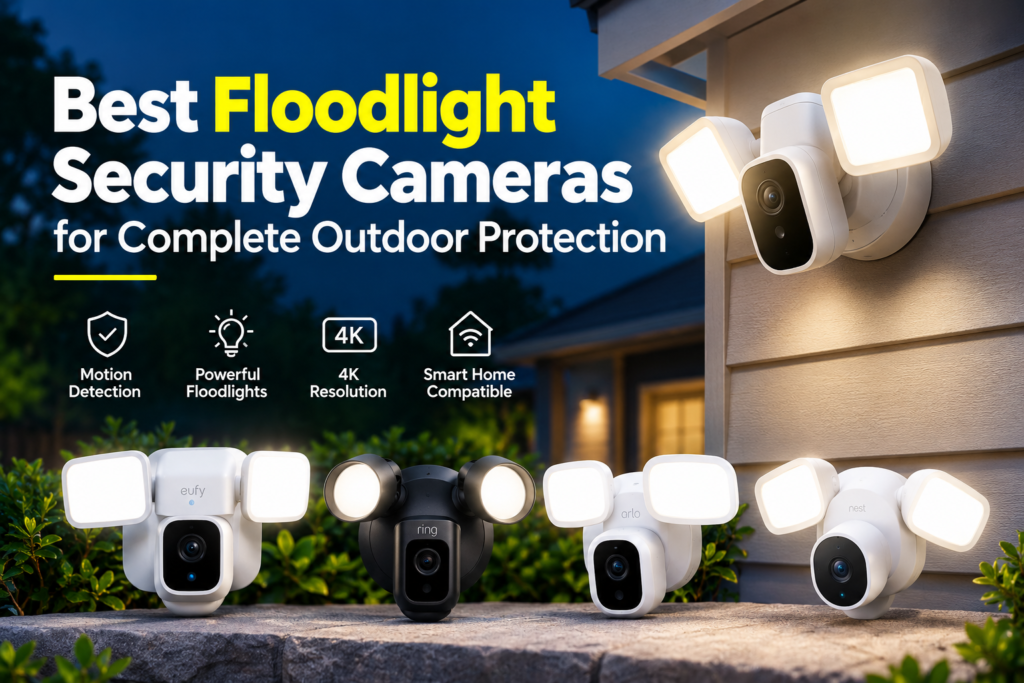
A floodlight security camera combines two things homeowners already want separately — bright, motion-activated outdoor lighting and a video camera that records what happens under that light — into a single fixture. Instead of a dumb floodlight that switches on for every passing cat, or a camera bolted next to an existing light, you get one device that lights up your driveway, garage, or backyard and sends you a clip of whoever (or whatever) triggered it.
Homeowners typically add a floodlight camera to cover a specific problem area: a driveway where packages get left, a side gate with a history of trespassing, a garage that’s otherwise unlit, or a backyard with no line of sight from inside the house. Because these cameras replace an existing exterior light fixture in most cases, they tend to sit higher and cover more ground than a standard doorbell or spotlight camera, which makes them a good fit for anyone trying to close a specific blind spot rather than watch a single front door.
This guide compares eight current floodlight camera models on the specs that actually affect day-to-day use — video quality, floodlight brightness, storage, and subscription costs — using manufacturer specifications verified against official sources. It’s written for beginners who want a technically grounded buying decision, not marketing copy.
Best Floodlight Security Cameras at a Glance
| Camera | Best For | Video Resolution | Floodlight Brightness | Power | Storage | Subscription Requirement | Smart Home Compatibility |
|---|---|---|---|---|---|---|---|
| Eufy Floodlight Cam E340 | Local storage + HomeKit households | 3K + 2K dual lens | 2,000 lumens (dual panel) | Hardwired only | microSD (128GB) or HomeBase S380 | None required | Alexa, Google Assistant; Apple Home via HomeBase |
| Ring Floodlight Cam Wired Pro | Existing Ring/Alexa ecosystems | 2K HDR (“Retinal 2K”) | 2,000 lumens | Hardwired only | Cloud only (no local storage) | Required to view/save recorded clips | Alexa only |
| Arlo Wired Floodlight Camera | Balanced mid-range buyers | 2K QHD with HDR | 2,000 lumens | Hardwired only | Cloud (subscription); no local storage | Required for clip history beyond live view | Alexa, Google Assistant |
| Reolink TrackFlex Floodlight WiFi | Largest properties, brightest light, no subscription | 4K wide + 2K telephoto (dual lens) | 3,000 lumens (adjustable 3000K–6500K) | Hardwired only | microSD (512GB), NVR, Home Hub, or FTP/NAS | None required | Alexa, Google Assistant |
| Google Nest Cam with Floodlight | Google Home households | 1080p HDR | 2,400 lumens | Hardwired, with battery backup | 3 hrs free event history; more via subscription | Required for extended history and 24/7 recording | Google Home only |
| TP-Link Tapo Wired Floodlight (C720/TC53) | Budget buyers who want no subscription | 2K QHD | 2,800 lumens | Hardwired only | microSD, no subscription needed | None required | Alexa, Google Assistant |
| Wyze Cam Floodlight Pro | Best value / widest field of view | 2.5K QHD | 3,000 lumens (3 panels) | Hardwired only | microSD (256GB) local; optional cloud | Optional (adds cloud history and advanced AI detection) | Works with Wyze app; limited third-party integration |
| Blink Wired Floodlight Camera | Simple, low-cost Alexa setup | 1080p HD | 2,600 lumens | Hardwired only | None without add-ons | Required for recorded clips and person detection | Alexa only |
Specifications above are drawn from each manufacturer’s published product pages and spec sheets as of 2026. Manufacturers periodically revise firmware features, subscription tiers, and pricing, so confirm current details on the official product page before buying.
Best Floodlight Security Cameras
Eufy Floodlight Cam E340
Best for: Homeowners who want full local storage with no recurring costs, plus Apple Home compatibility.

- 【Dual 2K/3K Cameras with 8X Hybrid Zoom】The 3K ultra-clear wide-angle lens provides a broad field of view, while the 2K …
- 【360° Coverage with Auto-Tracking】Enjoy a comprehensive 360° field of view through the combined ultra-wide lens and expa…
- 【24/7 Continuous Recording with With Free Local Storage】Always on and always recording when local storage has been enabl…
Key features: Dual-lens design with a 3K wide-angle camera and a 2K telephoto lens, giving 8x hybrid zoom without the softness of pure digital zoom. The camera head pans a full 360° and tilts 120°, so one unit can cover an unusually wide area for a single-camera install.
Video quality: 3K (2880×1620) from the primary lens, 2K from the telephoto lens. Eufy notes that when AI tracking or dual-view mode is active, output drops to 2K. This is genuinely sharp for identifying faces at close range and reading details mid-distance.
Floodlight performance: Two adjustable panels producing up to 2,000 lumens combined, at a 4,000K color temperature, with in-app dimming and smart (motion-based) or scheduled activation.
Night performance: Color night vision when the floodlight is active; the wide field of view holds up reasonably well in low light given the dual-lens setup.
Motion/person/vehicle detection: On-device AI detects people, vehicles, and pets at no extra cost, plus subject lock-and-tracking and out-of-view detection using the pan/tilt motor.
Storage options: microSD card up to 128GB, or an optional eufy HomeBase S380 for expanded local storage — both work without a monthly plan.
Subscription requirements: None required for core recording and AI detection. Eufy offers an optional cloud plan and a paid emergency monitoring add-on for anyone who wants them.
Installation: Hardwired only — there’s no battery option, so you’ll need an existing electrical connection (typically the junction box of a light you’re replacing).
Weather resistance: IP65-rated, suitable for direct outdoor exposure.
Pros:
- No subscription needed for full functionality, including AI detection
- 360° pan/tilt coverage from a single camera
- Apple Home (HomeKit) support via the HomeBase hub
Cons:
- Wired-only; no battery or solar option
- Full 3K resolution isn’t available in every camera mode
- HomeKit support requires buying the separate HomeBase hub
Who should buy it: Anyone who wants to avoid a monthly bill entirely, or who already uses Apple Home and wants a floodlight camera in that ecosystem.
Who should skip it: Anyone without access to a hardwired outdoor connection, or shoppers who specifically want native (hub-free) HomeKit support.
Ring Floodlight Cam Wired Pro
Best for: Households already invested in the Ring/Amazon Alexa ecosystem who want a floodlight camera that fits the rest of their Ring lineup.
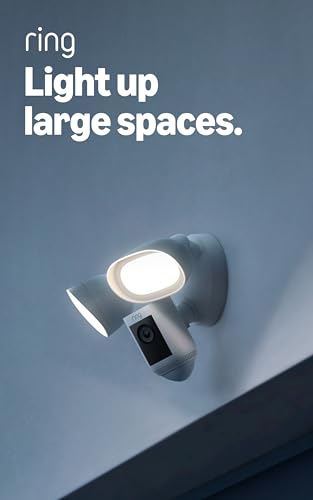
- Get pro-level security — Security camera with Retinal 2K video, motion-activated LED floodlights, Two-Way Talk and Audio…
- Tailored detection for more exact alerts — 3D Motion Detection pinpoints motion on your property so you’ll receive more …
- Light up large outdoor areas — 2000 lumen motion-activated floodlights give unwanted visitors nowhere to hide.
Key features: Ring’s flagship wired floodlight model, built around radar-based 3D Motion Detection and a “Bird’s Eye View” feature that maps where a visitor walked across your property. Includes customizable motion and privacy zones inside the Ring app.
Video quality: 2K HDR video (branded “Retinal 2K” by Ring), with a 140° horizontal by 80° vertical field of view — narrower than several competitors here, which matters if you’re trying to cover a wide driveway from a single mounting point.
Floodlight performance: Two 3,000K floodlights totaling 2,000 lumens, adjustable in brightness through the app.
Night performance: Color night vision, aided by the floodlight and HDR processing; performs well for a fixture in this brightness tier.
Motion/person/vehicle detection: 3D Motion Detection uses a radar sensor (not just PIR) to gauge distance and angle, which cuts down on false alerts from cars passing on the street. Advanced person alerts and smart notifications require a Ring Protect subscription.
Storage options: None locally — Ring does not offer microSD or on-device storage on this model. Every recorded clip lives in the cloud.
Subscription requirements: Required. Without an active Ring Protect plan, you get live view and real-time notifications, but recorded video isn’t saved anywhere you can go back and review. A 30-day trial is included with purchase.
Installation: Hardwired (100–240V); professional installation is recommended if you’re not replacing an existing wired fixture.
Weather resistance: Rated for outdoor use across a wide operating temperature range (-20.5°C to 48.5°C).
Pros:
- Deep integration with Alexa and the broader Ring ecosystem
- Radar-based 3D Motion Detection reduces false alerts
- Wide subscription tier options at different price points
Cons:
- No local storage option at all — a subscription is mandatory to review any footage later
- No Google Home or Apple HomeKit support
- Narrower field of view than several competitors at this price
Who should buy it: Existing Ring households, or anyone who wants Alexa integration and doesn’t mind an ongoing subscription for saved video.
Who should skip it: Anyone who wants to avoid subscription costs, or who needs Google Home/HomeKit compatibility.
Arlo Wired Floodlight Camera
Best for: Buyers who want a balanced mix of video quality, features, and price without going to the top of the market.

- Wired 2K Floodlight Protection for Large Outdoor Areas: Secure driveways, alleyways, and yards with 2K HDR video and 200…
- Arlo Secure Early Warning System Unlocks Advanced Features: Get 60-day video history, AI detection, and emergency respon…
- Smart Detection with Custom Alerts & Event Summaries: Receive alerts like a person coming up your walkway or a vehicle i…
Key features: 2K HDR video, a wide 160° diagonal field of view, two independently articulating floodlight heads, and Arlo’s Foresight feature, which captures a few seconds of buffered video before the motion trigger fires.
Video quality: 2K QHD (2,560×1,440) with HDR and 12x digital zoom — a meaningful step up from 1080p rivals at a similar price.
Floodlight performance: 2,000 lumens across two independently adjustable panels, useful for lighting an L-shaped driveway or a corner where a single fixed floodlight would leave a shadow.
Night performance: Color night vision when the floodlight activates, plus a separate black-and-white infrared mode for lower-key illumination.
Motion/person/vehicle detection: Free smart detection for people, vehicles, animals, and packages, with up to five customizable activity zones.
Storage options: No local (microSD) storage on this model — recorded clips depend on an Arlo Secure cloud subscription. Live viewing and real-time alerts work without a subscription.
Subscription requirements: Required for recorded clip history and advanced smart detection alerts.
Installation: Hardwired only, mountable to a standard 4-inch round junction box on a wall or ceiling.
Weather resistance: Rated for outdoor use from -20°C to 45°C.
Pros:
- Sharper 2K HDR video than similarly priced 1080p competitors
- Two independently articulating floodlight heads
- Foresight pre-roll capture adds useful context to alerts
Cons:
- No local storage option
- Subscription needed to unlock most of the advanced detection features
- 2.4GHz-only Wi-Fi on some regional versions, which can be a bottleneck on congested networks
Who should buy it: Homeowners who want 2K video and flexible lighting control without paying flagship pricing.
Who should skip it: Anyone who specifically wants local, subscription-free video storage.
Reolink TrackFlex Floodlight WiFi
Best for: Large properties, the brightest available floodlight in this lineup, and anyone who wants to avoid a subscription entirely.

- 【4K UHD Dual-lens with 6x Hybrid Zoom】4K ultra-clear wide-angle lenses provide a wide field of view, while the tracking …
- 【360° Coverage + Auto-Tracking】355° pan + 50° tilt delivers near-perfect coverage, accurately capturing every inch of th…
- 【Private Local AI Search and Data Control】Private Local AI Search and Data Control: AI analysis and search processing ru…
Key features: A dual-lens, pan-and-tilt design pairing a 4K wide-angle camera with a 2K telephoto lens for 6x hybrid zoom, plus three PIR sensors providing 270° of out-of-view motion detection so the camera can swing toward activity happening outside its current frame.
Video quality: 4K (3,840×2,160, 8MP) from the wide-angle lens and up to 2K from the telephoto lens — the highest resolution of any camera in this roundup, with a 104° horizontal field of view on the primary lens.
Floodlight performance: 3,000 lumens, the brightest floodlight covered here, with adjustable color temperature from 3000K (warm) to 6500K (cool daylight).
Night performance: Color night vision when the floodlight is engaged, plus standard infrared night vision up to roughly 100 feet when it’s not.
Motion/person/vehicle detection: AI-based detection for people, vehicles, and animals, combined with 355° pan and 50° tilt for active tracking across nearly the full property.
Storage options: microSD card up to 512GB, plus support for a Reolink NVR, Reolink Home Hub, or FTP/NAS storage — all without a required subscription. Reolink also offers optional cloud plans and local AI video search.
Subscription requirements: None required for core recording, local storage, or AI detection.
Installation: Hardwired (AC 100–240V) — not compatible with PoE or battery power.
Weather resistance: IP66-rated, a step above the IP65 rating common elsewhere in this list.
Pros:
- Highest resolution (4K) and brightest floodlight (3,000 lumens) in this comparison
- No subscription required for full local storage and AI detection
- Wide-ranging local storage options (microSD, NVR, Home Hub, NAS)
Cons:
- Higher price point than most competitors here
- Setup and app navigation are more involved than simpler single-lens cameras
- Frame rate on some detection/zoom modes is lower than standard 30fps
Who should buy it: Homeowners with large driveways, long sightlines, or properties that need one camera to do the work of two, and who want to skip subscription fees.
Who should skip it: Buyers who want the simplest possible setup, or who don’t need 4K-level detail.
Google Nest Cam with Floodlight
Best for: Households already using Google Home who want floodlight coverage tied into that ecosystem.

- Nest Cam with floodlight has built-in intelligence and can tell the difference between a person, animal, and vehicle and…
- Easily check in from anywhere 24/7 with 1080p HDR video[1] with night vision; see what you missed with 3 hours of free e…
- If your Wi-Fi goes down or there’s a power outage, Nest Cam will store up to an hour of recorded events so you can see w…
Key features: Combines Google’s Nest Cam (battery) hardware with a hardwired floodlight base. The camera itself has a built-in rechargeable battery that acts as backup power (Google states it can run for months on that reserve), so recording continues briefly even if hardwired power is interrupted.
Video quality: 1080p at 30fps with HDR, from a 1/2.8-inch, 2-megapixel sensor and a 130° diagonal field of view — resolution is lower than several rivals here that have moved to 2K or higher.
Floodlight performance: Two adjustable lights totaling 2,400 lumens at 4,000K, controllable like a smart light (brightness, motion sensitivity, on/off) from the Google Home app.
Night performance: Infrared night vision up to about 20 feet from six 850nm LEDs, in addition to the floodlight itself.
Motion/person/vehicle detection: On-device machine learning provides free person, animal, and vehicle detection along with custom Activity Zones — notably, these run without a subscription, which isn’t the case for every camera in this guide.
Storage options: Three hours of event-based video history included at no cost. A Google Home Premium subscription extends this to up to 60 days of event history, and the Advanced tier adds up to 10 days of continuous 24/7 recording.
Subscription requirements: Not required for basic use, but necessary for extended video history or continuous recording.
Installation: Hardwired floodlight base; the camera itself uses a proprietary magnetic connector and can technically be removed and charged like a battery camera.
Weather resistance: IP54-rated — lower than the IP65/IP66 ratings on several other cameras in this guide, worth factoring in for very exposed installations.
Pros:
- Free on-device AI detection (person, animal, vehicle) without a subscription
- Deep, polished Google Home integration
- Battery backup keeps recording briefly during a power interruption
Cons:
- 1080p resolution lags behind the 2K/4K competitors in this list
- Google Home only — no Alexa or Apple HomeKit support
- IP54 weather rating is lower than most rivals here
- No local (microSD) storage option
Who should buy it: Existing Google Home users who prioritize ecosystem integration and are comfortable with 1080p video.
Who should skip it: Anyone who wants 2K+ resolution, local storage, or Alexa/HomeKit compatibility.
TP-Link Tapo Wired Floodlight Camera (C720 / TC53)
Best for: Budget-conscious buyers who still want to avoid a mandatory subscription.

- 【2800 Lumens Ultra-Bright Floodlight】Never miss a thing, even after dark. Tapo C720’s powerful, fully adjustable floodli…
- 【2K QHD Live View】No blind spots, only sharp details. See every inch of your home with the wide 150° field of view, enha…
- 【Motion-Activated Floodlight】Like a hawk in the dark, the C720 identifies fleeting movements and triggers the floodlight…
Key features: A straightforward wired floodlight camera with a 2,800-lumen dimmable floodlight, 2K video, and free AI detection — all without requiring a subscription for core functionality, which is unusual at this price point.
Video quality: 2K QHD (2,560×1,440), with a 150–153° diagonal field of view depending on the exact model variant.
Floodlight performance: 2,800 lumens, adjustable, rated to illuminate up to roughly 30 feet — brighter on paper than the Ring, Arlo, and Nest models above, at a lower price.
Night performance: Full-color night vision when the floodlight is active, standard infrared when it isn’t.
Motion/person/vehicle detection: Free AI detection for people, pets, and vehicles, plus a 270° motion-activated detection zone and customizable activity areas.
Storage options: microSD card (sold separately) for fully local, subscription-free recording. TP-Link also offers an optional Tapo Care cloud plan for those who want off-site backup.
Subscription requirements: None required. This is one of the more subscription-averse options in this comparison.
Installation: Hardwired only.
Weather resistance: IP65-rated.
Pros:
- Strong lumen output and 2K resolution at a genuinely budget-friendly price
- No subscription required for local storage or AI detection
- Works with both Alexa and Google Assistant
Cons:
- Build quality and app polish are noticeably more basic than premium competitors
- No Apple HomeKit support
- microSD card sold separately, adding to the real-world cost
Who should buy it: Anyone prioritizing value — strong specs on paper, no subscription requirement, and a lower up-front price than most of this list.
Who should skip it: Buyers who want a more polished app experience or Apple ecosystem support.
Wyze Cam Floodlight Pro
Best for: Buyers who want the widest field of view and best overall value in this comparison.

- 180° Panoramic Camera View: Get complete property coverage with a leading 180° field-of-view. See everything in an insta…
- 2K HD Resolution with Color Night Vision: Capture and stream video in stunning 2K HD clarity, even in vibrant color at n…
- Transform Night into Day with 3 Adjustable Light Panels: Our 3000-lumen super-bright LED floodlights activate on motion,…
Key features: A 180° diagonal field of view (170° horizontal, 95° vertical) is the widest single-lens coverage in this guide, paired with three independently adjustable floodlight panels totaling 3,000 lumens.
Video quality: 2.5K QHD (2,560×1,440) at up to 20fps in daylight, 15fps at night — sharper than 1080p rivals, though the frame rate is lower than some 2K/4K competitors.
Floodlight performance: 3,000 lumens spread across three adjustable heads at 5,000K, matching Reolink for the brightest floodlight in this comparison at a much lower price.
Night performance: Color night vision with a dedicated “starlight sensor” and 12 infrared LEDs for low-light detail even without the floodlight engaged.
Motion/person/vehicle detection: Free AI-based person, vehicle, and package detection runs without a subscription; the optional Cam Plus plan (around $2.99/month per camera) adds extended cloud video history and more advanced detection tuning.
Storage options: microSD card up to 256GB for local recording, plus optional AWS cloud storage through Cam Plus.
Subscription requirements: Optional. Core detection and local recording work without one.
Installation: Hardwired only, requiring an existing junction box.
Weather resistance: IP65-rated, with a wide operating range (-20°C to 60°C).
Pros:
- Widest field of view (180°) in this comparison
- Tied for brightest floodlight (3,000 lumens) at a fraction of the price of the Reolink model
- Free AI detection with no subscription required for core use
Cons:
- Limited third-party smart home integration compared with Ring, Arlo, or Tapo
- Build materials feel less premium than pricier competitors
- Lower nighttime frame rate (15fps)
Who should buy it: Homeowners who want the broadest single-camera coverage and strong specs without paying flagship prices.
Who should skip it: Anyone who needs Alexa, Google Home, or HomeKit integration, since Wyze’s third-party smart home support is limited.
Blink Wired Floodlight Camera
Best for: Buyers who want the simplest, lowest-cost entry point into an Alexa-connected floodlight camera.

- Help protect your home day or night with Blink Wired Floodlight Camera — a smart security camera with 2600 lumens of LED…
- See and speak from the Blink app — Experience 1080p HD live view, night view in color, and crisp two-way audio.
- Get real-time alerts — Be alerted to movement with dual-zone, customizable motion detection and sound the security siren…
Key features: A no-frills hardwired floodlight camera from Amazon’s Blink brand, built around simplicity and a low price rather than the highest specs.
Video quality: 1080p HD at up to 30fps, with a 143° diagonal field of view — the lowest resolution in this comparison, though still usable for general motion review and identifying general activity.
Floodlight performance: 2,600 lumens across two panels, brighter than the Ring and Arlo models above despite Blink’s lower price.
Night performance: Color night vision when the floodlight is active; otherwise standard infrared.
Motion/person/vehicle detection: Enhanced motion detection is included, but Blink’s person detection (powered by an on-device Amazon neural processor) only activates with an active Blink Subscription Plan.
Storage options: None built in. Recorded clips require either a Blink Subscription Plan (cloud storage) or a separately sold Sync Module plus USB drive or microSD card for local backup.
Subscription requirements: Effectively required for anyone who wants to review footage later or use person detection — without a plan, you get live view and alerts only, not saved clips.
Installation: Hardwired, mounted to a standard 4-inch round junction box.
Weather resistance: Weather-resistant, rated for outdoor installation.
Pros:
- Lowest typical price point in this comparison, especially during sales
- 2,600-lumen floodlight is brighter than several pricier competitors
- Straightforward Alexa integration
Cons:
- 1080p resolution is the lowest of any camera here
- No storage of any kind without paying for a subscription or buying a separate Sync Module
- Person detection is subscription-gated even though the hardware supports it out of the box
Who should buy it: Buyers on a tight budget who mainly want live view, alerts, and a bright light, and who don’t mind an ongoing low-cost subscription for saved clips.
Who should skip it: Anyone who wants subscription-free recorded video or higher-than-1080p detail.
How We Evaluated Floodlight Security Cameras
This guide separates two kinds of information: manufacturer specifications (resolution, lumens, field of view, storage capacity, and similar figures, taken directly from each brand’s official product pages) and editorial analysis (how those specs translate into real-world usefulness, and how models compare against each other). Where a claim reflects our own assessment rather than a published spec, it’s phrased as an evaluation rather than a fact — for example, “the widest field of view in this comparison” is a comparative editorial statement, while “180° diagonal field of view” is a manufacturer spec.
The criteria used to compare these cameras:
- Video quality — resolution, HDR support, and how each affects the ability to identify faces, vehicles, or license plates at typical outdoor distances.
- Floodlight brightness — rated lumen output and whether the brightness is adjustable or fixed.
- Night visibility — how each camera performs after dark, with and without the floodlight engaged.
- Motion detection — whether detection relies on basic PIR sensors, radar, or a combination, and how that affects false-alert rates.
- AI detection — whether person, vehicle, animal, and package recognition run free on-device or require a paid subscription.
- Field of view — how much ground a single camera can realistically cover from one mounting point.
- Storage — local (microSD, NVR, hub) versus cloud-only, and what’s included versus optional.
- Subscription costs — what’s genuinely free long-term versus what’s gated behind a recurring plan.
- Weather resistance — IP rating and stated operating temperature range.
- Power source — hardwired versus battery versus hybrid, and what that means for reliability and installation complexity.
- Installation — whether a standard homeowner can self-install or professional help is recommended.
- Smart-home compatibility — Alexa, Google Home, and Apple HomeKit support.
- Long-term value — total cost of ownership once any required subscription is factored in, not just the sticker price.
Wired vs Battery-Powered Floodlight Security Cameras
Every camera in this guide is hardwired, which is typical for floodlight cameras generally — the floodlight itself usually draws more power than a battery can sustain for meaningful periods of motion-triggered use. Still, it’s worth understanding the practical tradeoffs between wired and battery-powered outdoor cameras more broadly, since the decision affects reliability and long-term maintenance.
- Reliability: Wired cameras stay powered continuously, so there’s no risk of missing an event because the battery died. Battery cameras depend on charge level, and a dead battery during a break-in attempt defeats the purpose of having a camera at all.
- Installation: Wired floodlight cameras require an existing electrical connection — usually a junction box from a light fixture you’re replacing — and may call for an electrician if there isn’t one. Battery cameras install almost anywhere with no wiring.
- Maintenance: Wired units need essentially none once installed. Battery units need periodic recharging or battery swaps, which becomes more frequent with heavy motion traffic.
- Battery drain: For any battery-powered outdoor camera (floodlight or otherwise), running a bright light and continuous video recording drains a battery far faster than motion clips alone — a key reason true floodlight cameras are almost always hardwired.
- Best use cases: Wired floodlight cameras suit permanent installations at driveways, garages, and entryways where power is already available. Battery cameras suit spots without easy wiring access, like a shed, fence line, or temporary setup.
For a deeper comparison of these two approaches across security cameras generally, see our guide to wired vs wireless security cameras.
How Many Lumens Do You Need for an Outdoor Security Camera?
A lumen measures how much visible light a source puts out — the higher the number, the brighter the light appears at a given distance. For context, a typical porch light might run 400–800 lumens; the floodlight cameras in this guide range from 2,000 to 3,000 lumens.
More lumens isn’t automatically better for every location — a light that’s too bright can create harsh glare, wash out the camera’s own footage, or bother neighbors. The right brightness depends on the area:
- Front entry: A moderate 800–1,500 lumens is usually enough to identify visitors clearly without overwhelming a relatively small, close-up area.
- Walkways: Similar to a front entry — 800–1,500 lumens spread evenly is generally more useful than one very bright point source.
- Garage: 1,500–2,000 lumens tends to work well for illuminating a garage door and the immediate apron in front of it.
- Driveway: Longer, wider spaces benefit from 2,000+ lumens, especially if the driveway is more than a short, single-car length.
- Backyard: Depends heavily on size — a small patio may only need 1,000–1,500 lumens, while a large, open yard benefits from 2,500–3,000 lumens or multiple fixtures.
- Large outdoor areas: For expansive driveways, rural properties, or multi-car parking areas, the higher-output cameras in this guide (Reolink at 3,000 lumens, Wyze at 3,000 lumens) are worth prioritizing.
A brighter floodlight does not, on its own, guarantee better security outcomes — it’s one factor among camera placement, field of view, and monitoring habits. Pair brightness with sensible mounting height and motion-zone settings rather than relying on lumens alone.
Floodlight Camera vs Spotlight Camera
The core difference is beam shape and coverage area. A floodlight camera casts a wide, diffuse beam meant to illuminate a broad area evenly — a driveway, a backyard, or the full width of a garage. A spotlight camera produces a narrower, more concentrated beam, often paired with a camera that has a smaller field of view, and is typically better suited to highlighting one specific point, like a side door or a single walkway.
In practice:
- Choose a floodlight camera for driveways, backyards, garages, and any area wider than roughly 15–20 feet where you want even coverage across the whole space.
- Choose a spotlight camera for narrower spots — side yards, gates, or a single entry point — where a focused beam is more useful than broad, diffuse light.
Several homeowners end up using both: a floodlight camera on the driveway or backyard, and a smaller spotlight or standard camera covering a narrower chokepoint like a side gate.
Do Floodlight Security Cameras Require a Subscription?
This varies significantly by brand, and it’s one of the most important factors in total cost of ownership. Based on the models in this guide:
- No subscription required for core recording: Eufy Floodlight Cam E340, Reolink TrackFlex Floodlight WiFi, and TP-Link Tapo Wired Floodlight all support local storage (microSD, hub, or NVR) and free AI detection without a mandatory monthly plan.
- Subscription optional, but adds real value: Wyze Cam Floodlight Pro records locally without a subscription, but its Cam Plus plan (roughly $2.99/month per camera) unlocks extended cloud history and refined AI detection.
- Subscription effectively required to save footage: Ring Floodlight Cam Wired Pro and Arlo Wired Floodlight Camera have no local storage option at all — without an active plan, you get live view and real-time alerts, but nothing saved to review later.
- Free tier is limited but usable: Google Nest Cam with Floodlight includes three hours of free event history and free AI detection, with a subscription needed only for extended history or continuous recording.
- Subscription needed for both storage and advanced detection: Blink Wired Floodlight Camera requires either a subscription or a separately purchased Sync Module and storage medium to save any footage, and person detection is subscription-gated.
A few terms worth understanding before you buy:
- Cloud storage keeps recorded clips on the manufacturer’s servers, accessible from anywhere, but usually requires an ongoing fee.
- Local storage (a microSD card in the camera, or a home hub/NVR) keeps footage on your property with no recurring cost, though it’s typically not accessible remotely in the same way as cloud clips unless the app supports remote local playback.
- HomeBase / local hubs (used by Eufy and Reolink) act as a bridge between the camera and your home network, often adding extra local storage capacity and, in Eufy’s case, enabling Apple HomeKit support.
- Free event storage refers to a limited amount of cloud storage included at no cost — Google Nest’s three-hour window is a good example.
- Paid AI features typically include more advanced recognition (facial recognition, familiar faces, richer activity descriptions) layered on top of basic person/vehicle detection.
Over two to three years of ownership, a camera with a mandatory $4–10/month subscription can end up costing more in total than a pricier camera with free local storage. Factor that into the purchase price when comparing options.
Best Floodlight Camera for Different Outdoor Areas
Rather than naming one overall “winner,” here’s how the characteristics of each camera map to different parts of a property:
- Best for driveways: Reolink TrackFlex Floodlight WiFi, thanks to its 4K resolution, 3,000-lumen brightness, and wide pan/tilt range suited to long, wide spaces.
- Best for garages: Eufy Floodlight Cam E340 or TP-Link Tapo Wired Floodlight — both offer strong resolution and adjustable brightness at a size appropriate for a garage apron, without the premium cost of the Reolink model.
- Best for backyards: Wyze Cam Floodlight Pro, given its 180° field of view and 3,000-lumen output, which suits large, open spaces well.
- Best for side yards: A narrower-coverage model like the Ring Floodlight Cam Wired Pro or Blink Wired Floodlight Camera can be sufficient, since side yards are often narrower and don’t need the widest possible field of view.
- Best for front yards: Google Nest Cam with Floodlight, for households that want tight Google Home integration and don’t need maximum resolution for a relatively close-range area.
- Best for large properties: Reolink TrackFlex Floodlight WiFi again stands out, given its dual-lens zoom and the widest practical detection range in this comparison.
- Best for homes without existing wiring: None of the cameras in this guide are battery-powered — all require a hardwired connection, so homeowners without existing outdoor wiring should budget for an electrician or consider a battery-powered spotlight/standard camera as an alternative.
- Best for users who want local storage: Reolink TrackFlex Floodlight WiFi (up to 512GB microSD, plus NVR/Home Hub/NAS options) and Eufy Floodlight Cam E340 (128GB microSD or HomeBase) both offer the most flexible local storage without a subscription.
Important Features to Check Before Buying
- Resolution: Higher resolution (2K, 2.5K, 4K) helps with identifying faces and license plates, especially at distance. 1080p is adequate for general motion awareness but loses detail further from the camera.
- HDR: High Dynamic Range balances bright and dark areas in the same frame — useful for a driveway with strong daytime sun and deep shadows, or a floodlight-lit foreground against a dark background.
- Field of view: Wider isn’t always better if it distorts detail at the edges, but for open areas like driveways and backyards, a wider FOV reduces the number of blind spots.
- Pan/tilt: Motorized pan/tilt cameras (Eufy, Reolink) can actively track a subject or be repositioned remotely, unlike fixed-lens cameras.
- Optical vs digital zoom: Optical zoom (using a second, dedicated lens, as with Eufy and Reolink’s dual-lens designs) preserves image quality far better than digital zoom, which just crops and enlarges the existing image.
- Floodlight brightness: Match lumens to the area size, as covered above — more isn’t automatically better.
- Adjustable lighting: Look for dimmable brightness and, ideally, adjustable color temperature (Reolink offers this) to avoid overly harsh white light.
- Person detection: Confirm whether this runs free on-device (Eufy, Reolink, Nest, Tapo, Wyze) or requires a subscription (Ring, Arlo, Blink).
- Vehicle detection: Useful for driveway placements specifically; most models in this guide include it, though some gate it behind a subscription.
- Pet detection: Reduces false alerts from animals; widely supported across this list.
- Activity zones: Lets you limit alerts to specific parts of the frame (e.g., your driveway, not the public sidewalk) — check whether this is free or subscription-gated for each brand.
- Two-way audio: Standard across all eight cameras here, letting you speak through the camera from the app.
- Siren: Also standard across this list, with volumes ranging roughly from 80dB to 110dB.
- Local storage: Confirm whether the camera supports a microSD card, hub, or NVR, and what the maximum capacity is.
- Cloud storage: Check what’s free (if anything) versus what requires a paid plan.
- Subscription: Total up the real annual cost, not just the advertised monthly price.
- IP/weather rating: IP65 and IP66 are both suitable for outdoor exposure; IP54 (as on the Nest Cam with Floodlight) is lower and worth factoring in for very exposed mounting locations.
- Wi-Fi requirements: Confirm your router is within range of the planned mounting location — floodlight cameras are typically mounted higher and farther from the router than indoor cameras.
- 2.4 GHz / 5 GHz compatibility: Dual-band support (most models here) gives more flexibility and can improve streaming reliability on congested networks.
- Smart-home compatibility: Alexa, Google Home, and Apple HomeKit support vary significantly by brand — check the comparison table above before assuming compatibility.
- Installation requirements: All eight cameras in this guide are hardwired; confirm you have (or can add) a suitable electrical connection before buying.
Floodlight Security Camera Installation Tips
- Mounting height: Most manufacturers recommend 8–10 feet for floodlight cameras — high enough to cover a wide area and deter tampering, but low enough that the camera and floodlight remain effective.
- Camera angle: Angle the camera slightly downward to capture faces at a useful angle rather than pointing straight out, which tends to capture mostly sky or distant background.
- Avoiding direct sunlight: Facing a camera directly into the rising or setting sun can wash out footage and trigger unnecessary glare; where possible, orient the lens away from the sun’s daily path.
- Reducing glare: For the floodlight itself, avoid pointing it directly at reflective surfaces (windows, glass doors, wet pavement) that can bounce light back into the lens.
- Covering driveways and entrances: Position the camera so the field of view captures the full width of the driveway or entry path, not just the center.
- Avoiding blind spots: Check the manufacturer’s stated field of view against your actual space — a narrower-FOV camera (like the Ring or Blink models here) may need a second unit to fully cover a wide driveway that a single wider-FOV camera (Wyze, Reolink) could handle alone.
- Wi-Fi strength: Before final installation, test signal strength at the mounting location — a weak connection is one of the most common causes of dropped alerts and offline cameras.
- Electrical requirements: Confirm the junction box and wiring can handle the camera’s voltage and wattage requirements, and use a licensed electrician if you’re not confident working with existing wiring.
- Privacy considerations: Angle the camera and floodlight to avoid capturing a neighbor’s windows, yard, or private space, and check local regulations on outdoor recording and audio capture before installation.
Common Mistakes to Avoid
- Buying based only on resolution. A high-resolution camera with a poor field of view or unreliable motion detection can still underperform a lower-resolution model that’s better matched to the space.
- Ignoring floodlight brightness. Pairing a small light output with a large area leaves dark zones the camera can’t usefully record.
- Forgetting subscription costs. As covered above, some of the cheapest cameras up front become the most expensive over several years once mandatory subscriptions are added in.
- Choosing battery power for a high-traffic location without considering recharge frequency. While every camera in this guide is hardwired, this is a common mistake with battery-powered cameras elsewhere on a property — heavy motion traffic can drain a battery camera in days rather than weeks.
- Poor camera placement. Mounting too high, too low, or at the wrong angle undermines even a technically excellent camera.
- Ignoring Wi-Fi coverage. A camera mounted at the edge of your Wi-Fi range is prone to dropped connections and missed alerts.
- Not checking weather resistance. An IP54-rated device in a location with direct rain or snow exposure is a different proposition than the same device under an eave.
- Ignoring local privacy laws. Rules on audio recording, camera placement near property lines, and notification requirements vary by state, province, and country — check local regulations before installing.
For a broader look at frequent security gaps beyond camera choice, see our guide to common home security mistakes.
How Floodlight Cameras Fit Into a Complete Home Security System
A floodlight camera is one layer of outdoor coverage, not a full security system on its own. It’s most effective when paired with entry-point sensors, a monitored or self-monitored alarm, and — for indoor coverage — additional cameras or motion sensors that cover interior access points a floodlight camera can’t see.
Think of a floodlight camera as covering the approach to your home (driveway, backyard, garage), while a doorbell camera covers the immediate entry point, and door/window sensors cover what happens if someone actually gets inside. Relying on a single floodlight camera as your only security measure leaves gaps that a layered system is designed to close.
For a full breakdown of how these pieces fit together, see our guide to building a complete home security system.
Smart Home Integration
Smart home compatibility varies more than most buyers expect, and it’s one of the clearer differentiators in this comparison:
- Amazon Alexa: Supported by the Eufy, Ring, Arlo, Reolink, and TP-Link Tapo models in this guide, letting you view live feeds on Echo Show devices and use voice commands.
- Google Home: Supported by Eufy, Arlo, Reolink, TP-Link Tapo, and — naturally — the Google Nest Cam with Floodlight, which is Google Home—exclusive with no Alexa or HomeKit support.
- Apple Home / HomeKit: More limited across this category. The Eufy Floodlight Cam E340 supports HomeKit, but only through its optional HomeBase S380 hub — it’s not native out of the box. None of the other seven cameras here offer HomeKit support.
If smart home integration is a priority, check compatibility against your existing ecosystem before buying rather than assuming support, since — as this comparison shows — it’s inconsistent even among well-known brands.
For more on building out a broader connected security setup, see our guide to smart home security essentials.
Frequently Asked Questions
Are floodlight security cameras worth it? For homeowners with a specific dark or unmonitored outdoor area — a driveway, garage, or backyard — a floodlight camera can be a practical way to add both visibility and recorded footage in one fixture. Whether it’s “worth it” for you personally depends on your budget, whether you’re comfortable with a hardwired install, and how much value you place on that specific area being lit and recorded.
How many lumens should a floodlight security camera have? It depends on the area. Smaller spaces like front entries and walkways are usually well served by 800–1,500 lumens, while wide driveways or large backyards benefit from 2,000–3,000 lumens. See the lumens section above for more detail by location.
Do floodlight cameras work at night? Yes — all eight cameras in this guide offer some form of night vision, either through the floodlight itself (color night vision) or a separate infrared mode when the floodlight isn’t active.
Do floodlight cameras need Wi-Fi? Yes, all of the cameras in this guide connect to your home Wi-Fi network to send alerts, stream live video, and (for cloud-storage models) upload recorded clips.
Can floodlight cameras work without a subscription? Some can. The Eufy Floodlight Cam E340, Reolink TrackFlex Floodlight WiFi, and TP-Link Tapo Wired Floodlight all support full local recording and AI detection without a required subscription. Others, including Ring and Arlo’s models here, have no local storage option and depend on a subscription to save footage.
Are wired floodlight cameras better than battery-powered models? For floodlight use specifically, wired is generally the more practical choice, since running a bright light plus continuous video recording draws more power than a battery can sustain reliably over time. That’s why every camera in this guide is hardwired.
How high should a floodlight camera be mounted? Most manufacturers recommend roughly 8–10 feet, balancing wide coverage against maintaining useful detail and discouraging tampering.
Can floodlight cameras record locally? Some can. Models with microSD card slots or compatible local hubs (Eufy, Reolink, TP-Link Tapo, and Wyze in this guide) support local recording. Others (Ring, Arlo, and Google Nest here) are cloud-only or cloud-dependent for saved footage.
What is the difference between a floodlight and a spotlight camera? A floodlight camera casts a wide, even beam meant to illuminate a broad area, while a spotlight camera produces a narrower, more focused beam better suited to highlighting a single point, like a side door or gate.
Are floodlight cameras weatherproof? Most are rated for outdoor exposure, typically IP65 or IP66 in this comparison, though the Google Nest Cam with Floodlight carries a lower IP54 rating. Always check the specific IP rating against your installation location’s weather exposure.