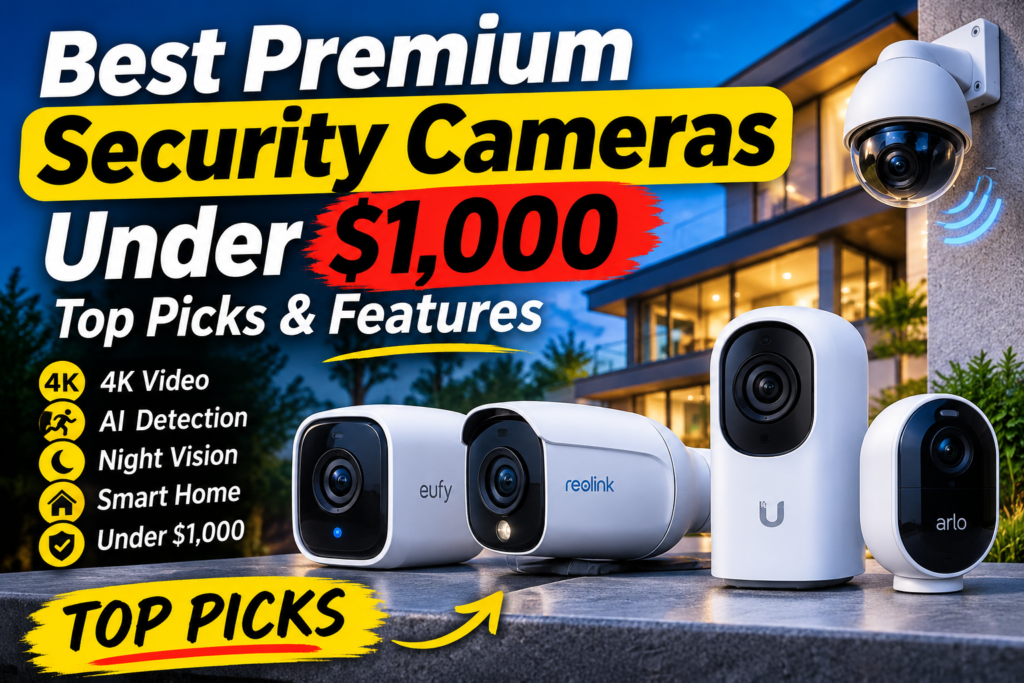
The best premium security cameras under $1,000 give you 4K video, useful AI alerts and storage you control, without leaning on a monthly fee. The catch is that “under $1,000” has to include everything the system needs to run: the recorder or hub, the hard drive, and in some cases the PoE network gear. A $479 camera that needs a $199 recorder and a drive is not a $479 purchase.
Affiliate disclosure: Gadget Sentinel may earn a commission from qualifying purchases made through links on this page, at no extra cost to you. Prices below were checked on November 8, 2026 from the sources named, exclude tax, and change often (especially around Black Friday). We did not hands-on test these products. Specifications come from manufacturers or retailers unless we say a result comes from an independent reviewer.
This guide compares four premium options on that total-cost basis: two complete systems (a Reolink PoE kit and a eufy wire-free kit), one professional-grade single camera (Ubiquiti UniFi G6 Pro Bullet) and one cloud-first 4K camera (Arlo Ultra 2). If you are still deciding on the basics, start with our security camera buying guide. If you want cheaper cameras across every budget, see best home security cameras for every budget. This article is for readers who have decided to spend more and want to spend it carefully.
Quick Picks – Best Premium Security Cameras Under $1,000
| Product | Best for | Resolution | Connectivity | Storage | Subscription | Approx. price (US) |
|---|---|---|---|---|---|---|
| Reolink RLK8-800B4 (4 cameras + 8-channel NVR) | Most homes wanting full 4K coverage at the lowest cost | 4K (8MP), 20 fps default | Wired PoE | 2TB HDD included, 24/7 recording | None required | About $541 on one Amazon listing; other retailers list higher |
| eufyCam S3 Pro (HomeBase S380 kit) | No-wiring installs with color night vision | 4K, 15 fps | Wire-free (battery + solar), Wi-Fi to HomeBase | HomeBase local storage, 1TB drive in listed kit | None required | $419.99 (2 cams + 1TB) / $619.99 (4 cams + 1TB), promotional pricing on eufy.com |
| Ubiquiti UniFi G6 Pro Bullet | Best image hardware and true optical zoom | 4K, up to 30 fps | Wired PoE+ | Needs a UniFi Protect recorder and a drive (sold separately) | None for Protect | $479 camera; with UNVR-Instant ($199) about $678 before a drive |
| Arlo Ultra 2 (SmartHub required) | Cloud-first, wire-free 4K with a 180° view | 4K HDR | Wire-free, SmartHub | Cloud (subscription) plus local hub storage | Strongly recommended | $499 for a 2-camera kit at Sam’s Club; verify hub inclusion |
How we selected these picks
We started with the four products named in our brief, then checked each one against manufacturer spec pages, retailer listings and independent reviews we could find. We required a 4K sensor, a way to store footage without a mandatory subscription (Arlo is the exception, and we say so), and a total hardware cost that fits under $1,000. We compared our shortlist against what Security.org’s PoE camera testing, Digital Camera World’s PoE guide and Consumer Reports’ subscription-free camera ratings recommend. We did not run our own lab tests, so “independent findings” below always name the outside source.
What Makes a Security Camera Premium?
A premium security camera combines a high-resolution sensor, on-device AI, strong low-light imaging, durable housing and flexible local storage. No single spec makes a camera premium; the combination is what separates $400 cameras from $60 ones.
4K and Higher Resolution
4K (3840 × 2160) has four times the pixels of 1080p, which helps when you zoom into recorded footage to read a plate or see a face. The cost is storage and bandwidth. At the Reolink kit’s default 6,144 kbps stream, one camera writes roughly 66GB a day (our arithmetic), so four cameras use about 265GB a day. That matches Reolink’s own estimate of about 8 days on the included 2TB drive. Resolution only helps if the lens and sensor deliver detail: a camera with a narrow aperture or a small sensor can have a 4K label and still look soft at night.
Advanced AI Detection
Good AI sorts people, vehicles and animals from swaying branches. Where that processing happens matters. Consumer Reports notes that object recognition often runs on company servers, which is one reason subscriptions exist. Reolink’s kit, eufy’s S3 Pro and Ubiquiti’s G6 Pro list on-system detection with no subscription. Arlo’s AI features need an Arlo Secure plan after the trial.
Optical Zoom and Image Sensors
Optical zoom changes the lens and keeps detail. Digital zoom crops the image. Among our picks, only the UniFi G6 Pro Bullet has optical zoom (2.36×, 5.9–13.8mm varifocal lens). The Reolink B800 uses a fixed 4.0mm lens, and the eufyCam S3 Pro lists 8× digital zoom. Sensor size matters too: the G6 Pro Bullet uses a 1/1.2″ sensor and the eufyCam S3 Pro a 1/1.8″ sensor, versus 1/2.49″ on the Reolink B800. Larger sensors generally gather more light, which is why they are favored for night footage.
Color Night Vision
Infrared night vision is black and white but long-range. Color night vision uses spotlights or very sensitive sensors to keep clothing and vehicle colors visible. The Reolink B800 is infrared only (100 ft per Reolink). The eufyCam S3 Pro offers MaxColor Vision with spotlights plus a short 10 m infrared range. The G6 Pro Bullet lists 40 m infrared. If you want color after dark from Reolink, the company points buyers to other models, such as its ColorX series.
Local Storage and NVR Systems
An NVR (network video recorder) stores video on a hard drive in your home and can keep recording if your internet drops. Reolink says its NVR systems record locally without mandatory monthly fees and work without internet once set up, with internet only needed for remote viewing and alerts. Wire-free systems like eufy’s use a hub for the same purpose. We cover the trade-offs in the local vs cloud section below.
Weatherproof and Vandal-Resistant Construction
Look for IP66 or IP67 ratings for dust and water. Vandal resistance is rated separately (IK ratings). The G6 Pro Bullet lists IP66 and IK04, the eufyCam S3 Pro IP67, and the Reolink B800 IP67 on its product page (Reolink’s NVR category page shows IP66 for this kit, so confirm before you buy). None of the bullet cameras here is as vandal-resistant as a metal dome.
Smart Home Integration
Wire-free consumer systems tend to integrate best. eufy’s S3 Pro works with Alexa and Google, and one retailer notes Apple Home footage drops to 1080p. Reolink’s FAQ says its NVR system does not work with Google Assistant. Ubiquiti’s UniFi Protect is its own ecosystem. For wider device planning, see our smart home security essentials guide.
Best Premium Security Cameras Under $1,000
1. Reolink RLK8-800B4 – Best Complete 4K System Under $1,000
Overview. The RLK8-800B4 is a wired PoE kit: four B800 4K bullet cameras plus an RLN8-410 eight-channel NVR with a 2TB drive. Digital Camera World and Security.org both recommend Reolink PoE kits for local-storage value, though neither reviewed this exact model in the pages we read (they covered related Reolink kits). Treat the specs below as manufacturer figures.

- 4K ULTRA HD CLARITY – Reolink 4K Ultra HD (8MP, 3840 × 2160) PoE camera delivers almost four times the clarity of 1080p….
- PLUG & PLAY POE SYSTEM – A single network cable provides both power and data, making setup quick and easy. Perfect for D…
- CONTINUOUS 24/7 RECORDING WITH REMOTE ACCESS – A pre-installed 2TB HDD provides reliable round-the-clock recording, expa…
Key specifications (Reolink):
- Resolution: 3840 × 2160 at 20 fps default (up to 8MP)
- Sensor and lens: 1/2.49″ CMOS, fixed 4.0mm, F2.0
- Field of view: 87° horizontal, 44° vertical
- Zoom: digital only
- Night vision: infrared, up to 100 ft, black and white
- AI: person, vehicle and animal detection
- Audio: built-in microphone (no two-way audio listed)
- Weatherproofing: IP67 on the camera spec page
- Warranty: 2-year limited warranty
Main features. 24/7, scheduled or motion recording; custom motion zones; the Reolink app, desktop client or a monitor plugged into the NVR; four free NVR channels for expansion (up to four more compatible cameras).
Advantages.
- Everything needed is in the box, including 18 m Ethernet cables, an HDMI cable and a mouse
- No subscription and no cloud dependency for core features
- Continuous recording on 2TB (roughly 8 days at default settings, per Reolink)
- Cheapest route to four 4K cameras in this guide
Disadvantages.
- Black-and-white night vision only
- Narrow 87° view; Security.org says it prefers fields of view above 130°
- No optical zoom, no two-way audio listed
- Reolink says the NVR does not work with Google Assistant
- You must run Ethernet cable to every camera
Real-world use cases. Driveways, side yards, detached garages and entry doors where you can run cable and want round-the-clock recording.
Storage and subscription. Local only on the NVR (expandable to 16TB total capacity). No subscription required.
Installation. Run a Cat5e/Cat6 cable from each camera to a PoE port on the NVR (maximum 330 ft per run), connect the NVR to your router and a monitor for setup. The kit supplies the power; no separate PoE switch is needed.
Who should buy it. Homeowners comfortable running cable who want maximum coverage per dollar and no recurring fees.
Who should avoid it. Renters, anyone who needs color night footage, or buyers who need long-distance zoom.
Verified price. $540.98 on an Amazon listing we found (a bundle page, so confirm); Reolink’s own US page did not display a price when we fetched it, and a third-party retailer listed $657.70. Treat the realistic range as about $541–$660. Availability: listed as available on Reolink’s US site.
Check Current Price · Official product page · Compare Reolink NVR kits
2. eufyCam S3 Pro – Best Wire-Free Premium System
Overview. The eufyCam S3 Pro is a solar-capable, battery-powered 4K camera that records to a local HomeBase S380. It requires the S380 and does not work with the older HomeBase 2, per eufy’s UK product page. Tom’s Guide’s editors named an earlier S3 Pro review an Editor’s Choice for 4K performance per dollar, and a first-impressions piece from the same outlet praised its natural-looking color night footage and license-plate detail. Those are independent impressions, not our measurements.

- 𝐍𝐢𝐠𝐡𝐭𝐭𝐢𝐦𝐞 𝐓𝐡𝐚𝐭'𝐬 𝐚𝐬 𝐁𝐫𝐢𝐠𝐡𝐭 𝐚𝐬 𝐃𝐚𝐲: Harness the power of a 4K camera combined with MaxColor Vision technology. eufyCam S3…
- 𝐑𝐞𝐥𝐢𝐚𝐛𝐥𝐞 𝐒𝐨𝐥𝐚𝐫 𝐏𝐨𝐰𝐞𝐫 𝐒𝐲𝐬𝐭𝐞𝐦: Experience peace of mind year-round with continuous, reliable security powered by SolarPlus…
- 𝐑𝐚𝐝𝐚𝐫-𝐏𝐨𝐰𝐞𝐫𝐞𝐝 𝐃𝐞𝐭𝐞𝐜𝐭𝐢𝐨𝐧 𝐀𝐥𝐞𝐫𝐭𝐬 𝐎𝐧𝐥𝐲 𝐖𝐡𝐚𝐭 𝐌𝐚𝐭𝐭𝐞𝐫𝐬: The dual motion detection system, combining radar and passive infrared…
Key specifications (eufy and retailers):
- Resolution: 4K (3840 × 2160); B&H lists 15 fps
- Sensor and lens: 1/1.8″ stacked CMOS, F1.0, 135° diagonal (112° × 60°)
- Zoom: 8× digital
- Night vision: MaxColor Vision with spotlights; infrared range 10 m (32.8 ft)
- AI: face, human, vehicle and pet recognition listed on eufy’s European page; radar plus PIR motion detection
- Audio: built-in microphone; we could not confirm two-way talk
- Weatherproofing: IP67
- Battery: eufy claims up to 365 days on a 13,400mAh battery; real life depends on activity and weather
Advantages.
- No cabling to the camera; solar panel included in some kits as a backup panel
- Color night vision and the largest light-gathering aperture (F1.0) in this group
- Local storage with no required subscription; HomeBase can scale to 16 cameras
Disadvantages.
- 15 fps 4K and 8× digital zoom only
- Short infrared range (10 m)
- Not a 24/7 recorder; battery cameras record events
- Apple Home footage is limited to 1080p per one retailer
- Promotional prices vary widely by region and week
Real-world use cases. Front and back yards, long walls where trenching cable is impractical, rentals with owner approval to mount.
Storage and subscription. Local on HomeBase S380 (expandable to 16TB). eufy also sells optional cloud plans; none is required.
Installation. Plug the HomeBase into your router and power; mount each camera with the supplied screws; add solar if the spot gets direct sun.
Who should buy it. Buyers who want 4K and color night vision without running cable.
Who should avoid it. People wanting continuous 24/7 recording or the longest night range.
Verified price. eufy.com (US) listed the 2-camera kit with a 1TB drive at $419.99 (marked down from $629.99) and the 4-camera kit with a 1TB drive at $619.99 (marked down from $879.99) when we checked. Another US eufy page showed a 2-camera kit at $549.99. Because these are promotional, confirm at checkout. Prices elsewhere differ widely by country.
Compare Available Models · eufyCam official page
3. Ubiquiti UniFi G6 Pro Bullet – Best Image Hardware and Optical Zoom
Overview. The G6 Pro Bullet is a professional-grade PoE+ camera for UniFi Protect. It has the biggest sensor and the only optical zoom in this guide. It is also the only pick that is a camera, not a system: it needs a Protect recorder, a hard drive and PoE power.

- All-weather 4K PoE+ camera with a Multi-TOPS AI engine, 2.36x optical zoom, and a large 1/1.2" CMOS sensor for exception…
- Smart Detections: People, Vehicles, Animals Yes Resolution: 4K (8MP 3840 × 2160, 16:9) Field of View: Wide: H: 113.8°, V…
- Audio: Two-way audio Weatherproofing: IP66 Tamper Resistance: IK04
Key specifications (Ubiquiti and retailers):
- Resolution: 4K (8MP), up to 30 fps
- Sensor and lens: 1/1.2″ CMOS; 5.9–13.8mm varifocal, f/1.5–f/2.9
- Field of view: 113.8° horizontal at wide, 45.5° at tele
- Zoom: 2.36× optical
- Night vision: infrared to 40 m (131 ft); retailers list up to 60 m with the optional Vision Enhancer accessory
- AI: people, vehicle and animal detection; face and license plate recognition are listed
- Audio: two-way (microphone and speaker)
- Weatherproofing: IP66, IK04; PoE+ (802.3at), about 15W maximum
Advantages. Optical zoom lets you frame a driveway tightly while keeping detail; large sensor; no subscription for UniFi Protect; scales into a larger UniFi network.
Disadvantages.
- Most expensive per camera; two cameras plus a recorder exceed $1,000
- The recorder, drive and network gear are extra
- Ubiquiti’s UNVR-Instant “requires connection to a Gateway or Layer 3 switch,” so a home without UniFi or a compatible router may need more hardware
- Steeper learning curve than Reolink or eufy
Real-world use cases. One critical location: a gate, a long driveway or a front entrance where identification matters more than coverage.
Storage and subscription. Local storage on a Protect recorder. The UNVR-Instant ($199) has a 6-port PoE switch, an HDMI output and one 3.5″ drive bay, with capacity for six 4K cameras. Ubiquiti’s page does not list a drive as included, so budget separately (we could not verify a drive price; a 3.5″ surveillance drive often costs roughly $80–$120, our estimate).
Installation. Run Ethernet to the camera, connect to the PoE recorder, adopt the camera in UniFi Protect.
Who should buy it. Enthusiasts and anyone already on UniFi who want the sharpest single viewpoint.
Who should avoid it. Anyone needing four or more cameras on a $1,000 budget.
Verified price. Ubiquiti’s US store listed $479.00, and also displayed $561.00 with “surcharges included.” Check which one applies at checkout. Newegg listed $479.00 for the black model on one page. A single-camera build: $479 + $199 NVR + a drive ≈ $778 before gateway, or about $880 using the surcharge-inclusive prices.
Check Current Price · Ubiquiti physical security store · G6 Pro Bullet product page
4. Arlo Ultra 2 – Best Cloud-First 4K Camera (With a Subscription Caveat)
Overview. The Arlo Ultra 2 is a wire-free 4K HDR camera with a spotlight, two-way audio and a wide view (listings say up to 180°). It connects through a required SmartHub rather than directly to your Wi-Fi. Trusted Reviews noted that the 4K camera is excellent but argued Arlo’s cheaper Pro-series cameras are a better buy for most people because of subscription costs.

- Ultimate Outdoor Wireless Camera 4K HDR Video(2 Camera, SmartHub Included & Required): Watch, listen & talk. Monitor you…
- Arlo protects your everything. Including your privacy: At Arlo, we are as passionate about privacy as we are about safeg…
- Don’t miss a moment with the Arlo Secure App: Get real-time notifications with motion activation & live video streaming….
Key specifications (Arlo and retailers): 4K HDR; integrated spotlight with color night vision; two-way audio; rechargeable battery (one listing claims up to 6 months, which depends on use); SmartHub required; HomeKit support requires a compatible hub.
Advantages. Polished app, wide view, color night video, good integrations.
Disadvantages.
- Cloud features need an Arlo Secure plan after the trial; Arlo’s own page says renewal is required to keep cloud storage, object detection, activity zones and video history
- One reviewer (SafeWise) reports standard Secure stores Ultra footage at 2K and 4K storage needs a higher plan; plan prices and tiers vary by source, so check Arlo’s pricing page (we saw $7.99 per camera and $17.99 for unlimited cameras at SafeWise, but other sources list different tiers)
- Cannot connect directly to Wi-Fi
Storage and subscription. Cloud (subscription) and local storage via the SmartHub (a retailer listing mentions saving to the hub). Over three years, a $17.99 plan adds roughly $650 to the camera cost.
Installation. Plug the SmartHub into your router, pair the cameras, mount with the magnetic or screw mount, recharge periodically.
Who should buy it. Buyers who prefer a hassle-free cloud camera and accept the ongoing cost.
Who should avoid it. Anyone who wants predictable total cost or footage fully under their control.
Verified price. $499.00 for a two-camera Ultra 2 kit at Sam’s Club (membership retailer). The listing did not clearly confirm a SmartHub is included, and Arlo’s own US page could not be read, so verify the SmartHub before you buy. Availability: in stock at the time of the listing.
Check Current Price · Arlo Ultra 2 official page
Best Premium Security Camera Systems Under $1,000
A complete NVR kit costs less per camera than buying cameras one by one, and it removes compatibility guesswork. Reolink’s own FAQ says the cameras in its kit cannot work alone and must be paired with a Reolink PoE NVR; buying standalone cameras instead means shorter included cables and separate recorder shopping.
- Complete NVR kit (Reolink): lowest cost per 4K camera, 24/7 recording, requires cabling.
- Hub-based wire-free kit (eufy, Arlo): easiest installation, event-based recording, battery upkeep.
- Standalone professional cameras plus recorder (Ubiquiti): best image quality per camera, highest total cost per viewpoint, more planning.
As a market benchmark, Security.org listed a Lorex four-camera 4K PoE kit at $649.99 and a Swann eight-camera 4K kit at $1,079.99 in its PoE roundup, so Reolink’s pricing is at the low end for a 4K PoE kit. Security.org tested the Lorex and says four cameras recording continuously took a week to fill its 2TB NVR, which is in line with our storage math above.
Premium Security Camera Comparison Table
| Feature | Reolink RLK8-800B4 | eufyCam S3 Pro | UniFi G6 Pro Bullet | Arlo Ultra 2 |
|---|---|---|---|---|
| Sensor | 1/2.49″ | 1/1.8″ stacked | 1/1.2″ | Not verified |
| Field of view | 87° H | 135° diagonal | 113.8° H (wide) | Up to 180° (listings) |
| Zoom | Digital | 8× digital | 2.36× optical | Not verified |
| Night vision | IR, 100 ft, B&W | Color (spotlights) + IR 10 m | IR 40 m (60 m with accessory) | Color with spotlight |
| AI | Person, vehicle, animal | Face, human, vehicle, pet | People, vehicle, animal; face and plate listed | Requires Arlo Secure |
| Two-way audio | Mic only listed | Not confirmed | Yes | Yes |
| Weather rating | IP67 (IP66 on another page) | IP67 | IP66, IK04 | Not verified |
| Recording style | 24/7, scheduled, motion | Event-based | Continuous or event (Protect) | Event-based |
| Subscription | No | No | No | Recommended |
| Hardware needed beyond camera | Included NVR | Included HomeBase | Recorder + drive | SmartHub (confirm inclusion) |
| Warranty | 2 years | Check eufy | Check Ubiquiti | Check Arlo |
Wired vs Wireless Premium Security Cameras
Wired PoE cameras are more reliable and can record 24/7; wireless cameras are easier to install but depend on batteries and Wi-Fi. Security.org notes that PoE combines the easy setup of wireless with the reliability of wired, although most PoE cameras lack some of Wi-Fi cameras’ advanced features. Digital Camera World adds that PoE range is limited only by the cable, not thick walls blocking Wi-Fi.
Choose PoE (Reolink, Ubiquiti) if you can run cable, want continuous recording and plan to leave the system alone for years. Choose wireless (eufy, Arlo) if you cannot run cable and accept battery maintenance. Our wireless vs wired security cameras guide goes deeper, and our outdoor camera guide covers cheaper weatherproof options.
Local Storage vs Cloud Storage
Local storage avoids monthly fees and keeps footage in your home; cloud storage protects footage if the recorder is stolen. Consumer Reports points out cloud plans can cost as much per year as the camera itself and that local storage can improve privacy. The risk of local-only storage is theft or damage of the recorder, so place the NVR or hub inside, ideally out of sight. Reolink’s NVR can also back up to an FTP server per Security.org’s testing of related models. A hybrid approach (local primary, optional cloud for critical cameras) suits most people.
How Much Should You Spend on a Premium Security Camera System?
Most households get the best results around $500–$750, where a complete 4K kit is affordable. Realistic configurations using the prices we verified:
- About $300: A premium 4K system is not realistic. The closest verified option is a lower-resolution Reolink kit; Security.org listed the RLK8-520D4 (four 5MP cameras, 2TB NVR) at $319.99, noting it lacks AI detection. Alternatively, wait for a sale on the kits below.
- About $500: Reolink RLK8-800B4, about $541 on the listing we found. Four 4K cameras, 2TB, no subscription.
- About $750: eufyCam S3 Pro 4-camera kit with 1TB ($619.99 promotional), leaving a little room for a solar panel or a microSD for a camera elsewhere; or a single UniFi G6 Pro Bullet with a UNVR-Instant and a drive (about $778 using base prices).
- About $1,000: A mixed approach is realistic: Reolink four-camera kit (about $541) plus an eufy two-camera kit ($419.99) would total about $961, but the two systems use separate apps. For a single ecosystem, the Reolink kit’s four spare channels can take extra Reolink cameras. Avoid stretching to two UniFi cameras plus a recorder, which exceeds $1,000.
Watch the calendar: Consumer Reports lists July, November and December as the best months to buy home security cameras, and Reolink was already advertising a Black Friday preview when we checked.
Important Features to Check Before Buying
- Total hardware cost: include the NVR or hub, drive, PoE switch or gateway, and any cable you need.
- Field of view: 87° covers a driveway; 130°+ covers a yard with fewer cameras.
- Night vision type and range: color needs light; infrared is longer but black and white.
- Frame rate: 15–20 fps 4K is common; fast subjects look choppier.
- AI where it runs: on-system or cloud, and which parts need a plan.
- Warranty and support: Reolink states 2 years; confirm the others.
- Expansion: free NVR channels or hub capacity.
Installation and Security Considerations
- Mount height: 7–10 ft, angled down, out of easy reach; see our buying guide for placement basics.
- Cabling: use Cat5e or Cat6; the Reolink kit supports runs up to 330 ft. Seal outdoor cable entries.
- PoE budget: Reolink’s NVR provides up to 25W per port; the G6 Pro Bullet needs PoE+ (802.3at).
- Network security: unique passwords, two-factor authentication where offered, firmware updates, and put cameras on a separate network if your router supports it.
- Privacy: do not point cameras at neighbors’ windows or yards; check local rules on audio recording, which are stricter in some places than video.
- Recorder placement: keep it indoors and hidden so a thief cannot take the footage with them.
- Doorbell coverage: pair with a doorbell; see our video doorbell guide.
Frequently Asked Questions
Are premium security cameras worth the money?
Yes, if you need identifiable detail, local storage or reliable 24/7 coverage. A $60 camera is fine for a hallway. Premium cameras justify their cost for driveways and property lines where a plate or face must be readable and where you do not want a recurring fee.
Is 4K better than 2K for home security?
Usually for large areas, but not for small ones. 4K helps when you zoom into recordings. It also uses more storage and, at low frame rates, can look less smooth. A well-placed 2K camera can beat a poorly placed 4K camera.
Which security camera has the best night vision?
By manufacturer specs, the UniFi G6 Pro Bullet has the longest range here (40 m infrared), and the eufyCam S3 Pro offers the strongest color night vision. We did not test night footage ourselves; Tom’s Guide’s reviewer praised the S3 Pro’s color night video.
Are premium security cameras subscription-free?
Some are. Reolink’s kit, eufyCam S3 Pro and UniFi Protect work without a subscription. Arlo’s cloud storage and AI features require an Arlo Secure plan after the trial.
What is better: PoE or wireless security cameras?
PoE is better for reliability and 24/7 recording; wireless is better when you cannot run cable. See the wired vs wireless section above.
How much storage do 4K security cameras need?
About 66GB per camera per day at 6 Mbps (our calculation), or roughly 265GB a day for four cameras. A 2TB drive lasts about a week of continuous recording; motion-only recording stretches that considerably. Reolink’s estimate is about 8 days for its kit.
Can security cameras record continuously?
Wired NVR systems can; most battery cameras cannot. Reolink’s kit supports 24/7 recording. Battery cameras like the eufyCam S3 Pro and Arlo Ultra 2 record events to save power.
What is the best security camera system for a large home?
A PoE NVR system with room to expand. The Reolink kit has four open channels and supports up to 16TB of storage; for bigger properties, Reolink also lists a 16-channel 12MP kit with 4TB (check price, which we did not verify).
Can I build a complete security camera system under $1,000?
Yes. The Reolink kit (about $541), the eufyCam S3 Pro 4-camera kit ($619.99 promotional) and a single UniFi G6 Pro Bullet with recorder and drive (about $778) all fit, as long as you count the recorder and drive.
Are professional security cameras better than consumer models?
Often for image quality, durability and flexibility, but they cost more and take more setup. Professional-grade options like the G6 Pro Bullet offer optical zoom and larger sensors; consumer systems win on ease and integrations.
Final Verdict
- Best overall value for a complete system: Reolink RLK8-800B4 if you can run cable.
- Best no-cable option: eufyCam S3 Pro for 4K and color night vision with local storage.
- Best for one critical viewpoint: UniFi G6 Pro Bullet, if you accept the extra hardware.
- Best for cloud convenience: Arlo Ultra 2, if you are comfortable with an ongoing plan.
If you want the single best choice among the best premium security cameras under $1,000 for most homes, start with the Reolink kit and add a hardwired doorbell. Compare it with the eufy kit if cabling is the obstacle. Prices and bundles change weekly, so use the buttons above to see current pricing before you commit. For cheaper alternatives, see our all-budget camera guide.
Gadget Sentinel may earn a commission from qualifying purchases. Prices, specs and availability were checked November 8, 2026 and may have changed.