
Package theft, five-second glances at a stranger through a peephole, wondering if that knock at 11 p.m. is a neighbor or a problem — a good video doorbell erases all of that uncertainty. It’s the cheapest, fastest upgrade you can make to your home’s security, and in 2026 the category has matured well past “camera that rings a bell.” The best models now tell the difference between a person and a passing car, store footage without forcing you into a subscription, and answer your door for you when you’re on the other side of the world.
We spent weeks digging through spec sheets, lab tests, and real owner feedback to find the video doorbells actually worth your money this year — not just the ones with the biggest ad budgets. Below you’ll find our top 10 picks across every price point and installation type, a full buying guide, and straight answers about subscriptions, storage, and which doorbell fits your specific front door.
Whether you’re renting an apartment, replacing a dead mechanical chime, or building out a full smart home security setup, there’s a doorbell on this list for you.
Table of Contents
- Why You Should Use a Video Doorbell
- How We Chose These Video Doorbells
- 1. Ring Battery Doorbell Plus (2nd Gen) – Best Overall
- 2. Google Nest Doorbell (Wired, 3rd Gen) – Best for Google Home Users
- 3. Ring Battery Doorbell Pro (Retinal 4K) – Best Premium Pick
- 4. Eufy Video Doorbell E340 (Dual Cam) – Best No-Subscription Doorbell
- 5. Arlo Video Doorbell 2K (2nd Gen) – Best for Multiple Smart Home Platforms
- 6. Reolink Video Doorbell WiFi – Best Wired Budget Pick
- 7. TP-Link Tapo D225 – Best Value for Money
- 8. Blink Video Doorbell (2nd Gen) – Best for Apartments and Renters
- 9. Wyze Video Doorbell Pro – Best Budget Battery Doorbell
- 10. SimpliSafe Video Doorbell Pro – Best for Whole-Home Security Integration
- Comparison Table
- Feature Comparison
- Pros and Cons Comparison
- Price Category Comparison
- Best Video Doorbells by Category
- Video Doorbell Buying Guide
- FAQs
- Final Verdict and Recommendations
Why You Should Use a Video Doorbell
A traditional doorbell tells you someone is there. A video doorbell tells you who, when, why, and gives you a recording afterward. That’s a meaningful upgrade for a device that usually costs less than a nice pair of shoes.
You see who’s there before you open the door. This matters more than people expect. Two-way audio lets you have a full conversation with a visitor without unlocking anything, which is genuinely useful for elderly homeowners, people living alone, or anyone who’d rather not open the door to a stranger after dark.
Package theft is a real, everyday problem. With same-day delivery now routine, porches have become a target. A video doorbell with person and package detection gives you a timestamped alert the moment a box lands on your steps — and a recording if it disappears again. Pair one with our guide to motion sensor lights for a genuinely daunting front-door setup.
It’s a deterrent, not just a recorder. Visible cameras change behavior. Most porch pirates and door-to-door scammers move on to an easier target when they see a lit-up camera and a “recording” indicator.
You get evidence, not guesswork. If something does happen — a break-in attempt, vandalism, a delivery dispute — footage from a video doorbell is exactly the kind of documentation insurance companies and police ask for.
It’s the easiest entry point into smart home security. A video doorbell doesn’t require professional installation, a monitoring contract, or drilling through walls. It’s the natural first device for anyone building toward a full DIY home security system, and it plays well with smart locks, outdoor security cameras, and indoor security cameras already in your home.
According to the FCC’s home network security guidance, consumers should treat any internet-connected camera as part of their home network’s attack surface — which is one more reason to buy from established brands with a track record of shipping security patches, rather than unknown off-brand doorbells from marketplace listings.
How We Chose These Video Doorbells
We evaluated each doorbell on ten criteria: video resolution and clarity, field of view (especially vertical “head-to-toe” coverage), motion detection accuracy, night vision performance, installation flexibility, smart home compatibility, mobile app quality, storage options and true subscription cost, build quality, and overall value. We cross-referenced manufacturer specifications with independent lab testing and long-term ownership reports from outlets including Consumer Reports, CNET, PCMag, and Wirecutter, and we called out subscription costs explicitly, since that’s where video doorbells quietly get expensive.
1. Ring Battery Doorbell Plus (2nd Gen) – Best Overall
Overview
If you want the single easiest video doorbell to recommend to a friend, it’s this one. The Ring Battery Doorbell Plus (2nd Gen) nails the fundamentals — sharp video, a genuinely tall field of view, and dead-simple setup — while working inside the massive Ring and Alexa ecosystem that most American households already have a foot in.
Key Features
- Retinal 2K video with a 1:1 head-to-toe aspect ratio
- Removable Quick Release Battery Pack (no more unmounting the whole unit to charge)
- True-color low-light vision before switching to black-and-white night vision
- Person and package detection with customizable Motion Zones
- Works battery-only or hardwired for continuous trickle charging
Specifications
| Spec | Detail |
|---|---|
| Resolution | Retinal 2K (1536p HD+) |
| Field of View | 150° horizontal x 150° vertical |
| Power | Removable rechargeable battery or hardwired (8–24VAC) |
| Wi-Fi | 2.4GHz |
| Storage | Cloud only, via Ring Protect subscription |
| Smart Home | Alexa, Ring ecosystem |
| Price | Around $180 list, frequently discounted |
Pros
- Genuinely tall field of view shows packages at ground level
- Battery pops out for charging instead of removing the whole doorbell
- Excellent night-time color capture before switching to infrared
- Rock-solid, mature app and setup process
- No hub required
Cons
- No local storage — a Ring Protect subscription is required to review any recorded clips
- No native Google Home or Apple HomeKit support
- Still charges over Micro-USB rather than USB-C
Best For
Households already using Alexa or other Ring devices like a Ring Alarm system, and anyone who wants the most polished, least fiddly setup experience available.
Performance
Video is sharp in daylight, motion alerts arrive quickly, and the wider vertical field of view is the standout upgrade over the base Ring Battery Doorbell — you actually see what’s sitting on your doormat instead of guessing.
Installation
Setup takes under 30 minutes with no hub. Mount with the included hardware, connect through the Ring app, and — this matters — take a minute to angle the doorbell so the head-to-toe view actually reaches your doorstep.
Smart Home Compatibility
Deep Alexa integration, including Echo Show live view and Alexa announcements when motion is detected. No Google Home or HomeKit support, so this isn’t the pick for those ecosystems.
Mobile App Experience
The Ring app is one of the most refined in the category: Motion Zones, Quick Replies, shared access for household members, and a genuinely useful neighborhood safety-alert feed.
Video Quality
Retinal 2K is a real step up from 1080p competitors, with noticeably better clarity when zooming into faces or delivery labels.
Motion Detection
Advanced Motion Detection with customizable zones works well out of the box, and person/package alerts are accurate, though full smart alerts require a subscription.
Night Vision
True-color low-light sight holds onto color well after dusk before switching to adaptive black-and-white infrared once it’s fully dark — one of the better night-vision implementations we tested.
Cloud vs Local Storage
This is the doorbell’s biggest weakness: there’s no local storage option at all. Without a Ring Protect plan, you get live view and instant notifications but cannot review any past footage.
Value for Money
Strong, provided you budget for the subscription as part of the true cost — treat it as a $180 doorbell plus roughly $4–$10 a month, not a one-time $180 purchase.
Final Verdict
The best all-around video doorbell for most Alexa households in 2026. It isn’t the cheapest and it isn’t subscription-free, but the combination of video quality, field of view, and ease of use is hard to beat.

- [Compatible Models] – No-drill doorbell mount compatible with Battery Doorbell 2nd Gen (2026 Release), Plus 2nd Gen (202…
- [Anti-Theft Design] – This anti-theft doorbell mount provides reliable anti-theft protection for your doorbell; it canno…
- [For Inward-Opening Doors Only] – Make sure to check your door type before buying a doorbell holder. Fits Door Thickness…
2. Google Nest Doorbell (Wired, 3rd Gen) – Best for Google Home Users
Overview
Google Nest came back swinging with the third-generation wired Nest Doorbell, and it’s now the clear pick for anyone living inside the Google Home ecosystem. The headline feature is Gemini for Home — an AI layer that can summarize hours of activity into a plain-English daily recap.
Key Features
- 2K HDR video with a 1:1 aspect ratio and 166° diagonal field of view
- Up to 6 hours of free 10-second event previews with no subscription
- Gemini-powered descriptive alerts (“person with a package,” “delivery truck”) with Google Home Premium
- Works with your existing wired chime, no separate chime box needed
- Encrypted video and two-step verification through your Google Account
Specifications
| Spec | Detail |
|---|---|
| Resolution | 2048 x 2048 (2K), 30 FPS |
| Field of View | 166° diagonal |
| Power | Existing doorbell wiring, 16–24VAC, 10–40VA |
| Wi-Fi | 802.11ac, 2.4GHz and 5GHz |
| Storage | Cloud, with limited free tier |
| Smart Home | Google Home/Gemini, Google Assistant, works with Alexa |
| Price | Around $180 list |
Pros
- Sharpest daytime and nighttime detail of any Google device in this category
- Six hours of free event recordings — more generous than Ring’s zero-recording free tier
- Gemini’s activity summaries and descriptive alerts are genuinely useful once subscribed
- Dual-band Wi-Fi for better network reliability
Cons
- Full Gemini features require Google Home Premium Advanced, a pricier subscription tier
- Requires an existing (or new) doorbell transformer and chime — not for wire-free homes
- No removable battery option on this generation
Best For
Homeowners already invested in Google Home, Nest Hub displays, or Nest cameras who want the tightest possible integration and the smartest AI-generated notifications.
Performance
Facial and object recognition are excellent even in tricky lighting, and the wider field of view captures more of the porch than most competitors.
Installation
Requires wiring to a compatible transformer and chime — plan for 30–45 minutes, or slightly longer if you need to swap an old transformer. An Indoor Power Adapter is available if you lack existing doorbell wiring.
Smart Home Compatibility
Best-in-class for Google Home and the new Gemini for Home platform; also compatible with Amazon Alexa for notifications, though the deepest features stay Google-exclusive.
Mobile App Experience
The Google Home app is clean and consolidates all your Nest and Google devices in one dashboard, with pinch-to-zoom up to 6x and adjustable default zoom levels.
Video Quality
2K HDR handles harsh sunlight and shadow far better than older Nest models, and detail holds up well when zoomed.
Motion Detection
Person, pet, vehicle, and package detection are included free at a basic level, with richer, AI-written descriptions unlocked by a subscription.
Night Vision
Strong night vision performance with clear detail up to roughly 10 feet, helped by the higher base resolution.
Cloud vs Local Storage
Cloud-only, but Google’s free tier (6 hours of 10-second clips) is more usable out of the box than most rivals’ subscription-required models.
Value for Money
Fair rather than exceptional — the hardware price is competitive, but you’ll want at least the $10/month Google Home Premium Standard tier to get real value from the AI features.
Final Verdict
The best video doorbell for Google Home households, hands down, and one of the sharpest cameras in this roundup overall. Just go in expecting to pay for a subscription if you want Gemini’s smarter alerts.
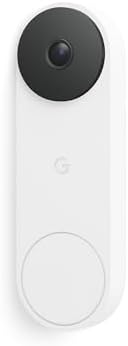
- Meet the wired Nest Doorbell; with 2K HDR video and Gemini, it knows what’s at your door and and what to do next (Gemini…
- No need to recharge or replace batteries; the Nest Doorbell keeps you plugged into home, day and night
- The Nest Doorbell keeps your data safe with encrypted video, two-step verification, and enhanced security through your G…
3. Ring Battery Doorbell Pro (Retinal 4K) – Best Premium Pick
Overview
Sitting at the top of Ring’s battery lineup, the Battery Doorbell Pro steps up to Retinal 4K clarity, 3D Motion Detection, and Ring’s most advanced night-vision system. It’s the doorbell to choose if you want the best possible image Ring can produce without going wired.
Key Features
- Retinal 4K video clarity
- 3D Motion Detection with Bird’s Eye Zones for a top-down map of activity
- Low-Light Sight for full-color video in near-dark conditions
- Color Pre-Roll captures the seconds before a motion event
- Zonal Infrared LEDs reduce overexposure and glare at night
Specifications
| Spec | Detail |
|---|---|
| Resolution | Retinal 4K |
| Field of View | 150° horizontal x 150° vertical |
| Power | Removable rechargeable battery or hardwired |
| Wi-Fi | 2.4GHz |
| Storage | Cloud only, via Ring Protect |
| Smart Home | Alexa, Ring ecosystem |
| Price | Around $230–$250 list |
Pros
- Best video clarity in Ring’s entire doorbell lineup
- 3D Motion Detection with Bird’s Eye View gives a genuinely useful map of where activity happened on your property
- Excellent low-light color video, not just infrared black-and-white
- Same easy Quick Release battery design as the Plus
Cons
- Expensive relative to competitors with similar resolution
- Still locked to the Ring Protect subscription for any recorded footage
- No Google Home or HomeKit support
Best For
Ring loyalists who want the sharpest image quality available and are comfortable paying a premium — plus buyers who put a high value on Bird’s Eye Zone mapping.
Performance
The 4K sensor is a visible step up from the Plus model, particularly when zooming into faces, license plates, or delivery labels after the fact.
Installation
Identical process to the Battery Doorbell Plus — no hub, quick app-guided setup, roughly 30 minutes start to finish.
Smart Home Compatibility
Same Alexa-first approach as the rest of the Ring lineup; no Google Home or Apple Home support.
Mobile App Experience
Everything from the standard Ring app, plus Bird’s Eye Zones for spatial context on where a person walked across your property.
Video Quality
The best in Ring’s current range and among the sharpest in this whole roundup, especially in mixed lighting.
Motion Detection
3D Motion Detection meaningfully reduces false alerts from cars driving past versus someone actually approaching your door.
Night Vision
Low-Light Sight is genuinely impressive — it holds color detail using ambient light like a streetlamp, only switching to infrared once conditions get very dark.
Cloud vs Local Storage
Same limitation as the rest of Ring’s range: cloud-only, subscription required to review clips.
Value for Money
Good if you specifically want 4K and Bird’s Eye Zones; otherwise the Battery Doorbell Plus delivers 80% of the experience for considerably less money.
Final Verdict
Our pick for best premium video doorbell in the Ring/Alexa ecosystem. It’s not cheap, and the subscription requirement doesn’t go away at this price tier, but the video quality is genuinely best-in-class.
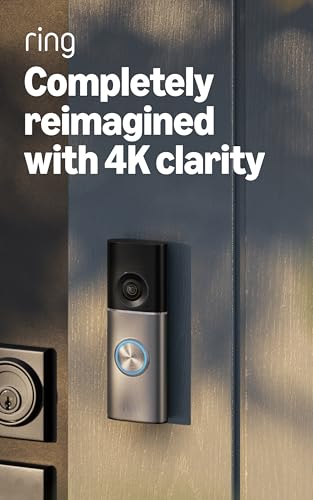
- Capture detail even at a distance — See your home or business in the ultimate clarity and inspect faces and license plat…
- See, hear and speak to visitors on camera — With Live View & Two-Way Talk with Audio+, you’ll be able to interact with w…
- Tailored detection for more exact alerts — 3D Motion Detection pinpoints motion on your property so you’ll receive more …
4. Eufy Video Doorbell E340 (Dual Cam) – Best No-Subscription Doorbell
Overview
Eufy Security built its entire brand around subscription-free local storage, and the Video Doorbell E340 is the clearest expression of that promise. Its standout trick: two cameras in one doorbell, with a second lens angled down at the ground specifically to catch packages.
Key Features
- Dual cameras — a 2K main lens plus a downward “Delivery Guard” package camera
- Color night vision from a dual-light system, effective to about 16 feet
- 8GB of built-in local storage, no subscription required
- Removable 6,500mAh battery with roughly four months between charges
- Works standalone or with an optional HomeBase hub for extended local storage and HomeKit support
Specifications
| Spec | Detail |
|---|---|
| Resolution | 2K main camera (2048×1536), 1600×1200 package camera |
| Field of View | Head-to-toe with dual-camera coverage |
| Power | Removable battery or hardwired (8–24VAC) |
| Wi-Fi | 2.4GHz only |
| Storage | 8GB built-in local storage, no subscription needed; optional cloud plans available |
| Smart Home | Alexa, Google Assistant; Apple HomeKit via optional HomeBase |
| Price | Around $190–$230 |
Pros
- No subscription required for full functionality, including AI detection and playback
- Dual-camera design genuinely improves package visibility versus single-lens doorbells
- Removable battery instead of a sealed, non-removable pack
- Face recognition and package detection included at no extra cost
Cons
- 8GB of onboard storage fills up faster than you’d expect and can’t be expanded with an SD card
- 2.4GHz Wi-Fi only, which can be a bottleneck on congested networks
- HomeKit support requires buying the optional HomeBase hub
- Eufy’s 2022 cloud-upload privacy controversy is worth knowing about, even though the company changed its practices afterward
Best For
Buyers who are done paying monthly fees just to review their own footage, and anyone dealing with regular package deliveries on an exposed porch.
Performance
The dual-camera trick genuinely works — porch pirates and dropped packages get caught by the second lens even when the main camera’s angle would otherwise miss them.
Installation
Flexible: mount it wire-free on battery power, or hardwire it to existing doorbell wiring for continuous charging. No hub is required for basic operation.
Smart Home Compatibility
Solid Alexa and Google Assistant support out of the box; Apple HomeKit requires adding a HomeBase 2 or 3 hub to bridge the connection.
Mobile App Experience
The Eufy Security app is straightforward, with clear toggles for AI detection types (person, package, pet, vehicle) and Delivery Guard settings.
Video Quality
2K on the main camera is sharp and detailed for the price; the secondary package camera is lower-res but perfectly adequate for spotting a box on the doorstep.
Motion Detection
Radar-assisted motion detection plus AI classification keeps false alerts low, and Delivery Guard specifically flags when a package appears or disappears.
Night Vision
The dual-light color night vision system is a genuine highlight, holding color detail out to roughly 16 feet before switching to standard infrared.
Cloud vs Local Storage
This is the doorbell’s core selling point: 8GB of onboard storage works with zero ongoing fees. Cloud backup exists as an optional add-on, not a requirement.
Value for Money
Excellent over a multi-year ownership period — skipping a $4–$8/month subscription pays for the price difference versus cheaper doorbells within the first year or two.
Final Verdict
The best choice for anyone who wants full doorbell functionality without an ongoing bill, and the dual-camera package detection is a genuinely useful feature you won’t find on most competitors.

- 𝐃𝐮𝐚𝐥 𝐂𝐚𝐦𝐞𝐫𝐚𝐬, 𝐃𝐨𝐮𝐛𝐥𝐞 𝐒𝐞𝐜𝐮𝐫𝐢𝐭𝐲 | Dual cameras work seamlessly together. The front camera captures visitors head-to-toe, w…
- 𝐋𝐨𝐜𝐚𝐥 𝐒𝐭𝐨𝐫𝐚𝐠𝐞,𝐍𝐨 𝐒𝐮𝐛𝐬𝐜𝐫𝐢𝐩𝐭𝐢𝐨𝐧 | 8GB emmc local storage built in. No subscription. No monthly fee. Ever! Saves you over $…
- 𝐒𝐞𝐞 𝐖𝐡𝐚𝐭 𝐌𝐚𝐭𝐭𝐞𝐫𝐬 𝐢𝐧 𝟐𝐊 𝐅𝐮𝐥𝐥 𝐇𝐃 𝐂𝐥𝐚𝐫𝐢𝐭𝐲 | When a stranger rings your bell, details matter. 2K clarity reveals more detail…
5. Arlo Video Doorbell 2K (2nd Gen) – Best for Multiple Smart Home Platforms
Overview
Arlo built its reputation on wire-free outdoor cameras, and the Video Doorbell 2K (2nd Gen) carries that flexibility into the doorbell category. It’s the rare doorbell that works equally well on battery or wired power and supports Alexa, Google Assistant, and Apple HomeKit in the same device.
Key Features
- 2K HDR video with a 180° diagonal field of view
- Interchangeable battery or hardwired power in a single unit
- Built-in siren for active deterrence
- IP65 weatherproofing
- Works with Alexa, Google Assistant, and Apple HomeKit
Specifications
| Spec | Detail |
|---|---|
| Resolution | 2K HDR |
| Field of View | 180° diagonal |
| Power | Battery or hardwired, interchangeable |
| Wi-Fi | 2.4GHz only |
| Storage | Cloud, via Arlo Secure subscription |
| Smart Home | Alexa, Google Assistant, Apple HomeKit |
| Price | Around $150–$200 |
Pros
- Broadest smart home compatibility of any doorbell in this roundup, HomeKit included
- Genuinely flexible power options in one physical device
- Built-in siren most competitors don’t offer at this price
- Strong 2K HDR video that handles harsh sunlight well
Cons
- Recorded video requires an Arlo Secure subscription — the free tier is live-view only, no saved clips
- 180° fisheye lens introduces noticeable edge distortion
- Android app has a weaker track record than iOS, with reported notification lag
- 2.4GHz-only Wi-Fi, a step down from the original doorbell’s dual-band support
Best For
Multi-platform households — for example, one partner on iPhone/HomeKit and another on Android/Google Home — who need one doorbell that plays nicely with everyone’s ecosystem.
Performance
Video quality and HDR handling are genuinely strong, and the built-in siren adds a layer of active deterrence most rivals skip entirely.
Installation
Straightforward QR-code pairing through the Arlo app, with the choice of drilling in for wired power or going fully wire-free on the battery.
Smart Home Compatibility
The standout feature. Alexa, Google Assistant, and Apple HomeKit are all supported natively, without a bridge hub — a genuine rarity in this category.
Mobile App Experience
The iOS app is well-reviewed; the Android app has drawn more criticism for interface complexity and a few seconds of live-view lag.
Video Quality
2K HDR footage is detailed and well-balanced in mixed lighting, though the wide fisheye lens does distort the extreme edges of the frame.
Motion Detection
Free tier alerts you to motion but can’t classify it; an Arlo Secure subscription unlocks person, vehicle, animal, and package detection with low false-positive rates.
Night Vision
Solid black-and-white night vision to about 25 feet; not quite as vivid as Ring’s or Eufy’s color night vision systems.
Cloud vs Local Storage
Cloud-first: without Arlo Secure ($7.99/month for one camera, $17.99/month for unlimited), you cannot review or save any footage at all — a meaningful drawback.
Value for Money
Reasonable if you specifically need cross-platform compatibility; otherwise the mandatory subscription for saved video makes it a harder sell than Eufy or Reolink.
Final Verdict
The best pick when smart home ecosystem flexibility matters more than anything else. Just budget for Arlo Secure if you want any recorded history at all.
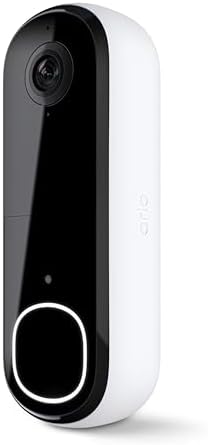
- Video Doorbell Camera for Complete Front Door and Entryway Protection: Monitor your front door with 2K video, person rec…
- Arlo Secure Early Warning System Unlocks Advanced Features: Get 60-day video history, AI detection, and emergency respon…
- Smart Alerts That Keep You Informed: Get notifications for package and pet detection, along with person and vehicle reco…
6. Reolink Video Doorbell WiFi – Best Wired Budget Pick
Overview
Reolink has quietly built one of the strongest subscription-free lineups in home security, and the Video Doorbell WiFi brings that same philosophy to the front door: sharp 2K+ video, full AI detection, and local storage, all without a recurring bill.
Key Features
- 2K+ (5MP) resolution — noticeably sharper than standard 1080p or even many 2K competitors
- Dual-band 2.4GHz/5GHz Wi-Fi for better network stability
- Local storage via microSD card (up to 256GB), NVR, or Reolink Home Hub
- Free person, vehicle, and package AI detection with no subscription required
- ONVIF/RTSP support for integration with third-party NVR software like Synology Surveillance Station or Blue Iris
Specifications
| Spec | Detail |
|---|---|
| Resolution | 2K+ (5MP), 2560×1920 |
| Field of View | 180° diagonal, 4:3 or 3:4 aspect ratio options |
| Power | Hardwired (12–24VAC) or battery-powered variant available |
| Wi-Fi | Dual-band 2.4GHz/5GHz |
| Storage | Local microSD (up to 256GB), NVR, or Home Hub; optional cloud plan |
| Smart Home | Alexa, Google Assistant |
| Price | Around $100–$130 |
Pros
- Sharpest resolution-per-dollar of any doorbell in this list
- No subscription required for AI detection or local video storage
- Dual-band Wi-Fi, a rarity at this price point
- ONVIF/RTSP compatibility appeals to anyone running their own NVR setup
Cons
- No native Apple HomeKit support
- The free cloud tier is limited (1GB, single camera, 7-day history) if you want off-site backup
- Design is more utilitarian than Ring or Nest’s polished aesthetic
Best For
Homeowners with existing doorbell wiring who want the best video quality per dollar and have zero interest in a monthly subscription.
Performance
Genuinely excellent for the price — footage is sharp enough to read a license plate at the curb, which is rare below the $150 mark.
Installation
Straightforward wired installation using existing doorbell wiring, or opt for the battery-powered Reolink doorbell variant if you lack wiring; the app walks through pairing in a few minutes.
Smart Home Compatibility
Alexa and Google Assistant both supported; no HomeKit. Power users will appreciate ONVIF/RTSP support for NVR software.
Mobile App Experience
The Reolink app is functional and detailed, if slightly less polished visually than Ring or Nest, with granular controls over detection zones and recording schedules.
Video Quality
2K+ (5MP) is genuinely one of the sharpest sensors in this roundup, outperforming several pricier subscription-based competitors.
Motion Detection
On-device AI reliably tells people, vehicles, and animals apart, keeping notification volume manageable without any paid tier.
Night Vision
Solid infrared night vision with clear detail; not a color night vision system, but dependable after dark.
Cloud vs Local Storage
This is where Reolink shines: full local storage to a microSD card, NVR, or Home Hub with zero subscription requirement. Cloud backup exists as a paid option, not a necessity.
Value for Money
Outstanding. For buyers focused purely on image quality and long-term cost of ownership, this is one of the best dollar-for-dollar doorbells available.
Final Verdict
The best wired, subscription-free video doorbell on the market for budget-conscious buyers who still want real video quality and functioning AI detection.

- 2K Super HD Day & Night! Incredible 2K HD, with advanced HDR/3D DNR and distortion correction technologies, brings you s…
- 2.4/5GHz WiFi & Waterproof! No worry about network disconnection; its 5GHz WiFi ensures a stable and fluent network expe…
- 4:3 &180° Wide Viewing Angle! Find the right position for your doorbell with its 15° wedge kit and enjoy the super wide …
7. TP-Link Tapo D225 – Best Value for Money
Overview
TP-Link’s Tapo D225 undercuts most of this list on price while matching or beating them on core features — 2K QHD video, a huge 180° field of view, and free AI detection with genuinely optional cloud storage.
Key Features
- 2K QHD video with a 180° field of view
- Dual power: 10,000mAh built-in battery (up to 8 months per charge) or hardwired for 24/7 recording
- Ring Call answers the door via a phone call instead of requiring the app to be open
- Free person, package, and vehicle AI detection, no subscription required
- microSD local storage up to 512GB
Specifications
| Spec | Detail |
|---|---|
| Resolution | 2K QHD |
| Field of View | 180° |
| Power | 10,000mAh battery or hardwired (8–24V) |
| Wi-Fi | 2.4GHz only |
| Storage | Local microSD (up to 512GB); optional Tapo Care cloud plan |
| Smart Home | Alexa, Google Assistant |
| Price | Around $70–$100 |
Pros
- Excellent price-to-feature ratio — 2K video and free AI detection well under $100
- Ring Call feature is a genuinely convenient touch
- Massive 512GB microSD support, well above most competitors
- Full AI detection included at no cost
Cons
- Bulkier physical design than Ring, Nest, or Blink
- 2.4GHz-only Wi-Fi
- No Apple HomeKit support
Best For
Budget-conscious buyers who still want real 2K video, free smart detection, and flexible power options without paying premium-brand prices.
Performance
Punches well above its price point — video clarity, AI accuracy, and battery life are all competitive with doorbells costing twice as much.
Installation
Easy either way: mount with screws or the included 3M adhesive for battery mode, or wire it into existing doorbell wiring for continuous power.
Smart Home Compatibility
Works with Alexa and Google Assistant; no HomeKit support, so Apple households should look elsewhere.
Mobile App Experience
The Tapo app is clean and includes useful extras like Activity Zones and the standout Ring Call feature, which places an actual phone call when someone presses the button.
Video Quality
2K QHD footage is crisp and detailed, holding its own against doorbells at double the price.
Motion Detection
Free AI detection distinguishes people, packages, and vehicles accurately, with configurable Activity Zones to cut down on irrelevant alerts.
Night Vision
Full-color night vision from built-in spotlights performs well in typical porch lighting conditions.
Cloud vs Local Storage
Local microSD storage (up to 512GB) is free and standard; Tapo Care cloud storage is available but genuinely optional, not gated behind a paywall for basic use.
Value for Money
Among the best in this entire roundup. It’s hard to find more capability per dollar anywhere else on this list.
Final Verdict
If budget matters and you still want real 2K video with working AI detection and no subscription pressure, the Tapo D225 is difficult to beat.

- 【Complete Flexibility – Wired and Wireless】The Tapo D225 offers users complete flexibility to mount the doorbell as they…
- 【Incredible 2K QHD Live View】View with incredible clarity monitoring in fine detail. Easily identify faces even when zoo…
- 【180° Head-to-Toe Field of View】Say goodbye to blind spots. See the full picture with a 180° ultra-wide head-to-toe fiel…
8. Blink Video Doorbell (2nd Gen) – Best for Apartments and Renters
Overview
Owned by Amazon, Blink built its name on dead-simple, battery-friendly cameras, and the 2nd-gen Video Doorbell is the easiest doorbell on this list to install without touching a single wire — which makes it a natural fit for apartments and rental homes.
Key Features
- 2K resolution (up from 1080p on the original)
- Battery or wired installation in the same unit
- Long battery life, commonly cited around several months to two years depending on usage
- No-drill mounting options available via third-party anti-theft brackets, popular with renters
- Works with the Amazon Alexa ecosystem
Specifications
| Spec | Detail |
|---|---|
| Resolution | 2K |
| Field of View | Roughly 135° horizontal |
| Power | Battery (2x AA) or hardwired |
| Wi-Fi | 2.4GHz |
| Storage | Local via Sync Module 2 and USB drive, or optional cloud subscription |
| Smart Home | Amazon Alexa |
| Price | Under $70, often bundled with other Blink devices |
Pros
- Lowest true cost of entry among name-brand doorbells
- Genuinely long battery life
- No-drill, renter-friendly mounting accessories widely available
- Local storage possible with a Sync Module 2 and a USB drive, no subscription required
Cons
- Lacks advanced AI features like face recognition or package detection
- Narrower field of view than most competitors on this list
- No native Google Assistant support
- Plasticky build quality compared to pricier rivals
Best For
Apartment dwellers and renters who need a no-drill, easily removable video doorbell that won’t upset a landlord or a lease agreement, and Amazon Alexa households on a tight budget.
Performance
Basic but reliable — it does exactly what it promises without frills, and the improved 2K sensor is a real step up from earlier Blink generations.
Installation
The easiest in this roundup. Pair with no-drill anti-theft mounts designed specifically for apartment doors, and you can take the whole unit with you when you move.
Smart Home Compatibility
Alexa-focused; no direct Google Assistant integration, which is worth knowing if your household leans Google.
Mobile App Experience
Simple and functional, though noticeably more bare-bones than Ring’s or Nest’s apps — don’t expect AI-written summaries or granular zone configuration.
Video Quality
2K resolution is a genuine improvement over the previous 1080p model, delivering clear daytime footage for a budget device.
Motion Detection
Basic PIR-based motion detection without person or package classification unless you’re comfortable working around subscription limitations.
Night Vision
Adequate infrared night vision, sufficient for identifying a visitor but not best-in-class.
** Cloud vs Local Storage**
Local storage is achievable with the Sync Module 2 and a plugged-in USB drive, avoiding subscription fees entirely — a nice option for renters who don’t want an ongoing bill.
Value for Money
Excellent for the price, especially for renters who need a doorbell that’s genuinely portable between homes.
Final Verdict
The most practical, lowest-friction choice for renters and apartment residents who want basic video doorbell functionality without drilling into a door they don’t own — and it plays nicely with Amazon Alexa if that’s your ecosystem.

- Video Doorbell is our second-generation smart security doorbell with up to two years of battery life, an expanded field …
- Last longer with two-year battery life — Experience up to two years of continuous security coverage with three AA Energi…
- See more at your door — Greet guests and watch packages get delivered, day and night, with head-to-toe HD view and infra…
9. Wyze Video Doorbell Pro – Best Budget Battery Doorbell
Overview
Wyze has built a reputation on undercutting the market without gutting the feature set, and the Video Doorbell Pro is one of the more complete budget options here — a genuinely wide field of view, flexible power, and up to six months of battery life.
Key Features
- 1440p resolution with a 150°x150° head-to-toe field of view
- Wired or wire-free installation in the same unit
- Up to six months of battery life per charge
- Included Wi-Fi Extender chime that also boosts connectivity
- IP65 weather resistance
Specifications
| Spec | Detail |
|---|---|
| Resolution | 1440 x 1440 (1440p) |
| Field of View | 150° horizontal x 150° vertical |
| Power | Battery or hardwired |
| Wi-Fi | 2.4GHz and 5GHz |
| Storage | Cloud via Cam Plus subscription; no local storage on this model |
| Smart Home | Alexa, Google Assistant |
| Price | Around $90–$100 |
Pros
- Excellent resolution-to-price ratio, higher than many 1080p competitors
- Genuinely long battery life, up to six months
- Works with both Alexa and Google Assistant
- Included dual-band Wi-Fi Extender chime improves reliability
Cons
- No local storage; all recorded footage requires a Cam Plus subscription
- PIR-based motion detection can be triggered by cars or large animals
- Charging requires removing the entire unit from its mount
Best For
Budget-focused buyers who want both Alexa and Google Assistant compatibility in one inexpensive package, and who don’t mind a low-cost subscription for saved footage.
Performance
Surprisingly strong for the price — the wide 150°x150° field of view captures more of the doorstep than most doorbells costing twice as much.
Installation
Simple wire-free setup with 3M adhesive or screws, or hardwire it for continuous power; either way takes well under 30 minutes.
Smart Home Compatibility
A genuine advantage at this price: both Amazon Alexa and Google Assistant are supported, including live feeds on Echo Show and Google Home smart displays.
Mobile App Experience
The Wyze app is clean and easy to navigate, with straightforward toggles for motion sensitivity and detection zones.
Video Quality
1440p resolution provides noticeably crisper detail than standard 1080p competitors in the same price bracket.
Motion Detection
PIR-based detection works well for people but can occasionally flag cars or large animals; the low-cost Cam Plus subscription ($1.99/month) adds smarter AI classification.
Night Vision
Decent infrared night vision, sufficient for clear identification at typical porch distances.
Cloud vs Local Storage
No local storage option on this model — recorded clips require a Cam Plus subscription, though the subscription itself is inexpensive relative to Ring or Arlo.
Value for Money
Very good, particularly for households that want both major smart assistants supported without paying premium-brand prices.
Final Verdict
One of the best budget picks if you want dual smart-assistant support and don’t mind a cheap monthly plan for saved footage.

- See More with 1:1 Head-to-Toe View: Sees everything with 150°×150°ultra-wide field of view. Captures visitors head-to-to…
- Wire-Free or Wired: Up to 6 months battery life or continuous power via hardwiring. Built-in USB-C rechargeable battery …
- See The Whole Story – Clearer: 1536×1536 HD Video Doorbell with Color Night Vision, capture all porch arrivals and depar…
10. SimpliSafe Video Doorbell Pro – Best for Whole-Home Security Integration
Overview
SimpliSafe doesn’t sell the flashiest doorbell on this list, but if you already run — or plan to run — a full SimpliSafe security system, the Video Doorbell Pro slots directly into that ecosystem for a genuinely unified experience.
Key Features
- 1080p HDR video with a 162° field of view
- Dual-sensor motion detection combining heat and visual pattern recognition to cut false alerts
- Deep integration with SimpliSafe’s professional monitoring plans
- Two-way audio with strong noise cancellation
- 60-day money-back guarantee
Specifications
| Spec | Detail |
|---|---|
| Resolution | 1080p HDR |
| Field of View | 162° |
| Power | Hardwired only (8–24VAC) |
| Wi-Fi | 2.4GHz |
| Storage | Cloud, via SimpliSafe monitoring plan |
| Smart Home | Works within the SimpliSafe ecosystem; limited third-party smart home support |
| Price | Around $170 |
Pros
- Dual-sensor motion detection meaningfully reduces false alerts from cars or blowing leaves
- Tight integration with SimpliSafe’s professional monitoring and video verification
- HDR handles bright and shaded areas of the porch well
- Generous 60-day return policy
Cons
- Hardwired installation only — no battery option
- Limited smart home integration outside SimpliSafe’s own ecosystem
- 1080p resolution lags behind the 2K and 4K options elsewhere on this list
- Requires a SimpliSafe monitoring plan to unlock most recording features
Best For
Homeowners who already use, or are planning to install, a full SimpliSafe home security system and want their doorbell managed from the same app and monitoring plan.
Performance
Reliable and consistent rather than flashy — the dual-sensor approach genuinely cuts down on nuisance alerts compared to single-sensor competitors.
Installation
Requires existing doorbell wiring; a straightforward DIY job for most homeowners, with professional installation available through SimpliSafe’s partners for an added fee.
Smart Home Compatibility
Works with Alexa and Google Assistant at a basic level, but its real strength is integration with SimpliSafe’s own monitoring and alarm system, not third-party smart home platforms.
Mobile App Experience
The SimpliSafe app unifies the doorbell with the rest of your security system — cameras, sensors, and the alarm panel all live in one place.
Video Quality
1080p HDR is respectable rather than cutting-edge, with genuinely good performance in mixed lighting conditions like a partially shaded porch.
Motion Detection
The standout feature: combining heat detection with visual pattern recognition produces fewer false positives than most single-sensor competitors.
Night Vision
Standard infrared night vision producing clear black-and-white footage, without a color night vision mode.
Cloud vs Local Storage
Cloud-only, tied to SimpliSafe’s monitoring plans, starting around $9.99/month for cloud storage across up to 10 cameras.
Value for Money
Fair, and best evaluated as part of a full SimpliSafe system rather than as a standalone purchase — on its own, the 1080p resolution feels dated next to 2K rivals at a similar price.
Final Verdict
Not the sharpest camera here, but the best choice if your priority is a single, unified security system rather than a standalone smart doorbell.

- Designed to prevent crime before it happens. With the optional SimpliSafe Active Guard Outdoor Protection, the new Outdo…
- Deter intruders before trouble starts. The Outdoor Camera’s 2-way audio lets you warn unwanted guests they’re being reco…
- Know what’s happening as soon as it happens. Get fast phone alerts sent to your phone the moment someone steps foot on y…
Comparison Table
| Doorbell | Resolution | Power | Subscription Required? | Smart Home | Approx. Price |
|---|---|---|---|---|---|
| Ring Battery Doorbell Plus | 2K (1536p) | Battery/Wired | Yes, for recordings | Alexa | ~$180 |
| Google Nest Doorbell (Wired) | 2K HDR | Wired | Optional, limited free tier | Google Home, Alexa | ~$180 |
| Ring Battery Doorbell Pro | 4K | Battery/Wired | Yes, for recordings | Alexa | ~$230–$250 |
| Eufy Video Doorbell E340 | 2K dual cam | Battery/Wired | No | Alexa, Google, HomeKit (hub) | ~$190–$230 |
| Arlo Video Doorbell 2K | 2K HDR | Battery/Wired | Yes, for recordings | Alexa, Google, HomeKit | ~$150–$200 |
| Reolink Video Doorbell WiFi | 2K+ (5MP) | Wired (battery variant available) | No | Alexa, Google | ~$100–$130 |
| TP-Link Tapo D225 | 2K QHD | Battery/Wired | No | Alexa, Google | ~$70–$100 |
| Blink Video Doorbell (2nd Gen) | 2K | Battery/Wired | Optional | Alexa | Under $70 |
| Wyze Video Doorbell Pro | 1440p | Battery/Wired | Yes, for recordings | Alexa, Google | ~$90–$100 |
| SimpliSafe Video Doorbell Pro | 1080p HDR | Wired only | Yes, for full features | SimpliSafe ecosystem | ~$170 |
Feature Comparison
- Best video resolution: Ring Battery Doorbell Pro (4K) and Reolink Video Doorbell WiFi (2K+/5MP) lead the pack.
- Widest field of view: Arlo Video Doorbell 2K and TP-Link Tapo D225 both offer 180° coverage.
- Best subscription-free experience: Eufy E340, Reolink Video Doorbell WiFi, and TP-Link Tapo D225 all deliver full AI detection and local storage without a monthly fee.
- Best night vision: Ring Battery Doorbell Pro’s Low-Light Sight and Eufy E340’s dual-light color night vision are the strongest performers.
- Best for package detection: Eufy E340’s dedicated downward-facing Delivery Guard camera is unique in this roundup.
- Broadest smart home support: Arlo Video Doorbell 2K is the only doorbell here supporting Alexa, Google Assistant, and Apple HomeKit natively.
Pros and Cons Comparison
| Doorbell | Biggest Pro | Biggest Con |
|---|---|---|
| Ring Battery Doorbell Plus | Best all-around ease of use | No local storage at all |
| Google Nest Doorbell | Smartest AI summaries via Gemini | Full features need a pricier subscription |
| Ring Battery Doorbell Pro | Sharpest video in Ring’s lineup | Expensive, still subscription-gated |
| Eufy E340 | Dual-camera package detection, no subscription | Onboard storage fills up quickly |
| Arlo Video Doorbell 2K | Works with every major smart home platform | Free tier can’t save any video |
| Reolink Video Doorbell WiFi | Best resolution-per-dollar | No Apple HomeKit |
| TP-Link Tapo D225 | Best overall value | Bulkier design |
| Blink Video Doorbell | Easiest for renters, longest battery life | No advanced AI detection |
| Wyze Video Doorbell Pro | Works with Alexa and Google at a low price | No local storage option |
| SimpliSafe Video Doorbell Pro | Fewer false alerts, unified security app | Hardwired only, dated 1080p resolution |
Price Category Comparison
Budget (under $100): Blink Video Doorbell, Wyze Video Doorbell Pro, TP-Link Tapo D225. All three deliver working AI detection and dependable video without breaking $100.
Mid-Range ($100–$180): Reolink Video Doorbell WiFi, Ring Battery Doorbell Plus, Google Nest Doorbell, SimpliSafe Video Doorbell Pro. This is where you start seeing sharper sensors, wider fields of view, and deeper ecosystem integration.
Premium ($180+): Ring Battery Doorbell Pro, Eufy Video Doorbell E340, Arlo Video Doorbell 2K. Expect 4K or dual-camera setups, the broadest smart home compatibility, and the most advanced motion detection available.
Best Video Doorbells by Category
Best Overall Winner
Ring Battery Doorbell Plus (2nd Gen). It balances video quality, field of view, ease of installation, and ecosystem maturity better than anything else on this list, provided you’re comfortable with the Ring Protect subscription.
Best Budget Pick
TP-Link Tapo D225. Free AI detection, 2K video, and dual power options for around $70–$100 is difficult for any competitor to match.
Best Premium Pick
Ring Battery Doorbell Pro (Retinal 4K). The sharpest image quality and the most advanced motion mapping in this roundup.
Best for Apartments
Blink Video Doorbell (2nd Gen). No-drill mounting options, portability between rentals, and the lowest price of entry make it the natural renter’s choice.
Best for Alexa Users
Ring Battery Doorbell Plus. Deepest, most mature Alexa integration of any doorbell here, including Echo Show live view and neighborhood safety alerts.
Best for Google Home Users
Google Nest Doorbell (Wired, 3rd Gen). Native Gemini integration and the tightest possible connection to Nest Hub displays and Google Home routines.
Video Doorbell Buying Guide
Wired vs. Battery-Powered: Which Should You Choose?
Wired doorbells connect to your home’s existing low-voltage doorbell wiring (typically 8–24VAC), giving you continuous power, no charging cycles, and often 24/7 recording. They’re the right choice if you’re replacing an existing wired doorbell and don’t mind a short DIY install.
Battery-powered doorbells trade continuous power for flexibility — mount them anywhere within Wi-Fi range, no wiring or drilling required. They’re the obvious choice for renters, homes without existing doorbell wiring, or anyone who wants to avoid an electrician. The tradeoff is periodic recharging, typically every one to six months depending on usage and the model.
Many modern doorbells — including the Ring Battery Doorbell Plus, Eufy E340, TP-Link Tapo D225, and Wyze Video Doorbell Pro — support both, letting you start wire-free and hardwire later if you move into a home with existing wiring.
Also read: https://gadgetsentinel.com/best-indoor-security-cameras-for-pets-kids/
https://gadgetsentinel.com/ultimate-smart-home-security-essentials-guide-2026/
Resolution and Field of View
Resolution alone doesn’t tell the whole story. A doorbell’s field of view — especially its vertical field of view — determines whether you can actually see a package sitting on your doormat or just the top half of a visitor’s body. Look for a “head-to-toe” or 1:1 aspect ratio doorbell if package monitoring matters to you; models with a wide but short field of view (common on older or budget doorbells) often crop out the ground entirely.
Motion Detection: PIR vs. AI-Based Detection
Basic passive infrared (PIR) sensors detect heat and movement but can’t distinguish a person from a car, a cat, or a tree branch swaying in the wind. AI-based motion detection processes the video itself to classify what triggered the alert — person, vehicle, animal, or package — which dramatically cuts down on nuisance notifications.
Some doorbells process this AI locally on the device (Reolink, Eufy, TP-Link Tapo), which is both faster and more private. Others send a snippet to the cloud for classification (Ring, Arlo, without a subscription this feature is often disabled entirely). If privacy and speed matter to you, prioritize on-device AI detection.
Night Vision Quality
Standard night vision uses infrared LEDs to produce black-and-white footage in the dark — functional, but limited when it comes to identifying colors like clothing or vehicles. Color night vision uses a combination of ambient light, ultra-sensitive sensors, or built-in spotlights to keep footage in color even after dark. If your front porch has any ambient lighting at all — a streetlamp, a porch light, landscape lighting — color night vision is worth prioritizing.
Cloud Storage vs. Local Storage: The Subscription Question
This is the single most important — and most overlooked — factor in total cost of ownership.
- Cloud-only doorbells (Ring, Arlo, Google Nest’s advanced tier, SimpliSafe, Wyze) require an ongoing subscription, typically $3–$10 per month, just to review or save any recorded footage. Some offer a limited free tier; others offer none at all.
- Local-storage doorbells (Eufy E340, Reolink Video Doorbell WiFi, TP-Link Tapo D225, Blink with a Sync Module) record to an onboard chip, microSD card, or home hub with no ongoing fee. Cloud backup is usually available as an optional add-on rather than a requirement.
Over a three-year ownership period, a $5/month subscription costs $180 — often more than the doorbell itself. If you’re subscription-averse, prioritize local storage from the start rather than assuming you’ll “just use the free tier.”
Smart Home Compatibility
Check which smart home ecosystem you actually use before buying:
- Amazon Alexa households are well served by nearly every doorbell on this list, with Ring offering the deepest integration.
- Google Home households should prioritize the Google Nest Doorbell, though Reolink, TP-Link Tapo, Wyze, and Arlo all offer basic Google Assistant support.
- Apple HomeKit households have fewer native options — Arlo Video Doorbell 2K is the most direct choice, while Eufy requires an optional HomeBase hub to bridge the connection.
Installation Considerations for Apartments and Rentals
If you’re renting, look specifically for: a battery-powered model (no wiring required), a no-drill mounting bracket (widely available as third-party accessories for Ring, Blink, and similar doorbells), and a doorbell that’s easy to remove and take with you when you move. Blink and TP-Link Tapo D225 are particularly popular choices among renters for exactly this reason.
Read our full guide of best video doorbells without a monthly subscription.
Weatherproofing and Durability
Look for an IP65 rating or better, which indicates protection against dust and water spray from any direction — essential for a device that lives outside year-round. Most doorbells on this list meet or exceed this standard, but always confirm before buying if you live somewhere with harsh winters or heavy rain.
Privacy and Cybersecurity
Every video doorbell is an internet-connected camera pointed at your front door, which means basic cybersecurity hygiene matters. The FCC and NIST both publish general guidance on securing connected home devices — the short version is: use a strong, unique Wi-Fi password, keep firmware updated, enable two-factor authentication on your doorbell’s companion app, and review what data the manufacturer collects and for how long. Stick to established brands with a demonstrated history of shipping security patches promptly.
FAQs
Do video doorbells work without Wi-Fi?
No. Every video doorbell on this list requires an internet connection to send notifications, stream live video, and (for cloud-storage models) upload recordings. If your Wi-Fi goes down, most doorbells will still ring a connected physical chime but won’t send phone alerts or record video until the connection is restored.
Do I need a subscription for a video doorbell to work?
It depends on the model. Doorbells like the Eufy E340, Reolink Video Doorbell WiFi, and TP-Link Tapo D225 offer full functionality, including AI detection and video playback, with no subscription. Ring, Arlo, and SimpliSafe require a paid plan to review any recorded footage, though live view and instant notifications typically still work on the free tier.
Can I install a video doorbell myself?
Yes, in most cases. Battery-powered doorbells typically take 15–30 minutes to install with basic hand tools. Wired doorbells require connecting to existing low-voltage doorbell wiring, which most homeowners can handle themselves, though you should turn off power at the breaker first and consult an electrician if your home’s wiring is old or unusual.
What’s the difference between a video doorbell and a standard security camera?
A video doorbell is purpose-built for the front door: it includes a physical doorbell button, two-way audio for talking to visitors, and typically a tall, head-to-toe field of view. A standard outdoor security camera usually has a wider horizontal field of view suited to monitoring a driveway or yard, but lacks a doorbell button and is often mounted higher up.
Do video doorbells increase my home insurance discount?
Some insurers offer modest discounts for homes with monitored security systems, including video doorbells, though policies and requirements vary significantly by provider and state. Check directly with your insurance company for their specific criteria.
How long do video doorbell batteries last?
It varies widely by model and usage, from around one to two months on heavily trafficked doors up to six months or more on battery-efficient models like the Wyze Video Doorbell Pro or the original Blink Video Doorbell. Hardwiring a battery-capable doorbell eliminates the issue entirely by trickle-charging it continuously.
Are video doorbells a privacy concern for neighbors?
This is a legitimate consideration. Most video doorbells can capture portions of a public sidewalk or a neighbor’s property depending on placement and field of view. Check your local laws, angle your doorbell to focus primarily on your own property, and use built-in privacy zone features (available on most models in this roundup) to blur or exclude areas outside your property line.
Which video doorbell has the best video quality?
The Ring Battery Doorbell Pro’s Retinal 4K sensor and the Reolink Video Doorbell WiFi’s 2K+ (5MP) sensor are the sharpest in this roundup, both capable of resolving fine detail like text on a package label or a license plate at the curb.
Final Verdict and Recommendations
There’s no single “best” video doorbell for everyone — the right pick depends on your door’s wiring situation, your smart home ecosystem, and how you feel about monthly subscriptions. That said, a few clear recommendations emerged from our research:
If you want the safest, most broadly recommended choice with the least friction, go with the Ring Battery Doorbell Plus (2nd Gen). If you refuse to pay a subscription just to watch your own footage, the Eufy Video Doorbell E340 or Reolink Video Doorbell WiFi should be at the top of your list. If you’re renting or living in an apartment, the Blink Video Doorbell remains the most practical, portable option. And if budget is the deciding factor, the TP-Link Tapo D225 delivers more capability per dollar than anything else here.
Whichever doorbell you choose, remember that the device itself is only step one. Pair it with a broader smart home security guide, consider motion sensor lights for the areas your doorbell can’t see, and think about whether a smart lock or a full DIY home security system makes sense as your next upgrade. For general prevention advice beyond hardware, our home security tips guide covers the habits and small changes that make the biggest difference.
A video doorbell won’t stop every problem at your front door — but it will make sure you’re never caught off guard by one again.
This article contains affiliate links. Gadget Sentinel may earn a commission on qualifying purchases made through links on this page, at no additional cost to you. Prices and specifications were accurate at the time of publication and are subject to change by manufacturers and retailers.

Pingback: Best Outdoor Security Cameras for Night Vision and Weather Protection in 2026 - Gadget Sentinel
Pingback: Best Smart Locks for Apartments, Homes, and Rental Properties in 2026: Top Secure & Keyless Door Locks Compared - Gadget Sentinel
Pingback: How to Choose the Right Home Security System for Your Family: A Complete Beginner's Guide for Every Home and Budget (2026) - Gadget Sentinel