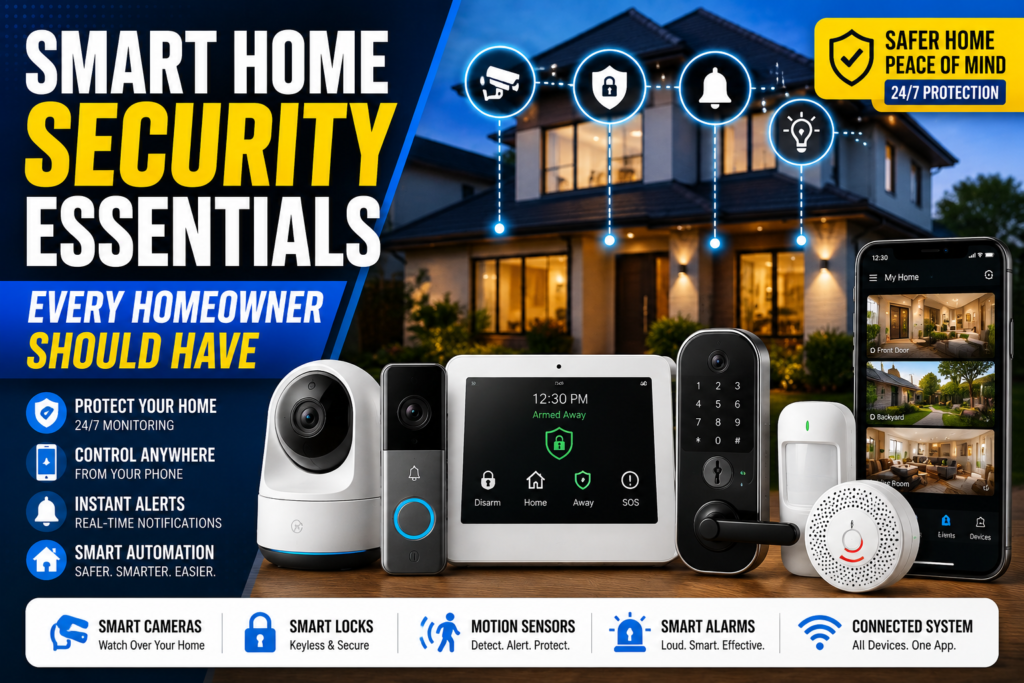
Your home probably has more entry points than you think — the front door, the back door, the garage, every window, and now, your Wi-Fi network too. That’s exactly why smart home security essentials have become as normal a purchase as a doorbell or a smoke detector. It’s no longer just about stopping a break-in. It’s about knowing the moment a package arrives, catching a leak before it floods your kitchen, and checking on your house from anywhere in the world.
In 2026, homeowners aren’t just buying one camera and calling it done. They’re building small ecosystems — a camera here, a lock there, a sensor by the water heater — that all talk to each other and report back to one app. Done right, it’s simple. Done randomly, it turns into a pile of gadgets that don’t work together and get abandoned within a year.
This guide walks through every essential device, how they connect into one system, what mistakes to avoid, and how to build a setup that actually fits your home and budget.
Table of Contents
- What Is Smart Home Security?
- Why Smart Home Security Matters
- Smart Home Security Essentials Every Homeowner Should Have
- How All Smart Devices Work Together
- Benefits of Smart Home Security
- Common Mistakes Homeowners Make
- Privacy & Cybersecurity Best Practices
- Smart Home Buying Guide
- Future Smart Home Security Trends
- Expert Tips
- Frequently Asked Questions
- Final Verdict
What Is Smart Home Security?
Smart home security is a network of connected devices — cameras, locks, sensors, and alarms — that work together to protect your home and send updates straight to your phone.
Unlike the old wired alarm systems that needed a landline and a professional install, a modern smart security system is mostly plug-and-play. You control everything from one app, and most devices talk to each other automatically. A door sensor can trigger a light. A camera can trigger a siren. A leak sensor can shut off your smart water valve before real damage happens.
The “smart” part isn’t just the individual gadgets — it’s the coordination between them.
Why Smart Home Security Matters
Break-ins still happen, but that’s only part of the story. Today’s home surveillance setups are just as focused on everyday problems: a stolen package, a forgotten garage door, a burst pipe while you’re on vacation, or a smoke alarm going off when nobody’s home to hear it.
Smart home monitoring also gives you something traditional alarm systems never could — visibility. You don’t just get a siren after something’s already gone wrong. You get a live look at what’s happening, in real time, before it becomes a bigger problem.
And because so many devices are now genuinely affordable, building out a smart security system isn’t just for tech enthusiasts anymore. It’s a realistic upgrade for almost any homeowner.
Smart Home Security Essentials Every Homeowner Should Have
Here’s a breakdown of the core devices that make up a well-rounded smart security system.
Smart Security Cameras
Smart cameras are usually the starting point. They let you check any room, hallway, or entry point from your phone, with AI-based motion detection that tells the difference between a person, a pet, and a passing car. Brands like Google Nest, Arlo, and Eufy each offer different trade-offs between local storage, subscription cost, and video quality. If you’re focused specifically on indoor coverage for family and pets, our deeper guide covers indoor security cameras in more detail.
Video Doorbells
A video doorbell adds eyes to your front porch — showing you who’s there before you open the door, and recording anyone who approaches, even if they don’t ring the bell. This is one of the simplest upgrades for stopping package theft and screening visitors without needing to answer the door at all.
Smart Door Locks
Smart door locks let you lock and unlock your door remotely, hand out temporary codes to guests or dog walkers, and get an alert every time someone comes or goes. Brands like Yale and Schlage are widely reviewed for reliability and encryption standards. If you’re comparing models, check out our full breakdown of the best smart locks for 2026.
Motion Sensors
Standalone motion sensors are cheap, small, and useful in spaces a camera doesn’t cover well — hallways, basements, or garages. They’re often the trigger that turns on a light or starts recording on a nearby camera.
Door & Window Sensors
These simple magnetic sensors alert you the instant a door or window opens. They’re one of the most affordable smart security devices and form the backbone of most DIY alarm kits.
Smart Alarm Systems
A smart alarm system ties sensors, cameras, and locks into one coordinated response — sounding a siren, sending alerts, and optionally contacting a monitoring center if something’s triggered. Companies like SimpliSafe and Ring offer both self-monitored and professionally monitored plans, so you can choose based on budget and how hands-on you want to be.
Smoke & Carbon Monoxide Detectors
Smart smoke and CO detectors send a phone alert even if you’re not home to hear the alarm — a genuinely life-saving upgrade for homes with pets, kids, or anyone who travels often.
Smart Flood & Water Leak Sensors
Placed near water heaters, washing machines, or under sinks, these small sensors detect leaks early, sometimes pairing with a smart shutoff valve to stop water flow automatically. This is one of the most overlooked but valuable additions to a smart home ecosystem — a slow leak can cause thousands of dollars in damage before anyone notices it manually.
Smart Lighting
Smart lights aren’t just for convenience. Automated lighting that turns on when a camera detects motion, or that mimics your normal routine while you’re away, is a simple but effective way to make a home look occupied.
Smart Garage Door Controllers
A surprising number of break-ins start with an open garage door that nobody realized was left up. A smart garage controller lets you check its status remotely and close it from anywhere, closing one of the most commonly forgotten entry points.
Security Hubs
A security hub is the central brain that connects all your devices, letting cameras, sensors, and locks respond to each other automatically instead of operating as isolated gadgets. Many newer hubs support the Matter standard, which allows devices from different brands to work together without needing separate apps for each one.
Wi-Fi & Network Security
Every smart device connects through your home Wi-Fi, which makes your router the actual front line of your home’s digital security. The Wi-Fi Alliance recommends WPA3 encryption where available, and the Cybersecurity and Infrastructure Security Agency (CISA) specifically flags weak router security and default credentials as leading causes of smart home breaches.
Mobile Monitoring Apps
The app is where everything comes together — live feeds, alerts, lock status, and automation rules. A cluttered or slow app is often the real reason people stop using their smart security devices, so it’s worth testing an app’s reviews before committing to an entire ecosystem.
✅ Key Takeaways
- Smart home security works best as a connected system, not a single gadget.
- Cameras and doorbells cover visibility; locks and sensors cover access; hubs tie it all together.
- Your Wi-Fi network is the actual foundation of the whole system — weak router security undermines every device connected to it.
- Look for Matter compatibility if you want flexibility to mix brands without being locked into one ecosystem.
How All Smart Devices Work Together
The real power of a smart home security system shows up in the automations, not the individual devices.
For example: a door sensor detects the front door opening after 11 p.m. That triggers the porch light to turn on, the nearest camera to start recording, and a notification to hit your phone — all within a second, with no manual input.
A security hub (or a smart home app like Google Home, Apple Home, or Amazon Alexa) is what makes this possible. It listens for triggers from any connected device and runs the automation you’ve set up, regardless of which brand made each individual gadget.
This is also where Matter compatibility genuinely matters. Instead of being stuck with one manufacturer’s ecosystem, Matter-certified devices can talk to each other across brands and platforms, which means you’re not boxed in if you want to add a better camera from one company and a lock from another later on.
For a full walkthrough on building this out room by room, see our guide to setting up a complete home security system.
Benefits of Smart Home Security
Crime Prevention
Visible cameras, smart locks, and motion-activated lighting are consistently cited as deterrents — most burglars prefer an easy, unnoticed target, and visible smart devices remove that advantage.
Remote Monitoring
Whether you’re at work or on vacation, you can check in on your home in seconds, rather than wondering and waiting until you get back.
Family Safety
Door sensors, cameras, and smart locks help you know when kids get home from school, when a delivery arrives, or when someone’s at the door, without needing to be physically present.
Package Protection
Video doorbells and porch cameras have become one of the most effective tools against package theft, since they capture clear footage the moment someone approaches your door.
Insurance Benefits
Many insurers offer discounts for homes with monitored smart security systems, smoke detectors, and water leak sensors, since these reduce the likelihood and cost of claims.
Peace of Mind
At the end of the day, the biggest benefit isn’t a single feature — it’s simply knowing your home, your pets, and your family are one glance away, no matter where you are.
Common Mistakes Homeowners Make
- Buying devices from five different brands with no shared app. This creates a fragmented setup that’s frustrating to manage day to day.
- Skipping the router upgrade. A weak or outdated router undermines every other security device connected to it.
- Leaving default passwords in place. This remains one of the most common ways smart devices get compromised, according to CISA’s IoT security guidance.
- Ignoring firmware updates. Outdated device software is a known entry point for attackers.
- Over-automating without testing. Automations that aren’t tested properly can lock you out, misfire alerts, or leave gaps in coverage.
- Placing all the budget into cameras and none into locks or sensors. A strong system covers entry points, not just visibility.
Privacy & Cybersecurity Best Practices
Strong Passwords
Every device and its associated app account should use a unique, strong password — never reused from another account.
Multi-Factor Authentication
Enabling MFA on your camera, lock, and hub apps adds a second layer of protection, so a leaked password alone isn’t enough to access your system.
Firmware Updates
Set devices to update automatically where possible. The FTC recommends keeping connected devices current, since manufacturers regularly patch newly discovered vulnerabilities.
Secure Wi-Fi
Use WPA3 encryption if your router supports it, and consider placing smart home devices on a separate network from your personal computers and phones.
Device Permissions
Review what each app can access — camera audio, location, contacts — and disable anything that isn’t necessary for the device to function.
Privacy Settings
Use privacy modes on cameras in sensitive rooms, and regularly check access logs for unfamiliar logins, a step CISA specifically recommends for internet-connected home devices.
🔐 Expert Tip
“The single biggest security upgrade most homeowners skip is network segmentation — putting smart devices on their own Wi-Fi network separate from laptops and phones. If one device is compromised, it can’t be used as a stepping stone to the rest of your digital life.” — a principle echoed across home network security guidance from CISA and independent testing at outlets like Tom’s Guide and PCMag.
Smart Home Buying Guide
| Homeowner Type | Priority Devices | Approx. Budget |
|---|---|---|
| Apartments | Doorbell camera, indoor camera, door sensor | $80–$200 |
| Small Homes | Doorbell, 2 cameras, smart lock, hub | $250–$500 |
| Large Homes | Multi-camera system, smart alarm, sensors, hub | $500–$1,200+ |
| Families | Doorbell, indoor cameras, door sensors, smart lighting | $200–$500 |
| Pet Owners | Indoor pet camera, motion sensors, smart lock | $150–$350 |
| Seniors | Simple app, door/window sensors, medical alert integration | $150–$400 |
| Budget Buyers | Single camera, door sensor, basic app | $50–$150 |
Apartments
Renters should prioritize no-drill installations — adhesive door sensors, plug-in cameras, and battery-powered doorbells that don’t require permanent changes to the unit.
Small Homes
A doorbell, one or two indoor/outdoor cameras, a smart lock, and a central hub cover most of the essential entry points without overspending.
Large Homes
Bigger homes benefit from a full smart alarm system with multiple door and window sensors, several cameras covering different zones, and a hub capable of managing dozens of devices at once.
Families
Prioritize visibility and convenience — doorbells for package alerts, indoor cameras for keeping an eye on common areas, and smart lighting for evening automation.
Pet Owners
An indoor camera with pet-aware motion detection and a smart lock for dog walkers or pet sitters covers most needs without unnecessary extras.
Seniors
Simplicity is the priority. A clean, easy-to-navigate app, door and window sensors for basic awareness, and integration with a medical alert system matter more than a long feature list.
Budget Buyers
Start with one reliable camera and a door sensor. You can expand the system device by device as your budget allows, rather than buying an entire kit at once.
✅ Smart Home Security Checklist
- [ ] At least one camera covering your main entry point
- [ ] Door and/or window sensors on ground-floor access points
- [ ] A smart lock or, at minimum, a secured traditional deadbolt
- [ ] Smoke and CO detectors connected to mobile alerts
- [ ] A secured, ideally separate, Wi-Fi network for smart devices
- [ ] Multi-factor authentication enabled on all security apps
- [ ] A central hub or app tying devices together
- [ ] A tested emergency plan if the system detects an intrusion or hazard
Pros & Cons of a Smart Home Security System
Pros:
- Real-time visibility and alerts, wherever you are
- DIY installation with no need for a professional in most cases
- Devices work together for smarter automation
- Scalable — start small and add devices over time
Cons:
- Ongoing subscription costs for cloud storage or professional monitoring
- Dependent on Wi-Fi and power; outages can create gaps in coverage
- Cybersecurity risks if devices aren’t properly secured
- Can get expensive quickly if not planned carefully
Future Smart Home Security Trends
AI-Powered Security
AI is moving beyond simple motion detection toward recognizing specific behaviors — like loitering near a door or an unusual time of activity — rather than just flagging any movement.
Facial Recognition
More cameras now offer familiar-face recognition, letting you distinguish between household members, regular visitors, and unknown people in alerts.
Smart Automation
Routines are becoming more predictive, adjusting lighting, locks, and alerts based on patterns in your daily schedule rather than requiring manual setup for every scenario.
Matter Compatibility
As more manufacturers adopt Matter, homeowners will have far more freedom to mix and match devices across brands without losing interoperability — including newer support for cameras added in recent Matter updates.
Edge AI
Processing AI detection directly on the device, rather than in the cloud, is becoming more common — reducing latency and keeping more data local instead of being sent to external servers.
Voice Assistants
Voice control continues to expand beyond simple commands, letting homeowners check camera feeds, lock doors, or arm a system hands-free through Alexa, Google Assistant, or Siri.
Predictive Security
Some systems are beginning to flag unusual patterns — like a door consistently left unlocked at night — proactively, rather than only reacting after something happens.
Expert Tips
- Start with entry points, not gadgets. Cover your doors and main windows before adding extras like smart lighting or garage controllers.
- Choose a hub ecosystem early. Deciding between Apple Home, Google Home, Alexa, or a dedicated hub upfront saves you from a mismatched setup later.
- Don’t skip the router. A modern, WPA3-capable router is arguably the most important “security device” in the entire system.
- Test automations before relying on them. Confirm alerts and triggers work as expected before trusting the system fully while you’re away.
- Review your setup every six months. Devices, firmware, and even household needs change — a periodic check keeps the system genuinely effective rather than just installed and forgotten.
Frequently Asked Questions
1. What’s the difference between a smart home security system and a traditional alarm system? A smart system is typically self-installed, app-controlled, and made up of independent connected devices, while a traditional system often requires professional installation and a dedicated control panel.
2. Do I need a monthly subscription for smart home security? Not always. Many devices offer local storage and basic alerts for free, though professional monitoring and extended cloud storage usually require a paid plan.
3. Is Matter compatibility necessary for a good smart home setup? It’s not required, but it makes it much easier to mix devices from different brands without being locked into a single ecosystem.
4. How many cameras does the average home need? Most homes are well covered with three to five cameras: front door, back door, one interior common area, and any additional side entry points.
5. Can smart home devices be hacked? Yes, especially if default passwords are left unchanged or firmware isn’t updated. Following guidance from sources like CISA and the FTC significantly reduces this risk.
6. What’s the most overlooked smart security device? Water leak sensors are frequently overlooked, despite the fact that water damage is one of the most expensive and common home insurance claims.
7. Should smart home devices be on a separate Wi-Fi network? Yes, where possible. Segmenting IoT devices from personal computers and phones limits what an attacker could reach if one device were compromised.
8. Do smart locks work during a power outage? Most battery-powered smart locks continue working during a power outage, though it’s worth checking battery life and backup key options for any specific model.
9. Are smart home security systems worth it for renters? Yes — many devices today are designed specifically for renters, using adhesive mounts and no-drill installations that leave no permanent marks.
10. What should I upgrade first if I’m starting from scratch? Start with a video doorbell or front-door camera and a smart lock — these cover the highest-traffic entry point and give you the most immediate value.
Final Verdict
A truly complete approach to smart home security essentials isn’t about buying every gadget available — it’s about covering your entry points, securing your network, and choosing devices that work together instead of fighting each other across five different apps.
If you’re just starting out, prioritize a doorbell camera, a smart lock, and a secured Wi-Fi network. From there, build outward with sensors, smart lighting, and a hub that ties everything into one coherent system. Whatever your home size or budget, the goal stays the same: a setup that’s simple enough to actually use every day, and secure enough to genuinely rely on.
Ready to go deeper? Explore our full guide to building a home security system, compare the best smart locks for 2026, and check out our picks for outdoor security cameras.