
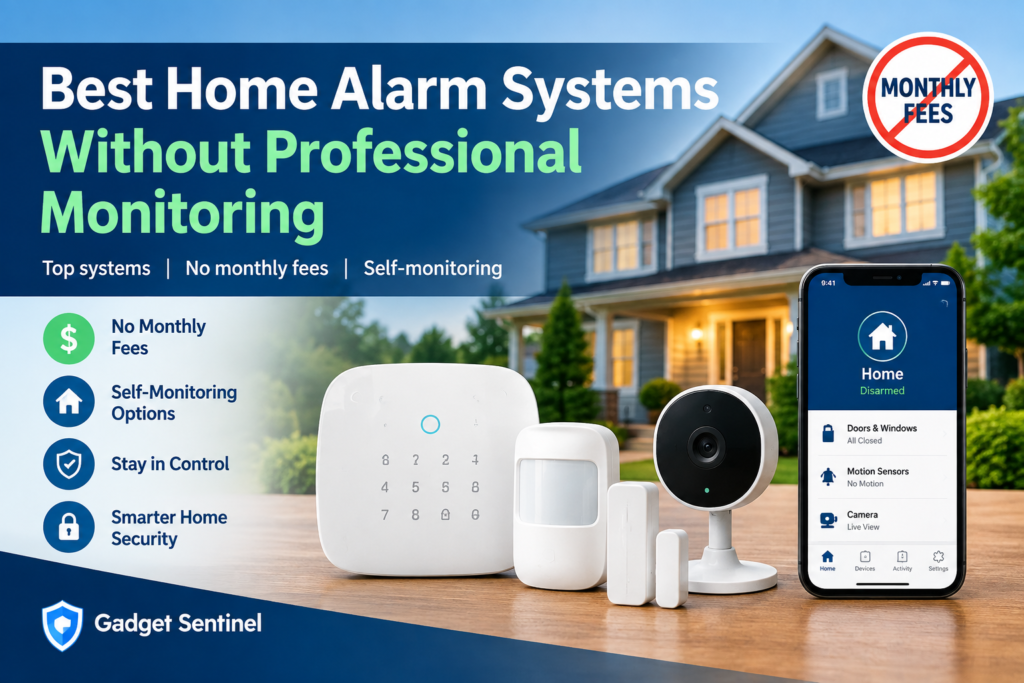
The best home alarm systems without professional monitoring are Abode, eufy, SimpliSafe, and Ring Alarm. Each lets you skip the 24/7 monitoring center and handle alerts yourself. Ring is the exception for smartphone alerts, and ADT Blu needs a paid self-monitoring plan. Self-monitoring means your sensors and siren work as normal, but you (not a dispatcher) decide whether to call 911. It suits people who can reliably check their phone, want to avoid monthly fees, and are comfortable being the first responder. It suits them less if you travel often, sleep through notifications, or have poor cell coverage.
This article contains affiliate links. We never recommend a product because of its commission, and we list subscription requirements and limitations for every system. Gadget Sentinel has not personally lab-tested these systems. Everything below comes from manufacturer documentation, independent reviews, and our own editorial analysis, and we label which is which.
Quick Comparison: Self-Monitored Alarm Systems
| System | Best For | Works Without Professional Monitoring? | Monthly Monitoring Cost | App Alerts | Local Siren | Cellular Backup | Smart Home Compatibility | Key Limitation |
|---|---|---|---|---|---|---|---|---|
| Abode | Smart-home builders, Apple users | Yes | $0 (optional plans; check current pricing) | Yes | Yes (hub) | Paid Pro plan only, per Abode’s help center | HomeKit, Alexa, Google, Z-Wave, Zigbee | No recorded video on free tier |
| eufy Home Alarm Kit | Lowest total cost, local storage | Yes | $0 (cloud storage optional) | Yes | Kit/HomeBase; add-on siren available (confirm kit contents) | No | Alexa, Google; HomeKit varies by device | Wi-Fi/Ethernet dependent; no path to professional monitoring |
| SimpliSafe | Renters, “start free, upgrade later” | Yes | $0 (or $9.99 for camera recording) | Yes, per recent reviews | Yes (base station) | Paid monitoring plans only | Alexa, Google (integrations need a paid plan per Security.org) | Free tier is basic; no camera recording |
| Ring Alarm | Existing Ring/Alexa households | Yes, but keypad-only arming | $0 for the alarm; plan needed for app features | No digital alerts without a plan (US) | Yes | Paid Pro plan | Alexa | Without a plan it’s essentially a local siren |
| ADT Blu | Buyers who might want ADT later | Yes, via a paid self-monitoring plan | $14.99 Self-Protect (check current pricing) | Yes | Yes | Pro-Protect plans | Check current pricing/specs | Not a no-fee system |
What Is a Self-Monitored Home Alarm System?
A self-monitored system sends alerts to you and no one else. When a door sensor opens or a motion sensor trips, the hub sounds its siren and (on most systems) pushes a notification to your phone. Nobody at a monitoring company sees the alert.
Professional monitoring adds a middle layer. A monitoring center receives the signal, tries to reach you, and dispatches police, fire, or medical services if needed. Consumer Reports describes the core trade-off this way: with self-monitoring you get a phone notification but it’s up to you to call the police.
Here is what happens when a sensor triggers on a self-monitored system:
- The hub sounds its siren.
- Your phone gets a notification (if your system supports it).
- You check a camera, call a household member, or look at the sensor log.
- You decide whether to call emergency services.
Everything after step 1 depends on you being reachable.
The Best Home Alarm Systems Without Professional Monitoring
How we chose these. We included systems that (a) are sold as DIY kits, (b) can operate without a professional monitoring contract, and (c) have current manufacturer documentation for how they behave without a plan. We did not include a product just to lengthen the list. Wyze is left out because we couldn’t confirm it as a distinct alarm-system competitor for this specific search intent. We don’t rank these; we describe them against the same criteria.
Abode
Hardware and setup: DIY hubs (a traditional Smart Security Hub and the all-in-one iota) with door/window, motion, glass break, and water sensors, plus a keypad, key fob, outdoor siren, and cameras. Reviews describe setup as roughly 15 to 30 minutes.
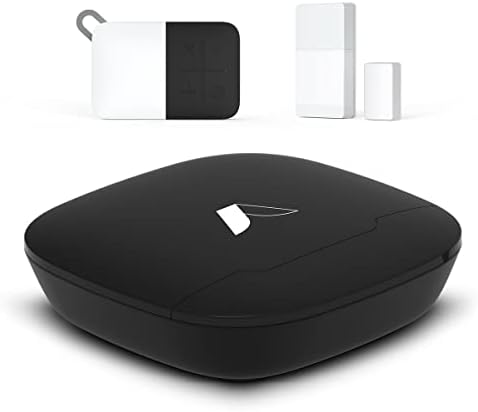
Without a plan: Abode’s own plans page states that it works out of the box with no subscription required, including app access, live video, and push notifications.
What you don’t get for free: Abode’s help center lists professional monitoring and 4G cellular backup as Pro-only. Note that Abode’s own marketing blog claims cellular backup is free, which conflicts with its help center. We trust the plans documentation and recommend checking the checkout page. Recent reviews list Standard at $8.49/month and Pro at $26.99/month, and on-demand monitoring passes (3-day and 7-day) have also been reported. Check current pricing.
Smart home: HomeKit, Alexa, Google, Z-Wave, and Zigbee. This is the widest compatibility of the systems here.
Ideal user: Someone who wants an expandable, multi-protocol system and may want short-term professional monitoring for trips.
Limitations: Live video works free, but recordings need a paid plan. Also, per Safewise, the hubs need to be connected to the internet at all times.
eufy Home Alarm Kit
Hardware and setup: A HomeBase hub, keypad, motion sensor, and entry sensors. Security.org lists the 5-piece kit at $159.99. eufy’s own listing says the products are one-time purchases with no monthly fees.
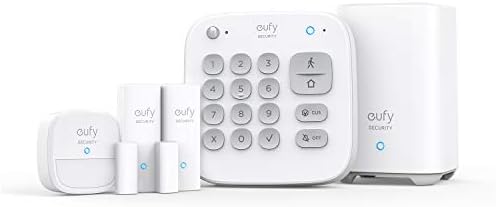
- Easy Setup: Install in minutes all by yourself. The entry sensors attach to doors and windows, while the motion sensor a…
Storage and privacy: eufy cameras record locally, and the HomeBase 3 offers expandable local storage up to 16TB per PCWorld’s review of the S3 Pro kit. Cloud storage is optional and, per Security.org, starts at $2.99 per month per device.
Limitations: The HomeBase connects through Wi-Fi/Ethernet, and we found no documented cellular backup or professional-monitoring option. That makes eufy a true “self-monitored only” system. Confirm siren inclusion, since the E20 indoor siren is sold separately, and check HomeKit support device by device.
Ideal user: Budget-focused buyers who value local video storage and don’t plan to add professional monitoring.
SimpliSafe
Hardware and setup: A base station with built-in siren, keypad, and wireless sensors, with cameras, video doorbell, and smoke/CO detectors sold separately. Packages run from about $250 to $730 per SafeWise.

- Simple to set up. Seriously secure – Get ready to protect right out of the box. Just plug in the Base Station, follow th…
- Smart home compatible – Arm your system at home with Google Assistant or Amazon Alexa.
Without a plan: Recent testing by Security.org found the system held up surprisingly well without a paid plan, with the app working on every plan including free. Older reports disagree about whether remote arming works free, so confirm at purchase.
What you don’t get: Video recordings (a $9.99/month self-monitoring plan adds 30-day cloud storage) and, per Security.org, cellular connection and full smart-home integrations, which need paid plans. SimpliSafe cameras don’t support local storage.
Ideal user: Renters and first-time buyers who want to start free and add professional monitoring month-to-month later. Professional monitoring is sold in the US.
Ring Alarm
Without a plan: Ring’s official support page says you can self-monitor without a subscription, but you can arm or disarm only from the Ring Keypad. If the alarm triggers, the siren sounds, but you will not receive digital notifications. That page applies to US customers.
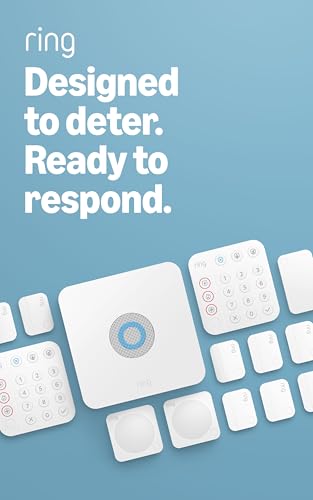
- A great fit for 2-4 bedroom homes, this Alarm Kit includes one Base Station, two Keypads, eight Contact Sensors, two Mot…
- Includes an intuitive Keypad that can arm and disarm your Alarm and Contact Sensors that detect when doors or windows op…
- Choose the Ring Alarm Kit that fits your needs and detect even more with additional Alarm Sensors and accessories (sold …
What that means: Without a plan, Ring Alarm works as a local alarm, not a self-monitoring system in the notification sense. A paid plan adds app arming, alerts, and (on the Pro tier) cellular backup and professional monitoring. Ring plan pricing has been reported inconsistently, so check current pricing.
Ideal user: Existing Ring/Alexa households who are fine paying a small plan fee for app alerts.
ADT Blu (where relevant)
ADT Blu replaced ADT Self Setup in 2026 and is self-installed. ADT’s page says you can choose between professional monitoring and self-monitoring, but self-monitoring is a paid plan. Reviews list Self-Protect at $14.99/month. So ADT Blu works without professional monitoring but is not a no-monthly-fee system. Buy it only if you may want ADT’s monitoring later.
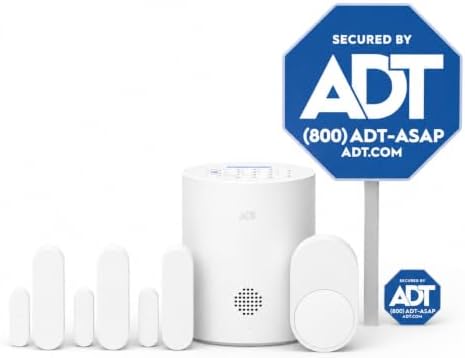
- 30 Days Free Monitoring with paid subscription: No long-term contracts, cancel anytime. Choose month-to-month monitoring…
- Help protect every entry point: includes the 1 base hub, 3 door/window sensors, 1 pet-friendly motion sensor, 1 yard sig…
- Install in minutes: mount with screws or adhesive tape, no heavy tools or wiring required, then follow guided setup in t…
What Happens When Your Alarm Goes Off Without Professional Monitoring?
- A sensor detects activity. A door contact separates or a motion sensor sees movement while the system is armed.
- The siren sounds. This works on all the systems above, even without a plan, and it is often what makes an intruder leave.
- You may receive an alert. eufy, Abode, and SimpliSafe send phone notifications on free tiers per recent reviews. Ring does not without a plan.
- You check the situation. Open the app, look at a camera, or call someone at home.
- You contact emergency services if needed. Nothing does this automatically.
You are the responder. If you miss step 3 or 4, no one steps in.
Self-Monitoring vs. Professional Monitoring
| Factor | Self-Monitoring | Professional Monitoring |
|---|---|---|
| Cost | Often $0 to about $15/month | Roughly $20 to $80/month on the plans cited above |
| Response responsibility | You | Monitoring center contacts you and dispatches |
| 24/7 monitoring center | No | Yes |
| Emergency dispatch | You call 911 | Center requests it |
| App alerts | Usually yes | Yes |
| Cellular backup | Often unavailable or paid | Commonly included on monitored plans |
| Privacy | Fewer parties see your data | Center receives alarm signals |
| Flexibility | High | Usually month-to-month on DIY brands, contracts on some |
| Contract requirements | Rarely | Varies; many DIY brands have none |
| Best use case | Reachable owners, low budgets | Frequent travelers, deep sleepers, fire/CO priority |
Neither column wins universally. Consumer Reports notes that some homeowners, such as those who travel frequently or have spotty cell-phone reception, may find monitoring worth the price.
What You Give Up Without Professional Monitoring
- No monitoring center. Nobody reviews your signals or calls you back.
- No automatic dispatch. Any call to police or fire comes from you.
- Alert responsibility. A muted phone or Do Not Disturb setting can hide an alarm. Enable critical alerts where your app supports them.
- Internet dependence. Most of these hubs rely on Wi-Fi to reach your phone.
- Possible loss of cellular backup. On several systems this is a paid feature.
- Possible loss of cloud/video. Recording is often tied to a plan, except for eufy’s local storage.
- Sleeping. A notification you sleep through does nothing. The siren may still wake you or a neighbor.
- Traveling. You’ll need someone reachable, a shared-user setup, or a short-term monitoring option (Abode reportedly sells one).
- False alarms. You verify and dismiss them, and you avoid unnecessary 911 calls. Some jurisdictions fine repeated false dispatches.
None of this is a reason to panic. It is a checklist of what you become responsible for.
What Happens If the Internet or Power Goes Out?
The answer depends on the system, so here’s what the sources support:
- Wi-Fi outage: Wi-Fi-only systems (eufy) can’t push alerts to your phone. The local siren should still sound. Systems with cellular backup (Abode Pro, SimpliSafe paid plans, Ring Pro) can keep sending alerts, but only on paid tiers per the documentation above.
- Router failure: Same as a Wi-Fi outage.
- Power outage: Hubs generally have battery backup. Reviews report about 24 hours for SimpliSafe and about 8 hours for Abode. Confirm current specs. Your router may lose power even if the hub doesn’t, so a router UPS helps.
- Cameras vs. sensors: Plug-in cameras stop when power is cut. Battery cameras keep working but depend on Wi-Fi to send clips.
- Local alarms: Sirens are designed to sound locally regardless of internet status.
For more, see [INTERNAL LINK: Wireless vs Wired Security Cameras: Which One Should You Buy? → insert verified URL].
Best Self-Monitored Alarm Systems by Use Case
We don’t create an overall ranking. Each pick below states its criterion:
| Use Case | Pick | Criterion |
|---|---|---|
| No monthly fee | eufy, Abode | Documented $0 operation with useful alerts |
| Alexa users | Ring (with a plan), Abode, SimpliSafe | Native Alexa support (Ring’s free tier lacks digital alerts) |
| Apple HomeKit | Abode | Reviews describe it as the only major alarm system with native HomeKit |
| Google Home | Abode, eufy, SimpliSafe | Documented Google Assistant support |
| Renters | SimpliSafe, Abode | DIY install, no contracts |
| Local storage/privacy | eufy | Local recording on HomeBase |
| Larger homes | Abode, Ring | Expandability and range extenders (verify sensor limits) |
| Budget | eufy | Lowest reported kit price with no monthly plan |
| May add monitoring later | SimpliSafe, Abode | Month-to-month professional plans |
How Much Can You Save Without Professional Monitoring?
The following is an illustration, not a quote. It assumes identical $250 hardware and mid-2026 plan prices from recent reviews (check current pricing before buying).
| Option | Monthly | 1-Year Plan Cost | 3-Year Plan Cost |
|---|---|---|---|
| Fully self-monitored, no plan | $0 | $0 | $0 |
| SimpliSafe self-monitoring + recording | $9.99 | $119.88 | $359.64 |
| SimpliSafe Standard monitoring | $22.99 | $275.88 | $827.64 |
| Abode Pro | $26.99 | $323.88 | $971.64 |
Example: Skipping a $22.99 plan saves about $828 over three years, minus whatever you’d pay for storage or a short-term plan. Add $250 hardware and your total ranges from $250 (no plan) to about $1,078 (monitored). Insurance discounts for monitored systems may narrow the gap, so ask your insurer.
How to Build a No-Monthly-Fee Home Security System
Essential
- Hub/base station with a siren and battery backup
- Door/window sensors on ground-floor entrances
- A motion sensor covering a main hallway or living area
Strongly useful
- An indoor camera for visual verification (see the section below)
- A keypad or key fob so family members can arm without an app
Optional
- Outdoor camera or video doorbell. See [INTERNAL LINK: Best Floodlight Security Cameras for Complete Outdoor Protection → insert verified URL].
- Smart lock. See [INTERNAL LINK: Best Smart Door Locks Compatible with Alexa, Google Home, and Apple HomeKit → insert verified URL].
- Smoke/CO protection. A standalone detector always works. Without monitoring, remember only you and your household will hear the alarm.
For a broader walkthrough, see DIY Home Security Setup: Everything You Need to Protect Your Home.
Do You Need Security Cameras With a Self-Monitored Alarm?
Cameras aren’t required, but they’re the best tool for responsibly self-monitoring.
- Visual verification. A camera lets you tell a pet from an intruder before you call 911.
- Fewer false alarms. You dismiss the ones caused by pets and drafts.
- Indoor cameras. Best positioned facing entry routes. See Best Indoor Security Cameras for Pets, Kids, and Elderly Care.
- Outdoor cameras and doorbells. They record activity before anyone reaches a door.
- Local vs. cloud storage. Local (eufy) avoids subscriptions and can improve privacy. Cloud storage is easier to retrieve if the camera is stolen but usually costs money.
- Privacy. Cameras collect sensitive footage. Review each vendor’s privacy policy and turn off cloud features you don’t need.
How Many Sensors Do You Need?
These are starting points, not requirements. Add sensors only for entrances people can actually reach.
| Home Type | Typical Starting Setup |
|---|---|
| Apartment | 1 hub, 2 door sensors, 1 motion sensor, 1 camera |
| Small house | 1 hub, 4 door/window sensors, 1 to 2 motion sensors, 1 camera |
| Two-story house | Hub, 6 to 8 entry sensors, motion on each floor, 2 cameras |
| Large home | Hub plus range extender, 10+ entry sensors, several motion sensors, cameras at main entrances |
Prioritize the front door, back door, and any ground-floor windows you can’t see from the street. Skip second-floor windows unless there’s a balcony or climbable roof.
Are Home Alarm Systems Without Professional Monitoring Worth It?
Ask yourself:
- Can I reliably see and act on phone alerts, including at night?
- Do I have someone to share alerts with?
- Do I travel often or spend long periods without cell service?
- Is fire, CO, or medical dispatch a priority?
- Would monitoring fees strain my budget?
Self-monitoring tends to fit reachable owners, renters, and budget-conscious buyers. Professional monitoring tends to fit frequent travelers, deep sleepers, and anyone who wants someone else in the loop. Many people start self-monitored and add monitoring later, and DIY brands generally make that easy.
Common Mistakes When Using a Self-Monitored Alarm
- Ignoring or muting notifications. Allow critical alerts.
- Not testing sensors. Test each one monthly.
- Weak Wi-Fi. Place the hub or camera where signal is strong.
- Dead batteries. Check sensor batteries on a schedule.
- No backup power for the router. A small UPS keeps alerts flowing.
- Outdated emergency contacts and shared users. Review them twice a year.
- Poor sensor placement. Cover real entry points, not every window.
- Relying only on cameras. Cameras record but don’t sound an alarm.
- Forgetting to arm. Use geofencing or a keypad routine.
- Forgetting you’re the responder. Decide in advance who acts if you can’t.
For more, see Home Security Mistakes That Could Make Your House an Easy Target and Smart Home Security Essentials Every Homeowner Should Have.
Best Home Alarm Systems Without Professional Monitoring: Bottom Line
The best home alarm systems without professional monitoring are the ones whose free or low-cost tier still gives you what you need: a loud local siren, reliable phone alerts, and ideally camera verification. Abode and eufy are the most fully featured no-plan options, SimpliSafe suits people who might upgrade later, Ring works best with a small plan, and ADT Blu is for those who want ADT’s option. Self-monitoring saves money, but only if you’re willing and able to respond. Consumer Reports’ home security buying guide is a good independent starting point for weighing that decision.
FAQ
Can I use a home alarm system without professional monitoring?
Yes. Most DIY systems work without it, though features vary. The siren and sensors work locally, and phone alerts depend on the brand and plan.
What is the best home alarm system without monthly fees?
It depends on your needs. eufy and Abode have the strongest $0 options in our research. Abode adds smart-home compatibility, while eufy adds local storage.
Can SimpliSafe work without professional monitoring?
Yes. Recent testing found it functions on the free tier with app alerts and live video, but there’s no recording, and cellular backup requires a paid plan.
Can Ring Alarm work without a subscription?
Yes, but Ring says arming and disarming is keypad-only and you won’t receive digital notifications without a plan (US).
Does self-monitoring call the police automatically?
No. You must call emergency services yourself.
What happens if Wi-Fi goes down?
The siren still sounds, but phone alerts may stop unless you have a working cellular backup, which is often a paid feature.
Can I self-monitor a home security system while traveling?
Yes, if you can receive alerts and have someone to check on the home. Some brands offer short-term monitoring passes.
Are no-monthly-fee alarm systems reliable?
They can be, with regular testing and stable connectivity. Reliability depends more on setup and upkeep than on whether you pay a fee.
Do self-monitored alarm systems have sirens?
Yes. The siren works locally on all the systems covered here.
Do I need cameras with a self-monitored alarm system?
Not required, but recommended. They help you verify an alert before deciding whether to call 911.
Pingback: SimpliSafe vs Ring Alarm: Which Home Security System Is Right for You? - Gadget Sentinel
Pingback: Ring Alarm Pro Review 2026: Is This Smart Security System Worth It? - Gadget Sentinel
Pingback: SimpliSafe vs ADT: DIY vs Professional Home Security Compared - Gadget Sentinel
Pingback: How Much Does SimpliSafe Cost in 2026? Equipment and Monitoring Explained - Gadget Sentinel