
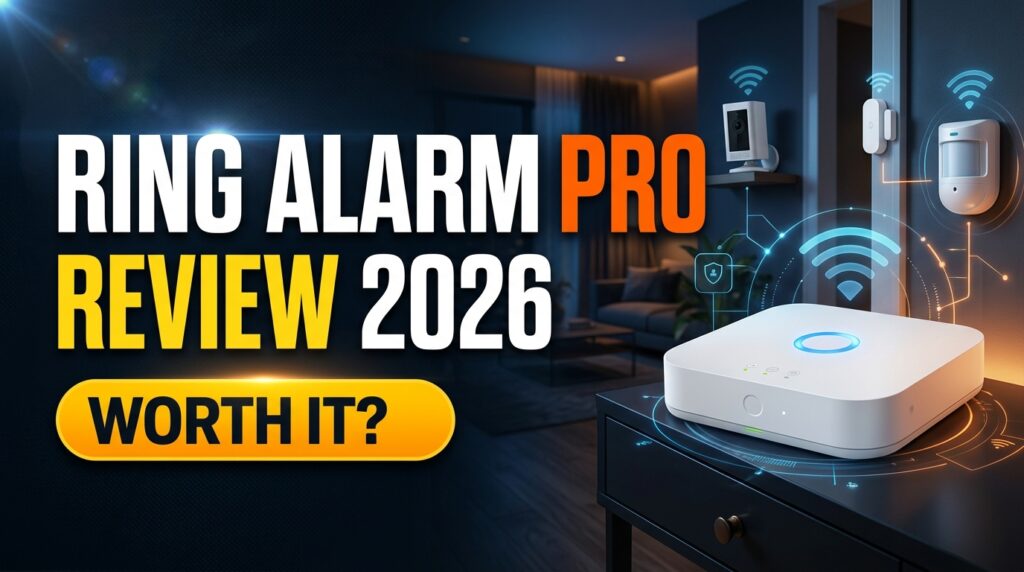
Ring Alarm Pro is a DIY alarm base station with a built-in eero Wi-Fi 6 router. It suits Ring and Alexa households that want a router, backup internet and optional professional monitoring in one system. Its biggest advantage is that it keeps your alarm, cameras and Wi-Fi online when your internet drops. Its biggest drawback is that most of what makes it “Pro” sits behind Ring’s $19.99/month Ring Pro plan. It’s worth buying in 2026 if you’d use the router and the backup features. If you already own a good router, the standard Ring Alarm is better value.
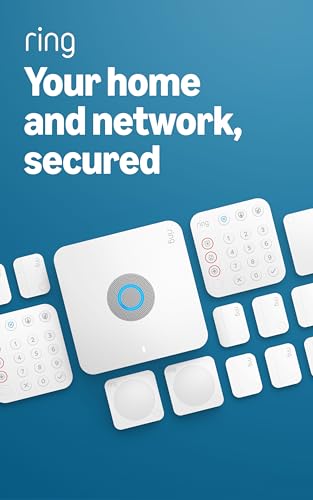
- Ring’s best home security system with built-in eero Wi-Fi 6 router to help protect against break-ins, and more. Plus, Al…
- Customizable home protection. This kit includes one Alarm Pro Base Station, two Keypads, eight Contact Sensors for windo…
- Fast and secure internet. Helps keep your devices connected with reliable wifi with speeds up to 900 mbps and covers up …
Methodology: Gadget Sentinel did not hands-on test the Ring Alarm Pro for this review. It’s based on Ring’s published specifications, Ring’s support documentation, regulator records and independent reviews, and we label which is which. Prices and plan details were checked on October 8, 2026 and change often, so confirm them at checkout.
Quick Verdict
| Overall rating | 7.5/10 (our research-based judgment, not a lab score) |
| Best for | Ring/Alexa households that need a new router and want outage protection |
| Not ideal for | Subscription-averse buyers, people with a strong mesh router, Google Home or HomeKit households |
| Key strength | Router, backup internet and optional local video storage in one box |
| Biggest weakness | The Pro-specific features need the $19.99/mo plan |
| Subscription | Optional to own, but needed for app arming, monitoring and the Pro features |
| Verdict | Buy it if you’ll use the router and backup features. Otherwise buy the standard Ring Alarm |
What Is Ring Alarm Pro?
The Alarm Pro Base Station replaces the standard Ring Alarm base station, the brain of the system that talks to your sensors. It adds a built-in eero Wi-Fi 6 router, a cellular modem and an expandable backup battery. According to Ring’s Alarm Pro specifications, it offers:
- Ethernet, Wi-Fi, Bluetooth for setup, Z-Wave and LTE
- Dual-band Wi-Fi 6 for 75+ connected devices
- Coverage of up to 1,500 sq. ft.
- Speeds up to 900Mbps
- A 104-decibel siren
It works with the same Ring Alarm sensors, keypads, cameras and doorbells as the standard system. It also pairs with Alexa and select “Works with Ring” smart locks.
The router is the defining difference. Ring designed Alarm Pro to be your primary router, plugged directly into your modem. That’s what lets it provide backup internet and local video storage. It’s also why it’s a poor fit if you want to keep your existing router.
- Ring’s best home security system with built-in eero Wi-Fi 6 router to help protect against break-ins, and more. Plus, Al…
- Customizable home protection. This kit includes one Alarm Pro Base Station, two Keypads, eight Contact Sensors for windo…
- Fast and secure internet. Helps keep your devices connected with reliable wifi with speeds up to 900 mbps and covers up …
Ring Alarm Pro feature overview
| Feature | What it is | Plan needed |
|---|---|---|
| Built-in eero Wi-Fi 6 | Primary router, ~1,500 sq. ft. | None (eero Secure needs Ring Pro) |
| 24/7 Backup Internet | Cellular internet for your whole network | Ring Pro |
| Alarm Cellular Backup | Keeps alarm signals flowing | Ring Multi or Pro |
| Battery backup | Up to 24 hours in Low Power Mode | None |
| Ring Edge | Local 1080p video on microSD | Ring Pro |
| Professional monitoring | Dispatch requests, US and Canada | Ring Pro |
Ring Alarm Pro Features
Built-in eero Wi-Fi 6
This is a capable mid-range router, not a flagship. Ring rates it for 1,500 sq. ft. per unit, and bigger homes need eero 6 extenders. Ring’s bundle of the base station with an eero 6 extender costs $328.99 against $249.99 for the base station alone, which implies about $79 for the extender.
Existing eero devices work as extenders. The reverse doesn’t: if you set Alarm Pro up as an extender for an existing eero network, Ring says you lose access to many subscription features, including Backup Internet.
Who benefits: people replacing an aging ISP router or Wi-Fi 5 gear, and apartment or small-home dwellers whose router is also their alarm hub.
24/7 Backup Internet
This is cellular internet for your whole network. During an internet outage, Ring’s documentation says Alarm Pro provides Wi-Fi to Ring and non-Ring devices over cellular. It also works as a primary connection if you have no ISP. The details that matter:
- It needs Ring Pro.
- It includes 3GB of data a month. Once you hit the limit, Backup Internet switches off and the Alarm falls back to Alarm Cellular Backup.
- Ring’s plans page lists extra data at $1 per GB.
- In a power outage, Ring says devices won’t connect to Backup Internet without Ring Power Packs.
- It’s not available if you run Alarm Pro as a Wi-Fi extender.
3GB keeps messaging, alerts and light browsing alive. It won’t stream video all day. Turning on 24/7 recording can burn through it quickly.
Alarm Cellular Backup
Don’t confuse this with Backup Internet. Alarm Cellular Backup keeps the alarm system online and sending alerts through a third-party carrier. It doesn’t give your laptop or TV internet. Per Ring’s plan pages, it’s included from Ring Multi ($9.99/mo) upward, while Backup Internet needs Pro.
Battery Backup
Ring says the internal battery lasts up to 24 hours in Low Power Mode, where only some security features, including Alarm Cellular Backup, stay available. Real-world runtime depends on settings and usage. Ring Power Packs add runtime and can also power eero 6 extenders, which matters if you want Wi-Fi during a blackout.
Ring Edge Local Video Storage
Ring Edge stores video from selected cameras on a microSD card in the Alarm Pro. The requirements and limits:
- A compatible Ring subscription (Ring Pro on the plans page) and a microSD card sold separately.
- Ring Edge supports 1080p only, so it doesn’t work with 2K or 4K cameras.
- Cameras must sit on the same eero network as the base station.
- Your Ring and Amazon accounts must be linked.
- Video is viewable only in the Ring app or on Ring.com, not on a PC.
Benefits: your footage doesn’t rely on cloud storage, and clips can keep recording during an internet outage.
Risks: the card lives in the base station, so theft is a real scenario. Ring offers optional encryption, and if both card and unit are stolen you can unregister the device to lock the footage. Reformatting the card deletes everything. It also isn’t “cloud-free”: the system still uses Ring’s accounts and app.
- Ring’s best home security system with built-in eero Wi-Fi 6 router to help protect against break-ins, and more. Plus, Al…
- Customizable home protection. This kit includes one Alarm Pro Base Station, two Keypads, eight Contact Sensors for windo…
- Fast and secure internet. Helps keep your devices connected with reliable wifi with speeds up to 900 mbps and covers up …
Professional Monitoring
Ring Pro ($19.99/mo or $199.99/yr) includes 24/7 professional monitoring. Agents request emergency dispatch for break-ins, smoke and CO, and medical emergencies. It’s available in all 50 US states and in Canada excluding Quebec. Ring doesn’t own its monitoring center, and permit or false-alarm fees may apply locally.
Alexa Integration
In practice, the useful parts are:
- Arming the alarm by voice (a plan is required for this).
- Live view on Echo Show displays.
- Alexa routines, like turning on lights when a sensor trips.
Ring’s deep Alexa support is one of its real advantages. The flip side is no native Apple HomeKit support and limited Google Home support, covered in the FAQ below.
Ring Ecosystem
If you own Ring doorbells or cameras, one app, one account and one plan cover everything at a location. Ring Pro and Multi cover all devices at one address. That consolidation is the clearest reason the Alarm Pro makes sense for existing Ring owners.
Ring Alarm Pro Price in 2026
Prices below are from Ring’s site unless noted. Promotions are frequent.
| Item | Price |
|---|---|
| Alarm Pro Base Station | $249.99 |
| Base Station + eero 6 Extender bundle | $328.99 |
| Alarm Pro 8-piece kit | $299.99 (retailer listings, e.g. CDW; check Ring’s current price) |
| Standard Alarm Base Station | $119.99 |
| Standard Alarm 8-piece kit | $249.99 (marked down from $304.92) |
| Contact sensor | $14.99 (was $19.99) |
| Keypad | $19.99 (was $49.99) |
| Professional installation | From $129.99 per device |
| microSD card, Power Pack, extra eero | Priced separately; check current listings |
The 8-piece Alarm Pro kit typically includes the base station, a keypad, four contact sensors, a motion detector and a range extender. Note the gap: the base stations differ by $130, but kit prices have recently differed by only about $50. Kit promotions shift constantly, so compare the exact kits you’re considering.
For wider budgeting context, see our home security system cost guide for 2026.
Ring Alarm Pro Subscription: What Do You Actually Need?
Ring renamed its plans in 2026. According to Ring’s plans page:
| Plan | Price | What it adds for Alarm owners |
|---|---|---|
| No plan | $0 | Keypad arming and a local siren |
| Ring Solo | $4.99/mo | One-device video features |
| Ring Multi | $9.99/mo ($99.99/yr) | Digital arming, Alarm Cellular Backup, all-device video |
| Ring Pro | $19.99/mo ($199.99/yr) | Everything in Multi, plus professional monitoring, Backup Internet, Ring Edge, eero Secure, AI features |
| Virtual Security Guard | $99/mo | Live video monitoring |
What works without a subscription?
Per Ring’s support documentation, a Ring Alarm without a plan can be armed and disarmed from the keypad, and the siren still sounds. You don’t get digital notifications or emergency response. Ring’s pages list the router as hardware, so basic Wi-Fi should keep working, but Backup Internet, Ring Edge and eero Secure are plan features. So Ring Alarm Pro without a subscription is essentially a router plus a local alarm. If you want to skip subscriptions entirely, see our guide to alarm systems that don’t need professional monitoring.
What requires a subscription?
- Remote arming and disarming (Device Modes) and phone alerts need Multi or Pro.
- Alarm Cellular Backup needs Multi or Pro.
- Cloud video history needs a plan.
What requires Ring Pro?
- Professional monitoring
- 24/7 Backup Internet
- Ring Edge local storage
- eero Secure (US)
- SOS Emergency Response
- Ring’s advanced AI features
What happens if you cancel?
You lose, depending on the tier you drop to:
- Professional monitoring, immediately.
- Backup Internet and Ring Edge, if you drop below Pro.
- Digital arming and phone alerts, if you drop to no plan.
- Stored cloud video, if you don’t renew in time. Ring warns it isn’t retrievable.
Ring’s pages don’t spell out what happens to footage already on your microSD card, so download what you need first. Annual billing saves money: Pro costs $199.99 yearly against $239.88 on monthly billing.
Ring Alarm Pro vs Ring Alarm
| Ring Alarm Pro | Standard Ring Alarm | |
|---|---|---|
| Base station | $249.99 | $119.99 |
| Wi-Fi router | Built-in eero Wi-Fi 6 | None |
| Backup internet | Yes (Ring Pro plan) | No |
| Alarm cellular backup | Multi or Pro | Multi or Pro |
| Local video storage | Ring Edge (Pro, 1080p, microSD) | No (cloud) |
| Battery backup | Up to 24h Low Power Mode, expandable | Up to 24h |
| Monitoring | Ring Pro | Ring Pro |
| Sensors and cameras | Same Ring ecosystem | Same Ring ecosystem |
| Best buyer | Needs a router, wants outage resilience | Has a good router, wants lowest cost |
Who should buy Ring Alarm Pro instead of standard Ring Alarm?
The key insight is that professional monitoring needs Ring Pro either way. If you’ll pay for Pro anyway, Alarm Pro’s extras (Backup Internet, Ring Edge, eero Secure) are included in the plan you already have. Your extra cost is mostly the $130 hardware gap. That’s a good deal if you’d use the router.
If you only want app control on Ring Multi, Alarm Pro’s extras mostly go unused and the standard Alarm is cheaper.
Existing Ring Alarm owners can also upgrade: Ring says the app saves your alarm settings and applies them to a new Alarm Pro base station.
Ring Alarm Pro vs SimpliSafe
| Ring Alarm Pro | SimpliSafe | |
|---|---|---|
| Design focus | Ring ecosystem with a router | Security-first alarm |
| Cameras | Largest lineup | Indoor and outdoor, fewer models |
| Monitoring | Ring Pro, $19.99/mo | Roughly $22.99 and up |
| Subscription | Needed for most features | Limited free tier |
| Cellular backup | Multi/Pro plan | Included on professional plans |
| Smart home | Alexa deep, Google limited, no native HomeKit | Alexa and Google, no HomeKit |
| Installation | DIY | DIY |
| Router | Built-in | None |
| Long-term cost | Lower monthly | Higher monthly |
| Best for | Ring/Alexa homes | Security-first buyers |
SimpliSafe plan figures come from third-party plan trackers cited in our best home security systems guide, so verify them at simplisafe.com. Our full SimpliSafe vs Ring Alarm comparison goes deeper, and our SimpliSafe review covers that system on its own.
Ring Alarm Pro: Pros and Cons
Pros
- A genuine two-in-one: alarm hub plus Wi-Fi 6 router.
- Backup Internet keeps cameras and Wi-Fi alive during outages.
- Optional local video storage.
- Ring Pro’s $19.99 monitoring is among the cheaper plans in the category.
- Works with existing Ring sensors and cameras.
- Deep Alexa integration.
Cons
- Subscription dependence: the Pro features need the Pro plan.
- Ecosystem lock-in: you’re committing to Ring, Amazon and eero accounts.
- Platform limits: no native HomeKit, limited Google Home.
- Router fit: it’s a mid-range router that must be your gateway, which many people with existing mesh systems won’t want.
- Ring Edge limits: 1080p only, same-network cameras only, and video isn’t viewable on a PC.
- Data cap: Backup Internet includes only 3GB a month.
- Availability: Ring says Alarm Pro is designed for use in the US, and professional monitoring excludes Quebec and everywhere outside the US and Canada.
- Ring’s best home security system with built-in eero Wi-Fi 6 router to help protect against break-ins, and more. Plus, Al…
- Customizable home protection. This kit includes one Alarm Pro Base Station, two Keypads, eight Contact Sensors for windo…
- Fast and secure internet. Helps keep your devices connected with reliable wifi with speeds up to 900 mbps and covers up …
Ring Alarm Pro Real-World Use Cases
Best for Ring Camera Owners
One account, one plan and one app. Ring Pro covers every device at a location, and Ring Edge adds optional local storage for compatible 1080p cameras. For camera-first buyers weighing ecosystems, see our Ring vs Arlo vs eufy comparison.
Best for Alexa Smart Homes
Voice arming, Echo Show live view and routines make daily use smoother. If you’re choosing smart locks too, our smart door lock compatibility guide covers which platforms they support.
Best for People Replacing Their Router
If your ISP router is aging and you want an alarm hub anyway, Alarm Pro does both jobs for one price. This is the strongest buyer case.
Best for Homes With Internet Reliability Concerns
Backup Internet is the standout feature here. It can keep alerts, Wi-Fi and cameras running when your ISP fails, though only within the 3GB cap unless you pay for extra data.
Not Ideal for Subscription-Averse Buyers
Without a plan, you get keypad arming and a siren. Expect to pay at least $9.99 a month for a functional alarm, or $19.99 for monitoring and the Pro features. Consider the no-professional-monitoring options instead.
Not Ideal for People Who Already Own a Strong Mesh Router
Alarm Pro wants to be your primary router. As an extender it can only join an existing eero network, and it loses Backup Internet. If you own an excellent non-eero router, the standard Ring Alarm avoids paying for a router you won’t use.
Ring Alarm Pro Privacy and Security
Ring’s ecosystem is cloud-connected and tied to Amazon, so treat it accordingly. The FTC’s 2023 action against Ring alleged weak access controls and security failures. The order included a $5.8 million payment, a privacy and security program, and multi-factor authentication requirements. That history is worth weighing, not panicking over.
Practical steps:
- Turn on two-factor authentication and use a unique password.
- Enable microSD encryption if you use Ring Edge.
- Review Amazon Sidewalk. Ring’s product page says it’s on by default for the base station unless you turn it off in Control Center.
- Audit shared users and remove old ones.
- Know what the eero account means. Using the router requires an eero account and agreement to eero’s terms.
For help planning your setup, see our DIY home security setup guide.
- Ring’s best home security system with built-in eero Wi-Fi 6 router to help protect against break-ins, and more. Plus, Al…
- Customizable home protection. This kit includes one Alarm Pro Base Station, two Keypads, eight Contact Sensors for windo…
- Fast and secure internet. Helps keep your devices connected with reliable wifi with speeds up to 900 mbps and covers up …
Ring Alarm Pro vs Other Options
- Standard Ring Alarm: the same ecosystem for $130 less on the base station, with no router. Best if your Wi-Fi is already fine.
- SimpliSafe: better for security-first buyers, covered above.
- eufy: leans on local storage and low recurring cost. See our Ring vs Arlo vs eufy guide.
- Arlo: camera-first, with higher subscription costs.
For a broader shortlist, our best home security systems of 2026 compares the main contenders. Weighing installation styles? Read DIY vs professional systems.
Who Should Buy Ring Alarm Pro?
- You need a new router anyway
- You already use Ring cameras or doorbells
- You use Alexa heavily
- You want backup internet
- You’ll pay for Ring Pro to get professional monitoring
- You live in the US or Canada (excluding Quebec for monitoring)
Who Should Skip Ring Alarm Pro?
- You already have a good router you want to keep
- You dislike subscriptions
- You want local-first security: consider eufy
- You rely on Google Home or HomeKit
- You want a more security-first system: consider SimpliSafe
- You don’t want Amazon/Ring ecosystem lock-in
3-Year Ownership Cost
This example uses retailer-listed $299.99 for the Alarm Pro 8-piece kit and Ring’s current $249.99 for the standard 8-piece kit. Plans are billed annually, tax and microSD cards excluded. Ring’s 30-day trial isn’t deducted.
| Setup | Hardware | 3-yr plan cost | 3-yr total |
|---|---|---|---|
| Alarm Pro, no plan | $299.99 | $0 | $299.99 |
| Alarm Pro + Multi (app control, no monitoring) | $299.99 | $299.97 | $599.96 |
| Alarm Pro + Ring Pro (monitoring + Pro features) | $299.99 | $599.97 | $899.96 |
| Standard Alarm + Multi | $249.99 | $299.97 | $549.96 |
| Standard Alarm + Ring Pro | $249.99 | $599.97 | $849.96 |
Monthly billing costs more: Ring Pro is $719.64 over 36 months versus $599.97 annually. Prices change, so verify current figures. The takeaway is that the plan, not the hardware, dominates cost. With professional monitoring in both setups, Alarm Pro adds only about $50 over three years at current kit pricing.
Final Verdict
Is Ring Alarm Pro worth it in 2026? Yes, if you’ll use the router and the Pro features. Otherwise, no.
It makes the most sense when you need a router and plan to subscribe to Ring Pro for monitoring. In that case Backup Internet, Ring Edge and eero Secure come with the plan, and the premium is small. It also suits households with unreliable internet and Ring-heavy smart homes.
It’s a waste of money if you own an excellent router you want to keep, or you want to stay on Ring Multi or no plan. In those cases the standard Ring Alarm gives you the same sensors, apps and cameras for less. Ring is also a weaker fit for HomeKit, Google Home and subscription-averse buyers.
FAQ
Is Ring Alarm Pro worth it in 2026?
Yes for people who need a router, want backup internet and will pay for Ring Pro. Skip it if you already have a strong router.
Does Ring Alarm Pro require a subscription?
Not to own it, but without a plan you only get keypad arming and a local siren. Remote control needs Multi or Pro, and professional monitoring needs Pro.
Can Ring Alarm Pro work without Wi-Fi?
With Ring Pro, it can use cellular for the alarm and for Backup Internet, including as a primary connection with no ISP. Backup Internet includes 3GB a month.
Does Ring Alarm Pro have cellular backup?
Yes. Alarm Cellular Backup keeps the alarm online and comes with Multi or Pro. Backup Internet is separate and needs Pro.
What is Ring Edge?
Local video storage on a microSD card in the Alarm Pro. It needs a plan, supports 1080p only and requires cameras on the same eero network.
Can Ring Alarm Pro replace my Wi-Fi router?
Yes. It’s designed to be your primary router and connect directly to your modem. It covers about 1,500 sq. ft., and you can add eero 6 extenders.
How much does Ring Alarm Pro cost?
The base station is $249.99, and the 8-piece kit has been listed around $299.99. Plans run $4.99 to $19.99 a month.
Is Ring Alarm Pro better than Ring Alarm?
Only if you’ll use the router and Pro features. Otherwise the standard Ring Alarm gives you the same sensors for less.
Is Ring Alarm Pro better than SimpliSafe?
It depends. SimpliSafe is more security-first. Ring is stronger for cameras, Alexa and lower monthly cost. See our SimpliSafe vs Ring Alarm comparison.
What happens if I cancel Ring Protect?
You lose features by tier: monitoring, Backup Internet, Ring Edge and app arming. Unrenewed cloud video isn’t retrievable, so download what you need.
Does Ring Alarm Pro work with Alexa?
Yes. You can arm by voice with a plan, view cameras on Echo Show and build routines.
Does Ring Alarm Pro support HomeKit?
No, not natively. Workarounds like Homebridge exist but aren’t supported by Ring.
Pingback: Ring Alarm Pro vs SimpliSafe: Which Security System Should You Buy? - Gadget Sentinel
Pingback: Ring Alarm Pro vs Abode: Which Smart Home Security System Is Better? - Gadget Sentinel
Pingback: Best Ring Alarm Alternatives in 2026: Top Options to Consider - Gadget Sentinel
Pingback: How Much Does Ring Alarm Cost in 2026? Equipment, Plans, and Monitoring Explained - Gadget Sentinel
Pingback: Best Ring Alarm Accessories in 2026: 7 Upgrades Worth Buying - Gadget Sentinel