You don’t need a professionally installed, contract-based alarm system to make your home meaningfully safer. A handful of well-chosen devices, placed where they matter, can do most of the work. Buying more gadgets won’t fix a setup that has the wrong ones.
The most useful way to think about it is layered security. Each layer does a different job:
- See: cameras and video doorbells show what is happening.
- Detect: door, window, motion and glass-break sensors notice entry.
- Deter: lights, sirens and visible cameras make your home a less attractive target.
- Control access: smart locks manage who can get in, and when.
- Alert: notifications, sirens and monitoring get the right person’s attention.
- Protect from hazards: smoke, carbon monoxide, water and freeze sensors guard against the threats that cause far more damage than burglars.
This guide covers the smart home security devices that earn their price in 2026. It also covers where to put them, what they cost after checkout, and which ones you can skip.
How this guide was built: it draws on manufacturer documentation, published specifications, government guidance and third-party testing. It makes no claim of hands-on lab testing. Where a source is a manufacturer’s claim or a review site’s opinion, the text says so. Prices are approximate and change often.
Best Home Security Gadgets Worth Buying in 2026
| Gadget | Best For | Typical Price Range | Subscription | Installation | Key Benefit |
|---|---|---|---|---|---|
| Security cameras | Yards, driveways, side entrances | ~$50–$200 per camera | Optional or required, depending on brand | Easy (battery/solar) to moderate (wired) | Visibility of exterior areas |
| Video doorbells | Front-door visibility, packages | ~$50–$350 (range varies by brand) | Often needed to save clips (Ring, Nest); optional with local-storage brands | Easy (battery) to moderate (wired) | See and talk to visitors |
| Smart locks | Access control, renters (retrofit), shared access | ~$90–$340 | Usually none | Easy (retrofit) to moderate | Keyless entry, access logs |
| Door & window sensors | Entry detection | Usually bundled in starter kits | Depends on the system | Peel-and-stick | Alerts when an entry point opens |
| Motion sensors | Interior rooms, hallways | Usually bundled in starter kits | Depends on the system | Peel-and-stick or shelf | Catches movement inside |
| Smart alarm systems | Whole-home coverage, cellular backup | Starter kits from roughly $250 | Optional self-monitoring; ~$23+/month for professional monitoring | DIY | Sirens, monitoring, hub for sensors |
| Floodlight cameras | Dark yards, driveways | Varies widely; check current listings | Optional or required, depending on brand | Moderate (usually hardwired) | Deterrence plus recording |
| Glass-break sensors | Homes with many ground-floor windows | Usually an add-on to an alarm system | Depends on the system | Easy | Detects breakage before entry |
| Water-leak & freeze sensors | Laundry rooms, basements, under sinks | Under $50 for a multi-pack up to higher for shutoff systems | Usually none | Easy | Prevents costly water damage |
| Smart smoke & CO detectors | Second homes, remote alerts | ~$129 for a leading smart combo | Usually none | Easy to moderate | Phone alerts for smoke or CO |
Gadget-by-Gadget: What’s Worth It and Why
Security Cameras
Cameras are the most popular security purchase, and the easiest to get wrong. The main decisions are power (battery, solar or wired), where footage is stored, and whether the features you want sit behind a paywall.
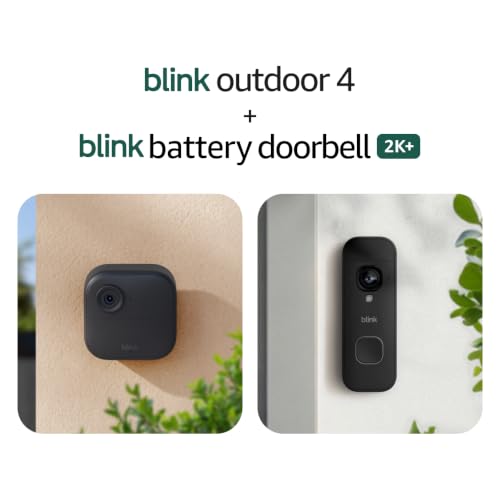
- Complete coverage for your home — With Battery Doorbell 2K+ and Outdoor 4, monitor your front door and property with rel…
- See faces and deliveries in 2K — From friendly faces to deliveries left on your welcome mat, see it all with Battery Doo…
- Ring within your home — Connect Battery Doorbell 2K+ to existing doorbell wiring to sound within your home. You’ll also …
According to Eufy’s product page, the SoloCam S340 is a dual-lens solar-powered camera with 360° pan and tilt, sold as a one-time purchase with local storage and no monthly fee. Consumer Reports’ outdoor camera roundup lists the S340 with free video storage on its internal 8 GB of memory. Deal-tracking listings showed it on sale for $119.99 in March 2026, down from a $200 list price. It connects over 2.4 GHz Wi-Fi, so check signal strength where you plan to mount it. Eufy’s own page notes that some enhanced features need its optional HomeBase hub, so read what applies before buying. eufy SoloCam S340 Outdoor Security Camera – eufy US +2
If you’d rather pay less up front, the Blink Outdoor 4 is described by Tom’s Guide as a roughly $100 wireless camera that runs on two AA batteries, saves video to a USB drive locally, and offers cloud storage from $3 a month, though person detection requires a subscription. The same source notes it only works with Alexa. For Google Home households, Tom’s Guide describes the battery Nest Cam as offering three hours of free rolling video storage, with cloud storage from about $6 a month. tomsguidetomsguide
Editorial take: one or two well-placed cameras beat six badly placed ones. Buy for the area you most need to see, not for the spec sheet.
Video Doorbells
A video doorbell covers the highest-traffic spot on your property: the front door, where packages land and visitors arrive.
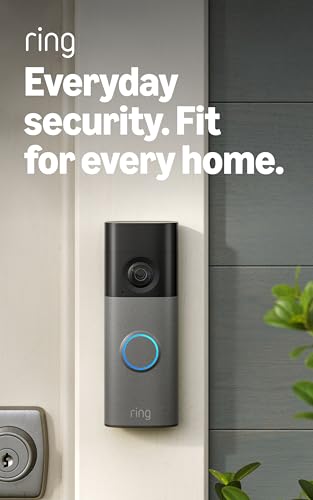
- Capture it all with Retinal 2K video — From wide views to tighter focus, it’s easy to see your home or business in crisp…
- Zoom in up to 6x — Catch details at a distance, inspect faces, and more with up to 6x Enhanced Zoom.
- Connect to who’s there — See, hear, and speak in real time with Live View and Two-Way Talk.
The big trade-off is what you get without paying. One review roundup notes that Ring and Nest only record with a plan, while Eufy, Reolink and Wyze save clips without a fee. Ring’s own plan page confirms that up to 180 days of video event history requires a compatible Ring subscription, and that its entry-level plans for a single device start around $4.99 a month (US), per Security.org’s Ring pricing overview. Ring’s plan names changed in January 2026, so check the current tiers on Ring’s plans page. Best Video Doorbell (2026): 5 Picks, No Monthly Subscription | Gadgetping +2
For a no-subscription route, the Eufy Video Doorbell E340 is frequently recommended. Reviewers describe dual cameras, including one pointed at the floor for packages, and free 8GB local recording with no subscription. Published pricing runs roughly $150–$180, depending on the bundle. If you live in a very cold climate, note that battery life can drop sharply in sub-freezing weather, so a wired install may suit you better. Smart Home ComparedPvrblog
Editorial take: pick the doorbell that matches your ecosystem and storage preference. Ring fits Alexa homes, Nest fits Google homes, and local-storage brands suit anyone who wants to avoid monthly fees.
Smart Locks
A smart lock solves a problem cameras can’t: who has access, and when. You can issue temporary codes, see who entered, and stop worrying about hidden spare keys.
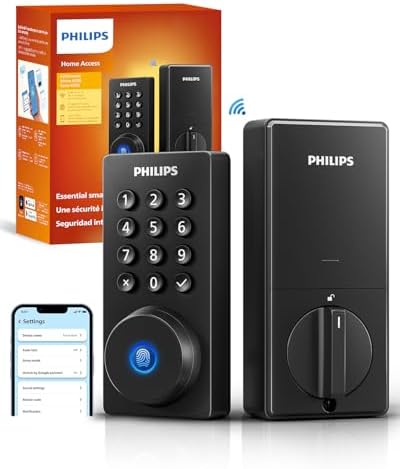
- 𝐅𝐥𝐞𝐱𝐢𝐛𝐥𝐞 𝐖𝐚𝐲𝐬 𝐭𝐨 𝐔𝐧𝐥𝐨𝐜𝐤: Unlock the way you want: app, passcode, fingerprint, physical key, or voice via Alexa/Google As…
- 𝐔𝐧𝐥𝐨𝐜𝐤 𝐅𝐫𝐨𝐦 𝐀𝐧𝐲𝐰𝐡𝐞𝐫𝐞: Built-in Wi-Fi lets you lock and unlock your door remotely anytime, anywhere from your smartphone …
- 𝗩𝗼𝗶𝗰𝗲 𝗖𝗼𝗻𝘁𝗿𝗼𝗹 𝗥𝗲𝗮𝗱𝘆: Pair with Alexa or Google Assistant to unlock or lock with your voice. Great for when your hands ar…
Retrofit locks such as the August Wi-Fi Smart Lock fit over your existing deadbolt from the inside, which makes them a common renter-friendly option, as one buyer’s guide puts it: a retrofit lock is the sensible choice for renters because it installs without modifying the door and can be removed when you move. If you use Apple Home, the Schlage Encode Plus gives the best experience with Apple Home Key, and reviewers list it around $339 with commercial-grade (BHMA Grade 1) hardware. Cross-platform households often look at locks with Matter over Thread, such as the Aqara U200. Published U200 prices vary widely by bundle and hub, from under $100 to about $230, so confirm what’s included. FeisworldFeisworld
For a fuller comparison, including retrofit versus full replacement, Gadget Sentinel’s guide to the best smart locks for apartments, homes and rental properties walks through the options.
A caution from CISA: the agency advises investigating a smart lock’s security before buying, and changing default passwords when you install any security device. See CISA’s guidance on securing IoT devices.
Door & Window Sensors
These small, peel-and-stick devices detect when a door or window opens. They are among the cheapest and most useful layers, because they detect entry rather than just recording it.

- Get instant mobile alerts when doors and windows open in your home with a Ring Protect subscription (sold separately).
- Now smaller to enable increased placement options.
- Easy installation with no tools required.
The catch is that most sensors are tied to a specific ecosystem or base station. The evidence doesn’t support recommending one universal brand, so choose the alarm system or hub first, then buy sensors that work with it.
Motion Sensors
Interior motion sensors act as a second line of defense. They are best in hallways and rooms with valuables, and they work best when you can arm them only while away (or use “home” modes that exclude pet areas).

- 【58 RINGTONES & 5 VOLUME LEVELS】 Security Alarms Detection Chime has 58 ringtones and 5 adjustable volume levels for per…
- 【EXPANDABLE WIRELESS HOME SECURITY】 Flexible design according to your actual needs. You can choose the quantity of trans…
- 【SUPER LONG RECEIVING RANGE】 The operating range between the receiver and transmitter is up to 500 ft, and the infrared …
If you have pets, look for models that state pet immunity and check the weight limits in the manufacturer’s documentation.
Smart Alarm Systems
An alarm system gives you a base station, a siren, sensors and, if you want it, professional monitoring. For many homes, this is the best-value core.
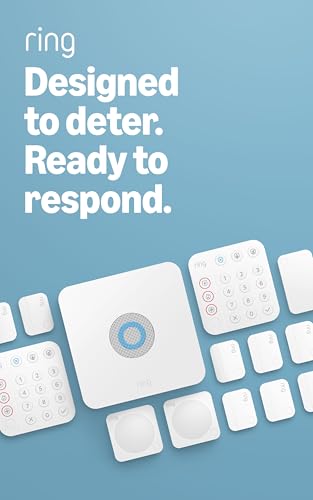
- A great fit for 2-4 bedroom homes, this Alarm Kit includes one Base Station, two Keypads, eight Contact Sensors, two Mot…
- Includes an intuitive Keypad that can arm and disarm your Alarm and Contact Sensors that detect when doors or windows op…
- Choose the Ring Alarm Kit that fits your needs and detect even more with additional Alarm Sensors and accessories (sold …
SimpliSafe is a common DIY example. NerdWallet’s review lists a base kit around $251 with a base station, keypad, entry sensor and motion sensor, and monitoring plans of $9.99 for self-monitoring with camera recordings, $22.99 for Standard, and $32.99 for Core. It also notes that SimpliSafe works with Alexa, Google and Apple Watch but not Apple HomeKit. SimpliSafe says there are no contracts, but always confirm current terms at checkout. nerdwalletnerdwallet
Editorial take: if you rent or move often, look at portable base stations. If you want cellular backup for outages, check which plan includes it. On Ring, alarm cellular backup requires a compatible Ring subscription. Ring
Floodlight Security Cameras
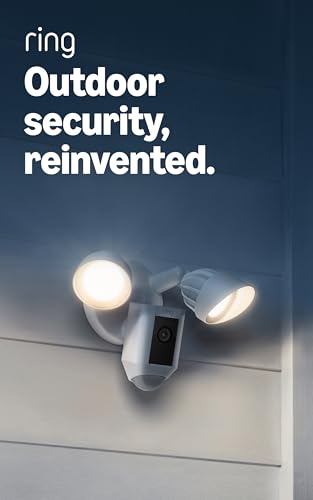
- *Powerful protection for any property* — 1080p HD security camera for your home or business with motion-activated LED fl…
- *Real-time alerts* — Get motion-activated notification when anyone steps in view of your camera.
- *Customizable Motion Zones* — Fine-tune which areas you want to focus on in the Ring app.
Floodlight cameras combine lighting and recording, which makes them a natural fit for dark yards and driveways. Forbes Vetted (updated May 2026) named the Eufy Floodlight Camera E340 its best outdoor camera with floodlights. Most floodlight cameras are hardwired into existing floodlight wiring, so budget for an electrician if you’re not comfortable with mains work. Forbes
Glass-Break Sensors
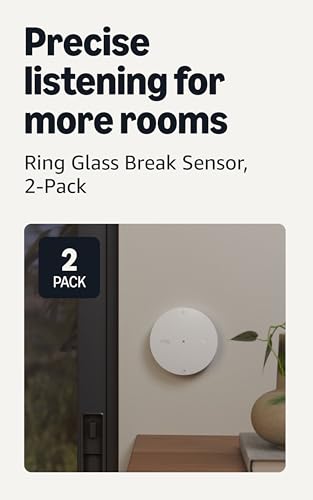
- Detect potential break-ins — With 2 Glass Break Sensors, secure more rooms and get notified when the sound of breaking g…
- Alerts in real time — Receive notifications through the Ring app when windows or glass doors may be shattered.
- Designed to Reduce False Alerts — Built to recognize the sound of breaking glass while filtering out common household no…
Glass-break sensors detect the sound or vibration of breaking glass. They mostly make sense if you have many ground-floor windows, sliding doors or a lot of glass at the back of the house. They usually come as add-ons for a specific alarm system, and the evidence doesn’t support recommending one standalone product. If your system already has door/window sensors on every opening, glass-break sensors are lower priority.
Water-Leak & Freeze Sensors
Water damage is a far more common household problem than break-ins, and sensors are inexpensive. One buying guide lists a 4-pack of Govee sensors under $50, each with a 100 dB alarm and app alerts. Home Auto Central

- Dual Detection for Flooding and Freezing: Monitors for water leaks and freezing temperatures (below 39.2℉ / 4°C) to deli…
- Extended Reach with Extension Cable: A 3.9 ft (1.2 m) cable with a slim probe reaches narrow or hidden leak-prone areas …
- Powerful 75 dB Local Alarm: When a leak is detected, a 75 dB alarm is activated to help quickly locate and identify the …
Two compatibility points matter. Ring’s Flood & Freeze Sensor requires a Ring Alarm system to work. And with Aqara, Tapo or YoLink sensors, you need to add a hub or gateway to the cost. If you live where pipes can freeze, choose a model that reports low temperature, not just water. ReviewedItechguides
Smart Smoke & CO Detectors
If you have one smart device, make it a working smoke and CO alarm. The Nest Protect is no longer made. Android Police reported that Google discontinued it and recommends First Alert’s SC5 as a replacement, with existing units still receiving updates. Reviewers list the SC5 at $129 and Google Home only. For Alexa/Ring households, reviewers point to the Kidde Smart Smoke + CO alarm as an alternative. yahootomsguide

- Please Note: The SC07-W supports wireless interconnection but does not have Wi-Fi, or base station connection
- Instant Alerts & One-Button Silencing: If any alarm detects smoke or CO, all interconnected alarms sound to alert you ac…
- 10-Year Protection, Zero Maintenance: A built-in sealed lithium battery powers the alarm for a full decade—no battery re…
Smart features are optional. As one guide notes, if someone is always home, a $20–$40 conventional alarm protects just as well. Smart alerts matter most for second homes and travel. Check the manufacture date on any alarm and replace it at the end of its rated life. EmergencyGearLab
Which Home Security Gadgets Do You Actually Need?
More devices don’t automatically mean better security. Spend in this order:
- Priority 1: Secure the main entry points. Solid locks, door and window sensors for ground-floor openings.
- Priority 2: See important exterior areas. A doorbell camera and one camera covering your weakest approach.
- Priority 3: Add detection. Motion sensors, a siren, and a base station that ties them together.
- Priority 4: Add environmental protection. Smoke/CO, water and freeze sensors.
- Priority 5: Add convenience. Automations, voice control, extra cameras.
SafeHome.org makes a related point: it strongly recommends pairing outdoor cameras with interior sensors that catch intrusions and hazards like fire and CO. SafeHome
Apartment
Focus on renter-friendly gear: a retrofit smart lock, door sensors, a motion sensor, a smoke/CO alarm and leak sensors. Skip drilled-in cameras. Check your lease before mounting a doorbell, and check building rules on cameras that face shared hallways.
Small House
Start with a video doorbell, a lock upgrade, sensors on ground-floor doors, and one camera covering the back or driveway. Add water sensors near the water heater and washing machine.
Large House
You’ll need more coverage, and Wi-Fi reach becomes a real issue. Consider a mesh network, PoE or wired cameras for distant areas, and a base station with cellular backup. Interconnected smoke alarms matter more as the floor plan grows.
Rental Property
If you manage a rental, use codes you can change between tenants, and make sure cameras only cover your own exterior and not private areas. Rules on cameras in rentals vary by location, so confirm the local rules first.
Vacation Home
Prioritize remote awareness: a smart smoke/CO alarm, leak and freeze sensors, a cellular-backed alarm, and a camera on the entry approach. Internet outages matter here, so check cellular backup options.
Home With Pets
Choose motion sensors rated for pets, and use person-only detection on cameras to cut alerts. Pet-safe placement matters as much as the sensor.
Home With a Large Yard
Solar or battery cameras with strong Wi-Fi reach (or a hub) work well. Floodlight cameras cover dark areas. Consider a camera-to-hub setup so distant cameras don’t depend on weak Wi-Fi.
Homeowners Who Want No Monthly Fees
Choose local-storage cameras and doorbells, standalone smoke and leak sensors, and a smart lock. The next section explains the trade-offs.
Where Should You Install Home Security Gadgets?
- Front door: video doorbell, smart lock, door sensor.
- Back door: door sensor and a camera or floodlight covering the approach.
- Garage: door sensor on the entry door and, if it’s attached, a CO alarm. Garage-side cameras help with tool theft.
- Driveway: camera or floodlight camera, positioned to see vehicles and approaches.
- Front yard: one wide-angle camera if the doorbell can’t see the whole approach.
- Backyard: solar or floodlight camera, plus a motion light.
- Side entrances: door sensors and a camera. These are frequently overlooked.
- Ground-floor windows: contact sensors, and glass-break sensors for large glass areas.
- Hallways: a motion sensor on the path between entry points and bedrooms.
- Basement: water and freeze sensors, a CO alarm, and a smoke alarm.
- Utility/laundry area: water-leak sensors near the washer, water heater and any shutoff valves.
Are Home Security Gadgets Worth Buying Without a Subscription?
Often yes. But “the device works without a subscription” is not the same as “all its features work without one.” Always check which is true before you buy.
- Local storage: video saves to a microSD card, built-in memory or a hub. There’s usually no monthly fee, but footage is lost if the device is stolen or damaged.
- Cloud storage: off-site backup and longer history, usually paid. Some brands include short free windows, such as the three hours Tom’s Guide reports for the Nest Cam.
- Free alerts: most cameras still notify you of motion without a plan. Smart alerts (person, package, vehicle) are often what’s paywalled.
- Paid AI detection: on some brands, this is a paid feature. Others process it on the device for free.
- Video history: Ring’s page, for example, ties 180 days of event history to a compatible subscription. Ring
- Professional monitoring: a person or service dispatches help. SimpliSafe’s professional plans start around $22.99 a month. nerdwallet
- Cellular backup: keeps an alarm connected when the internet is down. It’s often paywalled, and it matters for vacation homes and outage-prone areas.
- Self-monitoring: you get the alerts and you make the calls. It’s cheaper, but it only works if you respond.
Rule of thumb: local-storage cameras and doorbells cut ongoing costs the most. A monitored alarm is the subscription most likely to be worth paying for. Multi-year costs add up quickly, so compare three-year totals, not just sticker prices.
Privacy and Cybersecurity: What to Check Before Buying
Connected devices are safe to use if you set them up sensibly. These steps come up in guidance from CISA and the FTC:
- Change default passwords. CISA notes that default passwords are easily found online and don’t protect you. Use a unique password for every device account. CISA
- Turn on two-factor authentication in the camera or lock app whenever it’s offered.
- Update firmware. Turn on auto-updates. Check that the manufacturer still supports the model.
- Secure your Wi-Fi. The FTC advises changing router defaults, enabling encryption, and checking for updates. See the FTC’s guide to securing your internet-connected devices and your home Wi-Fi network, which also recommends setting up a guest network. FTC Consumer AdviceFTC Consumer Advice
- Check access logs. The FTC suggests reviewing IP camera logs for unfamiliar IP addresses or odd access times. FTC Consumer Advice
- Local vs. cloud storage. Local keeps footage in your hands. Cloud offers backup, but ask how the company protects and accesses it, and read its privacy policy. Regulators have taken action against camera makers over how customer video was accessed and protected.
- Camera placement and privacy zones. Keep cameras pointed at your own property. Use privacy zones to mask neighbors’ windows.
- Microphones. Turn off audio recording where you don’t need it, and note the recording laws that apply where you live.
- Shared access. Use individual accounts for family members rather than sharing one login. Remove access when someone moves out.
- Look for security labels. The FCC’s voluntary U.S. Cyber Trust Mark is meant to help here, but it’s still being set up. The FCC’s page says UL Solutions withdrew as Lead Administrator effective December 19, 2025, and the FCC selected a new Lead Administrator in April 2026. Don’t count on seeing the label on shelves yet. See the FCC Cyber Trust Mark page. Federal Communications Commission
Alexa vs Google Home vs Apple Home: Which Security Gadgets Work With Your Ecosystem?
Compatibility claims change by model, region and firmware. Confirm each product on its manufacturer’s current compatibility page before buying. Based on the sources reviewed for this guide:
| Ecosystem | Examples from published sources | Notes |
|---|---|---|
| Amazon Alexa | Ring; Blink; SimpliSafe; Eufy S340 (streams to Echo Show) | Security.org says Ring stands out for Alexa integration. Blink works only with Alexa. |
| Google Home | Nest Cam (battery); First Alert SC5; SimpliSafe; Eufy S340 (Chromecast) | The SC5 works only within Google Home. |
| Apple Home / HomeKit | Schlage Encode Plus; Aqara U200; Level Lock Pro | Home Key locks let you unlock with iPhone or Apple Watch. SimpliSafe doesn’t support HomeKit. |
Matter: the standard finalized camera support in November 2025, per the CSA finalizing Matter 1.5 with cameras, video doorbells and intercoms on November 20, 2025. Real-world support is uneven. As of early June 2026, the same source says Samsung SmartThings was the only major controller shipping Matter 1.5 camera support, and Matter doesn’t standardize storage or paid features. For locks, Matter over Thread is more established. The GadgeteerThe Gadgeteer
Z-Wave and Zigbee: these are low-power mesh radios used by many sensors. They typically need a compatible hub. For example, Aqara sensors require an Aqara hub. Itechguides
Practical advice: if you’re starting fresh, choose an ecosystem first (Ring for Alexa, Nest for Google, Aqara or Level for Apple), then buy compatible devices. Buying a Matter-certified device is a sensible hedge, not a guarantee.
How Much Should You Spend on Home Security Gadgets?
These are approximate 2026 price ranges based on published listings. Retailer prices and promotions change often, so check current prices before buying.
Under $100
- Leak sensors (a multi-pack can cost under $50).
- Conventional smoke and CO alarms ($20–$40 each is typical).
- Free hardening: strong passwords, two-factor authentication, and a router update.
- A budget camera on sale, if funds allow.
What it accomplishes: hazard protection and better account security. It won’t cover intrusion detection.
$100–$250
- One local-storage camera or a doorbell (Eufy’s S340 has been seen on sale near $120; the E340 doorbell runs about $150–$180).
- Leak sensors and a smoke/CO alarm.
- A retrofit smart lock at the lower end of the range, if your door suits it.
What it accomplishes: visibility at your most important entrance, with no monthly fee if you choose local storage.
$250–$500
- An alarm starter kit (SimpliSafe’s base kit is around $251), plus additional sensors.
- A video doorbell or a solar camera.
- Optional: a smart smoke/CO alarm.
What it accomplishes: real intrusion detection with a siren, plus monitoring if you choose to pay for it.
$500+
- Multiple cameras, a smart lock with Home Key or Matter, an alarm system with cellular backup, and smart smoke/CO alarms.
- Professional installation or electrician work for floodlights.
What it accomplishes: whole-home coverage, redundancy and remote awareness. Budget for monthly monitoring, which costs roughly $23–$33 a month on SimpliSafe’s Standard and Core plans.
Home Security Gadgets That May Not Be Worth Buying
Not every gadget earns its place. Base your decision on documented limitations, not on brand loyalty.
- Redundant devices. A third camera watching the same door adds little. Spend on a sensor or a lock instead.
- Subscription-dependent gadgets you don’t need. If a camera only records with a plan, it’s effectively a live-view device without one. Compare three-year costs.
- Gadgets with weak connectivity. A camera that drops off Wi-Fi at the farthest corner of your yard isn’t protecting anything. Check signal strength first, and remember that many cameras use 2.4 GHz only.
- Cameras with poor placement. Cameras pointed at the sun, at glass, or too high to capture faces produce weak footage. Angle and height matter more than resolution.
- Products with limited ecosystem compatibility. A device that only works with Alexa is a poor buy for an Apple-only home.
- Gimmicky “security” gadgets. Fake cameras, decoy stickers, and “door alarm” toys add little without real detection or alerting. A driveway alarm can be a useful low-tech tool, but it won’t replace sensors or recording.
- Devices with unclear privacy practices. If a company doesn’t explain how it stores and protects video, or how long it supports the device with updates, look elsewhere.
- Expensive live-guard services you don’t need. Some services charge steep monthly fees. SafeHome.org notes Deep Sentinel’s monitoring starts at $99 a month for a single camera, which is a lot for many households. SafeHome
- Add-ons an alarm system already covers. Check what your base kit includes before buying separate versions.
Home Security Gadget Buying Checklist
☐ Coverage area: what does it actually need to see or detect?
☐ Detection type: motion, person, vehicle, package, contact, glass-break?
☐ Night vision: infrared or color, and how far?
☐ Local/cloud storage: where does footage go, and who can access it?
☐ Subscription cost: what works without it, and what’s the three-year total?
☐ Battery life: real-world estimates vary, especially in cold weather.
☐ Wired vs. wireless: power source and outage behavior.
☐ Wi-Fi reliability: signal at the mounting spot, and 2.4 GHz vs. 5 GHz support.
☐ Cellular backup: included, optional or unavailable?
☐ Smart-home compatibility: Alexa, Google, Apple, Matter, Z-Wave or Zigbee.
☐ Privacy controls: privacy zones, microphone off, clear data policy.
☐ Two-factor authentication: supported in the app?
☐ Weather resistance: IP rating and operating temperature range.
☐ Warranty: length, and what’s covered.
☐ Installation difficulty: DIY, drill required, or electrician needed.
☐ Long-term cost: hardware, plans, batteries and replacements.
FAQ
What are the most useful home security gadgets in 2026?
A video doorbell or outdoor camera, door and window sensors, a smart lock, and smoke/CO and water-leak sensors cover the most ground for the money. Which matter most depends on your home.
Are smart home security gadgets worth it?
Usually, if you pick devices for specific gaps and skip duplicates. They’re least worth it when a subscription is required for the features you want and you didn’t budget for it.
What security gadgets work without a monthly subscription?
Local-storage cameras and doorbells (Eufy is a common example), smart locks, and leak sensors typically work without one. Check what “works” means for each model, because some features may still need a plan or a hub.
What should I buy first for home security?
Start with entry points: a good lock and sensors on the doors people actually use, then a doorbell or camera covering the front. Add hazard sensors early because they’re cheap.
Are smart locks safer than traditional locks?
Not automatically. A smart lock adds access control and logs, but its physical strength depends on the deadbolt. Some smart deadbolts carry commercial-grade ratings. Use strong codes, keep firmware updated, and keep a physical key backup.
Do security cameras need Wi-Fi?
Most consumer cameras do. Some use cellular, PoE or a local hub. Cameras can record locally without internet in some cases, but you lose remote alerts and live view.
Are wireless security gadgets reliable?
They can be, if signal strength is good and batteries are maintained. Weak Wi-Fi and cold weather are the common causes of problems. A cellular-backed alarm helps during outages.
How many security cameras does a house need?
Many homes do well with two to four: front door, back door or yard, and one covering the driveway or side. Cover the entry points first.
Can Alexa and Google Home control security devices?
Yes, for many devices, but support varies by model and by feature. Live view, arming and lock control can differ. Confirm on the manufacturer’s compatibility page.
Are smart security devices secure from hackers?
No device is risk-free, but good habits help a lot: unique passwords, two-factor authentication, firmware updates, and a secured router. CISA and the FTC both publish practical steps.
The Bottom Line
The best home security gadgets are the ones that fit your home, your ecosystem and your budget, and that you’ll keep updated. Start with entry points and hazards, add visibility where you need it, and check the subscription math before you buy. If a gadget doesn’t close a specific gap, it probably isn’t worth the money.