
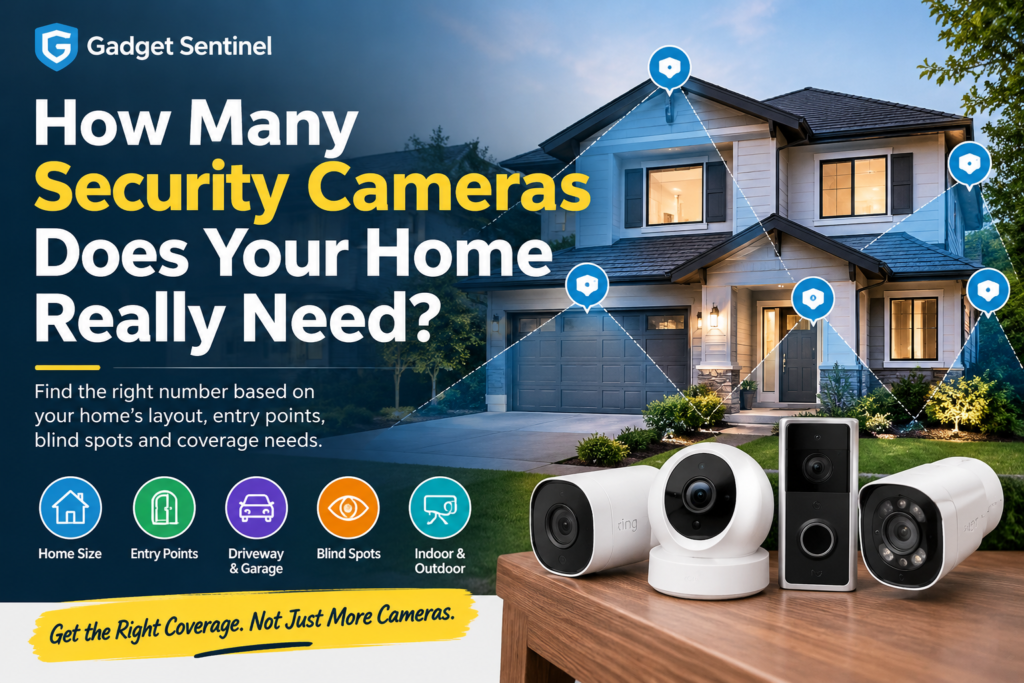
If you’re asking how many security cameras you need for your house, the honest answer is a number you can calculate rather than guess. Most homes are well covered by three to six cameras, placed to watch the ways someone could actually approach and enter the property.
Bundle sizes are set by what manufacturers sell, not by what your home needs. A four-pack can leave your side gate dark and put two cameras on the same wall. A well-placed doorbell, one wide-angle camera over the garage and one in the backyard can beat six poorly aimed ones.
This guide gives you a practical method. You’ll list your entry points and approaches, group zones that one camera can cover together, decide how much detail you need, and arrive at a range. We finish with a 5-minute walk-around test you can do tonight.
Quick Answer: How Many Security Cameras Does a Home Need?
- There is no universal number. Published guidance from Arlo puts the typical home at two to six cameras, and Vivint suggests three to four as a solid starting point for most homes. Both say the answer shifts with property size and layout.
- Start with entry points, not square footage. Doors, garage access, side gates, and ground-floor windows a person could climb through drive the count.
- Placement beats quantity. One camera covering two zones is better than two cameras covering the same one.
- Blind spots and detail decide the final number. Ask whether you need to see that someone was there, or to identify who they were.
Most single-family homes land around 4–6 cameras (3–4 outside, 1–2 inside). Apartments and small homes often need 1–3. Large or complicated properties can reasonably need 8 or more.
These ranges are planning estimates, not lab-tested figures. They come from the published guidance cited in this article and the coverage logic below. Treat them as starting points, then adjust to your property.
Camera Count by Home Type
| Property Type | Typical Camera Range | Priority Coverage | Why |
|---|---|---|---|
| Apartment / condo | 1–2 | Front door (doorbell), patio or balcony door if accessible | Few entry points; landlord rules often limit mounting |
| Small house | 2–4 | Front door, back door, driveway or garage | Fewer sides to watch; one wide-angle camera can cover two zones |
| Townhouse | 2–3 | Front door, rear door or patio, garage | Shared walls mean only front and back are exposed |
| Average single-family home | 4–6 (3–4 outdoor, 1–2 indoor) | Front, back, driveway/garage, side access, indoor entry | Four exposed sides plus garage and yard |
| Large home | 6–10+ | All entrances, long approaches, backyard, key interior areas | More doors, longer distances, more blind spots |
| Corner lot | Add 1 to the range for its size | Both street-facing sides | Two sides are visible to passers-by, so you need eyes on both |
| Detached garage | Add 1–2 | Garage door and any side or rear door | It’s a separate building, often storing valuables |
| Long driveway | Add 1–2 | Near the house and at the driveway entrance | One camera can’t cover both distance and detail |
| Side gate | Add 1 (or reposition another camera) | The gate and the path behind it | It’s a quiet approach to the back of the house |
| Large yard / outbuildings | Add 1–4 | Sheds, workshops, barns, yard perimeter | ConsumerAffairs estimates one camera for a small shed and four or more for a large barn or workshop |
ConsumerAffairs also notes an old rule of one camera per 500 square feet. It calls that a starting point rather than a rule, mainly useful indoors, since it ignores entryways, floors, privacy areas and obstacles. That’s why this guide counts zones instead.
How to Calculate How Many Security Cameras You Need
Use this simple formula:
Camera count = (must-see zones − zones you can combine) + identification cameras + indoor cameras + expansion buffer
Work through the steps in order. Grab a pen and sketch your property from above.
Step 1: Count Your Entry Points
List every way a person can physically get in:
- Front door
- Back door
- Side door
- Garage door and any interior door from the garage into the house
- Sliding or patio doors
- Ground-floor windows large enough to climb through
- Basement windows and doors
- Upper-floor windows reachable from a porch roof, balcony or flat garage roof
These are your must-see zones. Neighboring houses, fences and locked gates don’t remove a zone from the list, because intruders route around them.
If you’re also upgrading the doors themselves, our guide to the best smart locks for apartments, homes and rental properties covers the hardware side. Cameras record what happens at an entry point, and locks are what make it hard to get through.
Step 2: Check Your Driveway and Garage
Vehicles, tools and bikes are common targets, and a garage is often an overlooked way into the house. Note:
- Where cars are parked (driveway, street, carport)
- Whether the garage is attached or detached
- Whether the driveway is short (one camera) or long (possibly two)
- Whether there’s an interior door from the garage to the house
An exterior camera on the garage or a corner of the house often covers the driveway, front yard and one side path at once. That’s a good example of combining zones.
Step 3: Identify Side Access and Blind Spots
Walk to each side of the house and ask: if someone stood here, would any camera see them? Arlo advises putting at least one camera view on each side of the home to avoid blind spots, and its layout tip is to place cameras in opposite corners facing each other. Common blind spots include:
- Side yards and gates
- Ground-floor windows hidden behind shrubs or fences
- Areas behind a garage or shed
- Corners where the doorbell’s view doesn’t reach
Step 4: Decide Whether You Need Indoor Cameras
Indoor cameras are optional, and you should choose them deliberately. Their job is to be a second layer if someone gets past the exterior, or to watch pets, valuables or a home office. See How Many Indoor Security Cameras Do You Need? below. For most homes, 1–2 is plenty.
Step 5: Consider Camera Field of View
A wider field of view lets one camera do the work of two, up to a point. A camera with a 130° view or more can cover a larger area, and some go to 180° or 360°. But the wider the view, the smaller everything looks. The field of view section covers this in detail.
Step 6: Check Lighting and Night Coverage
Most break-ins happen when a home looks unattended, and a camera is only as useful as the footage it captures at night. Check each planned camera position after dark:
- Is it lit by a streetlight, porch light or floodlight?
- Will the camera face bright lights or the sun? Glare washes out footage.
- Would color night vision or a built-in light help?
A dark area with no lighting may need a floodlight camera, or a separate motion light.
Step 7: Decide How Much Detail You Need
Ask what the camera has to prove:
- Coverage: Something moved near the back gate. A wide view is fine.
- Identification: That person’s face, or that vehicle’s plate. The camera needs to be close, at a good angle, and with enough resolution and light.
Identification-quality coverage usually needs more cameras than plain coverage, because you have to place them nearer the chokepoints, like the front door and driveway entrance.
Step 8: Add Room for Expansion
Add one or two spare slots to your count if you’re using a recorder (NVR) or a hub with a fixed camera limit. Most people add cameras after they live with their first setup, so plan for it. See Planning for Future Expansion.
Camera Types: What Each One Is For
Knowing the types helps you avoid buying more cameras than you need.
| Type | What it does | Best use |
|---|---|---|
| Coverage camera | Wide view showing that activity occurred | Yards, driveways, side paths |
| Identification camera | Narrower view close to a chokepoint for facial or plate detail | Front door, gate, driveway entrance |
| Doorbell camera | Watches the front approach and doubles as your doorbell | Front door; package monitoring |
| Indoor camera | Watches interior spaces | Entry hallway, living area, pets |
| Wide-angle camera | Views of 130° or more | Covering more area with fewer cameras |
| PTZ (pan-tilt-zoom) | Motorized; can cover several zones from one position | Large yards, open areas, tracking movement |
A PTZ camera can cover multiple zones, but it can only look one direction at a time. If it’s aimed left, it isn’t recording what’s happening on the right unless it auto-tracks or has a second lens.
Does a Video Doorbell Count as a Security Camera?
Yes and no, depending on how you’re counting.
As a camera: a video doorbell records video, detects motion, and sends alerts, so it does the same job as a small fixed camera. For planning, count it as the camera covering your front-door approach.
As a complete solution: it doesn’t replace other cameras. It only sees what’s in front of it, and it can’t watch your driveway, side gate or backyard.
Height matters too. Ring recommends mounting its doorbells at about 48 inches (roughly 1.2 m) off the ground, which gives a good view of faces and packages, and warns that mounting too high shows the tops of heads instead of faces. It also says to keep the field of view clear of pillars and plants. See Ring’s placement guide.
How Many Outdoor Security Cameras Do You Need?
Most homes need two to four outdoor cameras. Here’s a quick way to see where you land:
| Coverage Area | Recommended Camera Type | Priority | Key Consideration |
|---|---|---|---|
| Front door | Video doorbell | High | Mount at face height; covers packages and visitors |
| Driveway | Wide-angle or floodlight camera, mounted higher | High | Can often also cover the front yard and one side path |
| Back door | Fixed or floodlight camera | High | Less visible from the street, so a favored entry point |
| Side gate | Compact camera, or a corner-mounted wide-angle | Medium–High | Often missed; check if another camera can see it |
| Garage | Exterior camera, plus interior if attached | Medium–High | An attached garage with an interior door is a weak spot |
| Backyard | Wide-angle; PTZ for large yards | Medium | Fences and trees change what one camera can see |
| Indoor entry / hallway | Indoor camera | Medium | A second layer if the exterior is bypassed |
| Living / common area | Indoor camera | Low–Medium | Where valuables or electronics are; avoid backlit windows |
| Ground-floor windows | Covered by nearby exterior cameras | Medium | Confirm each large window is in some camera’s view |
A camera facing a busy street may produce constant alerts from passing cars and pedestrians. Use motion zones to limit alerts to your property, and see Privacy Considerations about the public view.
How Many Indoor Security Cameras Do You Need?
Fewer than you think. You don’t need a camera in every room, and one in every room can create privacy problems without adding much security.
Sensible indoor locations are:
- Main entry / hallway: shows anyone coming in through the front or back door
- Living or common area: covers valuables, TVs and general movement
- Home office: if it holds equipment or sensitive documents
- A room with valuable equipment: a safe, collectibles or workshop tools
- Pet areas: for checking on pets while you’re away
ConsumerAffairs also suggests an upstairs landing as a good compromise: many second floors are mostly bedrooms, so a landing camera sees movement without pointing into private rooms.
Bedrooms and bathrooms are different. These are places where people have a strong expectation of privacy, and cameras there are generally discouraged. If a camera is needed in a bedroom for a specific reason, such as monitoring a baby, choose a camera with a physical privacy shutter or off switch, and be careful about who has access to the feed.
Secure indoor cameras properly. Use a unique password and two-factor authentication where offered, and keep the firmware updated.
Camera Count Examples for Different Homes
Example 1: Small Townhouse (Two Floors, Attached Garage, Small Rear Patio)
Zones: front door, garage door and driveway, rear patio door.
Shared walls mean side access is minimal.
| Camera | Covers |
|---|---|
| Video doorbell | Front door and porch |
| Wide-angle camera above the garage | Driveway, garage door and the street approach |
| Compact camera at the rear | Patio door and small yard |
Total: 3 outdoor. Optionally add 1 indoor camera at the entry hallway, for a total of 3–4. Without the garage-facing camera, you could get down to 2, accepting less driveway coverage.
Example 2: Typical 2,000 sq ft Single-Family Home
Zones: front door, attached garage and driveway, back door, backyard, side gate, and a side path.
| Camera | Covers |
|---|---|
| Video doorbell | Front door and porch |
| Garage-corner wide-angle camera | Driveway, front yard, one side path |
| Backyard camera (wide-angle) | Back door and yard in one view |
| Side gate camera | The gate and the path on the opposite side |
| Indoor entry camera | Hallway leading from the front or garage door |
Total: 4 outdoor + 1 indoor = 5. You’ve started with six zones and combined them into three views, then added the side gate that no other camera could reach. If your side gate is visible from the backyard camera, you could drop to 4 total.
Example 3: Large Property With a Long Driveway, Side Gate and Detached Garage
Zones: front door, long driveway, gate at the road, side gate, detached garage (front and side door), back door, large backyard.
| Camera | Covers |
|---|---|
| Video doorbell | Front door |
| Camera near the house | Driveway close to the building |
| Camera at the driveway entrance | Vehicles and people arriving (identification-focused) |
| Side gate camera | Side access |
| Detached garage camera 1 | Garage door and driveway apron |
| Detached garage camera 2 | Side or rear door |
| Back door camera | Rear entrance |
| Backyard wide-angle (or PTZ) | Large yard |
| Indoor entry camera | Main hallway |
| Indoor common-area camera | Living area |
Total: 8 outdoor + 2 indoor = 10. A realistic range for this property is 8–12 depending on budget, terrain and how much identification detail you need. If you’re buying a recorder, choose one with capacity above 10, so you’re not immediately out of slots.
Field of View: Why Two Identical Homes Need Different Numbers
Two 2,000 sq ft houses can need different camera counts because cameras see in cones, not squares. Several things change what a camera can cover:
- Lens angle: a wide-angle camera covers more area than a narrow one, but distant subjects appear smaller.
- Mounting position: a camera in a corner can see two sides of a wall; one flat on a wall sees one.
- Height: higher mounting reduces tampering and widens the view, but makes faces harder to see. ConsumerAffairs notes wider-angle approach cameras for garages and driveways are often mounted around 8–10 feet, while doorbells sit around 4 feet.
- Obstacles: trees, walls, fences, porch pillars and parked cars all create blind spots.
- Lighting: glare and darkness reduce usable coverage even if the lens can technically see the area.
- Distance from subject: the farther away, the fewer pixels on a face or plate.
The trade-off: a very wide view increases coverage, but it can reduce useful detail at a distance. A 180° camera is a great way to watch an entire yard, but it may not give you a recognizable face 40 feet away. That’s why you sometimes need a coverage camera and an identification camera near a key entrance.
Camera Quantity vs. Camera Quality
More cameras don’t help if the footage is too dark, too blurry or too slow to trigger. Quality factors that affect your count:
- Resolution: higher resolution helps with digital zoom on details, but it also demands more storage and bandwidth.
- Night vision and low-light performance: check whether night footage is black-and-white infrared, color, or dependent on a floodlight.
- HDR: helps in scenes with bright sky and dark shadows, such as a doorway facing the sun.
- Field of view: covered above.
- Motion detection and person/vehicle detection: smart detection cuts false alerts from swaying trees and passing cars.
- Local vs cloud recording: cloud plans often carry monthly fees per camera; local storage (SD card, hub or NVR) avoids some ongoing costs, but you’re responsible for the drive.
- Wired vs wireless reliability: covered below.
- Storage capacity: more cameras and higher resolution use storage faster.
Three good cameras in the right places beat six cheap ones with poor night footage.
Do You Need More Cameras or Better Placement?
Try better placement first if:
- Two cameras overlap heavily
- A camera faces open sky or a bright wall
- Faces are too small to identify at the front door
- A camera is mounted too high, showing the tops of heads
- You’re getting constant alerts from the street
Add cameras if:
- A whole side of the house has no coverage
- A detached building, gate or long driveway sits outside every camera’s view
- You want identification detail at a chokepoint that a wide-angle camera can’t provide
Wired vs. Wireless: Does It Change How Many Cameras You Need?
The type of power and connection doesn’t change how many zones you have, but it changes where you can put cameras:
- Wireless (battery/solar): flexible placement means you can put cameras exactly where blind spots are. Batteries need occasional charging, and Wi-Fi strength can limit distance from the router.
- Wired / PoE (Power over Ethernet): one cable carries power and video, making them very reliable and suited to continuous recording, but installation takes planning, especially for outbuildings.
If you can’t run power to a detached garage or gate, a wireless or solar camera may be the only realistic way to cover it. That can make wireless the practical route for large properties.
Planning for Future Expansion
Most people add cameras after living with their system. If you’re buying a wired/PoE kit, an NVR with spare channels saves you from replacing the recorder later.
Say you need four cameras today. You may later want a gate camera, a garage camera, a backyard camera or an extra indoor camera. Reolink suggests choosing an 8- or 16-channel system even if you only need four cameras now, in case you expand.
Treat that as a manufacturer’s suggestion rather than a rule. Channel counts, PoE port counts and limits on mixing wireless cameras differ by model, so check the specs of the exact recorder you’re considering. Also confirm the storage supports the number of cameras you might add.
Budget-Based Planning
Need the minimum? 1–3 cameras. A video doorbell plus one wide-angle camera covering the driveway or back door. Trade-off: you’ll have blind spots, particularly side access, and little to no indoor coverage. Good for apartments, small homes and tight budgets.
Want balanced coverage? 4–6 cameras. Doorbell, driveway/garage, back door/yard, side access, plus one indoor entry camera. Trade-off: costs and storage rise, and you’ll need to manage more alerts. This suits most single-family homes.
Want more comprehensive coverage? 7–10+ cameras. Add identification cameras, extra yard and outbuilding coverage, and indoor common areas. Trade-off: higher cost, more maintenance, more footage to review, and more privacy responsibility. It makes sense for large lots, detached buildings, or homes with valuable equipment.
A higher count isn’t automatically safer. A small number of well-placed cameras beats a large number badly placed.
Security Camera Privacy Considerations
Good camera planning includes being a responsible neighbor:
- Don’t intentionally monitor neighbors’ private spaces, such as their windows, fenced yards or patios.
- Avoid bedrooms, bathrooms and other places where people expect privacy.
- Keep views focused on your property and its approaches. Use privacy masks and motion zones to exclude areas you don’t need.
- Tell guests and household members about indoor cameras, and consider pausing them when people are home.
- Know your local rules. Privacy, recording and audio-recording laws vary by country, state and province, and can differ for cameras that capture public areas. Check local guidance before recording audio or covering shared spaces.
Common Camera-Planning Mistakes
- Buying a bundle first, planning second. Count zones before choosing a kit.
- Putting a camera at every door and ignoring the approaches. You’ll see the door, but not who came through the gate.
- Mounting doorbells or cameras too high, showing the tops of heads.
- Ignoring the side of the house. Side yards are common blind spots.
- Pointing cameras at bright windows or the sun.
- Forgetting night coverage.
- Overlapping cameras and leaving gaps elsewhere.
- Skipping the identification question. A wide view isn’t the same as a recognizable face.
- Not planning for expansion.
- Putting cameras where privacy is expected.
A Simple 5-Minute Camera Coverage Checklist
Walk your property with your phone’s camera app or your live camera feeds:
- Where can a person enter? Tick every door, gate and climbable window.
- Can they disappear? Walk from the street to each entry point. Is there a spot where you vanish from one camera before appearing in another?
- Walls and fences: does any wall, fence, hedge or vehicle hide part of an approach?
- After dark: repeat your route at night. Which areas are too dim to make out?
- Faces: at the farthest point where someone could stand, would their face be recognizable in the footage?
- Vehicles and plates: if you care about plates, is any camera close and level enough to read one?
- Overlap: are two cameras showing the same view? Consider moving one.
Anywhere you answer “no” or “not sure” is a placement fix or a possible extra camera.
Final Answer: How Many Cameras Should You Buy?
Use this quick guide:
- Apartment or condo: 1–2 cameras
- Small house or townhouse: 2–4
- Average single-family home: 4–6
- Large home or complex property: 6–10+
Then adjust it: add one for a corner lot, a detached garage, a side gate or a long driveway, and add more for large yards or outbuildings. Subtract cameras where a wide-angle or corner-mounted one can cover two zones. Only after you know your number should you worry about which cameras to buy.
FAQs
How many security cameras does the average house need?
Most average houses are well served by 4–6 cameras: about three or four outside and one or two inside. Smaller homes need fewer, and large properties need more.
Is 4 security cameras enough for a house?
For many homes, yes, if they cover the front door, driveway or garage, back door and one additional zone such as a side gate. A large yard, detached garage or long driveway may need more.
How many cameras do I need for a 2-story house?
Entry points matter more than floors. Most 2-story homes need the same exterior coverage as a similar single-story house. Add cameras for upper windows only if they’re reachable, for example from a porch roof or balcony.
Do I need a security camera on every side of my house?
Not necessarily, but every side should be visible from some camera or be genuinely inaccessible. A corner-mounted or wide-angle camera can cover two sides at once.
Does a video doorbell count as a security camera?
For planning, it counts as your front-door camera. It doesn’t replace cameras for your driveway, side access or backyard.
How many indoor security cameras do I need?
Most homes need 1–2, typically at the main entry or hallway and possibly a common area. Avoid bedrooms and bathrooms.
How many outdoor security cameras do I need?
Usually 2–4 for an average home, more for large lots or outbuildings.
Is it better to have more security cameras?
Not automatically. More cameras mean more cost, storage, alerts and privacy responsibility. Aim for full coverage of your key zones with good footage, rather than the highest count.
How do I know if my security cameras cover my whole property?
Do the 5-minute coverage test above, walking every approach and checking live feeds for gaps, night visibility and face detail.
Where should I put security cameras around my house?
Prioritize the front door, driveway and garage, back door, side access and backyard. Mount them high enough to avoid tampering but low enough to capture faces at key entrances, and check for glare, obstructions and privacy.
Pingback: Home Security System Buying Guide 2026: Everything to Check Before You Buy - Gadget Sentinel