By Gadget Sentinel Editorial. Prices verified October 17, 2026 on Ring.com (US), before tax. Ring changes prices and promotions often, so confirm at checkout.
Affiliate disclosure: Some links on Gadget Sentinel are affiliate links, and we may earn a commission if you buy through one, at no extra cost to you. Product links in this article go to Ring’s own pages unless stated otherwise. Recommendations are based on compatibility, usefulness and value, not commission.
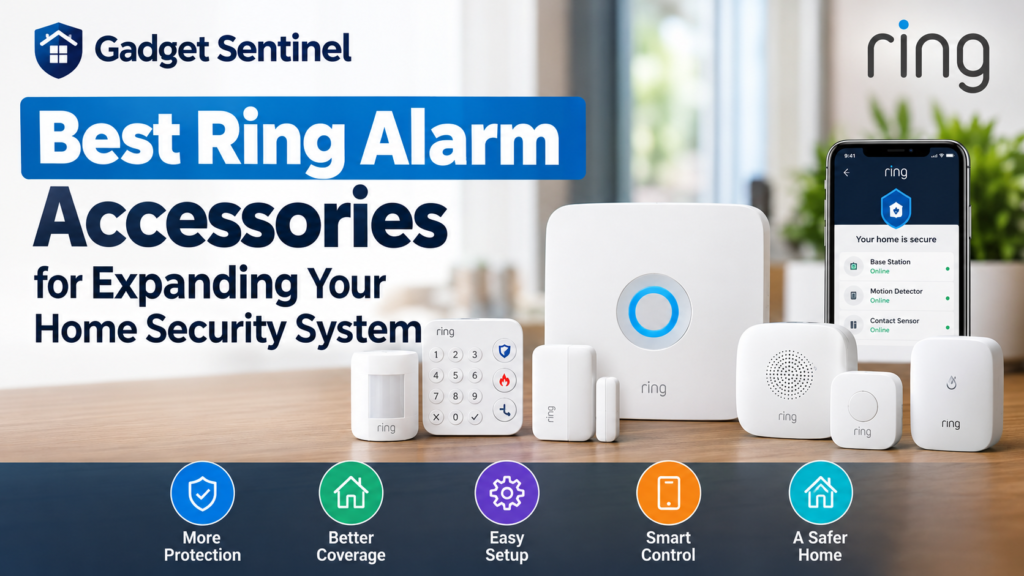
The best Ring Alarm accessories for expanding your home security system are usually the cheapest ones: more contact sensors, a second keypad and, in a larger home, a range extender. Glass-break detection, a panic button and environmental sensors fill narrower gaps. The complication in 2026 is that Ring now sells two families of accessories. Older Alarm accessories use Z-Wave and need a base station. Newer Ring Sensors can connect over Amazon Sidewalk instead, and several can also pair with a base station over Z-Wave.
This guide explains which accessory solves which problem, what each costs today, and what you can skip. If you are still choosing a base station, start with our Ring Alarm Pro review.
Quick Answer: Which Ring Alarm Accessories Are Worth Buying?
If you already own a Ring Alarm or Ring Alarm Pro, buy in this order: contact sensors for any uncovered door or window, then a motion detector for hallways and main living areas, then a range extender only if a sensor keeps dropping offline. Add a glass-break sensor for large glass doors, a second keypad where you actually arm the system, and a panic button or environmental sensor only if you have a specific need. Also compare Ring’s kit prices before buying parts one by one (see the cost section).
| Product | Best for | Main benefit | Verified US price (Oct 17, 2026) | Important compatibility note |
|---|---|---|---|---|
| Alarm Window and Door Contact Sensor (2nd Gen) | Extra doors and windows | Alert when a door or window opens | $14.99 each; $29.98 for 2; $59.99 for 6 | Z-Wave; requires a Ring Alarm or Alarm Pro base station |
| Motion Detector (Newest Model) | Hallways and living areas | Detects movement while armed | $39.99 | Amazon Sidewalk or Z-Wave (base station needed for Z-Wave) |
| Glass Break Sensor (Newest Model) | Large windows, patio doors | Listens for breaking glass | $39.99; $48.99 for 2 | Amazon Sidewalk or Z-Wave |
| Alarm Range Extender (2nd Gen) | Larger homes, dead zones | Extends the Z-Wave signal | $14.99 | Z-Wave only; requires an Alarm kit |
| Alarm Keypad (2nd Gen) | Garage, upstairs, back door | Arm and disarm without your phone | $19.99 | Z-Wave; requires an Alarm kit |
| Panic Button (Newest Model) | Bedside or caregiver use | One-press emergency trigger | $29.99 | Sidewalk or Z-Wave; needs Ring Pro monitoring for dispatch |
| Smoke & CO Listener or Flood & Freeze Sensor (Newest Models) | Remote alerts from existing alarms; water and freeze damage | Extra early warnings | $39.99 each | Amazon Sidewalk only |
How We Selected These Ring Alarm Accessories
Gadget Sentinel did not hands-on test these accessories for this article. Our recommendations rest on Ring’s current product pages and support documentation, the independent testing described in Security.org’s Ring Alarm review (updated September 17, 2026, which evaluated a second-generation five-piece kit and scored it 7.7 out of 10), and our own analysis of price and compatibility. We included a product only if Ring currently sells it, we could confirm its connection method and price, and it solves a distinct problem. Where documentation was silent, we say so.
Limits to keep in mind: prices are US prices, UK and Canadian availability can differ, and we have not measured range, battery life or false-alarm rates ourselves. Figures from Ring are manufacturer claims. Figures from Security.org are that publication’s testing.
Best Ring Alarm Accessories for Expanding Your Home Security System: At a Glance
Before choosing products, understand the two families, because they connect differently:
- Alarm 2nd Generation accessories (contact sensor, keypad, range extender) use Z-Wave and require a Ring Alarm or Alarm Pro base station. Ring lists a 250-foot open-air, line-of-sight Z-Wave range to the base station.
- Ring Sensors (Newest Model) connect over Amazon Sidewalk with no base station. Ring’s spec lists for the Window & Door Sensor, Motion Detector, Glass Break Sensor and Panic Button read Amazon Sidewalk or Z-Wave, with a base station required for Z-Wave. The Smoke & CO Listener and Flood & Freeze Sensor list Amazon Sidewalk only.
Sidewalk is a shared network that relies on nearby compatible Echo and Ring devices. Ring says it covers approximately 95% of the US population, but its Canadian product pages show a different coverage figure, so check coverage for your address before relying on it.
| Your problem | Best accessory | Why |
|---|---|---|
| A door or window you cannot see | Contact sensor | Cheapest way to add an entry point |
| Someone already inside | Motion detector | Covers a room or hallway while armed |
| Large glass doors or windows | Glass break sensor | Detects the break, not just the opening |
| Sensors dropping offline | Range extender | Rebroadcasts the Z-Wave signal |
| Arming at a second entrance | Keypad | Plugs in near where you actually leave |
| A fast emergency trigger | Panic button | One press, no phone needed |
| Water or freeze damage | Flood & Freeze Sensor | Alerts you before damage spreads |
| Existing smoke alarms nobody hears when you are away | Smoke & CO Listener | Sends an alert when your alarm sounds |
1. Best for Expanding Door and Window Coverage: Contact Sensor
Product: Ring Alarm Window and Door Contact Sensor (2nd Generation). Verified price: $14.99 (listed down from $19.99); 2-pack $29.98; 6-pack $59.99.

- Get instant mobile alerts when doors and windows open in your home.
- Now smaller to enable increased placement options.
- Easy installation with no tools required.
What it does. A two-piece sensor (sensor plus magnet) mounts on a door or window frame and sends a Ring app alert when the pieces separate. Ring says it also triggers your Alarm if someone tampers with it.
Key specifications (Ring): Z-Wave with a 250-foot open-air range; two CR2032 batteries (included) that Ring says may last up to 3 years, with cold temperatures draining them faster; indoor use; magnet and sensor must sit within 1 inch, with half an inch of space on the non-magnet side to reach the battery.
Pros: Lowest cost per protected opening; the 6-pack works out to about $10 per sensor; easy DIY mounting.
Cons: Needs a base station; detects opening, not forced entry through glass; indoor only.
Compatibility: Requires a Ring Alarm or Alarm Pro base station. Ring also sells a newer Window & Door Sensor at $29.99 that can use Sidewalk or Z-Wave. For openings near your base station, the $14.99 Z-Wave model is the better value. The newer one makes sense only where Z-Wave cannot reach, such as a detached garage.
Installation: Buy by counting doors and accessible windows, not square footage. Pack pricing is unusually good: four single sensors cost $59.96, while Ring’s 6-pack is $59.99 for six.
Who should buy it: Anyone whose kit leaves entry points uncovered. A five-piece kit includes only one contact sensor. Who can skip it: Households whose kit already covers every door and ground-floor window.
2. Best for Indoor Motion Detection: Motion Detector
Product: Motion Detector (Newest Model). Verified price: $39.99.
- Receive mobile notifications when someone triggers the Motion Detector, opens a window or door, or sets off the siren (s…
- Now smaller to enable increased placement options.
- Easy installation with no tools required.
What it does. When your Alarm is armed, it watches a room or hallway for movement. Ring’s FAQ explains that Away mode arms all contact and motion sensors by default, while Home mode arms only the exterior-facing sensors, so interior motion detectors do not trigger when you are home.
Key specifications: Ring’s page lists Amazon Sidewalk or Z-Wave (base station required for Z-Wave). Security.org describes a passive infrared sensor with a 90-degree field of view and about 30 feet of coverage, best mounted in a corner, running on two AA batteries.
Pros: Covers a whole room with one device; flexible connection; pet sensitivity settings.
Cons: Costs more than a contact sensor; it only helps after someone is already inside; pets can cause false alarms if sensitivity is wrong.
Compatibility and a naming trap: Ring’s older Alarm Motion Detector (2nd Gen) is a Z-Wave device that Ring’s support page still documents, and it is what ships in many kits. Ring’s US store link for that older product now redirects to the Newest Model, so expect to see both names.
Installation: Security.org found that setting sensitivity to the lowest level made the detector ignore a 50-pound dog, and recommends medium for pets of 30 pounds or less. That is one tester’s experience, not a guarantee.
Who should buy it: Homes with open-plan living areas or a hallway that all rooms pass through. Who can skip it: Households with free-roaming pets they cannot keep out of the room, or anyone already covered by cameras and contact sensors.
3. Best for Glass-Break Detection: Glass Break Sensor
Product: Glass Break Sensor (Newest Model). Verified price: $39.99; 2-pack $48.99 (Ring shows a $21 saving, about $24.50 per sensor).

- Glassbreak sensor – Detects the unique sound of breaking glass (up to 20 ft detection range) and triggers an alarm.
- Get instant phone alerts – The SimpliSafe App notifies you if there’s trouble.
- Long-lasting battery
What it does. It listens for the sound of breaking glass. Ring says it uses AI to identify shattered glass and send instant alerts, and that Professional Monitoring is available for it with a compatible plan.
Key specifications (Ring): 3.78-inch diameter by 0.98 inches; three AA batteries included; up to 2 years of battery life, depending on events and Sidewalk proximity; operating range 32°F to 120°F; Amazon Sidewalk or Z-Wave (base station required for Z-Wave). The spec list we reviewed does not state a detection radius, so follow Ring’s placement guidance in the app and manual.
Pros: Catches a break-in attempt through glass before anyone opens a door; one device can cover a room with several windows; two-pack pricing is attractive.
Cons: It does not replace contact sensors, because a thief who walks through an unlocked door never breaks glass; it does not alert on prying a window open; early reviews are scarce because the product is new.
Installation: Mount it in the room with the glass, in line of sight of the windows and away from noisy appliances.
Who should buy it: Homes with patio doors, wall-sized windows or ground-floor glass that is hard to cover with several contact sensors. Who can skip it: Apartments above ground level and rooms with few windows.
4. Best for Larger Homes: Range Extender
Product: Alarm Range Extender (2nd Generation). Verified price: $14.99 (listed down from $24.99).

- Expand the reach of your Ring Alarm Base Station to your Ring Alarm components
- Easy installation with no tools required
- Plugs into standard wall outlets
What it does. It plugs into an outlet and relays the Z-Wave signal so distant sensors stay connected. Ring describes it as ideal for larger homes with dead zones and includes a 24-hour backup battery.
Key specifications: Z-Wave, 250-foot open-air range; plugs into a standard 100-120V outlet; indoor use, 32°F to 104°F. Security.org notes you can daisy-chain up to three extenders, with the second needing only to be in range of the first.
Pros: Inexpensive; fixes dropouts without replacing equipment; scalable.
Cons: Only helps Z-Wave devices; every Ring kit already includes one; real-world range falls with walls and metal.
Compatibility: Requires a Ring Alarm kit. It does nothing for Sidewalk-connected sensors, which do not use the base station.
Installation: Place it roughly midway between the base station and the weak sensor, not next to the base station. Security.org describes a quick check: pressing the button on a sensor flashes red when it is not communicating with the base station.
Who should buy it: Large or multi-story homes, basements, detached rooms and homes with thick walls where a sensor drops offline. Who can skip it: Small homes and apartments, where the extender in your kit is plenty.
5. Best for Convenient Access: Additional Keypad
Product: Alarm Keypad (2nd Generation). Verified price: $19.99 (listed down from $49.99).
What it does. It arms and disarms the system in Disarmed, Away and Home modes, so you do not need your phone at every door. Ring suggests placing extras in a garage, on a second floor or at a back door.

- Easily arms and disarms your Ring Alarm system
- Includes all-new design and emergency response button features, with a compatible Ring Home subscription (sold separatel…
Key specifications (Ring): Z-Wave, 250-foot open-air range; AC adapter plus a rechargeable lithium-ion battery for outages; wall mount or tabletop; indoor use, 32°F to 104°F.
Pros: Lets family members and guests arm the system without the app; the battery keeps it working during an outage.
Cons: Not a touchscreen, and Security.org notes it relies on the app for most management. The keypad’s fire, police and medical buttons only work with a monitoring subscription, per Security.org.
Installation: It needs an outlet nearby and stays within Z-Wave range of the base station or an extender.
Who should buy it: Homes where you enter through a garage or back door far from the main keypad, and households with older adults or children without phones. Who can skip it: Anyone who is fine arming from the app. Remember that app arming needs a plan (see the cost section).
6. Best for Emergency Activation: Panic Button
Product: Panic Button (Newest Model). Verified price: $29.99 (confirmed on Ring’s Canadian storefront page, which lists USD).

- Package Includes: You will receive 2 Strobe Alarm Siren and 4 Alarm Buttons and Instructions and some Accessories.Strobe…
- Easy To Use: The Sound Light Alarm have been registered. Please install the Strobe Siren Alarm in the desired location a…
- Adjustable:Volume adjustable 0-120 dB, alarm duration adjustable 30 s-10 min.The siren sound is 120 dB(MAX);When press t…
What it does. It gives you a button on a nightstand or wall that triggers an emergency response from your Ring Alarm. Ring lists it as Amazon Sidewalk or Z-Wave, with up to 3 years of battery life.
The limitation that matters: Ring’s FAQ states that without Professional Monitoring, the panic button only contacts your emergency contacts. Professional Monitoring requires a compatible plan, and Ring Pro is $19.99 a month per Ring’s security systems page.
Pros: Works without your phone; portable; useful for caregivers and anyone with mobility limits.
Cons: Not a medical-alert pendant; useless for emergencies if nobody is reachable and you have no monitoring; can be pressed by children or pets if placed carelessly.
Who should buy it: Households with Ring Pro monitoring and a bedside or caregiver use case. Who can skip it: Anyone without monitoring, who is better served by a phone and the keypad.
7. Best for Environmental Alerts: Smoke & CO Listener or Flood & Freeze Sensor
Both are Amazon Sidewalk only, so neither needs or uses your base station. That makes them compatible with any Ring setup that has Sidewalk coverage, but they will not benefit from a range extender.
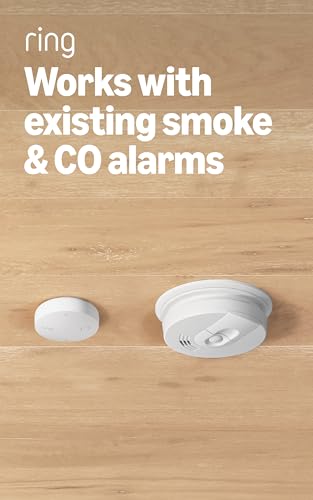
- Instant notifications — Get alerts when your existing smoke or CO alarms go off whether you’re at home, or away.
- Mounts in minutes near existing alarms, no tools or wiring. Place within 6 inches of existing smoke or CO alarms.
- Add 24/7 Pro Monitoring with a compatible Ring subscription — Emergency response for break-ins, fires, and more, with no…
Smoke & CO Listener (Newest Model), $39.99. It listens for your existing smoke or CO alarm and sends an alert. Ring is explicit that it does not detect fire, smoke or carbon monoxide itself. It needs an existing detector that is 10 years old or less and must sit within 6 inches of it (3 inches is optimal). Ring lists two AA batteries and up to 10 years of battery life. Ring’s page lists $5 a month Smoke & CO Professional Monitoring in the US, which is not available at business addresses.
Flood & Freeze Sensor (Newest Model), $39.99. It alerts you to leaks and freezing temperatures. Ring lists two AA batteries with up to 6 years of battery life and an IP66 rating. It is not in Ring’s list of sensors eligible for Professional Monitoring.
Who should buy them: The Listener suits renters and homeowners who want phone alerts from alarms they already have. The Flood & Freeze Sensor suits basements, laundry rooms, water heaters and sump pumps. Who can skip them: Homes with no water risk or with smart smoke alarms that already notify you.
Which Ring Alarm Accessories Are Compatible With Your System?
First versus second generation. Ring says all Ring Alarm devices are compatible with every base station, so you can mix 1st and 2nd generation contact sensors, motion detectors, keypads and range extenders. See Ring’s second-generation FAQ.
Standard versus Alarm Pro. Ring’s Alarm Pro FAQ says all 1st and 2nd generation Alarm devices work with Alarm Pro, including contact sensors, motion detectors, keypads and range extenders. Alarm Pro’s extras (router, backup internet, Ring Edge storage) are not accessories you add to a standard base station.
Newer standalone sensors. Ring says you can add Ring Sensors to your account whether you have an Alarm or Alarm Pro base station, or none. What we could not confirm from Ring’s pages is how Sidewalk-connected sensors interact with Alarm Device Modes compared with Z-Wave ones, so test each new sensor after setup.
| Accessory | Connection (per Ring) | Base station needed? | Supported by |
|---|---|---|---|
| Contact Sensor (2nd Gen) | Z-Wave | Yes | Alarm and Alarm Pro |
| Window & Door Sensor (Newest) | Sidewalk or Z-Wave | Only for Z-Wave | Account-level add |
| Motion Detector (Newest) | Sidewalk or Z-Wave | Only for Z-Wave | Account-level add |
| Glass Break Sensor (Newest) | Sidewalk or Z-Wave | Only for Z-Wave | Account-level add |
| Panic Button (Newest) | Sidewalk or Z-Wave | Only for Z-Wave | Account-level add |
| Range Extender (2nd Gen) | Z-Wave | Yes | Alarm and Alarm Pro |
| Keypad (2nd Gen) | Z-Wave | Yes | Alarm and Alarm Pro |
| Smoke & CO Listener (Newest) | Sidewalk | No | Account-level add |
| Flood & Freeze (Newest) | Sidewalk | No | Account-level add |
UK and Canada. We verified prices on Ring’s US pages. We could not confirm UK pricing or availability of the Sidewalk-based sensors. In Canada, Ring’s storefront displays USD prices, and we saw a Ring bundle marked as not shipping to Canada. Ring says Professional Monitoring is available in the US and in Canada excluding Quebec, and its Smoke & CO monitoring page lists only the 50 US states. Check Ring’s regional store before you buy.
How Much Does It Cost to Expand a Ring Alarm System?
All totals use the verified US prices above, before tax. For plans, kits and first-year costs, see our complete Ring Alarm cost guide.
| Scenario | What you buy | Total |
|---|---|---|
| A. A few more doors and windows | One 6-pack of contact sensors | $59.99 |
| B. A larger home | Range extender ($14.99) + second keypad ($19.99) + motion detector ($39.99) + 6-pack of contact sensors ($59.99) | $134.96 |
| C. Glass-break plus extra keypad | 2-pack Glass Break Sensors ($48.99) + keypad ($19.99) | $68.98 |
| D. Optional safety add-ons | Panic Button ($29.99) + Smoke & CO Listener ($39.99) + Flood & Freeze ($39.99) | $109.97 |
The extender and second keypad in scenario B are optional, and all of scenario D is optional.
Kit versus parts. A five-piece kit ($199.99) plus three more contact sensors ($44.97) totals $244.96, within about $5 of Ring’s eight-piece kit at $249.99. Buying the equivalent of the 14-piece kit separately costs about $344.91 (a $119.99 base station, two keypads, eight contact sensors, two $39.99 motion detectors and an extender), versus $329.99 for the kit.
Subscriptions. Ring Alarm works locally without a plan, but Ring says its accessories need a compatible plan for digital arming and disarming and other in-app features. For systems set up after March 29, 2023, Ring’s help article says app arming and digital notifications need a plan, as we explain in our cost guide. Professional Monitoring needs Ring Pro at $19.99 a month. Sidewalk connectivity itself has no connection fee, per Ring.
Are Ring Alarm Accessories Worth Buying Individually?
Buying individually makes sense when you already have a base station and a specific gap, such as an uncovered door, a dead zone or a second entry point. The multi-packs make that route cheap.
A larger kit makes more sense when you are starting from scratch, because Ring’s kit pricing beat piecemeal buying in our 14-piece example. Consider a different system if you need sensor types Ring does not sell. Security.org notes Ring lacks garage door tilt sensors, monitored smoke alarms and gas detectors, though it supports some third-party Z-Wave devices. If that matters, read our best Ring Alarm alternatives or compare Ring Alarm Pro vs SimpliSafe and Ring Alarm Pro vs Abode.
Common Buying Mistakes to Avoid
- Assuming every Ring Sensor works like a legacy Alarm accessory. The Smoke & CO Listener and Flood & Freeze Sensor are Sidewalk only. A range extender will not help them.
- Skipping the connection check. Confirm Sidewalk coverage for your address before buying a Sidewalk-only device.
- Overbuying motion detectors. They only help after someone is inside, and they are not armed in Home mode by default.
- Treating a panic button as emergency dispatch. Without Professional Monitoring, it only contacts your emergency contacts.
- Ignoring battery and placement rules. Contact sensors need the magnet within 1 inch, and listeners must sit within 6 inches of the alarm they monitor.
- Forgetting the subscription. Remote arming, alerts and monitoring depend on your plan. See our guide to DIY versus professional home security systems if you are deciding between self-monitoring and professional monitoring.
What Ring Alarm Accessories Cannot Do
Sensors alert you; they do not stop a break-in. The Smoke & CO Listener does not detect fire or carbon monoxide itself. A glass-break sensor cannot catch an intruder who enters through an unlocked door. Z-Wave sensors lose signal beyond their range, Sidewalk sensors depend on nearby gateways, and Ring’s own FAQ notes that connection loss or power failure affects features. Nothing here guarantees protection, so pair sensors with locks, lighting and common sense.
Frequently Asked Questions
What are the best Ring Alarm accessories? For most homes, extra contact sensors, a second keypad and, if needed, a range extender. Add glass-break, panic and environmental sensors for specific risks.
Can I add more sensors to an existing Ring Alarm? Yes. Ring says additional contact sensors, motion detectors, keypads and range extenders can be bought separately to expand coverage, and the Ring security systems page explains how they connect to your base station.
Do Ring Alarm accessories work with Ring Alarm Pro? Yes. Ring says all 1st and 2nd generation Alarm devices are compatible with Alarm Pro.
Are first- and second-generation Ring Alarm sensors compatible? Yes. Ring says you can mix and match them with any Ring Alarm base station.
Does Ring Alarm need a subscription? Not to own it, but app arming, some notifications and monitoring depend on a plan. Professional Monitoring requires Ring Pro at $19.99 a month.
Is a Ring Alarm range extender worth it? Only if a Z-Wave sensor drops offline, since every kit includes one. At $14.99 it is a cheap fix.
Can Ring Alarm detect breaking glass? Yes, with the Glass Break Sensor. Contact sensors and motion detectors do not detect glass breaking.
Can Ring Alarm accessories work without a base station? The newer Ring Sensors can over Amazon Sidewalk, if coverage exists. The older 2nd-generation contact sensor, keypad and range extender cannot.
What is the most useful Ring Alarm upgrade for a larger home? More contact sensors plus a range extender, then a second keypad. Use Sidewalk sensors for outbuildings, where Z-Wave cannot reach.
Final Verdict: Which Ring Alarm Accessories Should You Buy?
- Renters and small apartments (under $30): a 2-pack of contact sensors at $29.98.
- Average homes (about $80): a 6-pack of contact sensors ($59.99) and a second keypad ($19.99), $79.98 together.
- Larger or multi-level homes (about $135): add a range extender and motion detector, as in scenario B at $134.96.
- Homes with large glass (about $50): the 2-pack of Glass Break Sensors at $48.99.
- Specific risks: the Panic Button, Smoke & CO Listener or Flood & Freeze Sensor, but only if you have monitoring or a clear need.
- Starting from scratch: compare Ring’s kits against the alternatives before buying parts.
Next steps: Count your doors and windows, check Sidewalk coverage at your address, confirm your plan, and verify prices on Ring.com before buying.