Prices are US dollars from Ring’s and Abode’s US sites, checked October 12, 2026, excluding tax. We did not hands-on test either system. This comparison relies on manufacturer documentation and our own analysis, and we say which is which. Some links are affiliate links (see the disclosure at the end).
Choose Ring Alarm Pro if you live in the Alexa and Ring world, want your alarm to double as your Wi-Fi router, and want the cheaper professional monitoring. Choose Abode if you use Apple HomeKit or Google Home, want Z-Wave or Zigbee devices, or want free self-monitoring with phone alerts.
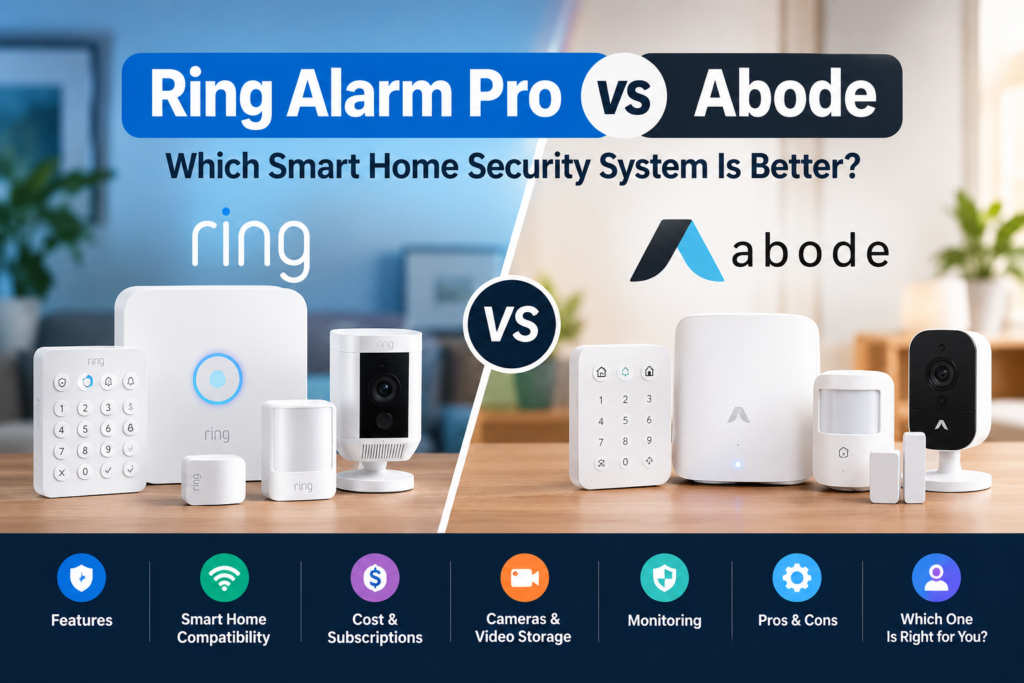
The core difference is design philosophy. Ring Alarm Pro is an alarm base station with a built-in eero Wi-Fi 6 router, tightly tied to Amazon’s ecosystem. Abode is an open smart-home hub that happens to be a very capable alarm, and it works with almost every voice assistant.
Quick answer: Ring Alarm Pro is cheaper for monitoring ($19.99/mo vs $26.99/mo) and adds router and backup-internet features. Abode wins on HomeKit, Z-Wave/Zigbee support, and what you get without paying a monthly fee.

- Simple to set up. Seriously secure – Get ready to protect right out of the box. Just plug in the Base Station, download …
- 1 FREE month of professional monitoring for fast police response when you need it most. With optional monitoring service…
- Complete control of your system with the SimpliSafe App – Arm, disarm and protect anytime, anywhere.
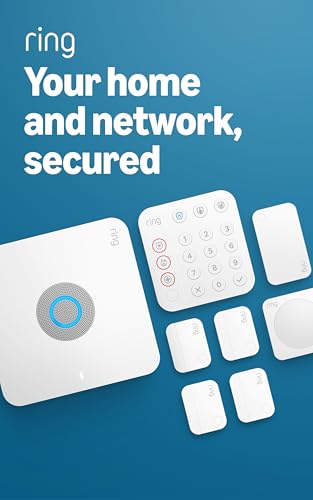
- Ring’s best home security system with built-in eero Wi-Fi 6 router to help protect against break-ins, and more. Plus, Al…
- Customizable home protection. This kit includes one Alarm Pro Base Station, one Keypad, four Contact Sensors for windows…
- Fast and secure internet. Helps keep your devices connected with reliable wifi with speeds up to 900 mbps and covers up …
Ring Alarm Pro vs Abode: Quick Comparison
| Ring Alarm Pro | Abode Smart Security Kit | Abode iota Kit | |
|---|---|---|---|
| Starter kit price | 8-piece kit $299.99; base station alone $249.99 | $240 list; $99 if you check out with a monthly Pro plan | $399 list; $199 with a monthly Pro plan |
| In the box | Base station, keypad, 4 contact sensors, 1 motion detector, range extender | Hub, 1 door/window sensor, 1 motion sensor, keyfob | Hub with built-in 1080p camera, motion sensor and siren, plus 1 door/window sensor and keyfob |
| Connection | Ethernet to your modem; must be your main router | Ethernet only | Ethernet or 2.4 GHz Wi-Fi |
| Alexa | Yes (voice arming needs a plan) | Yes, free | Yes, free |
| Google Home | No official integration found | Yes | Yes |
| Apple HomeKit | No native support | Yes | Yes |
| Z-Wave / Zigbee | Z-Wave radio; select “Works with Ring” devices | Both | Both |
| Pro monitoring | $19.99/mo or $199.99/yr (Ring Pro) | $26.99/mo or $245.99/yr (Pro) | Same |
| No paid plan | Keypad arming and a local siren (US) | App control, live video, push alerts, integrations | Same |
| Cellular backup | Ring paid plan | Pro plan only (SIM included) | Pro plan only |
| Battery backup | Up to 24 hrs, low-power mode | Up to 5 hrs | Built in; runtime not stated |
| Best for | Alexa/Ring homes needing a router | HomeKit, Z-Wave/Zigbee, self-monitoring | Apartments, one-room coverage |
Sources: Ring Alarm Pro, Ring security systems, Abode Smart Security Kit, Abode iota.
Ring Alarm Pro vs Abode: Key Differences
- Router versus hub. Alarm Pro replaces your Wi-Fi router. Abode’s hubs plug into the one you already own.
- Ecosystem. Ring is built around Alexa and other Ring devices. Abode supports Alexa, Google Home, HomeKit, Z-Wave and Zigbee.
- Free tier. Abode keeps app control and push alerts free. Ring ties app arming to a paid plan.
- Monitoring price. Ring Pro is $7 a month cheaper than Abode Pro, and it also covers video history for all your Ring cameras.
- Backup power. Ring quotes up to 24 hours in low-power mode. Abode lists up to five hours for the Smart Security Kit.
Equipment, Installation, and Expandability
Ring Alarm Pro. The 8-piece kit includes the base station, a keypad, four door/window contact sensors, one motion detector and a range extender. Ring rates the siren at 104 dB measured at one foot. Abode’s hub siren is 93 dB, and Abode doesn’t state its test distance, so treat the two figures as roughly comparable only.
Setup is DIY. Ring also sells professional installation from $129.99 per device.
The router is the catch. Ring says Alarm Pro is designed to be your primary router, connected directly to your modem. It shouldn’t be set up on an existing Wi-Fi network. If you use it as an extender for another router, you lose many Ring Protect features, including Backup Internet.
If you already own a mesh system you like, that is a real limitation. If your ISP router is old, it is a bonus: Ring says the built-in eero Wi-Fi 6 covers up to 1,500 sq. ft., and you can add eero extenders. Our Ring Alarm Pro review covers the router trade-off in more depth.
Abode. The Smart Security Kit is a hub, one mini door/window sensor, one motion sensor and a keyfob. It connects by Ethernet only, so it sits near your router. The iota kit is different: it has a built-in 1080p camera, motion sensor and siren in one device, and it can run on Ethernet or 2.4 GHz Wi-Fi.
Abode says most users finish setup in under 15 minutes and that devices use peel-and-stick mounting. That is vendor language, not a test result.
Expandability. Both systems add sensors, keypads and cameras. Abode’s catalog is wider on accessories such as sirens, glass-break, water-leak, and outdoor contact sensors. Ring’s catalog is wider on cameras and doorbells.
Renters. Both are DIY and portable. Abode’s no-drill approach and no router swap make it the lower-friction option for rentals, and Abode’s plans move with your account if you relocate.
Smart-Home Compatibility: Alexa, Google Home, and Apple HomeKit
This is where the two systems diverge most.
Alexa. Both work. Ring’s integration is deeper, with voice arming, Echo Show live view, and routines (a Ring Protect plan is required). Abode supports Alexa for free.
Google Home. Abode works with Google Assistant. For Ring Alarm, we found no official Google Home integration. Ring’s own community moderators have said Alexa is the only fully supported platform, though a UK retailer lists Google Home for Ring’s UK alarm, so verify for your region.
Apple HomeKit. This is the clearest split. Abode says the Smart Security Kit and iota both work with Apple Home, and its help center says integrations, including HomeKit, are available without a plan. Ring Alarm has no native HomeKit support, which is why the “Ring vs Abode HomeKit compatibility” question usually ends in Abode’s favor. HomeKit buyers should avoid Abode’s older Security Hub, which Abode says doesn’t support Z-Wave or Zigbee, and check that the hub model supports Apple Home before buying.
Z-Wave and Zigbee. Abode’s Z-Wave/Zigbee guide says an iota or Smart Security Kit hub acts as a controller for third-party locks, lights and thermostats. Automations that use those devices need a Standard or Pro plan. Ring’s spec list shows a Z-Wave radio. Its feature copy also mentions Zigbee, but its specifications don’t list a Zigbee radio, so confirm any Zigbee device before buying.
If smart locks are part of your plan, our Alexa, Google Home and HomeKit lock guide covers compatibility.
Professional Monitoring vs Self-Monitoring
Self-monitoring means alerts go to your phone and you decide whether to call 911. Professional monitoring means a monitoring center receives the alarm, tries to reach you, and requests emergency dispatch.
Ring: Ring Pro ($19.99/mo or $199.99/yr) includes professional monitoring. Ring says service covers all 50 US states and Canada excluding Quebec, that it doesn’t own its monitoring center, and that permit or false-alarm fees may apply locally.
Without a plan, Ring Alarm is limited. Per Ring’s support documentation as summarized in our guide to alarm systems without professional monitoring, a no-plan Ring Alarm arms from the keypad only, sounds a local siren, and sends no digital notifications (US).
Abode: The free plan covers app control, live video, integrations and push notifications, but not a timeline, stored clips, or automations. Pro ($26.99/mo or $245.99/yr) adds professional monitoring from US-based centers plus 4G cellular backup. Abode’s Pro plan can be used in Quebec, but monitoring isn’t available there.
The “Abode vs Ring professional monitoring” gap is $6.99 a month, or $46 a year on annual billing. Abode also says plans carry no contracts or cancellation fees. Third-party reviews mention short-term monitoring passes, but Abode’s help center says it doesn’t offer dedicated on-demand monitoring, so don’t count on it.
UK readers: Neither company’s documentation I reviewed describes professional monitoring outside the US and Canada.
Pricing, Subscription Plans, and Three-Year Cost
Plan prices (USD, annual billing unless noted)
| Plan | Ring | Abode |
|---|---|---|
| Free / no plan | $0 (keypad arming, local siren) | $0 (app, live video, push alerts, integrations) |
| App control and basic extras | Ring Multi $99.99/yr ($9.99/mo) | Standard $79.99/yr ($8.49/mo): timeline, stored clips, automations, geofencing |
| Monitoring and cellular backup | Ring Pro $199.99/yr ($19.99/mo) | Pro $245.99/yr ($26.99/mo) |
Ring’s plans page lists Backup Internet, local video storage and Smoke & CO options on higher tiers. Ring Solo ($4.99/mo) covers one camera or doorbell, so for an alarm, Multi is the practical entry plan.
Cost scenarios. Assumptions: US list prices checked October 12, 2026; annual billing; no tax or permits; no free trials deducted. Equipment covers four door/window sensors, one motion sensor and one local arming device. Ring is the 8-piece Alarm Pro kit ($299.99). Abode is the Smart Security Kit ($240) plus three mini door/window sensors at their current $15.99 sale price ($47.97), for $287.97 total. Those sensors list at $29.99, which would raise Abode hardware to $329.97.
| Scenario | Ring Y1 | Abode Y1 | Ring 3-yr | Abode 3-yr |
|---|---|---|---|---|
| No paid plan | $299.99 | $287.97 | $299.99 | $287.97 |
| App control, no monitoring | $399.98 (Multi) | $287.97 (free) or $367.96 (Standard) | $599.96 | $287.97 (free) or $527.94 (Standard) |
| Pro monitoring + cellular backup | $499.98 | $533.96 | $899.96 | $1,025.94 |
How to read it:
- “No paid plan” is not like-for-like. Ring’s no-plan setup has no app alerts. Abode’s does.
- Monitored, three-year totals: Ring is about $126 cheaper over three years, from a $46 yearly plan gap minus a small hardware difference.
- Monthly billing costs more. Ring Pro is $719.64 and Abode Pro is $971.64 over 36 months.
- Abode’s $99 kit price comes with strings. Abode’s page says it requires a monthly Pro plan at checkout and that removing the plan removes the discount. Taking it and moving to annual billing after year one could cut the monitored three-year total to roughly $963, but I couldn’t verify that the discount survives a plan change.
- Adding one indoor camera: Ring’s Pan-Tilt Indoor Cam is $59.99 and is covered by Multi or Pro. Abode’s Cam 2 is $34.99 on sale ($59.99 list), and recorded clips need Standard or Pro.
Ring’s 8-piece Alarm Pro kit is currently $299.99 and the 14-piece kit is $379.99. Ring displays these as marked down from higher “was” prices, so treat today’s price as a promotion. For wider budgeting, see our home security system cost guide.
Ring Alarm Pro vs Abode Iota. Iota’s list price is $399 and includes a camera. Alarm Pro’s base station alone is $249.99, and its 8-piece kit has no camera. For a one-door apartment, iota is a more complete starter. For a multi-door house, Alarm Pro’s kit includes more sensors.
- Simple to set up. Seriously secure – Get ready to protect right out of the box. Just plug in the Base Station, download …
- 1 FREE month of professional monitoring for fast police response when you need it most. With optional monitoring service…
- Complete control of your system with the SimpliSafe App – Arm, disarm and protect anytime, anywhere.
- Ring’s best home security system with built-in eero Wi-Fi 6 router to help protect against break-ins, and more. Plus, Al…
- Customizable home protection. This kit includes one Alarm Pro Base Station, one Keypad, four Contact Sensors for windows…
- Fast and secure internet. Helps keep your devices connected with reliable wifi with speeds up to 900 mbps and covers up …
Cameras, Video Storage, and Privacy
Ring has the broader camera and doorbell range. Its Solo, Multi and Pro plans keep cloud video playback for up to 180 days. Alarm Pro adds optional local storage (“Ring Edge”) on a microSD card, which requires Ring Pro and compatible cameras.
Abode sells the Cam 2 and a wireless video doorbell, and iota has a built-in camera. Live viewing is free. Event clips need Standard or Pro. 24/7 recording with 10 days of history is a $9.99/month add-on, per Abode’s plans page. Abode’s own timeline length is inconsistent across its pages (10 versus 30 days), so check at purchase. Abode’s Cam 2 listing shows Alexa and Google badges but not HomeKit.
Our Ring vs Arlo vs eufy guide compares storage models and camera subscriptions in detail.
Privacy. We did not review either privacy policy line by line. Practical points:
- Ring’s page says Amazon Sidewalk is on by default for the Alarm Pro base station unless you turn it off, and using the router requires an eero account.
- Ring’s regulatory history is covered in our Ring Alarm Pro review.
- Abode lists AES-256, iTLS and HTTPS encryption for its hubs.
- With either brand: use two-factor authentication, audit shared users, and read each vendor’s data-retention terms.
- Our DIY security setup guide has a security hardening checklist.
Internet Outages, Battery Backup, and Cellular Connectivity
| Ring Alarm Pro | Abode | |
|---|---|---|
| Power outage | Up to 24 hrs in low-power mode, with some features limited; Ring Power Packs extend runtime | Smart Security Kit: up to 5 hrs; iota: runtime depends on usage |
| Internet outage (alarm) | Alarm Cellular Backup on paid Ring plan | 4G backup on Pro plan only |
| Internet outage (whole network) | 24/7 Backup Internet on Ring Pro; 3 GB/month included | Not offered |
Ring’s Backup Internet is a distinctive extra, because it can keep Wi-Fi alive for phones and laptops, not only the alarm. It includes 3 GB a month, and Ring lists extra data at $1/GB on its plans page and $3/GB on product pages. Verify which applies.
Abode’s backup is alarm-only. Its SIM ships in every kit but activates only with Pro, and Abode’s help center confirms there’s no cellular backup without professional monitoring. One Abode FAQ says Standard includes it. The help center says Pro only, so we followed the help center.
If you live in an area with frequent blackouts, Ring’s 24-hour figure is a real advantage over Abode’s five hours.
Pros and Cons of Ring Alarm Pro
Pros
- Built-in Wi-Fi 6 router, backup internet and optional local video storage in one box
- Cheaper professional monitoring ($19.99/mo)
- Deepest Alexa integration, plus the broadest camera and doorbell lineup
- Longest battery backup (up to 24 hours in low-power mode)
Cons
- Most Pro features need the $19.99/mo plan
- Must replace your router and connect directly to your modem
- No native HomeKit, no confirmed Google Home support
- US store doesn’t ship to Canada; monitoring limited to the US and Canada (not Quebec)
Pros and Cons of Abode
Pros
- Works with HomeKit, Alexa, Google Home, Z-Wave and Zigbee
- Free tier includes app control, push alerts and live video
- Flexible hubs: Ethernet-only, or Wi-Fi with iota’s built-in camera
- No contracts
Cons
- Monitoring costs $26.99/mo, $7 more than Ring
- Cellular backup requires Pro (professional monitoring)
- Short battery backup (up to five hours on the Smart Security Kit)
- Smart Security Kit is Ethernet-only; automations require a paid plan
- Simple to set up. Seriously secure – Get ready to protect right out of the box. Just plug in the Base Station, download …
- 1 FREE month of professional monitoring for fast police response when you need it most. With optional monitoring service…
- Complete control of your system with the SimpliSafe App – Arm, disarm and protect anytime, anywhere.
- Ring’s best home security system with built-in eero Wi-Fi 6 router to help protect against break-ins, and more. Plus, Al…
- Customizable home protection. This kit includes one Alarm Pro Base Station, one Keypad, four Contact Sensors for windows…
- Fast and secure internet. Helps keep your devices connected with reliable wifi with speeds up to 900 mbps and covers up …
Which System Is Better for Different Buyers?
- Alexa-focused households: Ring Alarm Pro, especially if you already use Ring cameras.
- Apple HomeKit users: Abode, because Ring has no native support.
- Free self-monitoring: Abode. Its free tier keeps push alerts and app control, while Ring’s no-plan alarm is keypad-only.
- Professional monitoring on a budget: Ring Pro at $19.99/mo, or $199.99/yr.
- Camera-heavy households: Ring, since Multi or Pro covers all devices at one address.
- Renters: Abode, thanks to no router swap and simple setup. Pick iota for small apartments.
- Lowest long-term cost: It depends on your plan. Free self-monitoring on Abode is cheapest. With monitoring, Ring is roughly $126 cheaper over three years in our scenario.
If you’re not sure you need a plan at all, read our guide to alarm systems without professional monitoring first.
Final Verdict: Ring Alarm Pro vs Abode
There is no universal winner.
Ring Alarm Pro is the better buy if you need a new router, use Alexa, and will pay for Ring Pro anyway. Its extras then come with the plan you already pay for. See the Ring Alarm Pro 14-piece kit on Amazon (affiliate link; the price was $379.99 when we checked).
Abode is the better buy if you use HomeKit or Google Home, want Z-Wave or Zigbee devices, or want solid phone alerts without a subscription. Its monitored three-year cost runs higher, and its battery backup is shorter.
Our recommendation doesn’t depend on commissions, and we haven’t included an Abode affiliate link because none was available to verify.
Frequently Asked Questions
Is Abode better than Ring Alarm Pro?
Not across the board. Abode is better for HomeKit and Google Home users, Z-Wave/Zigbee builders and free self-monitoring. Ring Alarm Pro is better for Alexa homes, router replacement and cheaper monitoring.
Does Ring Alarm Pro work without a subscription?
It works as a router and a local alarm. Per Ring’s support documentation, as summarized in our alarm guide, arming is keypad-only, the siren sounds, and you get no digital notifications in the US. App arming, cellular backup and monitoring require a plan.
Does Abode work without a subscription?
Yes. Abode says the free plan includes app control, live video, integrations and push notifications. It doesn’t include a timeline, stored clips, automations, or cellular backup.
Does Abode work with Apple HomeKit?
Yes. Abode says the Smart Security Kit and iota support HomeKit, and its help center says HomeKit works without a plan. Ring Alarm does not support HomeKit natively.
Which is cheaper over three years?
With no plan, Abode ($287.97) edges Ring ($299.99) in our scenario, but Ring’s no-plan setup has no app alerts. With monitoring, Ring is cheaper ($899.96 vs $1,025.94).
What happens if the internet or power goes out?
Ring’s battery lasts up to 24 hours in low-power mode, and its Backup Internet (Ring Pro) can keep the network online. Abode’s Smart Security Kit lasts up to five hours, with 4G backup on Pro.
Can I use these in Canada or the UK?
Ring’s US product page says Alarm Pro doesn’t ship to Canada. Ring monitoring covers the US and Canada excluding Quebec. Abode’s Pro works in Quebec without professional monitoring. We couldn’t verify UK availability for either.
Affiliate disclosure: Some links on Gadget Sentinel are affiliate links. If you buy through one, we may earn a commission at no extra cost to you.