
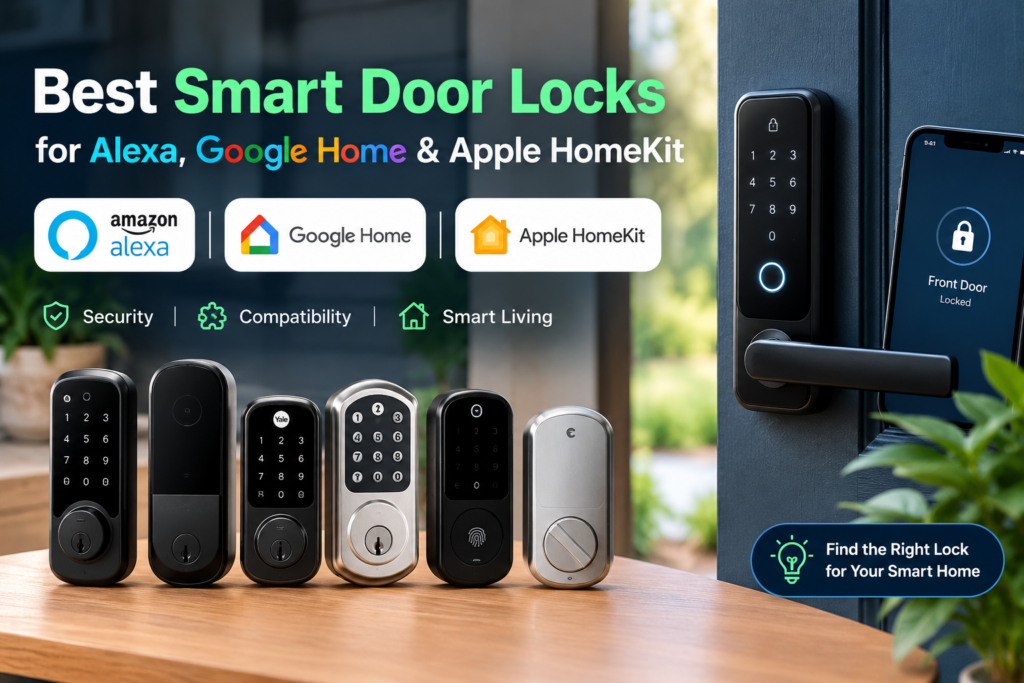
If you’re building a smart home that spans Amazon Alexa, Google Home, and Apple’s ecosystem, your front door is the one device where compatibility mistakes are the most expensive to fix. Unlike a smart bulb, a smart lock is tied to your door hardware, your household’s daily routine, and — if you get it wrong — your ability to get back inside your own home. The best smart door locks compatible with Alexa, Google Home, and Apple HomeKit aren’t just “compatible” in a marketing sense; they support each platform through documented, verifiable integration paths, with clear answers about what happens if Wi-Fi drops, a battery dies, or you lose your phone. This guide breaks down which locks actually deliver cross-ecosystem support today, what “compatible” really means in each case, and how to match a lock to your specific mix of devices.
Best Smart Door Locks at a Glance
Compatibility for every lock below can vary by exact model number, firmware version, connectivity module, or region — always confirm against the current listing before buying. Where a detail depends on optional hardware (like a hub or Wi-Fi module), we’ve noted it directly in the table rather than guessing.
| Product | Alexa | Google Home | Apple Home | Apple Home Key | Matter | Wi-Fi | Thread | Keypad | Fingerprint | Physical Key | Hub Required | Entry Methods | Security Rating | Best For |
|---|---|---|---|---|---|---|---|---|---|---|---|---|---|---|
| Schlage Encode Plus | Yes (built-in Wi-Fi) | Yes (built-in Wi-Fi) | Yes (Thread) | Yes | No | Yes (built-in) | Yes | Yes (built-in) | No | Yes | No for basic use; Apple TV/HomePod mini needed for remote HomeKit access | Keypad, app, Apple Home Key, physical key, voice | ANSI/BHMA A156.40 Grade AAA | Apple Home Key seekers who also want Alexa/Google without extra hardware |
| Level Lock+ (Matter) | Yes (via Matter) | Yes (via Matter) | Yes | Yes | Yes (Matter-over-Thread) | No native Wi-Fi | Yes | Optional (separate Level Keypad) | No | Yes | Yes — Matter/Thread border router (HomePod mini, Apple TV, Echo w/Thread, Google Nest Hub, etc.) for remote access | App, Bluetooth, Apple Home Key, key fob, optional keypad, physical key | BHMA AAA / ANSI Grade 1 | Buyers who want the most discreet design and single-standard Matter compatibility |
| Aqara Smart Lock U100 | Yes (hub required for full automation) | Yes (hub required for full automation) | Yes | Yes | Yes (hub required) | No native Wi-Fi; Bluetooth out of box | No | Yes (built-in) | Yes (up to 50) | Yes | Aqara hub required for remote access, Matter, and voice-assistant automations | Fingerprint, keypad, app, NFC, Apple Home Key, physical key | BHMA-equivalent Level 3 (Aqara-stated) | Households that want fingerprint plus Apple Home Key in one deadbolt |
| Yale Assure Lock 2 (Touch or Plus) | Yes, with Yale Wi-Fi Module | Yes, with Yale Wi-Fi Module | Yes (Bluetooth, out of box) | Yes on Plus model only; not combinable with fingerprint | Varies by module/firmware — verify model | Optional, via add-on module | No native Thread; Matter module rollout varies by region | Yes (touchscreen) | Yes on Touch model only | Optional | App, touchscreen code, fingerprint (Touch) or Apple Home Key (Plus), physical key (select trims) | ANSI/BHMA Grade 2 (Tom’s Guide-reported; verify current cert per model) | Buyers who want to customize exactly which features (fingerprint vs. Home Key) they pay for | |
| August Wi-Fi Smart Lock (4th Gen) | Yes (built-in Wi-Fi) | Yes (built-in Wi-Fi) | Yes (built-in Wi-Fi) | No | No | Yes (built-in) | No | Optional (separate August Smart Keypad) | No | Keeps your existing exterior key cylinder | No | App, voice, optional keypad, existing physical key | Not independently BHMA-rated by August; verify current spec sheet | Renters who want to keep their existing exterior hardware and keys |
| Kwikset Halo Select Plus | Yes | Yes | Yes | Yes (“Tap to Unlock”) | Yes | Yes | Yes | Yes (touchscreen) | No | Yes | No | Touchscreen code, app, Apple Home Key, voice, physical key | ANSI/BHMA Grade AAA (Kwikset-stated) | Buyers who want one lock that’s natively Matter-certified across all three ecosystems |
| SwitchBot Lock Ultra | Yes (full integration via SwitchBot Hub) | Yes (full integration via SwitchBot Hub) | Yes, via SwitchBot Hub Mini (Matter) | Not currently documented | Yes, via SwitchBot Hub | No native Wi-Fi; Bluetooth out of box | No native; via Hub | Optional (SwitchBot Keypad/Keypad Vision) | Yes (up to 100) | Retrofits onto your existing lock body | Yes — SwitchBot Hub Mini required for HomeKit, Matter, and full Alexa/Google remote features | Fingerprint, app, NFC card, keypad, retained existing key | 6-layer security system (SwitchBot-stated, not an ANSI/BHMA grade) | Renters who want fingerprint entry without replacing their existing lock cylinder |
Best Smart Door Locks Compatible with Alexa, Google Home, and Apple HomeKit
Schlage Encode Plus
Best for: Households that want Apple Home Key plus Alexa and Google Home without buying a separate hub or bridge.

- ANYWHERE ACCESS: With built-in WiFi compatibility, you can easily and securely connect your Schlage Encode Plus lock to …
- PEACE OF MIND: Lock and unlock from anywhere, manage up to 100 access codes, view lock history, receive customizable not…
- TAP TO UNLOCK: Works with Apple HomeKit and Apple home keys; with home keys you can simply tap to lock or unlock using y…
Ecosystem compatibility: The Encode Plus is one of the only smart locks built specifically around Apple Home Key, letting you unlock by tapping an iPhone or Apple Watch to the keypad. It connects to Apple Home over Thread, and separately connects to Amazon Alexa and Google Assistant using its built-in Wi-Fi radio, per Schlage’s own smart-home integrations page. Notably, Schlage confirmed to The Verge that the Encode Plus will not receive Matter support, so it relies on native, separate integrations with each platform rather than one unified standard.
Installation type: Full deadbolt replacement.
Entry methods: Keypad code, Schlage Home app, Apple Home Key, physical backup key, and voice (lock/status only by default with Alexa and Google).
Connectivity: Built-in Wi-Fi for remote access and Alexa/Google Assistant; Thread for Apple Home Key and local HomeKit response.
Security features: ANSI/BHMA A156.40-2015 Grade AAA rating for security, durability, and finish, according to retailer-listed manufacturer specifications.
Battery/power information: Four AA batteries, manufacturer-stated as offering up to roughly six months of battery life under typical use; a low-battery indicator appears on the touchscreen and in the app.
Hub requirements: None for local Bluetooth, keypad, or Wi-Fi-based Alexa/Google use. A Thread border router (HomePod mini or Apple TV) is needed if you want to unlock via Apple Home Key or control the lock in Apple Home while away from home.
Pros:
- Genuine native support across all three ecosystems, not just one
- Apple Home Key is fast and doesn’t require opening an app
- High BHMA security and durability rating
- No mandatory hub purchase for basic multi-ecosystem use
Cons:
- No Matter support, and Schlage has confirmed none is coming to this model
- Full Apple Home remote functionality still benefits from a Thread border router
- Touchscreen keypad can be slower to respond in cold weather, per user reports
Who should buy it: Anyone who specifically wants Apple Home Key alongside Alexa and Google Home and doesn’t mind that the lock uses separate native connections rather than one shared Matter connection.
Who should skip it: Buyers who want a single Matter-based lock that can be moved between ecosystems with less setup friction.
Level Lock+ (Matter)
Best for: Buyers who want the smallest, most discreet smart lock hardware while still getting genuine Matter compatibility.

- SMART LOCK, SMARTER DESIGN: Seamlessly integrate Lock+ with your existing door hardware, with no visible technology on t…
- TAP TO ENTER WITH APPLE HOME KEY: Forget your keys at home – on purpose. Access your home effortlessly by tapping Lock+ …
- CONTROL YOUR LOCK FROM ANYWHERE: With Level Connect Wi-Fi bridge (included) you can remotely lock/unlock your door, view…
Ecosystem compatibility: According to Level’s own press materials, the Level Lock+ (Matter) — sold by some retailers as “Level Lock Pro (Matter)” — is the first smart lock to support Bluetooth and Matter-over-Thread simultaneously, letting it connect to Apple Home, Google Home, Amazon Alexa, and Samsung SmartThings at once. It supports Apple Home Key.
Installation type: Full deadbolt replacement, with nearly all hardware hidden inside the door for a minimal exterior footprint.
Entry methods: Level app, Bluetooth auto-unlock, Apple Home Key, an optional Level Keypad for PIN codes, key fobs, and a traditional physical key.
Connectivity: Bluetooth for local control; Matter-over-Thread for smart home platform integration and remote access.
Security features: BHMA AAA certification and ANSI Grade 1 ratings, and the lock has reportedly been tested to 250,000 lock cycles, according to Level’s documentation.
Battery/power information: Battery type and expected life should be confirmed on Level’s current spec sheet, as this can vary by hardware revision.
Hub requirements: A Matter-compatible Thread border router (such as a HomePod mini, Apple TV 4K, Google Nest Hub, or Echo device with Thread support) is required for remote access and full smart home integration — this is standard for any Matter-over-Thread device, not unique to Level.
Pros:
- Extremely compact, unobtrusive design
- True simultaneous multi-ecosystem support via Matter
- High BHMA/ANSI security certification
- Apple Home Key included
Cons:
- No built-in Wi-Fi, so a Thread border router is functionally required for remote use
- Retail naming has been inconsistent across “Level Lock+” and “Level Lock Pro,” so double-check the exact SKU
- Optional keypad sold separately
Who should buy it: Buyers who already have Thread border routers in their home (common if you own newer Apple TV, HomePod mini, or Nest Hub devices) and want the smallest possible lock footprint.
Who should skip it: Anyone without an existing Thread border router who doesn’t want to add one just for lock connectivity.
Aqara Smart Lock U100
Best for: Households that want built-in fingerprint recognition and Apple Home Key on the same deadbolt.

- 【Apple Home and Home Key Support】The U100 is a smart door lock that is fully integrated into Apple Home. It can be unloc…
- 【Fingerprint and More Ways to Unlock】The Smart Lock U100 offers multiple ways to unlock, including a high-precision fing…
- 【Automations with Aqara and Third-Party Devices】With an Aqara Zigbee 3.0 hub, the Smart Door Lock U100 is compatible wit…
Ecosystem compatibility: Per Aqara’s official U100 support documentation, the lock supports Apple Home and Home Key out of the box, and is compatible with Matter, Google Home, Alexa, and IFTTT. Aqara explicitly notes that remote features and smart-home automations require an Aqara 3.0 hub, and that Matter support also depends on using a Matter-supported Aqara hub — an important nuance many retail listings gloss over.
Installation type: Full deadbolt replacement.
Entry methods: Fingerprint (up to 50 prints), keypad passcodes (up to 75, per Aqara), the Aqara Home app, NFC tags, Apple Home Key, and a physical backup key.
Connectivity: Bluetooth works out of the box for setup and local control; an Aqara hub is required to unlock Matter, remote access, and multi-platform automations.
Security features: Aqara states the U100 complies with the same safety standard as BHMA Level 3, carries an IP65 rating on its outer panel, and stores fingerprint/password data locally with AES encryption rather than in the cloud.
Battery/power information: Powered by an internal rechargeable battery topped up via USB-C; Aqara also provides a USB-C emergency charging port for when the battery is critically low.
Hub requirements: Not required for basic Bluetooth-based local unlocking and app control, but required for remote access, Matter, and voice-assistant automations with Alexa, Google Home, or Apple Home.
Pros:
- Rare combination of fingerprint entry and Apple Home Key on one lock
- Locally stored biometric data rather than cloud storage
- Multiple backup entry methods (NFC, passcode, physical key)
Cons:
- Full ecosystem functionality depends on adding an Aqara hub, which is an extra purchase
- Door status/logging features have historically rolled out gradually via firmware, per Aqara’s own release notes
- Outdoor durability rating applies only to the exterior panel
Who should buy it: Families who want fingerprint access for multiple household members and are comfortable adding an Aqara hub for full smart home functionality.
Who should skip it: Anyone who specifically wants to avoid purchasing any additional hub hardware.
Yale Assure Lock 2 (Touch or Plus)
Best for: Buyers who want to choose exactly which premium feature — fingerprint or Apple Home Key — they pay for, rather than getting a fixed bundle.

- TAP AND GO WITH HOME KEYS: Using Apple home keys, accessing your home is now easier and more secure than ever before. Ad…
- WORKS WITH APPLE HOME: Control your smart lock using voice commands with Siri, home automations, and more, when paired w…
- ANYWHERE. ANYTIME. A smart lock that’s compatible with your on-the-go lifestyle. Remotely let people in, lock up, share …
Ecosystem compatibility: All Assure Lock 2 models work with Apple Home and the Yale Access app over Bluetooth out of the box. Alexa and Google Home support requires purchasing Yale’s separate Wi-Fi Module. Notably, Yale’s Assure Lock 2 Touch (fingerprint) and Assure Lock 2 Plus (Apple Home Key) are separate models — you cannot get both features on one lock. Yale has said a Matter-over-Thread module is planned, but rollout timing and current availability vary by region and firmware, so this should be verified against Yale’s current product pages before purchase.
Installation type: Full deadbolt replacement, in keyed or key-free versions depending on model.
Entry methods: Touchscreen PIN codes, the Yale Access app, fingerprint (Touch model only) or Apple Home Key (Plus model only), and physical key (on keyed trims).
Connectivity: Bluetooth is built in for all models; Wi-Fi requires the add-on module; Z-Wave module available separately for SmartThings/Ring Alarm ecosystems.
Security features: Independent reviewers have reported an ANSI/BHMA Grade 2 rating on current Assure Lock 2 models — confirm the exact grade for your specific trim and finish, since Yale’s lineup spans multiple models.
Battery/power information: Four AA batteries; reviewers have reported roughly 3 months of battery life when running the Wi-Fi module continuously versus roughly 9 months on Bluetooth alone — treat these as approximate, third-party-tested figures rather than fixed guarantees.
Hub requirements: None for Apple Home via Bluetooth (an Apple TV or HomePod is needed only for remote/away-from-home HomeKit access). Alexa and Google Home require the Wi-Fi Module as an additional purchase.
Pros:
- Modular design lets you buy only the connectivity you need
- Works with Apple Home natively without extra hardware
- Slim profile compared to many competitors
Cons:
- Fingerprint and Apple Home Key are mutually exclusive on this lineup
- Alexa/Google support isn’t included by default — it’s an added cost
- Matter timeline and current support level vary by firmware and region
Who should buy it: Buyers who know exactly which single premium unlock method (biometric or Home Key) they want and are comfortable buying connectivity modules à la carte.
Who should skip it: Anyone who wants fingerprint and Apple Home Key on the same physical lock, or who wants Alexa/Google support included without an extra purchase.
August Wi-Fi Smart Lock (4th Gen)
Best for: Renters who want smart features without changing their door’s exterior appearance or losing their original keys.

- UPGRADE YOUR EXISTING DEADBOLT: August smart locks fit on the inside of your door, making your regular deadbolt smarter,…
- GRANT ACCESS WITH THE AUGUST APP: Forget key copying. Quickly and easily share permanent, scheduled or temporary access …
- EASY TO INSTALL ON ANY DOOR: Even if you’re not so handy, installation only takes about 10 minutes. August locks fit per…
Ecosystem compatibility: August’s retailer and manufacturer listings describe the 4th-generation Wi-Fi Smart Lock as compatible with Google Assistant, Apple HomeKit, and Amazon Alexa, using its built-in Wi-Fi radio rather than a bridge.
Installation type: Retrofit — it installs on the inside of the door over your existing deadbolt, so the exterior lock, keyway, and keys stay exactly as they were. This makes it one of the more landlord-friendly options on this list.
Entry methods: August app, voice assistants, and your original physical key (since the exterior hardware is untouched). A separate August Smart Keypad can be purchased for PIN-code entry.
Connectivity: Built-in Wi-Fi; no bridge or hub required for remote access or voice control.
Security features: August markets this as offering “bank-level encryption,” but does not appear to publish an independent ANSI/BHMA grade for this model on its current spec sheets — this is a gap worth confirming directly with August before buying if a certified grade matters to you.
Battery/power information: Runs on two CR123 batteries; some user reviews report shorter-than-expected battery life tied to Wi-Fi signal strength, though this varies by household.
Hub requirements: None — this is one of the few locks on this list with genuinely no-hub-required access to all three ecosystems.
Pros:
- True retrofit design keeps your exterior lock and existing keys unchanged
- No hub needed for Alexa, Google Home, or Apple HomeKit
- Compact, install-in-minutes design
Cons:
- No fingerprint reader
- No Apple Home Key support
- No built-in keypad (sold separately)
- No independently documented ANSI/BHMA grade published
Who should buy it: Renters or anyone who wants smart access without permanently modifying their door’s exterior.
Who should skip it: Anyone who wants biometric entry, Apple Home Key, or a documented security grade as a purchase requirement.
Kwikset Halo Select Plus
Best for: Buyers who specifically want one lock that is natively Matter-certified and supports Apple Home Key, Alexa, and Google Home without add-on modules.

- TAP TO UNLOCK: With NFC technology and Apple home keys, simply tap to unlock Halo Select Plus using your iPhone or Apple…
- CONTROL AND MONITOR FROM ANYWHERE: Remotely lock and unlock, share guest access and ensure your door
- SMART HOME INTEGRATION: Works with Amazon Alexa, Apple Home and Google Home. Control your lock with your voice, create h…
Ecosystem compatibility: According to Kwikset’s own product answers on Home Depot’s listing, which link to Kwikset’s product detail page, the Halo Select Plus is Matter-compatible and works with Amazon Alexa, Apple Home, and Google Home, with Apple Home Key (“Tap to Unlock”) support built in.
Important distinction: this is a different, newer model from the Kwikset Halo Touch, which — per Lowe’s current spec sheet — explicitly does not support Apple HomeKit or Matter despite also carrying the “Halo” name. If you’re comparison shopping, confirm you’re looking at “Halo Select Plus,” not the older “Halo Touch,” if cross-ecosystem support matters to you.
Installation type: Full deadbolt replacement.
Entry methods: Touchscreen PIN code, Kwikset app, Apple Home Key, voice assistants, and physical backup key.
Connectivity: Built-in Wi-Fi and Matter support.
Security features: Kwikset markets an AAA security rating on this line; confirm the specific ANSI/BHMA grade on your exact SKU, as Kwikset’s Halo lineup includes multiple sub-models with varying certifications.
Battery/power information: Confirm current battery type and expected life directly on Kwikset’s product page, since it can differ from older Halo models.
Hub requirements: None documented for standard use.
Pros:
- Native Matter certification simplifies setup across all three ecosystems
- Apple Home Key included
- Geofencing-based auto-lock/unlock via the Kwikset app
Cons:
- No fingerprint reader (unlike the separate Halo Touch model)
- “Halo” naming across Kwikset’s lineup is inconsistent, so it’s easy to accidentally buy the wrong model
- Newer product, so long-term reliability data is more limited than older locks on this list
Who should buy it: Buyers who want a single, natively Matter-certified lock and don’t need biometric entry.
Who should skip it: Anyone who wants fingerprint access — you’d need Kwikset’s separate Halo Touch line, which sacrifices Apple Home and Matter support.
SwitchBot Lock Ultra
Best for: Renters who want fingerprint entry without replacing their existing lock cylinder.

- Ultra Compatibility : Compatibility with most apartment door locks. And the “Accessory Kit”can supports Jimmy Proof and …
- Ultra Power-Long-lasting battery : The Triple Power System provides 12 months of continuous use. Equipped with a high-sp…
- Ultra Unlock Methods : Multiple unlocking options with 0.3-second ultra-fast fingerprint recognition (supporting up to 1…
Ecosystem compatibility: Per SwitchBot’s own product listing, the Lock Ultra supports Matter and is compatible with Apple HomeKit, Alexa, and Google Assistant — but full HomeKit and Matter functionality requires pairing it with the separate SwitchBot Hub Mini. Apple Home Key support is not documented for this specific model as of this writing.
Installation type: Retrofit — it’s designed to fit over most existing residential locks, including apartment-style locks, without replacing the lock core. An accessory kit extends compatibility to jimmy-proof and mortise lock types.
Entry methods: Fingerprint (up to 100 prints), the SwitchBot app, NFC cards, an optional SwitchBot Keypad or facial-recognition Keypad Vision, and your existing physical key (since the original lock core remains).
Connectivity: Bluetooth is built in for local/basic use; the SwitchBot Hub Mini adds Matter, HomeKit, and full remote/voice functionality for Alexa and Google Home.
Security features: SwitchBot describes a “6-layer security system” with AES-128 encryption and tamper alerts, according to the company’s own marketing materials — this is a manufacturer description rather than an independently verified ANSI/BHMA grade.
Battery/power information: SwitchBot states its “Triple Power System” provides up to 9 months of continuous use per charge, extendable to around 12 months with the larger battery pack option.
Hub requirements: Not required for Bluetooth-only local use, but required for HomeKit, Matter, and full remote/voice integration.
Pros:
- True retrofit design that preserves your existing lock and keys — ideal for renters
- Fast fingerprint recognition supporting up to 100 users
- Flexible accessory kits for less-common lock types
Cons:
- Full smart-home ecosystem support depends on buying the separate Hub Mini
- No documented Apple Home Key support
- Security rating is a manufacturer description, not an independent ANSI/BHMA certification
Who should buy it: Renters who want fingerprint access layered onto their existing lock without a permanent hardware swap.
Who should skip it: Anyone who wants Apple Home Key or a lock with an independently verified ANSI/BHMA security grade.
What Does “Works With Alexa, Google Home, and Apple Home” Actually Mean?
This phrase gets used loosely in product listings, and it can mean several very different things in practice:
- Native integration means the lock manufacturer built a direct connection to that platform — for example, Schlage’s Wi-Fi-based Alexa integration. This usually works reliably but is specific to that one platform.
- Matter integration means the lock speaks a shared, standardized smart-home language that Apple Home, Google Home, Amazon Alexa, and Samsung SmartThings can all understand. In theory, one Matter connection replaces multiple separate integrations — but Matter for locks specifically often still requires a Thread border router for remote access, and lock-specific Matter features (like user codes) are still maturing across platforms.
- Bridge or hub-based integration means the lock talks to a small piece of additional hardware (an Aqara hub, a SwitchBot Hub, a Yale Wi-Fi Module) which then relays commands to your voice assistants. This adds a step and an extra purchase, but it’s often how manufacturers add ecosystem support to locks that weren’t originally built with built-in Wi-Fi or Thread radios.
- Voice assistant support and app integration are not the same thing. A lock can appear in the Alexa or Google Home app for status checks and locking, without supporting voice unlocking, which most platforms restrict for security reasons (see the next sections).
The practical takeaway: “works with X” on a product box doesn’t tell you how it works with X, and that detail determines whether you’ll need to buy anything else.
Apple HomeKit vs Apple Home Key: What’s the Difference?
These two terms are easy to mix up, but they describe different things:
- Apple HomeKit (Apple Home) compatibility means the lock can be added to Apple’s Home app and controlled through Siri, automations, and the Home app interface — locking, unlocking, and checking status, typically over Bluetooth or Thread.
- Apple Home Key is a specific, additional feature that lets you unlock the door by holding a compatible iPhone (SE 2nd generation or later, or iPhone XR/XS and newer) or Apple Watch (Series 4 or later) near an NFC reader built into the lock — similar to how Apple Pay works, according to Apple’s own support documentation.
Critically, a lock can support Apple HomeKit without supporting Apple Home Key. The August Wi-Fi Smart Lock, for example, works with Apple Home but has no Home Key hardware. Only locks with a built-in NFC reader specifically engineered for Home Key — like the Schlage Encode Plus, Level Lock+, Aqara U100, Yale Assure Lock 2 Plus, and Kwikset Halo Select Plus — support this tap-to-unlock feature. If Home Key matters to you, check for it by name, not just for general “Apple Home compatible” language.
Matter vs Wi-Fi vs Bluetooth vs Thread for Smart Locks
These four terms describe different jobs, and a single lock often uses more than one:
- Wi-Fi connects the lock directly to your home router, giving it internet access on its own. This usually means no separate hub is needed for remote control or voice assistants, but Wi-Fi radios draw more battery power than Bluetooth or Thread.
- Bluetooth is short-range and used for setup, proximity-based auto-unlock, and local app control when you’re near the door. It doesn’t give the lock internet access on its own.
- Thread is a low-power, mesh-based wireless protocol designed for smart home devices. A lock with Thread needs a “border router” nearby — often a HomePod mini, Apple TV 4K, Google Nest Hub, or certain Echo devices — to bridge it to the internet.
- Matter isn’t a radio type at all — it’s a shared software standard that can run over Thread or Wi-Fi, letting one device be added to Apple Home, Google Home, Amazon Alexa, and SmartThings without separate app-specific setups for each. For locks specifically, most current Matter implementations run over Thread, so you’ll usually still need that border router even with a “Matter-compatible” lock.
In practice: Wi-Fi-based locks (Schlage Encode Plus, August, Kwikset Halo Select Plus) tend to be simpler to set up with no extra hardware. Matter-over-Thread locks (Level Lock+, Aqara with hub, SwitchBot with hub) offer broader long-term cross-platform flexibility but usually add a hardware dependency.
Do Smart Locks Need a Hub?
It depends on the lock and which features you want:
Locks that typically don’t need a hub for core Alexa/Google/Apple Home functionality:
- Schlage Encode Plus (built-in Wi-Fi handles Alexa and Google; a Thread border router is only needed for remote Apple Home Key access)
- August Wi-Fi Smart Lock (built-in Wi-Fi covers all three)
- Kwikset Halo Select Plus (built-in Wi-Fi and Matter)
Locks that require a hub, bridge, or border router for full functionality:
- Level Lock+ (Matter-over-Thread border router)
- Aqara U100/U200 (Aqara hub for remote access, Matter, and automations)
- SwitchBot Lock Ultra (SwitchBot Hub Mini for HomeKit, Matter, and full remote/voice features)
- Yale Assure Lock 2 (Wi-Fi Module for Alexa/Google Home specifically)
A useful rule of thumb: locks with a built-in Wi-Fi radio tend to need the least extra hardware, while locks built around Bluetooth-plus-Matter or Bluetooth-plus-hub architectures usually require you to add a bridge device for full ecosystem coverage — even if the box says “works with Alexa.”
How to Choose the Right Smart Lock for Your Home
For Apple households: Prioritize confirmed Apple Home Key support (Schlage Encode Plus, Level Lock+, Aqara U100, Yale Assure Lock 2 Plus, Kwikset Halo Select Plus) and consider whether you already own a HomePod mini or Apple TV, since either functions as a Thread border router for remote access.
For Alexa households: Locks with built-in Wi-Fi (Schlage Encode Plus, August, Kwikset Halo Select Plus) tend to reach Alexa with the least setup friction, since they don’t depend on Matter or a separate bridge.
For Google Home households: The same built-in-Wi-Fi locks generally apply here too; Google’s Matter support for locks is also improving, making Matter-based options like Level Lock+ and Kwikset Halo Select Plus increasingly viable.
For mixed ecosystems: Matter-based locks (Level Lock+, Kwikset Halo Select Plus) or locks with genuinely native multi-platform support (Schlage Encode Plus) reduce the number of separate integrations you’re relying on, but confirm your existing hub/border router situation first.
For renters: Retrofit locks that preserve your existing exterior hardware and keys — August Wi-Fi Smart Lock and SwitchBot Lock Ultra — are typically easier to justify to a landlord and easier to reverse at move-out.
For families: Fingerprint-capable locks (Aqara U100, Yale Assure Lock 2 Touch, SwitchBot Lock Ultra) let each family member use their own biometric credential instead of sharing a single code.
For Airbnb/guest access: Look for locks with generous, schedulable code limits and activity logs, which most locks on this list support through their respective apps — check current code-limit specs directly with the manufacturer, since these numbers are periodically updated via firmware.
For fingerprint entry specifically: Aqara U100 (up to 50 prints), Yale Assure Lock 2 Touch (verify current print limit), and SwitchBot Lock Ultra (up to 100 prints) are the strongest documented options.
For keypad entry specifically: Nearly every lock on this list includes a keypad, but Schlage Encode Plus and Kwikset Halo Select Plus both offer illuminated touchscreens designed for outdoor visibility.
These trade-offs depend on your specific mix of devices, household size, and rental status — there’s no single “best” category winner independent of your situation.
Are Smart Locks Secure?
Security for a smart lock has several independent layers, and it’s worth understanding each rather than relying on a single spec:
- Mechanical deadbolt quality matters as much as the electronics. Look for an ANSI/BHMA security grade specifically, not just marketing language like “bank-level.”
- ANSI/BHMA ratings run from Grade 1 (highest residential/light commercial) through Grade 3. Several locks on this list — Schlage Encode Plus, Level Lock+, and Kwikset Halo Select Plus — publish AAA or Grade 1 certifications. Others describe security in less standardized terms, which is worth factoring into your decision.
- Encryption protects data in transit between your lock, app, and cloud account. Most modern locks use AES-based encryption, and several (like Aqara’s U100) store sensitive biometric data locally on the device rather than in the cloud.
- Account security and two-factor authentication protect the app account controlling your lock — this is often the weakest link in a smart lock’s security, since a compromised email or app account can be more dangerous than a picked physical lock. Enable 2FA on your lock manufacturer’s app account wherever it’s offered.
- Access codes and activity logs let you audit who came and went, and revoke individual codes without rekeying the entire lock.
- Auto-lock reduces the risk of a door left unlocked accidentally.
- Battery failure and emergency power — nearly every lock in this guide includes a physical backup key, and several (Aqara, SwitchBot) include an external USB-C or 9V emergency power port that can temporarily jump-start a dead lock from outside the door.
- Lost phone considerations — because most of these locks tie access to an app account rather than solely to the device, losing your phone typically means revoking that device’s access remotely (via another logged-in device or the manufacturer’s web portal) rather than losing access to your home entirely.
If independent security assessments matter to your decision, our common home security mistakes breakdown covers how account-level security gaps — not just physical lock quality — cause most real-world break-ins.
Smart Lock Installation: What You Need to Know
Full deadbolt replacement locks (Schlage Encode Plus, Level Lock+, Aqara U100, Yale Assure Lock 2, Kwikset Halo Select Plus) replace your entire deadbolt mechanism, inside and out. This typically takes 20–45 minutes with basic tools, but requires your door to have a standard backset (usually 2-3/8″ or 2-3/4″) and standard door thickness (roughly 1-3/8″ to 2-1/4″, varying by model) — always check the manufacturer’s door-compatibility chart before buying.
Retrofit locks (August Wi-Fi Smart Lock, SwitchBot Lock Ultra) install over or alongside your existing deadbolt or lock body, usually only on the interior side, and don’t require rekeying or changing your exterior hardware. This makes them faster to install and easier to remove, which is why they’re popular with renters — but always confirm your specific deadbolt model is on the manufacturer’s compatibility list first, since not every deadbolt shape works with every retrofit design.
Other installation factors worth checking before you buy:
- Door alignment — a door that doesn’t close and latch smoothly on its own can cause any motorized deadbolt to bind or drain its battery faster from repeated motor strain.
- Battery placement — interior battery compartments are generally more weather-protected than exposed designs, which matters if your door is exposed to rain or direct sun.
- Wi-Fi signal strength at the door — a weak signal is one of the most common causes of “unreliable” smart lock complaints in user reviews, and can sometimes be fixed with a mesh Wi-Fi extender near the entryway.
- Hub or bridge placement — for hub-dependent locks, keep the hub within the manufacturer’s stated range of the door, and avoid placing it inside a metal cabinet or behind large appliances that can block signal.
If you’re planning a broader entryway upgrade, our DIY home security setup guide walks through sequencing a lock installation alongside cameras and sensors.
Frequently Asked Questions
What is the best smart lock for Alexa and Google Home?
Locks with built-in Wi-Fi and native support for both platforms — such as the Schlage Encode Plus, August Wi-Fi Smart Lock, and Kwikset Halo Select Plus — tend to require the least additional hardware for Alexa and Google Home specifically.
Can one smart lock work with Apple Home and Alexa?
Yes. Several locks in this guide, including the Schlage Encode Plus and Kwikset Halo Select Plus, natively support Apple Home, Alexa, and Google Home simultaneously, though the underlying connection method (Wi-Fi vs. Matter vs. Thread) differs by model.
Do all HomeKit smart locks support Apple Home Key?
No. HomeKit compatibility and Home Key support are separate features. The August Wi-Fi Smart Lock, for example, supports Apple Home but not Home Key, while the Schlage Encode Plus, Level Lock+, Aqara U100, Yale Assure Lock 2 Plus, and Kwikset Halo Select Plus all include Home Key hardware.
Do Matter smart locks work with Alexa and Google Home?
Generally yes, since Matter is designed to work across Apple Home, Google Home, Amazon Alexa, and Samsung SmartThings. However, most Matter locks currently run over Thread and still require a compatible border router for remote access, so “Matter-compatible” doesn’t automatically mean “hub-free.”
Do smart locks work without Wi-Fi?
Most smart locks still function locally — keypad codes, fingerprint entry, and Bluetooth-based app control typically keep working even if your internet goes down. What you usually lose during an outage is remote/away-from-home access and voice assistant control, since those depend on an internet connection.
What happens when a smart lock battery dies?
Nearly every lock in this guide includes a physical backup key as a fallback. Several models (Aqara U100, SwitchBot Lock Ultra) also include an external emergency power port — often 9V battery contacts or USB-C — that lets you temporarily power the lock from outside just long enough to get in and replace the batteries.
Are smart locks safer than traditional locks?
It depends on the specific lock and how it’s configured. A smart lock with a high ANSI/BHMA security grade, strong encryption, and two-factor authentication on the linked account can meaningfully improve security through features like activity logs and instant code revocation. However, a smart lock with weak account security can introduce new risks that a traditional mechanical lock doesn’t have, so the comparison isn’t automatic in either direction.
Can I use a smart lock without a hub?
Yes, if you choose a lock with built-in Wi-Fi, such as the Schlage Encode Plus, August Wi-Fi Smart Lock, or Kwikset Halo Select Plus. Locks built around Bluetooth-plus-Matter or Bluetooth-plus-hub architectures (Level Lock+, Aqara, SwitchBot) generally need a bridge or border router for full remote and voice functionality.
Are smart locks good for renters?
Retrofit models that preserve your existing exterior lock and keys — like the August Wi-Fi Smart Lock and SwitchBot Lock Ultra — are typically the most renter-friendly, since they can usually be removed without leaving visible modifications. Always check your lease and get landlord approval before installing any lock, smart or otherwise.
Can I unlock a smart lock with my Apple Watch?
Yes, on locks with Apple Home Key support and a compatible Apple Watch (Series 4 or later), according to Apple’s own documentation. This works independently of your iPhone being nearby.
Can Google Home unlock a smart lock?
Voice-based unlocking (as opposed to locking or status checks) is often restricted or requires an additional PIN confirmation step for security reasons, and support varies by platform and lock. Check the specific lock manufacturer’s current documentation for their Google Home voice-unlock policy before assuming it works out of the box.
Can Alexa unlock a smart lock?
Similarly, Alexa typically supports locking and status checks by default, with voice unlocking requiring you to manually enable an “Unlock by Voice” setting and, in some cases, set a voice PIN — a deliberate security restriction rather than a missing feature.
Do smart locks require subscriptions?
Most of the locks in this guide — including Schlage Encode Plus, Level Lock+, Aqara U100, Yale Assure Lock 2, August, Kwikset Halo Select Plus, and SwitchBot Lock Ultra — offer core lock/unlock, app, and voice assistant functionality without a mandatory subscription. Some manufacturers offer optional paid tiers for extended activity history or cloud video storage (on locks with integrated cameras/doorbells) — check the current terms for your specific model, as these can change.
Conclusion
There’s no single “best” smart lock across Alexa, Google Home, and Apple HomeKit — there’s a best lock for your specific mix of devices, hub hardware, and priorities. If you want Apple Home Key without adding any extra hardware, the Schlage Encode Plus is the most straightforward native option. If you’re already invested in Thread border routers and want the smallest hardware footprint, Level Lock+ makes sense. If fingerprint access matters more than anything else, Aqara’s U100 and SwitchBot’s Lock Ultra are the strongest documented options — but both ask you to add a hub for full ecosystem reach. And if you’re renting, retrofit designs from August and SwitchBot let you add smart access without altering your door’s exterior or your existing keys.
The one universal rule: read the specific connectivity requirements for the exact model and firmware you’re buying, not just the category it’s marketed in. “Works with Alexa, Google Home, and Apple HomeKit” can mean built-in support requiring nothing extra, or it can mean an additional hub is quietly required — and that distinction is exactly what determines whether your new lock is a weekend install or a multi-purchase project.
Methodology note: This guide is based on manufacturer documentation, official product pages, and cross-referenced retailer and press listings current as of publication. Gadget Sentinel has not conducted independent hands-on testing of the products listed above; specifications, battery life figures, and security ratings are attributed to manufacturers or the specific source noted, and should be reconfirmed against the current listing for your exact model, region, and firmware before purchasing.
Pingback: Ring Alarm Pro vs Abode: Which Smart Home Security System Is Better? - Gadget Sentinel